
Free Invoice Generator Australia: Create ATO-Compliant Invoices in Minutes
Create ATO-compliant invoices in minutes with the free invoice generator australia. Get paid faster and simplify your business.
Payly Team
January 24, 2026
Tired of chasing late payments and drowning in paperwork? A free invoice generator for Australia can be a game-changer. It’s a straightforward way to create professional, legally sound invoices in just a few minutes, helping you sidestep common ATO compliance traps and those frustrating cash flow gaps.
Why Smart Australian Businesses Ditch Manual Invoicing
For so many Aussie freelancers and small business owners, invoicing the old-fashioned way is a massive headache. Tapping away in Word or Excel might feel like you're getting things done, but it's a slow-burn process riddled with hidden risks. A simple typo, a dodgy GST calculation, or a forgotten ABN can mean rejected payments and awkward follow-up calls with clients.
Sticking to this manual method also creates a mountain of admin. You end up sinking precious time into chasing paperwork, manually marking off payments, and firing off reminder emails-time that could be poured back into actually growing your business. It's a purely reactive system that leaves your cash flow at the mercy of messy spreadsheets and easily-missed calendar alerts.
The True Cost of Manual Errors
Let's be honest, manual data entry is a recipe for human error, and those little mistakes can be surprisingly expensive. Punch in the wrong bank detail or miscalculate a total, and you could be waiting weeks for that payment to land. Even worse, forgetting a mandatory detail on a tax invoice can land you in hot water with the Australian Taxation Office (ATO).
Moving to digital tools isn't just about convenience; it’s a smart defence against costly slip-ups. Small businesses that switch to automated invoicing can slash errors by up to 70%, protecting both their income and their hard-earned professional reputation.
This isn't just a trend; it's a fundamental shift. The e-invoicing market in Australia is already worth over USD 445.2 million and is poised for significant growth, thanks in part to government standardisation efforts. When you look at the tangible benefits, like the impressive invoice processing ROI businesses are seeing with new tech, it's clear why manual methods are being left behind.
Future-Proofing Your Business Operations
Using a proper invoice generator isn't just about solving today's problems; it's about setting your business up for the future. As your business grows, your financial admin will only get more complex. A solid digital tool lays the groundwork for success.
- Look Professional: Send clean, branded, and error-free invoices every single time. It builds trust.
- Be More Efficient: Cut the time you spend creating and chasing invoices from hours down to minutes.
- Stay Compliant: Automatically include all the essential details like your ABN and GST to keep the ATO happy.
By stepping away from manual invoicing now, you're building a scalable system that can grow with you. It ensures you get paid faster and maintain healthy cash flow right from the very start.
Getting Your Australian Invoice Right, Every Time
An invoice isn't just a bill; it's a critical legal document for your business. It’s how you get paid, but it also has to keep you in the good books with the Australian Taxation Office (ATO). Nailing the details means faster payments and fewer compliance headaches later on. Thankfully, using a free invoice generator for Australia can take a lot of the guesswork out of this by giving you all the right fields to fill in.
Let’s walk through exactly what you need on your invoices to look professional and stay compliant. Think of this as your go-to checklist before you hit ‘send’.
Anatomy of an ATO-Compliant Tax Invoice
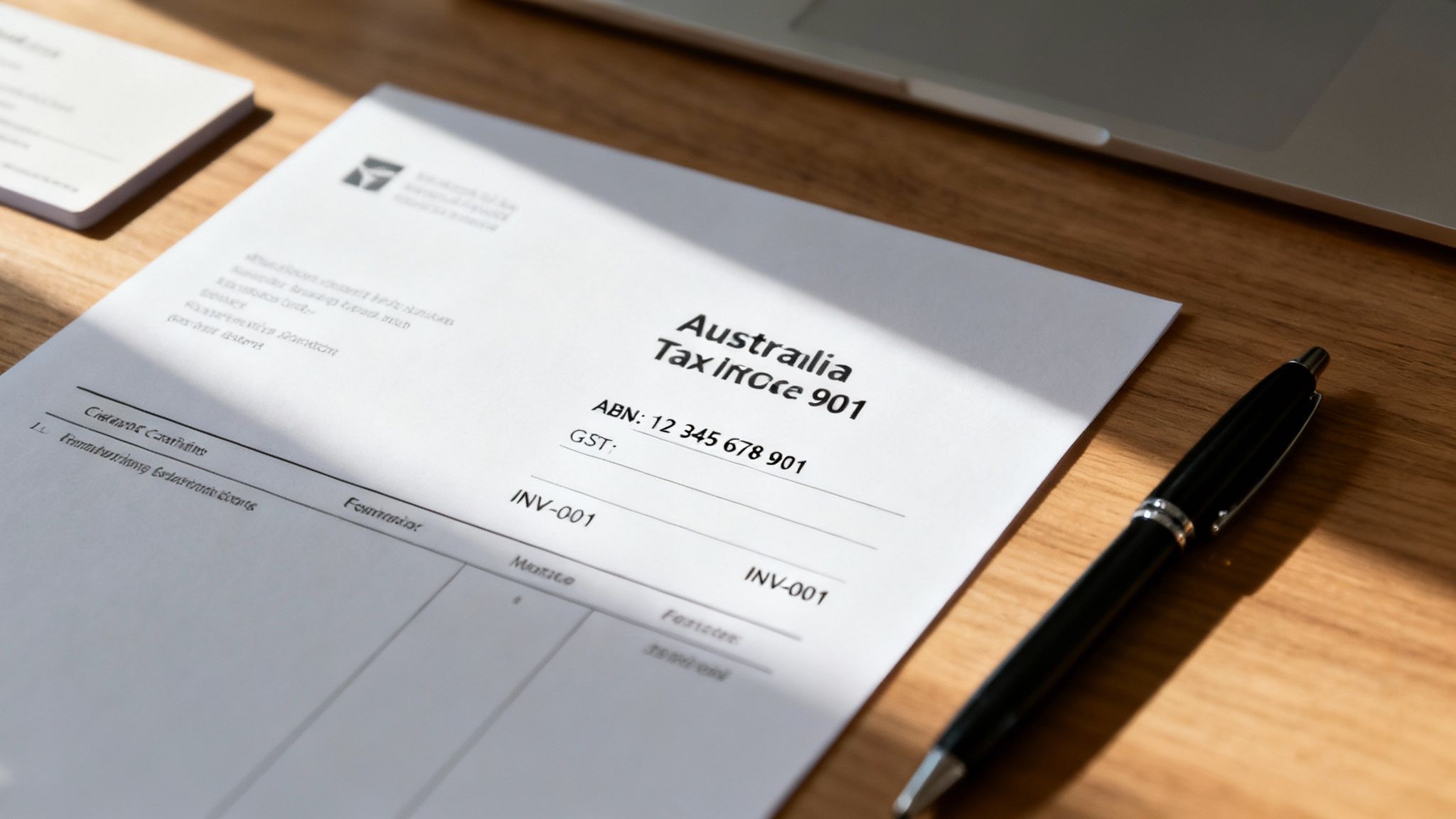
Getting the structure of your invoice right from the start saves a world of trouble. Use this checklist to make sure every invoice you send meets Australian tax requirements and, just as importantly, helps you get paid faster.
| Component | What It Is | Why It's Essential |
|---|---|---|
| "Tax Invoice" Label | The words "Tax Invoice" clearly displayed, usually at the top. | A non-negotiable ATO requirement if the sale includes GST. It legally validates the document for tax purposes. |
| Your Business Details | Your registered business or trading name and your ABN. | Identifies you as the seller and proves you're a legitimate Australian business. Without an ABN, clients may be required to withhold tax. |
| Client's Details | The client's full business name and their ABN or address. | Ensures the invoice goes to the right person or department, preventing payment delays, especially with larger companies. |
| Invoice Number | A unique, sequential number for each invoice (e.g., INV-001, INV-002). | Crucial for your own record-keeping and makes it easy for both you and your client to reference a specific transaction. |
| Invoice Date | The date you issue the invoice. | This is the official start date for your payment terms. It sets the clock ticking for when payment is due. |
| Description of Goods/Services | A clear breakdown of what you provided, including quantity and price per item. | Provides clarity for your client on what they're paying for, reducing the chance of disputes or questions. |
| GST Component | If you're registered for GST, you must show the GST amount separately or state that the "Total includes GST". | This is a strict ATO rule. It allows your GST-registered clients to claim back the GST credit on their purchase. |
| Total Amount Due | The final, total amount that needs to be paid. | The most important number on the page! Make it bold and easy to find. |
| Payment Terms | Your expected payment timeframe (e.g., "Due within 14 days"). | Sets clear expectations and gives you grounds to follow up if a payment becomes overdue. |
| Payment Details | Your bank account name, BSB, and account number. | Makes it easy for the client to pay you. The fewer barriers to payment, the better. |
Making these components a standard part of every invoice will streamline your admin and project a professional image to every client.
Getting the GST and Totals Right
This is where you need to be precise. Your invoice must have a crystal-clear breakdown of the costs. For each service or product, list what it is, the quantity, the price for one unit, and the total for that line item.
If you’re registered for GST, the ATO has specific rules. Your tax invoice has to either:
- Clearly show the total price including GST, with a simple note like, "Total includes GST."
- List the GST amount for each individual item, or show it as a single total at the bottom.
We go into much more detail on these rules in our guide to creating a GST invoice template for Australia, which is worth a read if you’re ever unsure.
Crucial Tip: If your business is not registered for GST, you absolutely must not mention or charge GST on your invoices. Doing so can land you in hot water with the ATO.
The Finishing Touches: Admin Details That Matter
A few final administrative details are the glue that holds your invoice together. They create a clear, professional record for both you and your client and are vital for good organisation and easy follow-up.
- A Unique Invoice Number: Seriously, don't skip this. A simple, sequential system (like 2024-001, 2024-002) makes it incredibly easy to track what's paid and what's outstanding.
- The Invoice Date: This is the day you officially issue the invoice and it kicks off the countdown on your payment terms.
- Clear Payment Terms: Don't be vague. Be direct and state your terms clearly, like "Due within 14 days" or "Due on receipt".
- How to Pay You: Make it dead simple for clients to send you money. Always include your bank account name, BSB, and account number. The easier you make it, the faster you'll get paid.
How to Choose a Safe Free Invoice Generator
A quick search for a free invoice generator will throw up a heap of options, but picking the right one takes a bit more digging. Let's be honest, not all free tools are created equal. The last thing you need is a clunky, insecure platform that makes your business look amateurish.
A good generator should feel like a natural part of your workflow-saving you time without sacrificing your brand's professionalism or, more importantly, your data security. It needs to be reliable, secure, and create documents that make clients happy to pay you.
Must-Have Features for Professionalism
Beyond just being a form you fill in, a decent free invoice generator for Australia needs to have a few key customisation options. These are the little things that make your invoices look polished and professional, which helps build trust with your clients.
Here are the non-negotiables you should look for:
- Your Business Logo: Slapping your logo on an invoice is the fastest way to make it look legit. It’s a small touch, but it screams professionalism and reinforces your brand.
- Automatic GST Calculations: Trying to calculate GST by hand is asking for trouble. A quality generator will do the maths for you, automatically adding the correct GST amount so your totals are always spot on.
- Professional PDF Exports: Always, always send your invoice as a PDF. It’s a secure format that looks the same on any device and, crucially, stops the client from accidentally changing any details. Steer clear of tools that only spit out an image file or an editable document.
- Currency Support: If you’re working with clients overseas, being able to specify the currency (like AUD or USD) is a must-have. It prevents any confusion and potential payment headaches down the line.
These are the features that separate the genuinely useful tools from the throwaway ones. They help you project a consistent, trustworthy image from day one.
The Non-Negotiables: Data Security and Privacy
Putting your client and financial details into a free online tool isn't something to do lightly. Your reputation and your clients' privacy are at stake. Before you type a single character, you need to do a quick background check on the generator's security.
Many free tools make money through ads or by funnelling you towards a paid subscription. That’s a perfectly fine business model, but you need to know what they’re doing with your data. Always take a minute to find and read their Privacy Policy.
Here’s a quick checklist to make sure a tool is safe to use:
- A Clear Privacy Policy: Any trustworthy service will have a privacy policy you can easily find. It should clearly explain what data they collect and why. If it’s buried or non-existent, that’s a massive red flag.
- Secure Connection (HTTPS): Glance at the website address in your browser. It absolutely must start with "https://". That 's' means your connection is encrypted, protecting your information from anyone snooping.
- Minimal Data Collection: Is the tool asking for your life story just to create a simple invoice? A good generator only asks for the bare essentials needed for the document itself.
- No Hidden Sign-ups: Watch out for generators that force you to create an account or hand over your email just to download the PDF. Often, it's just a tactic to add you to a marketing list you never asked to be on.
Choosing a safe free invoice generator is really about finding that sweet spot between convenience and caution. If you keep these features and security checks in mind, you can create professional invoices with confidence, without putting your business or your clients at risk.
Putting Your Invoicing on Autopilot
Let’s be honest, creating the invoice is just the first step. The real game-changer is building a smart, repeatable system around it. When you get this right, invoicing stops being a nagging chore and becomes a smooth, automated part of your business. A solid workflow means your invoices go out professionally, you follow up on time (without feeling awkward), and everything is stored correctly for when the tax man comes knocking.
This simple process flow shows you what to look for when picking a tool to build your workflow around.
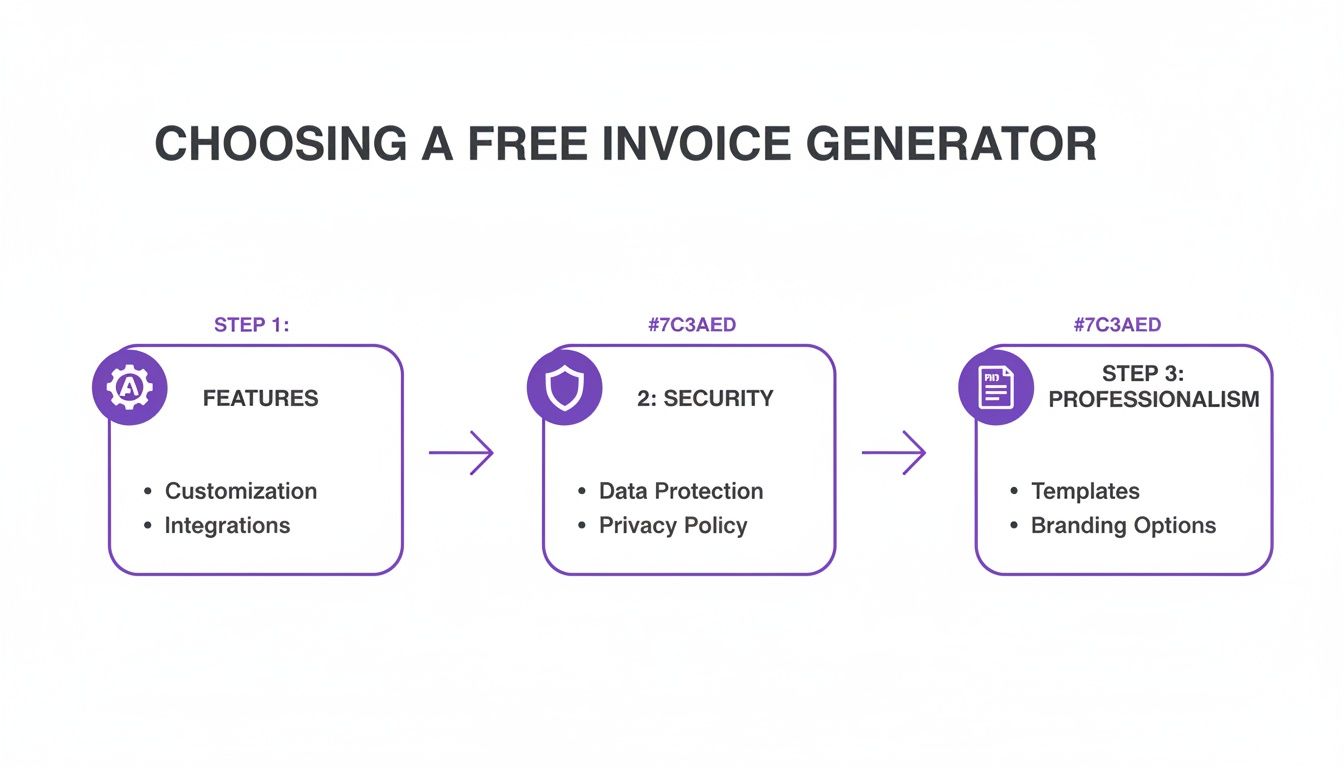
As you can see, the sweet spot is finding a tool that balances the must-have features with good security and the ability to make you look professional.
Sending and Following Up on Invoices
How you deliver your invoice really sets the tone. My advice? Always export it as a PDF and attach it to a clear, polite email. It’s also a great idea to pop the key details-like the invoice number, total amount, and due date-right into the email body so your client can see it at a glance. For a full rundown, have a look at our guide on how to send an invoice.
But the real time-saver is automating your follow-ups. Forget setting calendar reminders to chase late payments. Modern invoicing tools can send out gentle, automated nudges when an invoice becomes overdue. This completely removes the awkwardness of chasing money and keeps the communication flowing without you having to lift a finger.
Getting Ready for e-Invoicing
You’ve probably heard the term ‘e-invoicing’ floating around, and it's something the Australian government is pushing hard. It's not just about emailing a PDF. E-invoicing is a standardised, super-secure way for your accounting software to talk directly to your client’s software through the Peppol network.
This shift is gaining serious momentum. The last federal Budget mandated that Non-Corporate Commonwealth Entities must aim for 30% of their invoices to be received via e-invoicing. With over 400,000 Aussie businesses already connected to the Peppol network, the ATO is encouraging government bodies to make e-invoicing a standard requirement in their contracts. This will inevitably trickle down and put pressure on freelancers and small businesses to get on board.
An e-invoice costs significantly less to process than a paper or PDF version. Getting set up with a compliant tool now doesn’t just future-proof your business; it makes you a more attractive supplier to government agencies and big corporate clients.
Simple Record-Keeping for Your Sanity
Finally, no workflow is complete without a dead-simple system for keeping records. The ATO requires you to hang onto copies of your invoices for at least five years, so you need a place to store them. My go-to method is a dedicated folder in a cloud service like Google Drive or Dropbox.
Organise your files with a consistent naming system. Something like this works perfectly:
- [Client Name]Invoice-[Number][Date].pdf (for example, SmithsDesign_Invoice-007_2024-08-15.pdf)
A simple system like this makes finding a specific document an absolute breeze. For business owners looking to take things a step further, thinking about delegating invoicing and financial admin can be a smart move once you grow. Building these good habits early means your financial records will always be organised and ready for tax time-no last-minute panic required.
When Your Business Outgrows a Free Generator
A free invoice generator for Australia is a brilliant first step for any new freelancer or small business. It gets the job done and helps you look professional from day one. But as your business grows, that simple tool can start to hold you back.
The signs are often subtle at first. You might catch yourself manually typing the same client details for the tenth time. Or maybe you're spending your Sunday afternoon cross-referencing timesheets just to bill your work accurately. These are classic growing pains, telling you that your operations are becoming too complex for a basic tool.
Tell-Tale Signs It’s Time to Upgrade
Knowing when you’ve hit the ceiling with a free generator is key to scaling your business without burning out. The manual workarounds that were once a minor inconvenience can quickly become a huge time-drain, pulling you away from the work that actually makes you money.
It's probably time to look at a more robust system if you're experiencing any of these:
- You're Juggling Too Many Clients: Once your client list grows beyond a handful, keeping track of separate PDF invoices becomes a nightmare. Following up on payments turns into a full-on detective job.
- You Need to Track Billable Hours: If you sell your time, manually adding up hours from a spreadsheet and transferring them to an invoice is not only slow but also ripe for costly mistakes.
- Your Services Require Sign-Off: For projects that need client approval or a legally binding agreement, a simple invoice just won't cut it. You need a secure way to handle e-signatures.
- You're Managing Multiple Projects: Trying to track different rates, deadlines, and deliverables across various projects with a basic tool is nearly impossible.
If any of these points are hitting a little too close to home, you’re ready for an all-in-one platform. This is the point where you shift from just creating an invoice to actually managing your entire business workflow.
Investing in a unified system might feel like a big step, but the time you get back is almost immediate. The whole idea is to get rid of the friction that comes from juggling separate apps for time tracking, invoicing, and managing clients.
Moving to modern, integrated tools isn't just about making your life easier; it has a massive economic upside. In fact, research shows that a widespread shift to digital invoicing could unlock over A$22 billion in economic value for Australia. Features that once seemed complex, like PDF e-signatures with cryptographic trails, are now becoming standard for ensuring legal compliance.
Plus, automation is proven to slash the kind of errors that creep in when you're doing everything by hand. You can dig deeper into the numbers behind e-invoicing for the Australian economy.
The business case for upgrading is pretty clear. Instead of paying for and constantly switching between five different apps, a single platform like Payly combines everything you need. This approach not only saves you money on multiple subscriptions but, more importantly, frees up your time to focus on what you do best.
To see how an integrated solution could work for you, check out our detailed comparison of the best invoicing software for Australia.
Common Questions About Free Invoicing in Australia
Dipping your toes into digital invoicing always brings up a few questions. To help you get your head around it and manage your finances with confidence, I've pulled together some of the most common queries I hear from Aussie freelancers and small business owners using free invoice generators.
Do I Have to Include GST if I Use a Free Generator?
This one trips a lot of people up, but it's actually quite simple. Whether or not you charge GST has zero to do with your invoicing software. It’s all about your business’s tax status.
You only need to add Goods and Services Tax (GST) to your invoices if you are officially registered for it with the ATO. Registration becomes mandatory once your annual business turnover hits the A$75,000 mark. If you aren't registered for GST, you absolutely cannot include it on your invoices. A decent free invoice generator for Australia will have a simple toggle or field so you can add or remove GST as your business grows.
The main thing to remember is that the tool is just that-a tool. Your legal requirement to charge GST is tied to your turnover and ATO registration, not the program you use to create the paperwork.
What Is the Best Way to Send My Invoice?
Always, always send your invoice as a PDF. It’s the professional standard for a reason. Exporting to PDF locks the document, which means your client can't accidentally change a number or a date. It also ensures it looks the same on their computer, tablet, or phone.
When you send it, attach the PDF to a polite and straightforward email. I find it really helps to mention the key details right there in the email body, just to make it easy for your client. Something like:
- The invoice number (e.g., "Just popping Invoice #2024-015 in your inbox")
- The total amount due
- The payment due date
Whatever you do, don't send an editable Word doc or a blurry screenshot. It looks amateur and isn't secure.
How Long Must I Keep My Invoices in Australia?
Your record-keeping obligations are no joke. The Australian Taxation Office (ATO) legally requires you to keep copies of all your business records-including every single invoice you send out-for a minimum of five years.
Having a solid digital backup system is non-negotiable. This could be as simple as a well-organised folder in a cloud service like Google Drive or Dropbox. Or, even better, using an all-in-one platform that automatically and securely stores everything for you.
Can I Invoice International Clients with a Free Tool?
Yes, you sure can, as long as the generator you're using can handle multiple currencies. When invoicing someone overseas, the most important thing is to clearly state the payment currency (e.g., AUD, USD, EUR) on the invoice itself to avoid any mix-ups.
For your own books, you’ll need to convert the final payment you receive back into Australian dollars. It's also worth remembering that GST generally doesn't apply to services you 'export' to international clients, but it never hurts to double-check the specifics with your accountant.
Ready to stop juggling multiple apps and start managing your business in one place? Payly combines time tracking, smart invoicing, and e-signatures into a single, powerful platform designed for Australian businesses. Start your free 14-day trial today and see how much time you can save.
Payly Team
Sharing insights and strategies to help service businesses thrive. Follow Payly for more tips on time tracking, invoicing, and business operations.
Related Articles

Ready to streamline your business?
Join thousands of freelancers and agencies who use Payly to track time, send invoices, and get paid faster.