
How Do You Send an Invoice in Australia?
A complete guide on how do you send an invoice in Australia. Learn professional methods, follow-up tips, and how to use e-invoicing to get paid faster.
Payly Team
November 26, 2025
Before you can even think about sending an invoice, you need to create one that’s professional, compliant, and—most importantly—gets you paid without any fuss. A proper Australian invoice isn't just a suggestion; it needs specific details like your ABN, a unique invoice number, and clear payment terms to be legally valid.
Nail these elements from the get-go, and you’ll find your payment cycle speeds up dramatically.
Crafting a Compliant Australian Invoice
An invoice is much more than a simple request for money. It's a formal business document that reflects your brand and has to meet the legal requirements set by the Australian Taxation Office (ATO). Getting it right is the secret to preventing payment delays, simplifying your bookkeeping, and staying compliant—especially if you're registered for the Goods and Services Tax (GST).
Think of your invoice as a clear set of instructions for your client. The easier you make it for them to understand what they're paying for and how to pay it, the faster that money will land in your bank account.
Essential Invoice Fields You Cannot Skip
Every invoice you create has a few non-negotiable details. Forgetting any of these is a surefire way to cause confusion, payment hold-ups, or headaches at tax time.
Here's what you absolutely must include:
- Your Business Details: This means your business name (or your own name if you're a sole trader), your address, and your Australian Business Number (ABN). Your ABN is critical—it’s how the ATO and your clients identify your business.
- Client's Details: Always clearly state the full name and address of the person or business you're billing.
- A Unique Invoice Number: Every single invoice needs its own unique identifier for tracking. A simple sequential system (like INV-001, INV-002) is all you need to keep your records perfectly organised.
- Invoice and Payment Due Dates: State the date the invoice was issued and, crucially, the date the payment is due. Common terms like "Net 14" or "Due on Receipt" work well.
Detailing Services and Costs Correctly
Vague descriptions are a major cause of payment friction. Instead of just writing "Consulting Services," you need to provide a clear, itemised breakdown of the work you actually did.
For instance, a freelance consultant’s invoice might list:
- Market Research & Analysis: 10 hours @ $150/hour
- Strategy Document Preparation: 5 hours @ $150/hour
- Client Presentation Meeting: 2 hours @ $150/hour
This level of detail instantly justifies the cost and leaves no room for your client to come back with questions.
A well-detailed invoice acts as a final project summary for the client. It reinforces the value you provided and helps them internally approve the payment without needing to ask for more information.
If you're registered for GST, you have to show it clearly. That means stating the total price excluding GST, the total GST amount, and the final price including GST. You can learn more about how to use a GST calculator for accurate invoicing to get this right every time.
Finally, make it effortless for them to pay you. Include your bank account details (BSB and Account Number) or any other payment methods you accept right there on the invoice.
Here’s a quick rundown to help you get it right every time.
Quick Guide to Sending Your Invoice
| Step | Action | Why It's Important |
|---|---|---|
| 1. Set Up Your Template | Include all essential fields: ABN, client details, unique invoice number, dates. | A professional template saves time and ensures you never miss a required detail. |
| 2. Detail the Work | Itemise every service or product with a clear description, quantity, and rate. | Transparency prevents disputes and helps the client understand the value they received. |
| 3. Calculate Costs & GST | Add up all items, calculate the subtotal, apply GST (if applicable), and show the final total. | Accuracy is key for ATO compliance and ensures you’re paid the correct amount. |
| 4. Add Payment Info | Clearly state your payment terms (e.g., Net 14) and provide your bank details or a payment link. | Makes it easy and obvious for the client to pay you on time. |
| 5. Review and Send | Give it one last check for typos or errors, then send it to the client as a PDF. | A final proofread prevents embarrassing mistakes and potential payment delays. |
Following these steps turns invoicing from a chore into a smooth, professional process that reinforces your brand and keeps your cash flow healthy.
Choosing Your Invoice Delivery Method
You’ve crafted the perfect invoice, and now it’s time to get it into your client's hands. How you send it matters more than you might think. This isn't just about delivery; it directly impacts how quickly you get paid, the professional image you project, and how much time you burn on admin.
Moving beyond just attaching a file to an email is one of the smartest moves you can make for your cash flow. Let's look at the options.
The Old Way: Emailing a PDF
Sending a PDF attachment is the classic approach. It's simple, everyone knows how to do it, but it’s riddled with problems. You’re essentially sending your invoice into a black hole – you have no idea if your client has even opened it, let alone when they plan to pay.
It’s a totally manual process that creates friction for your client. They have to download the file, open it, log into their online banking, and manually enter your payment details. Each step is another chance for them to get distracted and for your payment to be delayed.
A Better Way: Integrated Accounting Software
This is where platforms like Xero, MYOB, and QuickBooks really shine. They don’t just help you create an invoice; they send it for you, complete with a unique online link.
When your client clicks that link, they see a professional, branded invoice with a big, clear "Pay Now" button. It’s a game-changer.
Here’s why it works so well:
- You Know What’s Happening: Most systems show you when a client has viewed the invoice. The old "I never got it" excuse vanishes.
- You Get Paid Faster: Making it easy to pay encourages immediate action. Clients can pay on the spot with a credit card or direct debit.
- Admin Takes Care of Itself: Once the payment is made, the software automatically marks the invoice as paid and reconciles the transaction in your accounts. No more manual ticking and tying.
Using these tools turns invoicing from a clunky, multi-step chore into a single, smooth workflow.
This flowchart is a great reference for making sure your invoice includes the right details, depending on whether or not you're registered for GST.
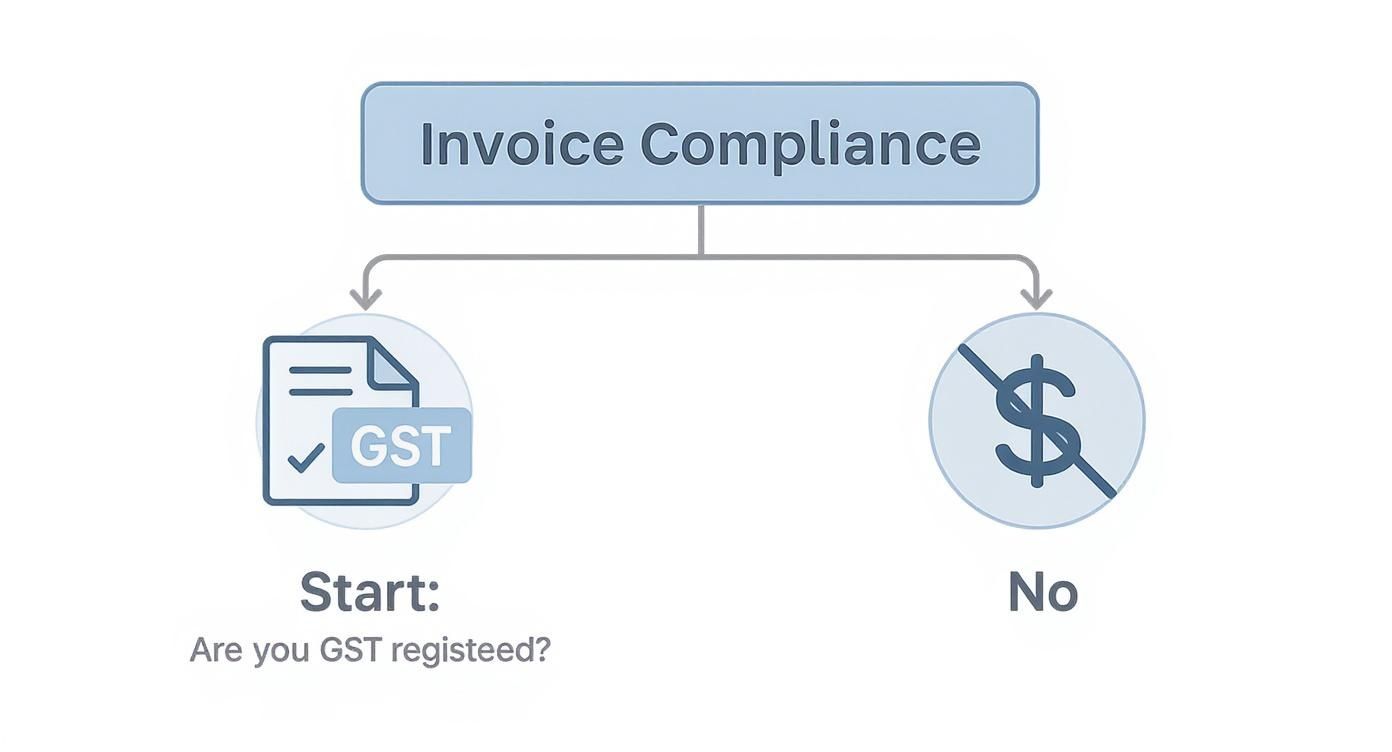
As you can see, being GST-registered means you have a legal obligation to clearly show the GST amount on what’s known as a ‘Tax Invoice’.
The Future: E-Invoicing in Australia
There’s an even more advanced method gaining traction here in Australia: e-invoicing. Don't confuse this with just emailing a PDF. E-invoicing is the direct, secure exchange of invoice data between your accounting software and your client's, using a standardised network called Peppol.
The Australian government is pushing this hard, and for good reason. Of the roughly 1 billion invoices swapped between Aussie businesses each year, only 10-15% are true e-invoices. The slow uptake is often because of the initial setup hurdles for smaller businesses, but the payoff is huge.
E-invoicing is like sending an instant message instead of mailing a letter. It's faster, far more secure, and eliminates the human error that comes with manual data entry.
It slashes processing times and dramatically reduces the risk of invoice fraud. For a deeper dive, you can check out this insightful report on e-invoicing adoption in Australia.
If you work with government departments or large corporations, getting on board with e-invoicing is quickly becoming a non-negotiable. It's the direction Australian business is headed.
Comparison of Invoice Delivery Methods
Deciding on the best way to send your invoices often comes down to balancing speed, cost, and professionalism. Here’s a quick breakdown to help you compare the most common methods.
| Method | Payment Speed | Setup Cost | Professionalism | Tracking Ease |
|---|---|---|---|---|
| Email with PDF | Slow | Low | Basic | Very Low |
| Accounting Software | Fast | Medium | High | Excellent |
| E-Invoicing | Very Fast | Medium-High | Very High | Excellent |
| Payment Link | Instant | Low-Medium | High | Good |
While a simple PDF is cheap, its lack of tracking and slow payment speed can cost you in the long run. On the other hand, accounting software and e-invoicing require some investment but deliver a far better experience for both you and your client, directly boosting your cash flow and cutting down on admin time.
Getting Ahead with E-Invoicing and Automation
Let's be honest, the old way of sending invoices is clunky. Attaching a PDF to an email and hoping for the best feels outdated because it is. The future is already here, and it's built on direct, secure data exchange and smart automation that does the heavy lifting for you.
For any Australian business, this means getting familiar with e-invoicing. It's not just about saving a bit of time; it's a fundamental shift towards better security, fewer errors, and getting your cash in the bank much, much faster.
So, what exactly is e-invoicing? Forget the PDF. E-invoicing is when your accounting software communicates directly with your client’s software over a highly secure, standardised network.
In Australia, that network is called Peppol. The best way to think of it is like a private, digital courier service exclusively for invoices. When you send an e-invoice, it travels through Peppol and lands directly inside your client's accounting system, pre-filled and ready for them to approve.
This completely sidesteps manual data entry on their side, which is where most mistakes and payment delays come from. It also slashes the risk of invoice fraud, since the entire process happens on a verified, locked-down channel.
Why the Government Is Pushing It
The Australian government is the biggest champion of e-invoicing, and they're not just suggesting it—they're mandating it for their own departments. This is a massive signal to the entire business community about where things are headed.
By mid-2026, government agencies need to be receiving at least 30% of their invoices via the Peppol network, and the goal is full automation by the end of that year. The economic upside is huge, with estimates suggesting it could add A$22.5 billion to the economy each year through productivity gains and fraud reduction.
For businesses like yours, the immediate benefit is faster payment. On average, e-invoices are paid up to 2.5 days earlier. You can read up on Australia’s e-invoicing deadlines to see how it's all unfolding. Getting on board with Peppol now isn't just about keeping up; it’s a strategic move to future-proof your invoicing.
Beyond Sending: Let Automation Do the Work
Modern invoicing tools don't just stop at sending the invoice. They manage its entire journey, from creation to payment, and this is where you can reclaim a serious amount of your time.
Instead of manually checking your bank account every day or making awkward follow-up calls, you can set up a system to handle the entire process.
Here’s what that looks like in practice:
- Automated Reminders: Schedule a series of polite, professional follow-up emails that trigger automatically when an invoice is getting close to its due date, or after it becomes overdue. Often, a gentle nudge is all it takes.
- Payment Prediction: Some of the smarter platforms use past payment behaviour to predict when a client is likely to pay, giving you a much clearer picture of your upcoming cash flow.
- Recurring Invoices: If you work with clients on a retainer or have ongoing projects, you can set invoices to be generated and sent automatically every week or month. Set it once and forget it.
Automation transforms your invoicing from a reactive, manual chore into a proactive system that works for you in the background. It frees you up to focus on what you do best—delivering great work—instead of drowning in admin.
This level of automation is also a game-changer for keeping your records organised. A system that automatically tracks payments, sends reminders, and keeps all your documents in one spot is invaluable. As your business grows, proper document management becomes critical, and you can explore our guide on document management to get your system right. By embracing these tools, you’re not just sending an invoice; you’re building a smarter, more resilient business.
Following Up on Unpaid Invoices
Let's be real: sending the invoice is only half the battle. You can craft the perfect invoice and send it off without a hitch, but some payments will inevitably drift past their due date. It’s a completely normal part of running a business, but your cash flow depends on having a solid, professional system for chasing them up.
More often than not, a well-timed, polite reminder is all it takes. Most late payments aren't a sign of a bad client; they're usually just an oversight. The goal here is to gently nudge them into action without souring the great relationship you've already built.
Creating a Reminder Schedule
Having a consistent timeline for your follow-ups takes the emotion and guesswork out of the equation. It means you can act promptly and professionally every single time. No more wondering when the "right time" to call is.
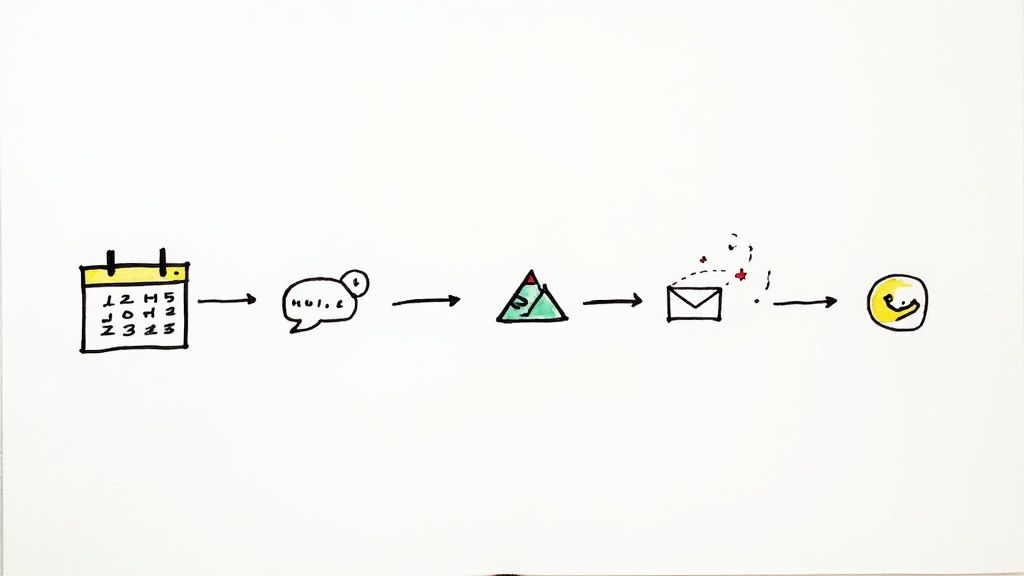
Here’s a follow-up sequence that I’ve seen work time and time again:
- The Gentle Nudge (3 days before due): Send a friendly heads-up that the payment is coming up. Think of it as a courteous check-in, not a demand.
- First Overdue Notice (1-3 days late): A polite email letting them know the due date has passed. The key is to assume they’ve simply forgotten and keep the tone helpful.
- Second Overdue Notice (7 days late): Now, the tone gets a little firmer. Re-attach the original invoice and ask if they have everything they need to get it sorted.
- Final Notice (14-21 days late): This email needs to be clear. State that the invoice is now significantly overdue and mention what the next steps are, like late fees or pausing services (as long as this was in your original agreement).
To stay on top of this, you can use an invoice due date calculator to map out your reminder schedule perfectly. Being this organised shows clients you're serious about your payment terms.
Handling Payment Excuses and Disputes
Sooner or later, you'll hear every reason in the book for a late payment. The trick is to listen, stay calm, and find a professional way forward. If a client claims they "never got the invoice," just re-send it while you have them on the phone to make sure they've got it this time.
If the problem is a genuine dispute over the work you’ve done, your best bet is to schedule a call to hear them out. A simple conversation can clear up misunderstandings that are blocking your payment.
Never let an unpaid invoice sit for weeks without action. The older an invoice gets, the harder it is to collect. A consistent follow-up process is your best defence against bad debt.
When repeated attempts to get paid just aren't working, you might need to take more formal steps. This could mean applying late fees (if they're in your contract), putting a pause on any ongoing work, or, as a final option, bringing in a debt collection agency. The goal is always to get what you’re owed while doing your best to keep the client relationship intact.
Streamlining Your Invoicing Workflow
Let's be honest, juggling a bunch of different tools to create an invoice, send it, track it, and then chase it up is a recipe for chaos. The secret to getting paid faster isn't just about sending a nice-looking invoice; it's about connecting all those little steps into one smooth, repeatable process.
Think about a typical day for a local sparkie. They finish a job, jot down notes on a scrap of paper or in their phone, and then head back to the office late at night to type it all up. They create a PDF, email it, and then set a calendar reminder to follow up if it isn't paid in a few weeks. It’s a broken system, with plenty of room for things to fall through the cracks.
From Manual Chaos to On-Site Efficiency
Now, let's rethink that scenario. What if that same sparkie could create a professional invoice right there on their tablet, the moment the job is done? With an all-in-one tool like Payly, that’s exactly what happens. The client gets the invoice instantly, complete with a payment link, and they can tap to pay with their card on the spot.
The difference this makes is immediate and massive.
- Fewer mistakes. The invoice is created while all the job details are fresh in your mind. No more deciphering messy notes days later.
- Faster payments. Giving clients an easy way to pay means you get your money sooner. No one enjoys logging into their internet banking for a manual transfer.
- Less admin. You've just cut out the travel time and late-night paperwork. That's time you can spend on the tools or with your family.
Automation That Works For You
But the real game-changer is what happens after you send the invoice. Instead of you having to remember to chase it up, the system does it for you. If the due date is getting close and the bill is still unpaid, it automatically sends out a polite, professional reminder. You don't have to lift a finger.
The goal is to turn invoicing from a series of painful, disconnected chores into a single, automated system. It’s not just about saving a few hours a week; it's about building a healthier cash flow and giving your clients a seamless, professional experience from start to finish.
This kind of connected workflow is quickly becoming the new standard. Australia’s e-invoicing market is booming and expected to hit USD 1,832.7 million by 2033. With the government pushing for it and new tech making it easier, more businesses are ditching the old manual methods for something far more efficient and secure. If you're interested in the details, you can learn more about Australia's e-invoicing market trends and see where things are headed.
Got Invoicing Questions? We’ve Got Answers
Even with the best system in place, invoicing can throw up some curveballs. It’s totally normal to have questions pop up. Getting your head around these common queries will help you feel more confident, keep your cash flow healthy, and maintain great relationships with your clients.
Let's break down some of the most frequently asked questions from Aussie business owners.
Invoice Versus Receipt: What's the Difference?
It’s easy to mix these two up, but they play very different roles in a transaction.
Think of an invoice as a formal request for payment. You send it to your client before they pay you, detailing everything you did, how much it costs, and when you expect to be paid. It’s the "Here's what you owe me" document.
A receipt, on the other hand, is the "Thanks for paying" document. You send it after the money has hit your account. It acts as proof of payment, confirming the transaction is all squared away. It’s essential for both your records and your client’s.
Do I Have to Charge GST?
This is a big one, and getting it right is crucial. In Australia, you are legally required to register for and charge the Goods and Services Tax (GST) only if your annual business turnover hits $75,000 or more. For non-profits, that threshold is higher at $150,000.
If you’re under that threshold, registering for GST is optional. But here's the important part: if you are registered for GST, you must issue what the ATO calls a "tax invoice." This means clearly showing the GST amount as a separate line item.
A word of warning for new businesses: If you aren't registered for GST, you absolutely cannot include "tax" or "GST" on your invoices. That's a big no-no with the ATO and can land you in hot water.
What Are Fair Payment Terms?
Deciding how long to give your clients to pay is a balancing act. Give them too long, and your cash flow suffers. Too short, and you might seem unreasonable.
In Australia, the standard payment terms are usually 7, 14, or 30 days from the date the invoice is sent. There's no magic number here; it really depends on your industry and the type of work you do.
For quick, one-off projects, asking for payment within 7 or 14 days is perfectly fine. For bigger jobs or ongoing work with a long-term client, 30-day terms are more common. The key is to be consistent and make sure the due date is printed loud and clear on every invoice to avoid any guesswork.
Can I Add a Late Fee to an Overdue Invoice?
Yes, you can, but you have to do it the right way. You can’t just decide to add a fee after an invoice is already overdue—that’s a recipe for a client dispute.
The right to charge late fees must be spelled out in your client agreement, contract, or terms of service before you even start the work. This clause should clearly state the fee or interest rate that will be applied to overdue payments. By getting your client’s signature on this upfront, you set clear expectations and have a solid contractual footing to stand on if you ever need to enforce it.
Stop juggling five different apps to get paid. Payly brings your time tracking, invoicing, document signing, and more into one powerful platform designed for Australian businesses. Start your free 14-day trial and streamline your workflow today.
Payly Team
Sharing insights and strategies to help service businesses thrive. Follow Payly for more tips on time tracking, invoicing, and business operations.
Related Articles
Ready to streamline your business?
Join thousands of freelancers and agencies who use Payly to track time, send invoices, and get paid faster.