
Time clock for employees: Choosing the Best System in Australia
Find the ideal time clock for employees in Australia with essential features, compliance tips, and guidance to pick the right system for your business.
Payly Team
February 23, 2026
A modern time clock for employees isn't just about punching in and out. It’s a smart system that locks in accuracy, keeps you compliant, and ultimately boosts your bottom line. Forget those clunky old punch-card machines; today's tools are the command centre for managing your business's most precious asset: time.
Why a Modern Time Clock Is a Non-Negotiable Business Tool
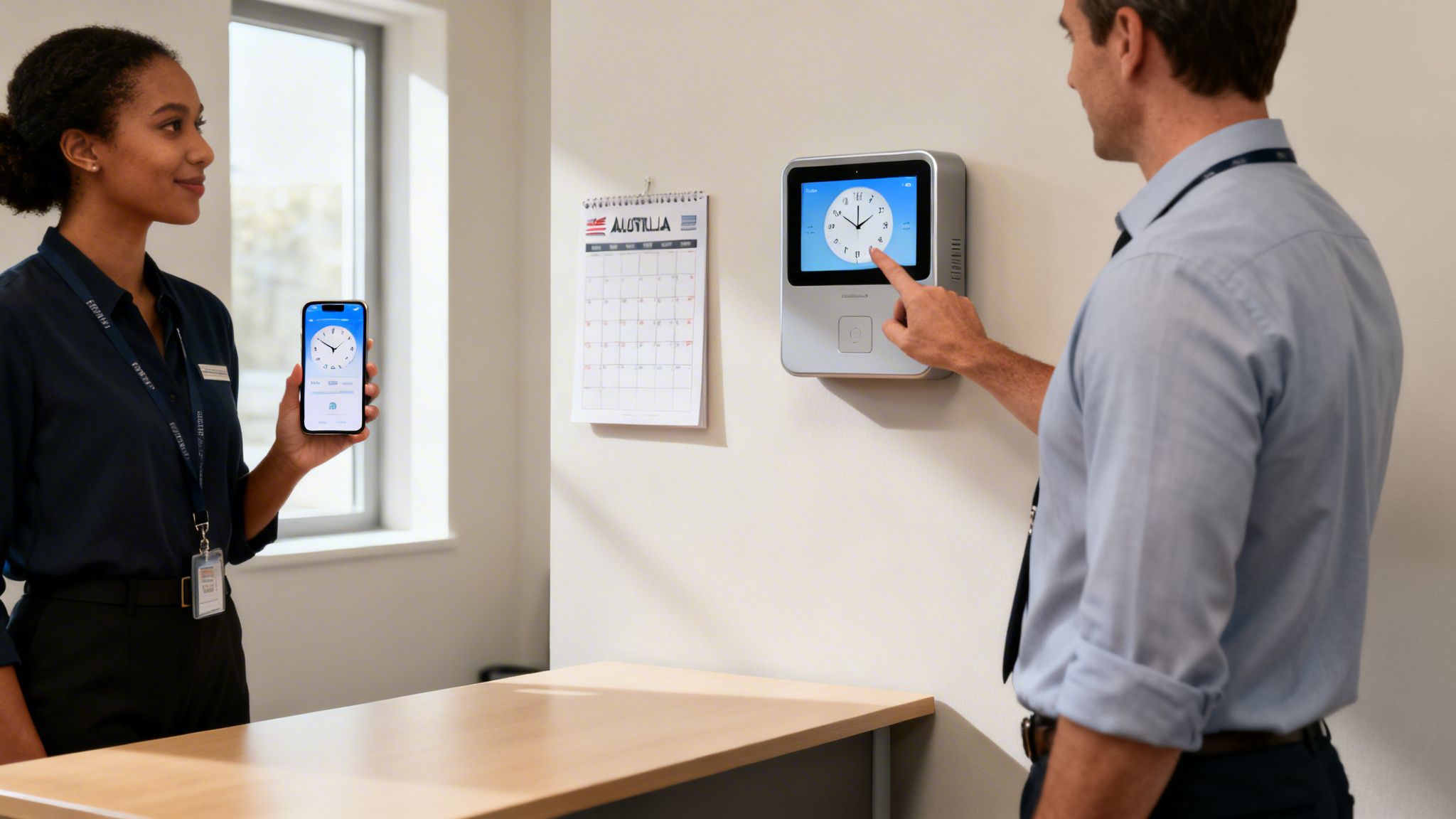
For Australian service businesses, tracking employee hours is so much more than just admin. It’s the very backbone of fair pay, legal compliance, and a smoothly running operation. A modern time clock, whether it's an app or a physical device, makes sure every single minute is accounted for.
This isn’t about watching over your team's shoulder. It’s about building a clear, transparent system that guarantees your people are paid for every hour they put in and your clients are billed correctly for every minute of work. It’s the difference between a rough guess and knowing for sure.
Ensuring Accuracy and Fair Compensation
Let's be honest, manual timesheets are a recipe for mistakes. They're prone to everything from simple addition errors to "buddy punching," where one employee clocks in for another. Over a year, those little inaccuracies can cost your business a small fortune.
A digital time clock for employees cuts out these problems completely by logging exact start times, end times, and breaks. With an automated process, you build trust and make things fair for everyone.
By automating how you capture time, you remove all the guesswork from payroll. This one change ensures that pay is directly and accurately linked to the work done, creating a culture of fairness and transparency.
This precision is mission-critical for agencies, consultants, and any service-based business. When your income is directly tied to billable hours, capturing every moment is key to profitability. A reliable system ensures no work slips through the cracks, unbilled. You can dive deeper into best practices in our guide on https://www.payly.com.au/blog/tracking-employee-time.
Meeting Australian Compliance Obligations
Here in Australia, the rules are clear. The standard workweek for a full-time employee is 38 hours, as outlined by the National Employment Standards under the Fair Work Act 2009. As an employer, you're required to keep meticulous records of ordinary hours, overtime, and any time off in lieu (TOIL) for at least seven years. Getting this wrong can lead to some seriously hefty fines.
A proper time clock system makes this whole process straightforward. It creates an undeniable digital trail that helps your business meet its legal obligations, shielding you from the stress of audits and disputes.
A Foundation for Business Efficiency
Beyond the payroll and compliance wins, a time clock system gives you powerful insights to make smarter business decisions. The data it gathers helps you to:
- Improve Project Quoting: Know exactly how long tasks take, so you can create quotes that are both competitive and profitable.
- Manage Resources Effectively: See who has capacity and who’s swamped, allowing you to allocate work much more efficiently.
- Enhance Client Transparency: Back up your invoices with detailed reports that build trust and justify your costs.
To really see why a time clock is such an essential tool, it helps to look at the evolution and benefits of a modern time & attendance system. It's one of those rare tools that pays for itself through better accuracy, less admin, and sharper decision-making.
Comparing the Different Types of Employee Time Clocks
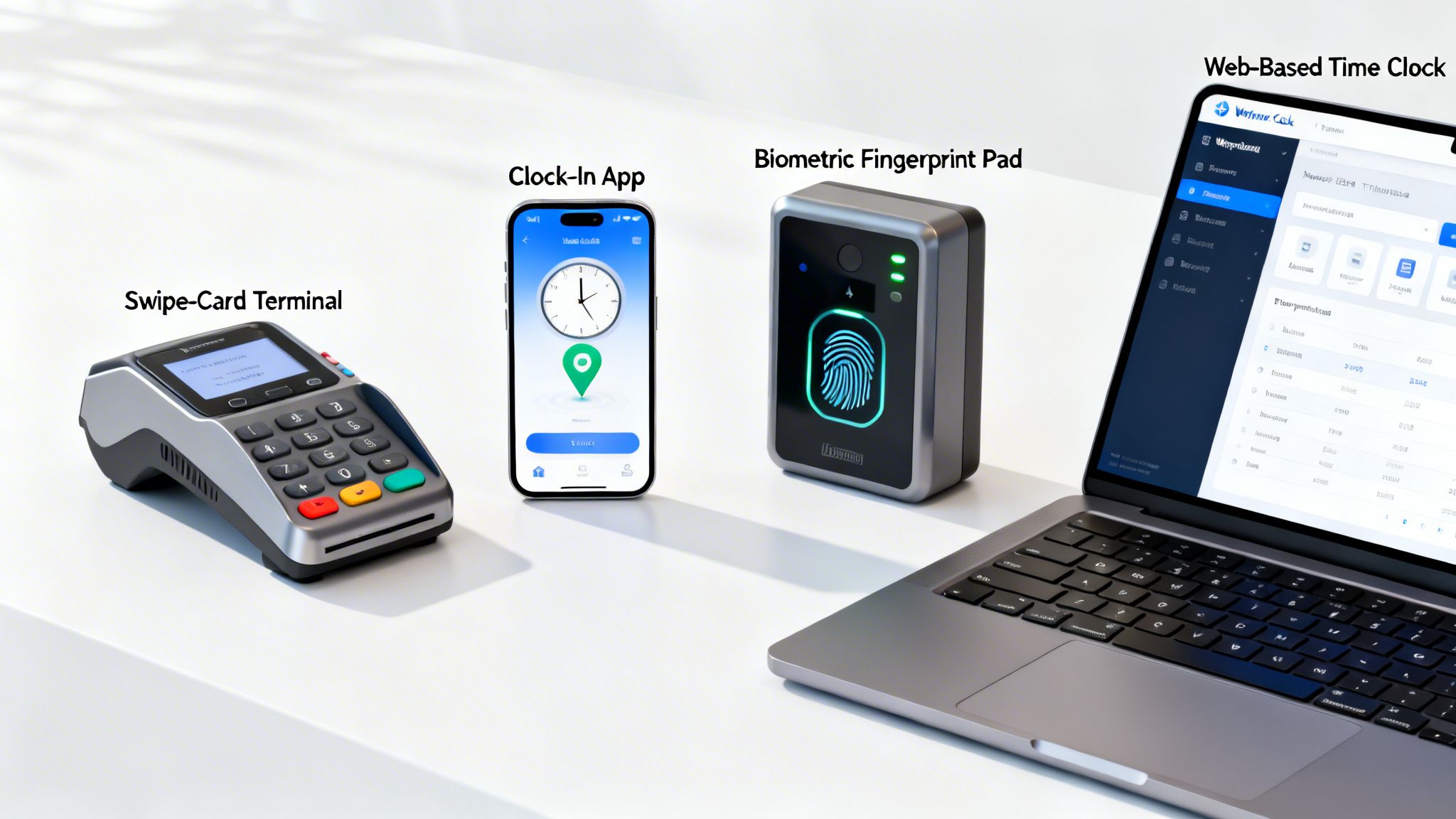
Choosing the right time clock for your employees isn’t about picking the fanciest tech. It's about finding what genuinely fits the way your team works. The system that's a perfect match for a construction crew on-site would be total overkill for a digital marketing agency, and the other way around. What you choose impacts everything from how easily your team adopts it to the accuracy of your payroll.
The good news? There’s a solution for pretty much every type of Australian business, whether you've got everyone under one roof or a team scattered across different client sites. Let’s break down the main types, their pros, and their cons to help you make a smart call for your business.
Traditional Hardware Clocks
You’ve definitely seen these before. Hardware clocks are the classic physical units you mount on a wall, the modern cousins of the old-school punch-card machines. Instead of paper cards, staff use swipe cards, key fobs, or a simple PIN to clock in and out from one fixed spot.
They are incredibly straightforward and reliable: there's not much of a learning curve, which is a huge plus. The downside? They come with a hefty upfront cost for the device itself and can be pricey to fix or replace. More importantly, they offer zero flexibility for anyone working from home or travelling between jobs.
Web and Mobile Time Clocks
This is where things get a lot more flexible. Instead of a physical box on the wall, your team clocks in and out using a web browser on their computer or a dedicated mobile app on their phone. This approach is a game-changer for modern businesses, especially for Aussie service businesses with staff in the field or working hybrid schedules.
A massive advantage is the low cost of entry: no expensive hardware is required. Mobile apps often come with GPS tracking, which is fantastic for confirming an employee is actually at the client's location when they start the clock.
Software solutions do more than just record time; they integrate it into your workflow. An entry on a mobile app can instantly become a line item on a client invoice, connecting work directly to revenue without any manual data entry.
Web and mobile systems are also built to grow with you. It doesn't matter if you have two employees or fifty; the system scales up without needing any new physical gear. This makes it a smart, cost-effective choice for most small businesses.
Biometric Time Clocks
When security and pinpoint accuracy are non-negotiable, biometric time clocks are the top of the line. These systems use unique biological traits, like a fingerprint or facial scan, to verify an employee's identity when they clock in.
This completely shuts down "buddy punching," where a colleague clocks in for a mate who's running late. That kind of time theft can cost businesses a fortune, and biometrics puts a dead stop to it, offering unmatched security.
But that level of precision comes at a premium. Biometric hardware is easily the most expensive option. You’ll also need to navigate Australia's privacy laws around collecting and storing biometric data, which adds an extra layer of compliance to worry about. And just like other hardware, they are tied to a single, physical location.
Comparison of Employee Time Clock Systems
To make the choice clearer, here’s a side-by-side look at how the different types of time clocks stack up. Think about your daily operations: where your staff work, your budget, and how much accuracy you truly need.
| Time Clock Type | Best For | Pros | Cons | Typical Cost |
|---|---|---|---|---|
| Traditional Hardware | Businesses with a single, fixed location like a retail shop, workshop, or office. | Simple to use, reliable, and familiar for all staff. | High upfront cost, expensive to repair, no flexibility for remote or mobile workers. | $250 - $1,500+ per unit |
| Web & Mobile | Service businesses, hybrid teams, remote workers, and companies with staff at multiple sites. | Flexible, low upfront cost, scalable, and often includes features like GPS tracking. | Relies on employees having smartphones and internet access; potential for user error. | $10 - $30 per user/month |
| Biometric | High-security environments or businesses concerned about time theft, such as warehouses or manufacturing. | Eliminates "buddy punching" and provides maximum accuracy. | Most expensive option, privacy compliance obligations, tied to a physical location. | $500 - $3,000+ per unit |
Ultimately, the right system is one that your team will actually use consistently and that gives you the accurate data you need for payroll without creating extra work. Whether it’s a simple app or a high-tech scanner, the goal is the same: to make time tracking easy, accurate, and fair for everyone.
What to Look for in a Modern Time Clock System
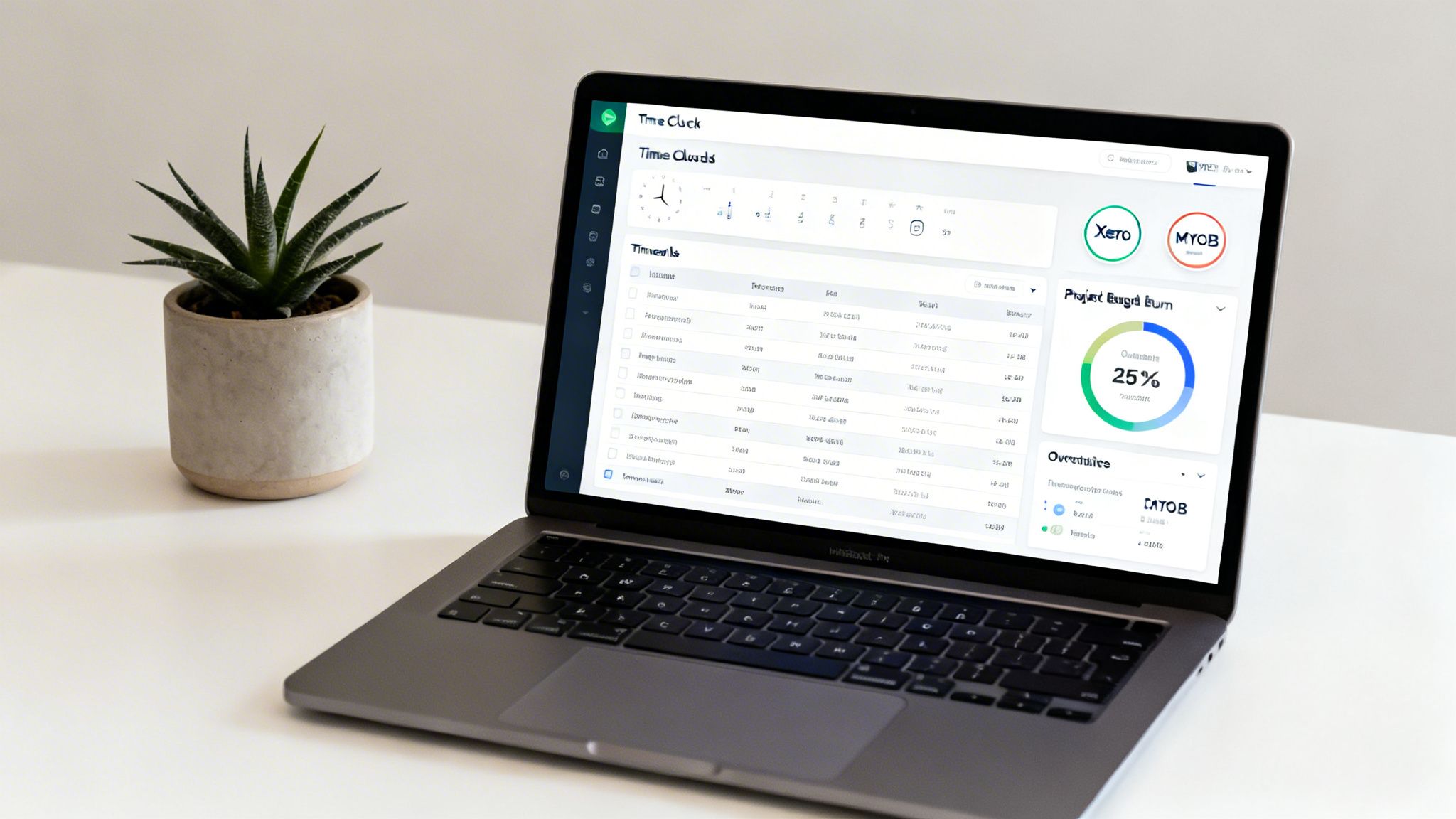
A genuinely useful employee time clock is so much more than a digital punch card. It should be the engine room for your workflow, taking raw clock-in data and turning it into clear business insights. The real difference between a basic tool and a powerful one comes down to a few key features that save you time, boost accuracy, and make getting paid a whole lot simpler.
When you move past simple clocking in and out, your time tracking shifts from a chore to a strategic asset. These features connect your team’s hard work directly to your business's bottom line, automating the soul-crushing admin that used to take hours of manual, error-prone effort.
Automated Timesheet Generation
Let's be honest, manually collating hours from notebooks, texts, and spreadsheets is a nightmare. A modern time clock system should put an end to that by automatically creating clean, detailed timesheets for every employee. The moment a team member clocks off, their hours are logged, calculated, and organised into a professional timesheet. No extra steps needed.
This automation isn't just a time-saver; it's a massive win for accuracy. Precise, automated timesheets are the bedrock of reliable payroll and client billing, making sure everyone gets paid correctly and fairly.
Real-Time Project and Budget Tracking
If you run a service business, keeping projects on budget is everything. The best time clock systems let you assign every minute of work to a specific project or task. This gives you a live, up-to-the-minute look at how your project budgets are holding up against the hours being spent.
A modern time clock transforms billable hours from a historical record into a live performance indicator. You can instantly see a project’s budget burn rate, allowing you to make proactive decisions instead of reacting after it’s too late.
Imagine catching that a project has chewed through 75% of its budgeted hours when it's only halfway finished. That kind of real-time insight means you can step in, re-assign resources, or chat with the client before your profit margin disappears.
Seamless Payroll and Accounting Integrations
A time clock that doesn't talk to your other software is just creating another data silo. Its real value is unlocked when it connects with the other tools you use to run your business, which is why integrations are an absolute must-have.
The system you choose needs to plug straight into the major Australian payroll and accounting platforms. This is how you get approved timesheet data to flow directly into your other systems, making payroll runs and client invoicing almost effortless.
Key integrations to look for include:
- Xero: A go-to for countless Aussie small businesses for handling their books and payroll.
- MYOB: Another giant in the Australian accounting software space.
- QuickBooks: A popular choice for service businesses managing their finances and invoicing.
By linking your systems, you kill off double data entry: a tedious task that's also one of the biggest causes of costly payroll mistakes. To see just how much of a difference this can make, check out our detailed guide on the benefits of different software for timesheets.
Features Built for the Australian Market
Generic, one-size-fits-all software rarely cuts it for Australian businesses. A solution designed with the local market in mind will have features that make compliance and day-to-day operations much smoother.
Make sure the employee time clock you choose offers:
- State-Based Public Holiday Calendars: Public holidays change depending on where you are in Australia. An integrated calendar automatically accounts for this, preventing headaches and payroll errors.
- Australian Data Privacy Compliance: Your system must comply with Australian privacy laws, ensuring your employee and business data is stored securely and legally on home soil.
- GST and Local Tax Calculations: Features that understand and apply GST properly on invoices save a ton of time and keep you on the right side of the ATO.
These local touches are a clear sign that a provider actually gets what it's like to run a business in Australia, making your life easier and keeping your operations above board.
Staying on the Right Side of Australian Labour Law
For any Aussie business owner, keeping accurate time records isn't just good practice: it's the law. A reliable time clock for employees is your first and best line of defence for staying compliant with the Fair Work Act 2009. It gives you the solid proof you need to show you’re meeting your obligations and keeps your business out of hot water.
This is about more than just ticking a box. It's about building a fair and transparent system that protects you from the hefty financial penalties that can come from audits or employee disputes.
Your Record-Keeping Obligations
Under Australian law, you must keep complete and accurate time and wages records for at least seven years. And they can’t be buried in a filing cabinet somewhere; a Fair Work Inspector needs to be able to access them easily if they ask. Relying on paper timesheets or memory is not only a hassle, but it's also a recipe for errors and disagreements that are tough to sort out later.
An automated time clock system solves this by creating a clean, unchangeable digital log of every hour worked. This log should always include:
- The employee's name and your business's ABN.
- Precise start and finish times for every single shift.
- Details of any unpaid breaks taken.
- Clear calculations for any overtime hours.
Having this level of detail on hand makes it simple to prove you’re doing the right thing and helps you handle any pay questions from your team quickly and professionally.
Taming Complex Awards and Agreements
Let's be honest: Australia’s industrial relations system can be a maze. Many of your staff are likely covered by Modern Awards or enterprise agreements. These agreements dictate specific pay rates, allowances, penalties, and overtime rules that change depending on the job, the time of day, or the day of the week. Trying to manage all of that manually is a nightmare waiting to happen.
This is where a modern time clock for employees really shines. You can set it up with the specific rules from the awards that apply to your team. The system then automatically applies the correct pay rates for weekend work, public holidays, or late-night shifts. It takes the guesswork and human error out of the equation, ensuring everyone gets paid correctly, every time.
Think of a smart time clock system as your compliance sidekick. It takes all those complicated award rules and turns them into simple, automated payroll calculations. You get fairness and accuracy without needing a law degree.
Overtime, Leave, and the Right to Disconnect
Getting the pay right for ordinary hours versus overtime is one of the biggest compliance headaches for business owners. A digital time clock draws a clear line in the sand, accurately logging the moment an employee's work tips into overtime and applying the correct penalty rate. It also creates a precise record for managing leave entitlements like annual and personal leave, so everyone's balances are always spot on.
With the big push back to the office, tracking time accurately in flexible or hybrid work setups has become even more important. Recent research found that 59% of Australian employers are now asking staff to come into the office more often. For professional service firms trying to stick to the 38-hour week under the National Employment Standards, clear time tracking is non-negotiable. You can read more about these trends in the latest research on workplace dynamics.
On top of all this, new 'right to disconnect' laws are on the horizon, making clear time records essential. A time clock helps you show that you respect your employees' boundaries by proving when work officially stops. This not only promotes a healthier work-life balance for your team but also protects your business by showing you aren't expecting unpaid work after hours. It builds a culture where everyone knows exactly when the clock starts and stops.
Getting Your Time Clock Talking to Payroll and Invoicing
A time clock that doesn't connect to your other business software is a bit like a ship without a rudder. It might track hours, but it ends up creating more manual admin work than it solves. The real magic happens when it syncs up with the systems you already use, creating a seamless flow from the hours your team works right through to getting paid.
This connection turns a simple time tracking tool into the engine room of your business finances. It bridges the huge gap between your team's hard work and the invoices you send out, getting rid of the tedious, error-prone task of manually keying in data.
From Timesheet to Invoice in a Flash
Picture this common scenario for any service business. One of your team members finishes up on a client project and clocks out for the day. In a properly integrated system, this one simple action kicks off a whole chain of events.
The second their timesheet gets the green light, those billable hours instantly create a professional, branded invoice. All the important details are already there: the project name, the right hourly rate, everything. You're not stuck copying and pasting from a spreadsheet into your accounting software, where one tiny typo can lead to an awkward phone call with a client or, worse, lost income.
A connected workflow lets you go from a finished job to a sent invoice in just a few clicks. It massively shrinks your billing cycle, which means cash lands in your bank account that much faster.
This kind of automation isn't just about saving a heap of time on paperwork. It guarantees that every single billable minute your time clock for employees captures actually makes it onto an invoice, stopping revenue from accidentally slipping through the cracks.
Must-Have Integrations for Aussie Businesses
For all this automated goodness to work, your time tracking platform needs to talk to the accounting and payroll software you're already using. Here in Australia, that means finding a system that plays nicely with the tools most businesses rely on.
Here are the key integrations you should be looking for:
- Xero: A massive favourite with Australian small businesses for its clean interface and robust accounting tools.
- MYOB: A household name in the Aussie market, handling everything from basic payroll to more complex accounting needs.
- QuickBooks Online: A global powerhouse with great features specifically designed for Australian service businesses.
When these systems are connected, your approved timesheet data flows straight into your payroll runs and client invoices without anyone having to lift a finger. It means you can stop juggling a bunch of separate apps, saving you both time and the cost of multiple software subscriptions. You can get a better sense of how these connections work in our guide on Stripe and Xero integration.
Making Payroll and Compliance Easier
An integrated system is also a huge help when it comes to staying on the right side of the law. Keeping up with Australian regulations is non-negotiable, and a prime example is meeting the government's Single Touch Payroll requirements. A connected time clock feeds accurate, verified hours directly into your payroll software, making STP reporting much simpler and far more accurate.
This smooth data transfer ensures things like overtime, allowances, and leave are calculated correctly based on what actually happened, not on someone's guesstimate from a spreadsheet. It cuts down the risk of payroll mistakes that could lead to underpayments and hefty fines from the Fair Work Ombudsman. By bringing your time tracking and payroll together, you create one reliable source of truth for every single pay run.
How to Choose and Implement the Right Time Clock
Picking the right time clock for employees can feel like a huge decision, but it really just comes down to matching the tool to the unique rhythm of your business. The best place to start is by thinking about your daily operations. Do you have a crew on the road visiting clients all day, or is everyone working from one central spot?
Just answering that one question will point you in the right direction. Teams out in the field are a perfect match for mobile apps, while a single-location office might find a web-based kiosk or a simple hardware clock does the trick beautifully.
Assessing Your Business Needs
Before you start comparing features, take a step back and get really clear on the problem you're trying to solve. Is your main goal to capture every single billable minute for client projects? Or is it more about cleaning up the payroll process with accurate, digital timesheets? Perhaps you just need a straightforward way for a hybrid team to log their hours.
It's also smart to think about where your business is heading. A system that works perfectly for five employees should have a clear and affordable path to support fifteen or more. Keep an eye out for pricing that grows with you, like account-based plans, rather than those with expensive per-user fees that can penalise you for expanding.
Planning a Smooth Implementation
Once you’ve settled on a system, a successful rollout is all about good planning and clear communication. Just dropping a new time clock system on your team without any context can make them feel like you’re suddenly micromanaging them. It’s far better to frame it as a tool that helps everyone get paid accurately and makes client billing much simpler.
To make the transition as smooth as possible, follow these key steps:
- Communicate the "Why": Explain the benefits to your team. Focus on how it ensures fairness and accuracy, and even simplifies their own workload by cutting down on manual admin.
- Provide Clear Training: Set aside a bit of time for a quick training session. Walk everyone through exactly how to clock in, assign time to a job (if needed), and submit their timesheets. Keep it practical and to the point.
- Run a Small Pilot Program: Before you roll it out to the whole team, test the system with one or two people for a week. This is your chance to catch any little quirks or process issues before they affect everyone.
- Offer Ongoing Support: Make sure your team knows who to ask if they get stuck or have questions. A smooth launch is all about making people feel confident and supported as they get used to the new tool.
This diagram shows how a properly integrated system connects your team's time directly to your business's cash flow.
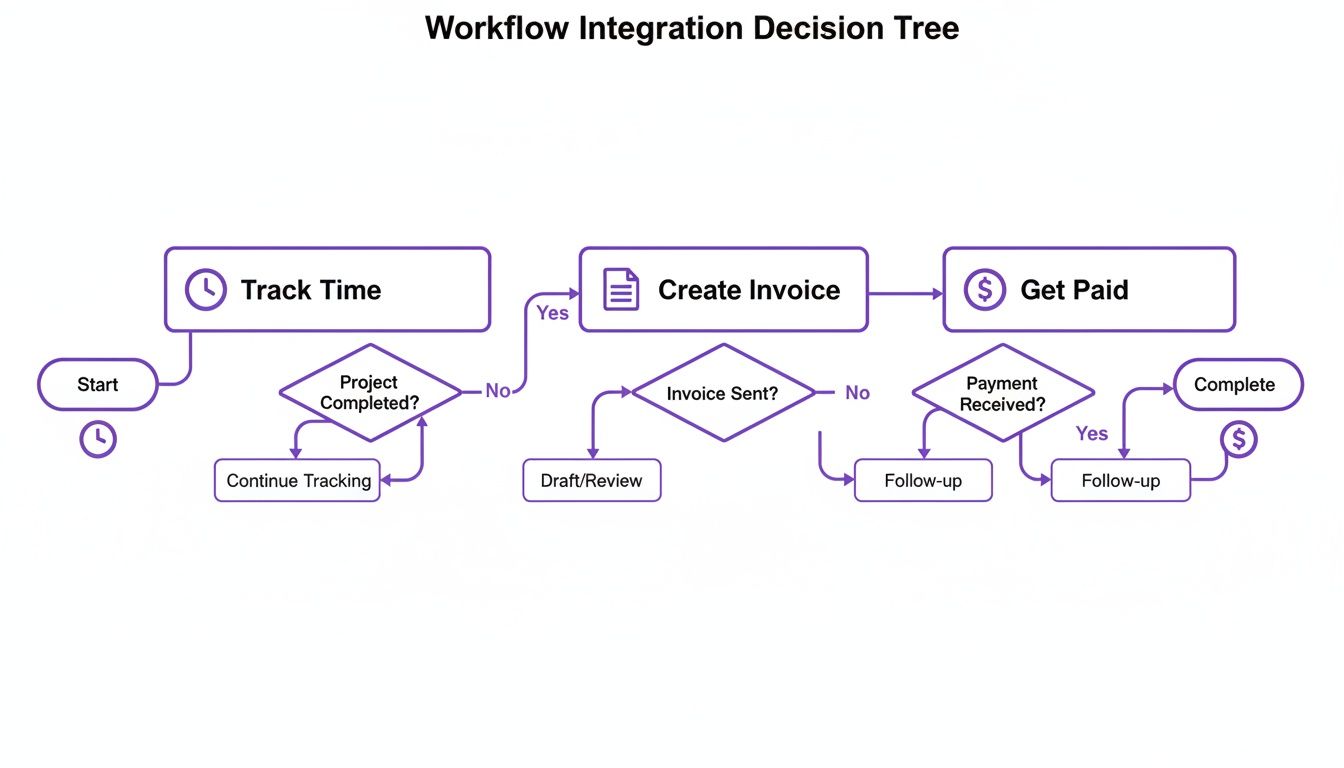
As you can see, tracking time is the first critical step on a direct path to creating invoices and getting paid. It really drives home why choosing a connected system is so important. By following a clear plan, you can introduce a new time clock with minimal fuss and start seeing the benefits almost immediately.
Frequently Asked Questions
Getting your head around employee time clocks can throw up a few questions. Here are some straightforward answers to what we hear most often from Australian business owners.
Are Digital Time Clocks Legally Compliant in Australia?
Yes, they absolutely are. Digital time clocks and software-based timesheet systems are fully compliant with Australian workplace laws, including the Fair Work Act 2009. The main requirement is that they must accurately record start times, finish times, and any unpaid breaks.
In fact, digital systems often put you in a much better position from a compliance standpoint. They cut down on human error and create a clean, auditable digital trail of work hours, which you're required to keep for seven years.
How Does a Time Clock Help a Service-Based Business?
For any business that sells its time, think agencies, consultancies, or even freelancers, an employee time clock is the bedrock of profitability. It’s all about making sure every single billable hour is captured, which stops revenue from slipping through the cracks.
A good time clock gives you the hard data you need for accurate project quoting, smarter resource allocation, and greater transparency with your clients. When it’s integrated, it can turn those tracked hours straight into a professional invoice, which means you get paid faster.
Ultimately, it helps you shift from guesswork to data-driven decisions, letting you see exactly how profitable your projects are in real time.
What Is the Best Time Clock for Remote or Hybrid Teams?
For any team that isn’t tied to a single office, a time clock system with a solid mobile app is your best bet. You’ll want to look for key features like offline tracking (for when the internet drops out) and a simple, clean interface that your team will actually want to use.
Web and mobile-based systems give you the flexibility that modern hybrid and remote work demands. They let your people easily clock in and out from anywhere, using their laptop or smartphone, ensuring you get accurate time records no matter where the work gets done.
Ready to stop juggling multiple apps and get paid faster? Payly combines time tracking, invoicing, e-signatures, and more into one simple platform for Australian service businesses. Start your free 14-day trial today.
Payly Team
Sharing insights and strategies to help service businesses thrive. Follow Payly for more tips on time tracking, invoicing, and business operations.
Related Articles



Ready to streamline your business?
Join thousands of freelancers and agencies who use Payly to track time, send invoices, and get paid faster.