
Choosing the Right Software for Timesheets Your Ultimate Guide
Discover how software for timesheets can transform your business operations. Our guide breaks down key features, pricing, and Australian compliance needs.
Payly Team
January 31, 2026
At its heart, timesheet software is the central nervous system for a service-based business. It connects the time your team spends directly to projects, invoicing, and payroll. Forget just logging hours; this is about getting a clear, real-time picture of project profitability, team productivity, and your overall business health. It’s the foundation for a much smarter way of working.
Moving Beyond Spreadsheets to Modern Timesheet Software
For a lot of Australian businesses, the humble spreadsheet is the go-to for tracking employee hours. It’s familiar, it seems free, and it gets the job done, or so we think. But this manual approach hides a mountain of hidden costs. Anyone who has stared at a messy grid of numbers trying to manage projects, calculate pay, and pull together invoices knows it's a time-consuming headache just waiting for an error to happen.
Every forgotten entry, manual correction, or miscalculation chips away at your bottom line. These aren't just minor hiccups; they add up. You end up with incorrect invoices, payroll headaches, and a completely skewed view of whether a project actually made money. The admin burden alone is huge, pulling you and your team away from the valuable, client-facing work that actually grows the business.
The Problem with Manual Time Tracking
Manual timesheets create a frustrating disconnect between the hours your team puts in and the invoices you send out. It's a broken process where data has to be painstakingly copied from one place to another, inviting human error at every single step. This leads to some serious business challenges:
- Costly Inaccuracies: One simple typo can lead to over-billing a client (damaging trust) or underpaying an employee (creating compliance risks).
- Administrative Overload: The time spent chasing timesheets, double-checking hours, and manually building invoices is time you can’t get back. It's hours that could be spent on strategy or client relationships.
- No Real-Time Insight: A spreadsheet can’t warn you when a project is about to go over budget. You usually find out when it’s too late to do anything about it.
To really grasp the difference, let's compare the old way with the new.
Manual Timesheets vs Automated Software
| Feature | Manual Timesheets (Spreadsheets) | Timesheet Software |
|---|---|---|
| Accuracy | Prone to human error, typos, and forgotten entries. | High accuracy with timers and automated data capture. |
| Efficiency | Time-consuming data entry, chasing, and manual calculations. | Quick, automated time capture saves hours of admin work. |
| Project Tracking | Budget and progress are historical data, often out of date. | Real-time budget tracking and progress monitoring. |
| Invoicing & Payroll | Requires manual data transfer, increasing error risk. | Seamless, one-click integration with billing and payroll. |
| Business Insights | Limited to basic calculations; difficult to see the big picture. | Provides powerful reports on profitability, utilisation, and performance. |
The table makes it clear: relying on spreadsheets is like navigating with a paper map in the age of GPS. It might get you there eventually, but it’s slow, risky, and you’ll miss all the better routes.
The core issue is that spreadsheets are passive records of the past. Modern timesheet software, on the other hand, is an active tool that helps shape your business's future by providing live data for better decision-making.
A Central Hub for Your Business Operations
Switching to dedicated timesheet software is about more than just getting faster; it’s about getting connected. Don't think of it as just a replacement for your spreadsheet. See it as the smart operational hub that links your most critical business functions. Time entries flow effortlessly into project budgets, client invoices, and payroll systems, all without someone having to copy and paste a thing.
This integrated approach turns time tracking from a dreaded chore into a source of powerful business intelligence. The global time tracking software market is on track to hit USD 149.92 billion by 2034, and that growth is fuelled by this exact demand for smarter, more connected ways of working. You can learn more about the market growth from Fortune Business Insights. For Australian businesses, this boom means more access to powerful, cloud-based tools that are more affordable and flexible than ever before. This is what’s turning timesheet software into a must-have platform for any service business that's serious about accuracy and growth.
The Core Features That Drive Business Efficiency
Not all timesheet software is created equal. While at their core they all log hours, the real magic lies in a handful of key features that work together to make your business run smoother and more profitably. These aren't just flashy add-ons; they're the engine room of the software, turning a simple time logger into a tool you can't live without.
Getting a handle on these features helps you look past the marketing hype and see how a platform will actually fit into your daily operations. It’s the difference between a system that just records time and one that actively saves you time. Let's dig into the components that deliver real-world results.
Accurate Time Capture
The entire system is built on one thing: capturing time accurately and without fuss. If logging hours feels like a chore, your team will put it off, and you'll end up with garbage data. Good software makes this part of the job effortless.
- Intuitive Timers: For focused, project-based work, nothing beats a one-click start-and-stop timer. It’s the most precise way to track every billable second and removes all the guesswork.
- Flexible Manual Entry: Let's be real, not all work happens in neat, timed blocks. The ability to manually add or edit hours is crucial for capturing time spent in meetings, on calls, or doing off-site work that would otherwise be forgotten.
- Mobile Access: Your team isn't chained to a desk, so your timesheet software shouldn't be either. A solid mobile app is a must-have for field teams, consultants, or anyone working on the go, letting them log hours as they happen.
This blend of options ensures time tracking is both precise and easy to use, which is the key to getting your team on board and trusting the data you collect.
The goal of modern time capture is to make the process invisible yet indispensable. It should be so easy that it becomes a natural part of the workflow, not a disruption to it.
The image below shows how these fundamental features directly fuel bigger business wins, connecting accurate time data to better productivity and profitability.
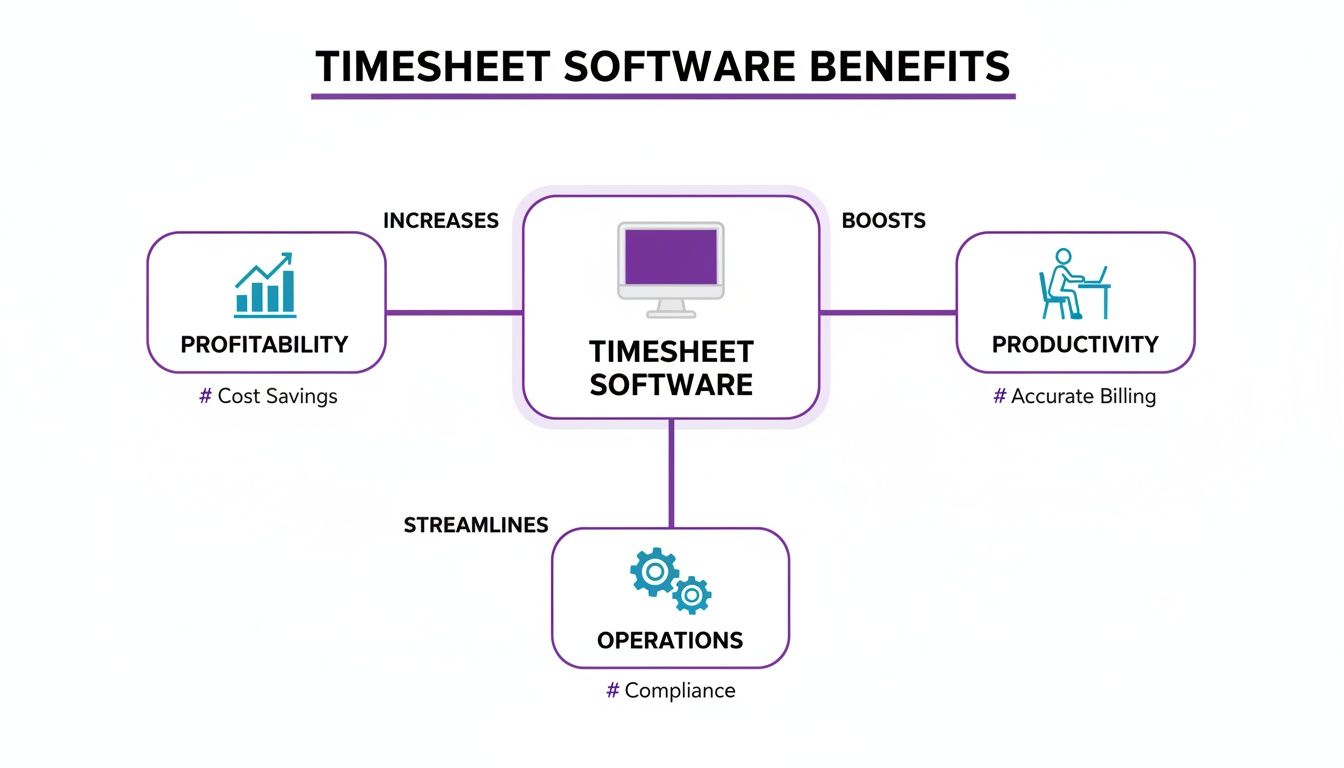
As you can see, there's a straight line from the software's capabilities to your bottom line. It's all about turning operational efficiency into genuine financial health.
Seamless Invoicing
Once you’ve captured the hours, the next mission is getting paid for them. The best timesheet software bridges the gap between completed work and a sent invoice, eliminating the soul-crushing task of manually copying numbers from a spreadsheet into an invoice template.
With just a click, the system should be able to turn tracked, billable hours into a professional, client-ready invoice. This feature alone can claw back hours of admin time every month and practically eliminate billing errors. The payoff? A much faster billing cycle, which means cash lands in your bank account sooner.
Streamlined Approval Workflows
Accountability is everything when it comes to payroll and client billing. An automated approval workflow isn't a "nice-to-have"; it's a non-negotiable for any business with staff. It sets up a simple, transparent process for managers to review, comment on, and approve timesheets.
This ensures a second set of eyes on all hours before they hit payroll or an invoice, adding that vital layer of oversight. Automated nudges can even remind staff to submit their timesheets and ping managers when approvals are waiting. This structure gets rid of the need to chase paper forms or send endless "just a reminder" emails. You can find out more about simplifying your processes by reading our guide on effective time tracking strategies.
Critical Integrations
No software operates in a vacuum. A great timesheet tool needs to talk to the other systems you rely on, creating a connected financial ecosystem. This is where integrations are so important.
For any Australian business, the ability to sync with accounting platforms like Xero or MYOB is absolutely essential. This connection lets approved time and invoice data flow straight into your books, wiping out double data entry and ensuring your records are always accurate. It creates a single source of truth for your finances, from the moment time is logged right through to your final reports.
Meeting Australian Business and Compliance Needs
Picking a generic, global timesheet tool for your Australian business is a classic case of trying to fit a square peg in a round hole. Sure, it might log the hours, but it often falls apart completely when you get into the nitty-gritty of local compliance and business practices. A platform that isn't built for Australia from the ground up can create a world of administrative and legal pain.
To run your business smoothly and legally here, you need software that speaks our language. This goes way beyond just setting the currency to AUD; it’s about having features that are simply non-negotiable for anyone operating down under. Get this right, and you'll have less manual data entry, a happier team, and a much lower risk of getting a dreaded notice from the Australian Taxation Office (ATO).

Handling GST and Varied Payroll Cycles
First things first: any software for timesheets you look at absolutely must handle Goods and Services Tax (GST) calculations automatically. Manually adding 10% to every single invoice isn't just a grind; it's practically begging for mistakes. A system built for Australia takes care of this, ensuring every invoice you send out is accurate and compliant right from the start.
Just as critical is support for our unique payroll calendars. While monthly or bi-monthly pay runs are common overseas, many Aussie businesses pay their staff on weekly or fortnightly schedules. Your software needs to reflect this reality, making it simple to run payroll on time, every time, without messy workarounds.
A solution designed for the Australian market just gets these things. It doesn't treat GST or fortnightly pay like some weird add-on; these features are baked into its core design, saving you from a mountain of frustration.
Managing Public Holidays and Leave
Australia’s public holiday schedule is famously complex, with different days off depending on the state or territory. A generic tool won't know that the Queen's Birthday holiday falls on a different date in WA compared to NSW, or how to handle Anzac Day correctly across the board.
A purpose-built Australian platform does the heavy lifting for you. Look for these key features:
- State-Specific Holiday Calendars: The system should automatically load the correct public holidays for each state, ensuring accurate pay calculations without you having to lift a finger.
- Leave Management: It should also manage all the different leave types (annual, personal, and long service leave) in line with national and state-based awards.
This kind of automation is a lifesaver for staying compliant and making sure your team is paid correctly, especially if you have staff in different states. We dig deeper into this in our guide on the importance of tracking employee time.
Simplifying Single Touch Payroll Reporting
The arrival of Single Touch Payroll (STP) really changed the game, forcing businesses to report payroll information to the ATO every single time they pay their people. This makes real-time accuracy more important than ever. Modern timesheet software simplifies this by connecting directly with your accounting and payroll systems.
This integration is your best defence against compliance headaches. Consider this: research shows a staggering 89% of small businesses using old-school, standalone time clocks had compliance issues. That number drops to just 23% for those with integrated software. With the ATO clawing back AUD 1.2 billion in unpaid liabilities during recent audits, the financial risk of getting it wrong is massive. You can read the full findings on workforce management software from Mordor Intelligence.
Ultimately, by choosing a system that makes STP reporting a breeze, you're not just saving time, you're protecting your business.
Decoding Software Pricing Models for Your Business
When it comes to picking timesheet software, the conversation nearly always lands on one thing: the price. But what you see on a pricing page is rarely the whole story. How a platform charges is just as important as the dollar figure, because it dictates how your costs will shift as your business evolves.
Don't let software pricing feel like a black box. Most providers use one of two main approaches. Getting your head around these models is the key to finding a solution that not only fits your budget today but also supports your growth tomorrow, instead of getting in the way.
Let’s break down the two most common structures you'll come across.
The Per-User, Per-Month Model
This is the one you’ll see everywhere. On the surface, it’s straightforward: you pay a set fee for each person on your team, every month. For a sole trader or a tiny team of two or three, this can feel like a really affordable entry point.
The catch, though, is that this model often penalises growth. As you hire more staff or bring on contractors for a big project, your software bill climbs right alongside your team count. Each new person adds another monthly cost, and those small fees can quickly snowball into a hefty expense that chips away at your profit.
The per-user model can act as a hidden tax on scaling. A system that seems cheap for three people can become surprisingly expensive for a team of ten, forcing you to rethink your tools right when you should be focused on expansion.
The Account-Based or Flat-Fee Model
A much more predictable and scalable alternative is the account-based or flat-fee model. Here, you pay one consistent price for the software, no matter how many people you add to your account. This approach is built for growing businesses, giving you cost certainty and removing the financial friction of expanding your team.
This predictability is a massive win for budgeting. Your software costs stay fixed, so you can bring on new talent without watching your overheads balloon. For any ambitious Australian agency or service business, that kind of stability is gold. Understanding the different software pricing models is essential before you commit, and you can usually find this information on a provider's website.
To see just how different the financial impact can be, let’s run the numbers for a small agency over the course of a year.
Cost Comparison Pricing Models
Here’s a simplified breakdown showing the potential cost of different software pricing models for a growing Australian agency over one year.
| Team Size | Per-User Model (e.g., $12/user/month) | Account-Based Model (e.g., $49/month flat) |
|---|---|---|
| 3 Users | $432 per year | $588 per year |
| 5 Users | $720 per year | $588 per year |
| 10 Users | $1,440 per year | $588 per year |
As you can see, the game changes quickly. While the per-user option might look cheaper at the very beginning, the account-based model delivers far more value and becomes incredibly cost-effective as soon as you start growing. It’s built to support your success, not charge you for it.
To get a clearer picture of the benefits, you can explore a detailed breakdown of how account-based pricing saves businesses money and see if it's the right fit for your business.
A Practical Guide to a Smooth Implementation
Picking the right software for timesheets is a great first step, but the real win comes from getting your team to actually use it. After all, a powerful tool that just sits there gathering digital dust is nothing more than a wasted investment. A smooth, well-planned implementation is what turns that software purchase into a genuine business asset.
This isn't just about flicking a switch and hoping for the best; it's about guiding your team through a change. By thinking through the transition, you can sidestep common frustrations, get everyone on board, and start seeing a return on your investment from day one.
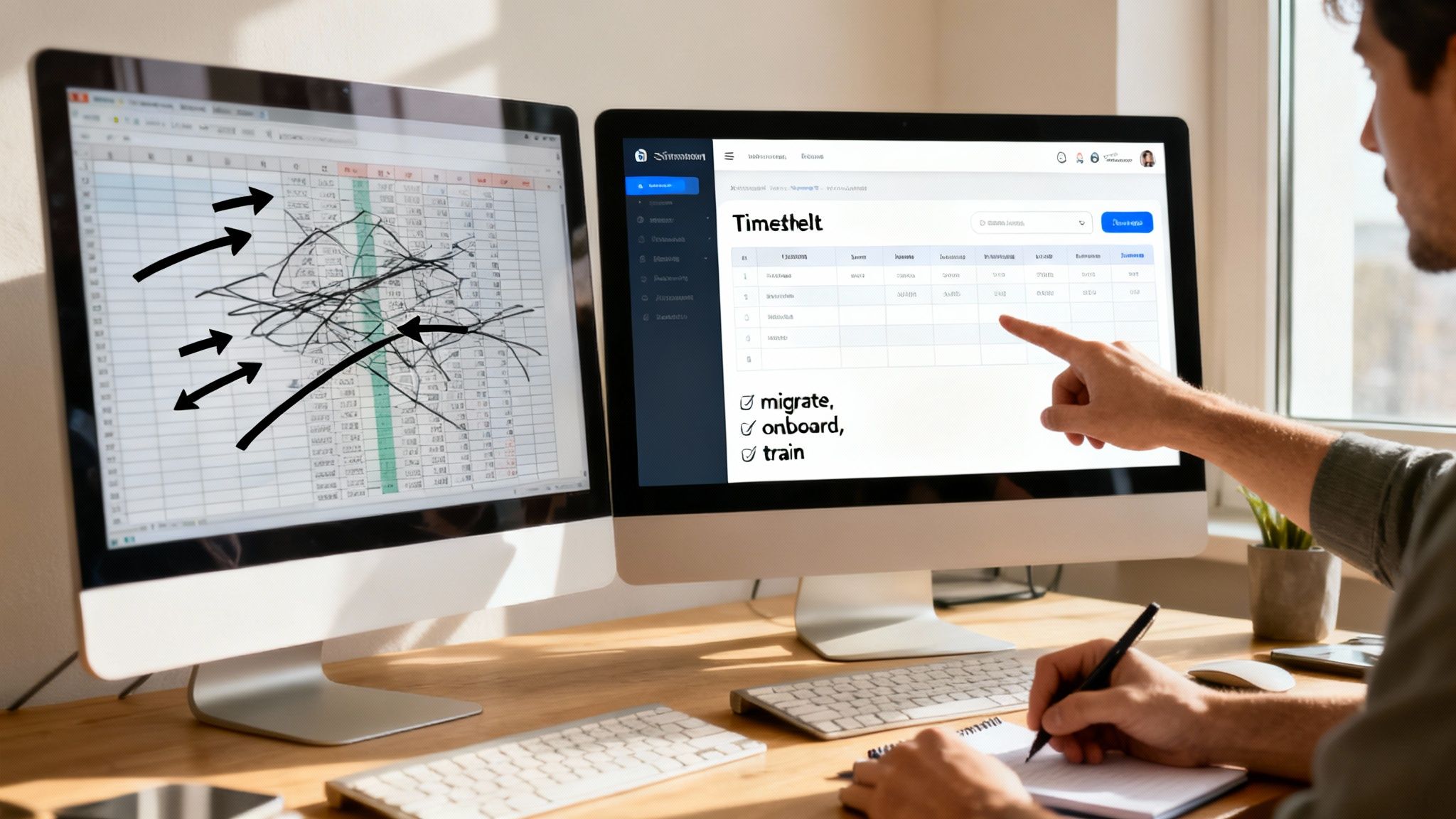
Laying the Groundwork for Success
Before you even think about sending out login details, you need to get your house in order. A clean setup is the bedrock of a successful rollout. Start by getting all your existing client, project, and task data loaded into the new system. This makes sure everything is organised and ready to go from the moment your team logs in for the first time.
Think of it like moving into a new workshop. You wouldn't just throw your old tools into a pile in the middle of the floor. You’d set up the tool board, label the drawers, and make sure everything has its place. A tidy system makes the software immediately useful and far less intimidating.
Onboarding Your Team Effectively
With your data neatly in place, it’s time to bring your team into the loop. The goal here isn't just to show them which buttons to press; it's about getting their genuine buy-in. You need to answer the silent question on everyone's mind: "What's in it for me?"
Instead of framing it as yet another admin chore, show them how this new tool makes their work life easier. Point out the direct benefits, like how faster approvals mean they get paid quicker, or how they can finally say goodbye to manually filling out clunky spreadsheets.
To help them along, pull together a few simple resources:
- A Clear Time Tracking Policy: Just a simple one-pager explaining the ground rules. When are timesheets due? How detailed do the notes need to be?
- Quick How-To Guides: A few short, visual guides with screenshots are perfect. Show them how to do the most common things, like starting a timer or submitting their hours.
- A Brief Training Session: Get everyone together for a short, hands-on walkthrough. Keep it practical, answer their questions, and focus on the day-to-day tasks.
The best onboarding focuses on demonstrating value, not just listing features. When your team sees how the tool solves their own headaches, adoption tends to happen on its own.
This approach turns the rollout from a top-down order into a shared effort to improve how everyone works.
Best Practices for a Seamless Transition
Switching systems can feel like a big jump. To build confidence and make sure nothing gets missed, it’s a smart move to run the new software alongside your old method for a short while. One or two pay cycles is usually enough.
This parallel run acts as a safety net. It lets you compare the outputs, confirm the numbers match up, and be absolutely certain everything is working correctly before you pull the plug on the old way of doing things. It also gives your team a low-pressure environment to get comfortable with the new tool without worrying about making critical mistakes.
The move to modern, integrated software is a major trend, with Australia's Administrative Software market expected to hit US$259.76 million in 2025. This growth underscores why businesses are so keen to adopt tools that bring time tracking, invoicing, and document management under one roof. You can find more details in Statista's analysis of Australia's software market trends. A well-planned implementation is your first step to making the most of this shift and setting your business up for the future.
Your Essential Checklist for Evaluating Timesheet Software
Alright, you've done the homework. You know the benefits, you’ve wrapped your head around the pricing, and you've got a plan to get it up and running. Now for the most important part: making the right choice.
Think of this checklist as your secret weapon during demos and trials. It boils everything down into the key questions you need to ask. It’ll help you cut through the sales pitch and find a tool that actually works for your business, day in and day out.
Core Functionality
First things first, let's look at the nuts and bolts. If the software is clunky or difficult for your team to use, you'll never get the adoption you need.
- Time Capture: How easy is it for your team to actually track their time? Look for flexibility, things like simple start/stop timers, manual entry options, and a solid mobile app for tracking on the go.
- Invoicing: Can you turn those tracked hours into a professional, branded invoice without a headache? It should be a few clicks, not a complex export-and-rebuild process.
- Approvals: Is there a straightforward approval process? Managers should be able to quickly review, query, and approve timesheets without getting bogged down in emails.
Australian Compliance Features
This is a big one. A generic, international tool can quickly turn into a compliance nightmare. You need a system that's built for how Australian businesses actually operate.
A platform that isn't designed for Australian regulations from the ground up will force you into manual workarounds, defeating the entire purpose of automation. Ensure these features are native, not just add-ons.
- GST Calculations: Does it automatically calculate and add 10% GST to your client invoices? This is non-negotiable.
- Payroll Calendars: Can it handle the common weekly and fortnightly pay cycles we use here in Australia?
- Public Holidays: Does the system automatically factor in state-specific public holidays? This is critical for accurate leave and pay calculations.
- STP Reporting: How well does it play with your accounting software like Xero or MYOB for Single Touch Payroll reporting? It needs to be seamless.
Pricing and Scalability
You want a tool that grows with you, not one that holds you back. For a deeper dive into this, it's always helpful to check out an essential guide to choosing software to see how pros evaluate different platforms.
Be direct with vendors and get clear answers on what you'll actually be paying, both now and in the future.
- Pricing Model: Is it priced per user, or is it a flat-fee subscription for your whole account? A per-user model can get expensive fast.
- Scalability: What happens to the cost when your team grows from three people to ten? Get concrete numbers so there are no surprises.
- Hidden Costs: Are there any extra charges lurking in the fine print? Ask specifically about fees for support, integrations, or data storage.
- Support: What kind of help is on offer when you need it? Find out if phone, email, or chat support is included and what their typical response times are.
Got Questions? We've Got Answers
Stepping into the world of timesheet software can feel like a big move, and it's natural to have a few questions pop up. Let's tackle some of the most common ones to help clear things up.
Is This Stuff Actually Easy for a Team to Use?
You’d be surprised. Modern timesheet software is designed to be as painless as possible. The last thing you want is a tool that feels like a burden, so the best platforms are built to fit right into your team's existing workflow.
Think one-click timers, simple mobile apps, and clear, straightforward ways to log hours. A good system shouldn't need a heavy-duty training manual. Most teams can get the hang of it in minutes. The best way to know for sure? Grab a free trial and see how your crew takes to it.
How Can a Timesheet Tool Really Make My Projects More Profitable?
It all comes down to visibility. Timesheet software shows you precisely where your team's time, your most valuable asset, is actually being spent. When you can track hours against specific projects and clients, you get a real, unfiltered look at what’s making you money and what’s draining your resources.
This kind of data is a game-changer. Suddenly you can:
- Quote with confidence, using real numbers from past projects instead of just guessing.
- Spot scope creep as it’s happening, not when the project is already over budget.
- Make smart decisions about where to focus your energy for the best returns.
Will This Integrate with My Accounting Software?
Yes, and this is where the magic really happens. Most top-tier timesheet tools are built to connect smoothly with Australian accounting mainstays like Xero and MYOB.
This connection means approved timesheets and client invoices can flow straight into your accounting system without you lifting a finger. It gets rid of tedious double-entry, slashes the risk of manual errors, and keeps your financial records perfectly in sync.
Think of this integration as building a bridge between your operations and your finances. It connects the dots between the work being done and the revenue coming in, giving you a complete picture without all the manual reconciliation.
By automating this process, you’re not just saving yourself from hours of admin drudgery. You’re also gaining solid confidence in your financial data, which is vital for staying compliant and making strategic calls.
Ready to stop juggling spreadsheets and multiple subscriptions? Payly combines timesheets, invoicing, e-signatures, and more into one simple platform designed for Australian businesses. Streamline your operations and get paid faster. Start your free 14-day trial today.
Payly Team
Sharing insights and strategies to help service businesses thrive. Follow Payly for more tips on time tracking, invoicing, and business operations.
Related Articles


Ready to streamline your business?
Join thousands of freelancers and agencies who use Payly to track time, send invoices, and get paid faster.