
Your Guide to the Perfect Running Sheet Template
Discover how a running sheet template can streamline your projects. Get practical tips and downloadable templates for Australian businesses.
Payly Team
February 14, 2026

Ever found yourself in the middle of a project, frantically trying to figure out who's doing what and when? A solid running sheet template is the answer. It’s a detailed, minute-by-minute game plan for any event or project, spelling out every task, timeline, and who’s responsible. Think of it as the ultimate roadmap that guides your entire operation from start to finish.
What Is a Running Sheet and Why Do You Need One
A running sheet is far more than a simple schedule. It's the central command hub for any successful project, event, or campaign. It serves as the single source of truth that keeps everyone, from your internal team and suppliers to clients and stakeholders, on the same page. Without one, you're just winging it, and that’s a recipe for miscommunication, missed deadlines, and expensive mistakes.
This document cuts through the complexity of an operation by breaking it down into clear, digestible steps. It instantly answers the big questions: Who is doing what? When does it need to happen? Where do they need to be? This kind of clarity is absolutely essential for keeping control and making sure the entire team is moving in sync.

A Real-World Scenario
Let's picture it: an Australian marketing agency is managing a big client photoshoot in Sydney. It’s a massive undertaking. You've got the photographer, model, makeup artist, stylist, and the client all needing to be in the right place at the right time across multiple locations. A detailed running sheet template would map out the entire day, from the makeup artist's arrival at 7:00 AM to the final shot approval at 4:30 PM.
Now, imagine the same day without that document. It would be chaos. The model might show up late because their call time wasn't clearly communicated. The photographer could be standing around waiting for gear that was never scheduled for delivery. These small slip-ups create a domino effect, leading to wasted hours, blown budgets, and a seriously unhappy client. A running sheet prevents all of this by giving everyone a shared, chronological plan to follow.
The Financial Benefits of Organisation
The power of a running sheet goes way beyond just logistics; it directly impacts your bottom line. For freelancers and small businesses, running a tight ship means projects get done faster and clients stay happy. When a job goes off without a hitch, you build trust and showcase your professionalism, which is a magnet for repeat business and glowing referrals.
An effective running sheet doesn't just organise your day; it accelerates your entire workflow. Flawless execution leads directly to faster client sign-off, quicker invoicing, and improved cash flow.
A meticulously detailed running sheet also becomes a record of all the work you've done. This documentation is gold when it’s time to send an invoice. It provides clear proof of milestones hit and tasks completed, justifying your fees and making the payment process a breeze. This organised approach is the perfect foundation for turning simple templates into powerful digital workflows, connecting your planning directly to your profit.
Downloadable Running Sheet Templates for Every Scenario
Theory is great, but the best way to really grasp how a running sheet works is to see one in action. I’ve put together three practical, downloadable templates for some of the most common business scenarios you’ll run into.
These aren't just blank spreadsheets. Each one is fully annotated with tips and examples drawn from real-world projects to show you exactly how to organise your information for maximum impact and clarity. Think of them as a solid starting point you can tweak and build upon to perfectly match whatever you're planning.
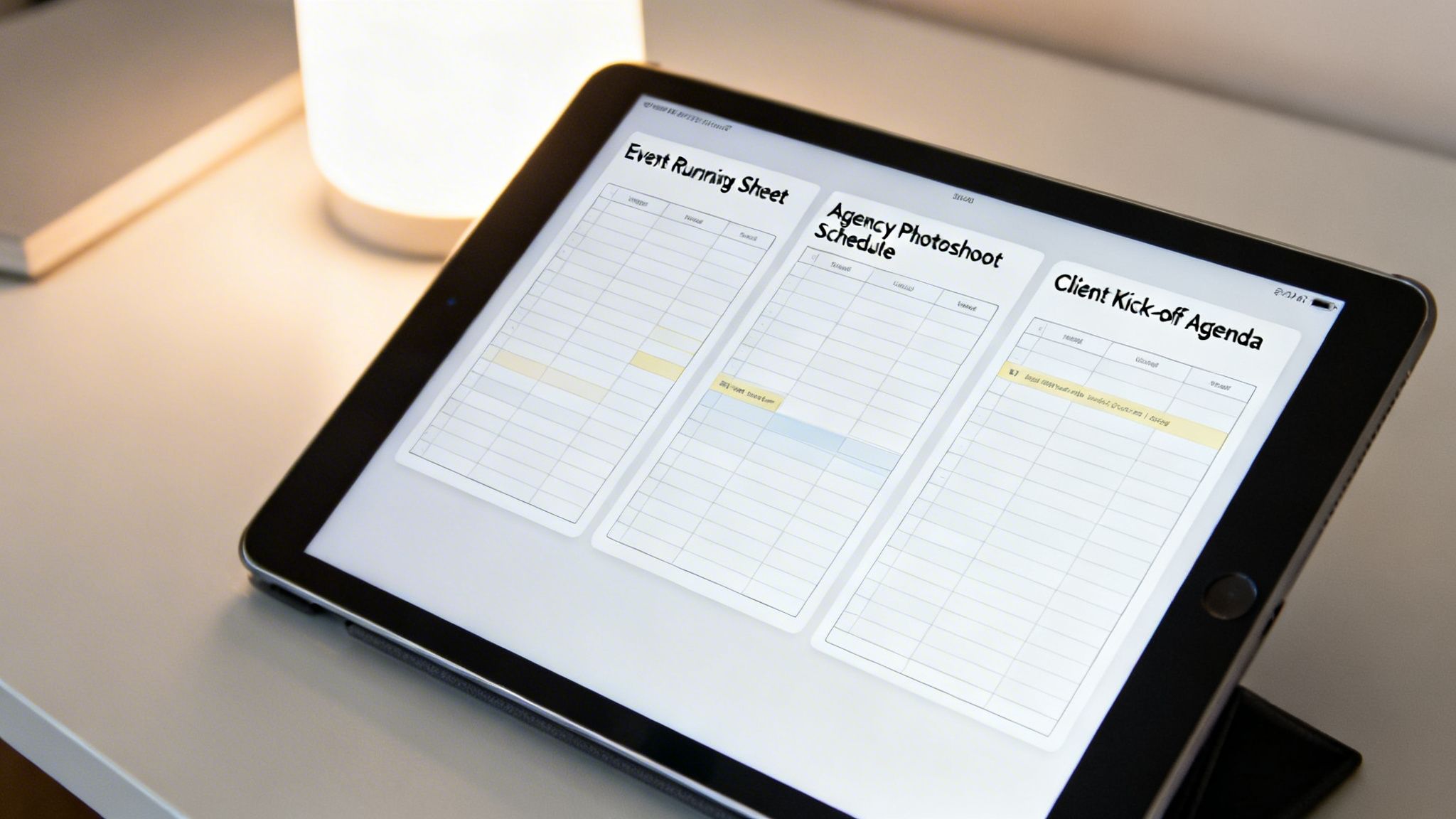
Event Running Sheet Template
Got a product launch, conference, or even a company offsite on the horizon? This template is your mission control. It breaks down the entire day into manageable time blocks, so you can be sure absolutely nothing slips through the cracks.
- Vendor Management: You’ll find columns for arrival times, setup needs, and crucial contact details for every supplier, from the caterers to the AV technicians.
- Speaker and Session Cues: It clearly lays out when each speaker starts, how long they have, and any technical cues needed for a smooth, professional presentation.
- Key Personnel Roles: Responsibilities are clearly assigned, so everyone on your team knows exactly who is handling registration, managing the stage, or looking after the VIPs.
If your event is more of a celebration, it's worth comparing various wedding timeline templates as they often have great ideas you can adapt. Ultimately, this template is all about making your event run like a well-oiled machine.
Agency Photoshoot Schedule
Creative projects, especially photoshoots, are a whirlwind of moving parts. This running sheet is specifically designed for marketing and creative teams to keep talent, crew, and clients all on the same page, from the first call time to the final shot.
It meticulously details every critical element, which is the key to executing your creative vision flawlessly and, just as importantly, on budget. For a broader view, you can easily slot this schedule into a more comprehensive project document. We actually cover how to build one of those in our article on creating a work plan template.
A detailed schedule for a photoshoot isn't just about timing; it’s about managing creative energy. When everyone knows the plan, the focus shifts from logistics to producing amazing work.
This kind of organised approach is a massive advantage for Australian service businesses, where smart planning can seriously cut down on admin time. It's no surprise that detailed documents like running sheets, timesheet templates, and budget trackers are in high demand. Structured planning is the bedrock of success.
Client Kick-off Meeting Agenda
We all know first impressions count. This template helps you make sure your initial client meeting is strategic, productive, and sets a positive tone for the entire project. It elevates a simple agenda into a structured guide for a meaningful conversation.
Here’s what’s inside:
- Introductions and Roles: A clear list of all attendees and what they do, so everyone knows who’s who right from the start.
- Strategic Discussion Points: This organises the chat around the most important things: project goals, key deliverables, and what success actually looks like.
- Action Items and Next Steps: It has dedicated sections to capture decisions on the spot and assign who’s responsible for what, keeping the momentum going long after the meeting wraps up.
Each of these downloadable templates is ready to go. Just pick the one that best fits your needs, customise it with your own details, and see what a difference a bit of clear, structured planning can make.
How to Create and Customise Your Own Running Sheet
While grabbing a ready-made template is a great way to get moving quickly, the real magic happens when you build a running sheet that's perfectly sculpted for your project. Don't worry, it's not as daunting as it sounds. At its heart, a running sheet is just a well-organised table, which makes programs like Google Sheets or Microsoft Excel your best friends.
First things first, you need to lay the foundation. There are a few essential columns that every single running sheet needs to have. Think of these as the non-negotiables, the core structure that provides all the clarity and keeps everyone on the same page. Without them, things can get messy, fast.
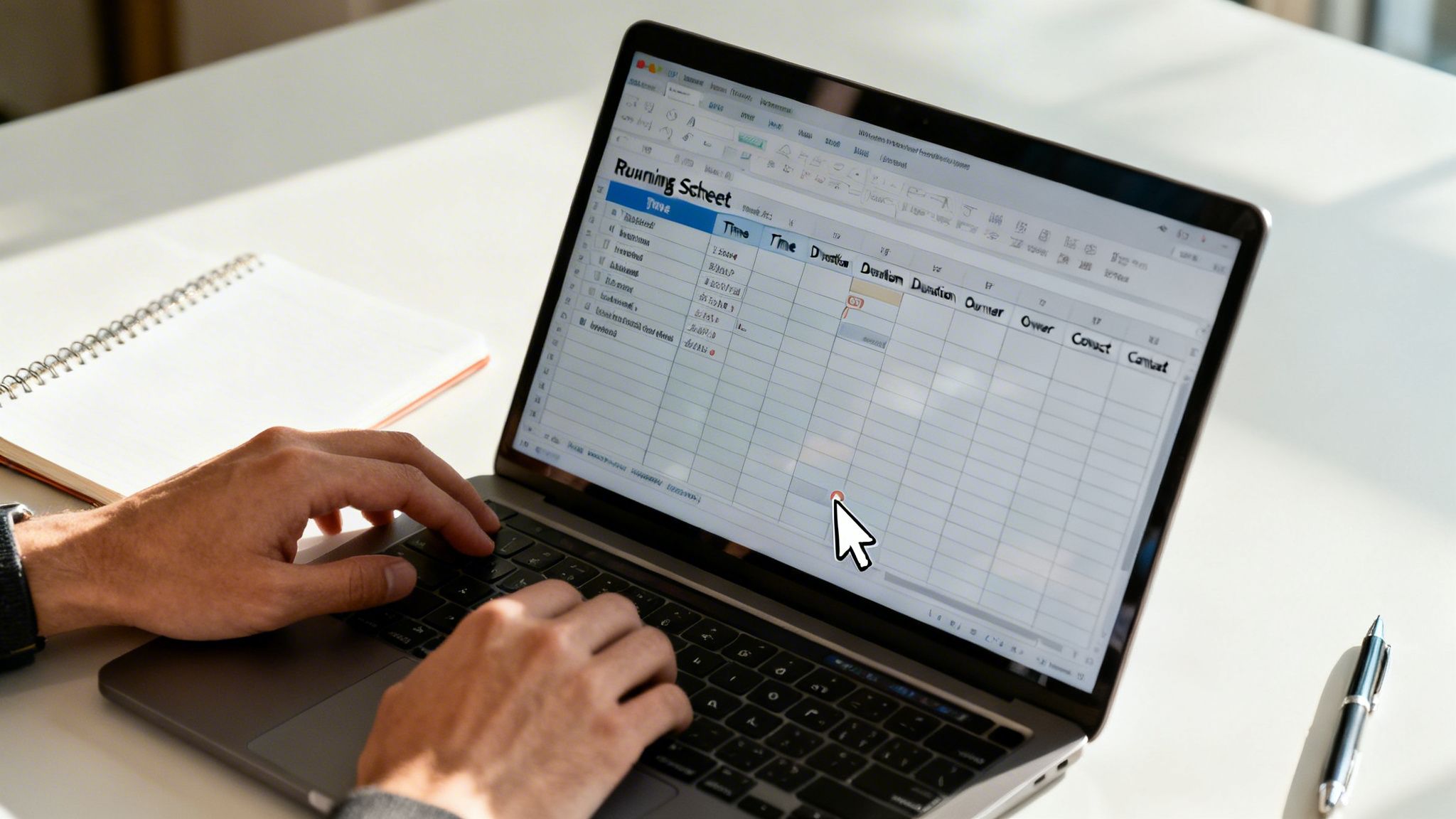
The Essential Components
To be effective, any running sheet template needs a handful of key columns. These are the fundamentals that give you a clear, at-a-glance overview of the schedule and who's doing what.
- Time: The exact start time for each item. I always recommend using a 24-hour format (e.g., 14:00 instead of 2:00 PM) to eliminate any AM/PM mix-ups.
- Duration: How long you expect each task to take, whether it's 15 minutes or 2 hours. This is crucial for planning your resources.
- Task/Item: A short, punchy description of the activity. Stick to action-focused language like "Client Welcome & Coffee" or "Final Sound Check".
- Owner/Personnel: Who is responsible for this task? Naming a specific person or team creates instant accountability.
- Status: A simple way to track progress on the day. 'Not Started', 'In Progress', and 'Completed' are usually all you need.
- Notes: Your go-to spot for everything else, a specific setup instruction, a key contact number, or a heads-up for the next person in line.
Think of these core components as the skeleton of your plan. Once this structure is solid, you can start adding the custom elements that truly make it work for your project.
Adding Custom Columns for Your Needs
This is where a generic schedule becomes a finely-tuned instrument. The custom columns you add should speak directly to the unique demands of your event, meeting, or project. It’s this personalisation that elevates a running sheet from a simple to-do list to a powerful operational tool.
For example, an accounting firm running a client audit would benefit from adding a "Compliance Check" column to tick off regulatory requirements. A marketing agency pitching a new campaign? They might include a "Client Feedback" column to capture those crucial reactions in real time.
This extra layer of detail can be a lifesaver. If you're dealing with a lot of client paperwork, you might also find our guide on how to create an editable PDF form handy for managing approvals and feedback more efficiently.
Practical Customisation Examples
Let's put this into practice with a couple of real-world scenarios.
- For a Catered Corporate Event: You'd probably want to add columns for "Dietary Requirements" to keep guests safe and happy, "Supplier Contact" for any on-the-day hitches, and "Location/Room" to guide everyone to the right place.
- For a Software Development Sprint: A tech team could add columns like "Dependency" (to flag tasks blocking others), "Ticket ID" (to link back to a tool like Jira), and "QA Sign-off" for the final quality check.
By thoughtfully adding these custom fields, your running sheet evolves from a basic timeline into the command centre for your entire operation.
Best Practices for an Effective Running Sheet
Having a running sheet is one thing; making it your project's command centre is another. A few tried-and-tested strategies can elevate it from a simple checklist to a powerful tool that keeps everything on track, even when chaos strikes. These are the habits seasoned professionals rely on to stay ahead of the game.
First up, and this is non-negotiable: assign clear ownership for every single item. "Marketing Team" is too vague and leads to confusion. Whose job is it, really? Instead, put a specific person's name next to each task. This creates immediate accountability. Now everyone knows exactly who to talk to if they have a question, which makes communication on the day so much smoother.
Another pro tip is to build buffer time into your schedule. Let’s be real, things rarely go exactly to plan. A supplier might hit traffic, a client presentation could run long, or a technical glitch could pop up. Adding even 5-10 minutes of buffer after key activities gives you the breathing room to handle these little hiccups without derailing the entire day.
Enhance Clarity and Control
The best running sheets are the ones you can understand in a quick glance. You don't want people squinting at a wall of text in the middle of a busy event. This is where simple visual cues make all the difference.
-
Colour-Coding: This is a game-changer. Use different colours to categorise tasks. For example, blue for all client-facing moments, green for internal team jobs, and orange for anything involving suppliers. It allows anyone to scan the document and instantly grasp what’s happening.
-
Version Control: This one is simple but crucial. Always add a version number and a "Last Updated" timestamp in the header or footer (e.g., v1.2 - Updated 15 October 2024, 11:30 AM). With multiple people involved, this tiny detail prevents someone from working off an old schedule, a classic and completely avoidable mistake.
An effective running sheet is a living document. It should be easy to update and even easier for your team to read. The goal is maximum clarity with minimum effort.
This structured approach is absolutely vital in the fast-paced world of Australian event management. In fact, industry insights show that over 70% of Australian event coordinators use digital run sheets to cut down on last-minute stress, saving an average of 15 hours per event. You can find some excellent examples and insights about effective event planning on Template.net.
By putting these practices into play, your running sheet becomes more than just a schedule. It transforms into a proactive management tool that not only maps out the day but also helps you navigate the inevitable bumps in the road.
Bringing Your Running Sheet Into Your Digital Workflow
A static spreadsheet is a good starting point, but a running sheet truly comes alive when you connect it to the digital tools you use every day. It's about bridging the gap between planning and doing, turning your run sheet from a simple document into the central nervous system of your project. This creates a smooth, connected system where planning, execution, and billing all talk to each other.
Think of your running sheet not as a standalone file, but as the first domino in your entire project lifecycle. Modern platforms can take the tasks and timelines you've mapped out and link them directly to time tracking. This means your team can log their hours against specific items on the running sheet, giving you a crystal-clear record of where every minute went.
From Plan to Profit
This integrated approach gets rid of the soul-crushing, error-prone task of manually copying data from one system to another. When your plan is directly wired to your team's execution, the whole process becomes transparent and incredibly efficient.
Let's take a real-world example. A marketing agency can use its photoshoot running sheet as the project's foundation. As the day kicks off, the photographer, stylist, and assistant can track their time against their scheduled tasks right from their phones. This builds a real-time log of billable hours that's tied directly back to the original plan. No more guesswork when it's time to send the invoice.
This seamless connection is a game-changer for Australian small businesses, especially with the boom in freelance and project-based work. With over 21.0 million social media users in Australia, digital agencies are constantly under the pump to track campaign work with pinpoint accuracy. A solid running sheet template is your best friend here. At Payly, we've seen operations managers use this exact model to track over 50,000 hours, turning messy timesheets into clean, accurate invoices. You can dig deeper into Australia's digital trends by reading the full report from DataReportal.
Creating a Clear Audit Trail
One of the biggest wins of a digital workflow is the undeniable audit trail it creates. Every tracked hour, every ticked-off task, and every client sign-off is logged in one central place. This is gold for both keeping your team accountable and building trust with your clients.
When your running sheet, timesheets, and invoices are all part of the same digital story, you create a verifiable record of the project from beginning to end. This kind of transparency makes conversations about billing with clients professional and pain-free.
This integration also makes the final hurdles, getting client approval and getting paid, so much easier. The tracked time can be automatically pulled into a professional, branded invoice. That invoice, along with the original running sheet for context, can then be sent to the client for a quick digital sign-off. This creates a legally binding record of their approval, which is just smart business. To learn more about setting up these kinds of systems, check out our guide to document management software in Australia. Suddenly, your planning document isn't just a guide; it's a powerful tool that ensures you get paid faster for the great work you do.
Answering Your Top Running Sheet Questions
Even with a great template in hand, you’re bound to have questions. I know I did when I first started using them. Getting the basics right from the start can save you a world of headaches down the track, so let's walk through some of the things people ask me most often.
How Detailed Does It Really Need to Be?
The honest answer? It depends. The level of detail you need is all about the complexity of the project.
If you're coordinating a massive, multi-day conference with a dozen speakers, multiple venues, and a small army of suppliers, you need to get microscopic. I’m talking 5 or 10-minute increments. It might seem like overkill, but that's what it takes to keep a beast like that running smoothly.
On the other hand, for a straightforward internal team meeting, breaking things down into 30-minute blocks is probably plenty. The golden rule is this: if you were to vanish off the face of the earth, could someone else pick up your running sheet and know exactly what to do next without asking anyone a single question? If the answer is yes, you've nailed the level of detail.
Who Should Be in Charge of the Running Sheet?
You absolutely need a single owner. One person who holds the master copy. This is usually the project manager, event coordinator, or team lead, whoever is at the centre of the action. They become the single source of truth for everyone involved.
One person might own the document, but creating it should always be a team sport. The owner’s job is to chase down input from every key person to make sure the timings are realistic and nothing important has been forgotten.
When the event or project is live, this person is responsible for keeping the document updated and making sure everyone is working from the latest version. No confusion, no excuses.
Can't I Just Use a Spreadsheet?
Of course! In fact, that's where most of us start. Programs like Microsoft Excel or Google Sheets are perfect for building a running sheet. They’re flexible, everyone knows how to use them, and they form the basis of pretty much every template you’ll find online.
The real magic, though, isn't just in the document itself, but in how it plugs into the rest of your business. This is where you can move from just having a static file to creating a dynamic workflow that actually saves you time and money.
Think of it as the first step in a simple digital process.
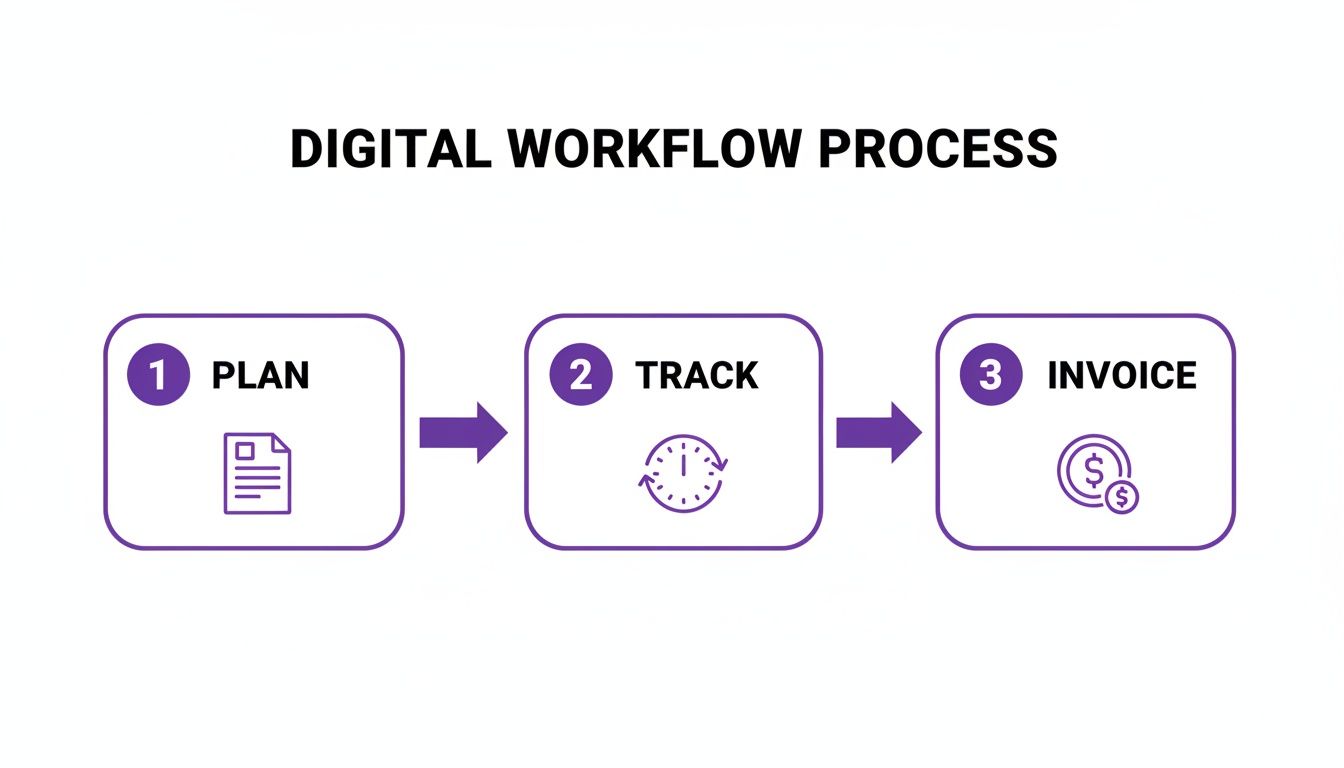
As you can see, the running sheet kicks everything off. From there, you track your time against the plan, and then you invoice for that time. It’s a clean line from planning to getting paid.
For any business serious about efficiency, connecting these dots is a game-changer. Integrating your running sheet into an all-in-one platform means your plan talks directly to your timesheets and invoices. It slashes admin time, cuts down on human error, and turns your running sheet from a simple guide into a core part of your financial process.
Ready to connect your planning, tracking, and invoicing in one place? Payly offers an all-in-one platform designed for Australian businesses to manage projects from start to finish. Stop switching between apps and see how a single, integrated workflow can help you get paid faster. Start your free 14-day trial of Payly today.
Payly Team
Sharing insights and strategies to help service businesses thrive. Follow Payly for more tips on time tracking, invoicing, and business operations.
Related Articles


Ready to streamline your business?
Join thousands of freelancers and agencies who use Payly to track time, send invoices, and get paid faster.