
12 Best Work Plan Template Resources for Agencies (2025)
Discover the top 12 free and paid work plan template resources. Download editable templates for Word, Sheets & PM tools to organise your projects.
Payly Team
December 5, 2025
A well-structured work plan is the foundation of any successful project. It transforms abstract goals into an actionable roadmap, defining objectives, tasks, timelines, and the resources needed to achieve them. For Australian agencies, freelancers, and service-based businesses, a clear work plan is not just about organisation; it's about delivering on client promises, managing resources efficiently, and ensuring profitability. Without one, projects often suffer from scope creep, missed deadlines, and budget overruns.
This comprehensive guide eliminates the guesswork by curating the best sources for a downloadable and editable work plan template. We understand that a generic, one-size-fits-all document rarely works. Your needs as a marketing consultant in Sydney will differ from a freelance graphic designer in Melbourne or a small accounting firm in Brisbane. That’s why we’ve focused on a variety of platforms and resources, from powerful project management software like Smartsheet and Asana to flexible creative tools like Canva and Notion. Each entry in this list provides a detailed analysis, practical use cases, and customisation tips tailored to the Australian business environment.
You’ll find direct links, screenshots, and step-by-step guidance to help you select, download, and implement the perfect template for your specific needs. We will explore templates ideal for:
- Project Kick-offs: Setting clear expectations from day one.
- Marketing Campaigns: Mapping out every channel, task, and deadline.
- Client Onboarding: Standardising your process for a professional experience.
- Operational Planning: Streamlining internal processes and team workflows.
Our goal is to provide a practical resource that helps you move from planning to execution faster. Let's find the right work plan template to bring structure and clarity to your next project.
1. ProjectManager
ProjectManager offers a robust and versatile work plan template that caters to both immediate documentation needs and long-term, dynamic project management. It provides a free, downloadable Microsoft Word template that is exceptionally detailed, making it perfect for Australian agencies and freelancers who need to create a formal, printable plan for client presentations or internal approvals. The template is well-structured and ready to use, requiring minimal customisation.
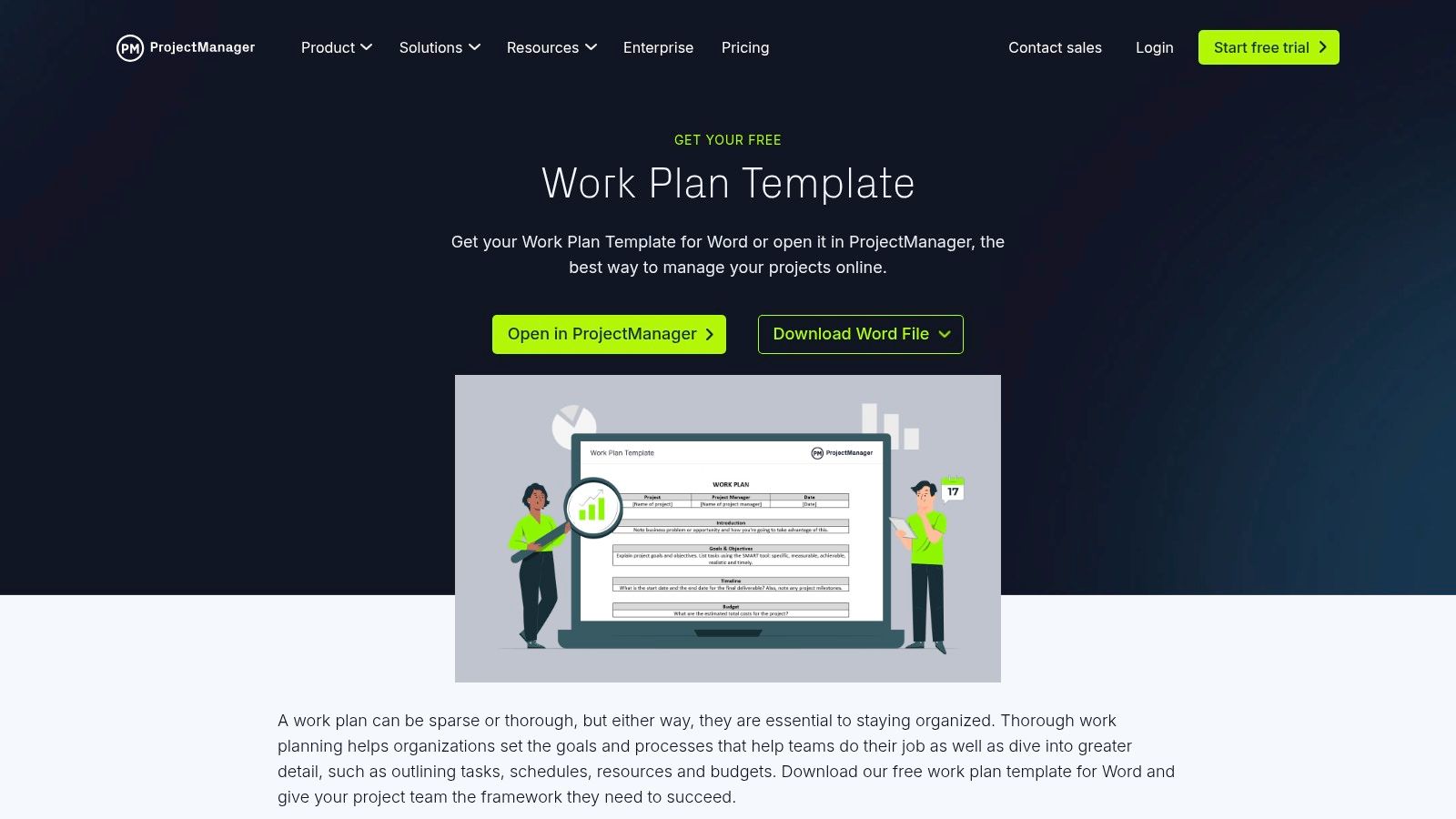
What makes this resource unique is its seamless integration pathway. While the Word document is static, ProjectManager allows you to import it directly into their software. This transforms your static plan into a live, collaborative project with advanced features. This "start simple, scale up" approach is ideal for businesses that anticipate growth but want to begin with a straightforward, no-cost tool. It bridges the gap between a basic document and a full-featured project management suite.
Use Case and Implementation
This template is best for service businesses that need a comprehensive initial project document to define scope, secure stakeholder buy-in, and outline deliverables. The Word file is perfect for formal proposals. If the project gets the green light, you can then transition to the in-app version to manage tasks, track progress with Gantt charts, and collaborate with your team in real time without recreating the plan from scratch.
Key Feature: The dual-format offering is its standout benefit. You get an instantly usable, professional document and a clear upgrade path to a powerful, interactive project management tool.
Platform Highlights:
| Feature | Details | Access |
|---|---|---|
| Template Format | Microsoft Word (.docx) and in-app version | Free download; account required for software features |
| Key Sections | Objectives, scope, timeline, budget, roles, risks, success metrics | Included in both Word and in-app templates |
| Best For | Australian freelancers and agencies needing a formal plan with an option to scale to live project management. | Visit ProjectManager |
| Limitations | The Word template is static and lacks automation. Advanced features are behind a paywall. | Free template, paid plans for software |
2. Smartsheet
Smartsheet offers a comprehensive gallery of free work plan template options that cater to users who prefer traditional spreadsheets or want a fully integrated platform. It provides downloadable templates for Excel, Word, and Google Sheets, making it incredibly accessible for Australian businesses that rely on these standard office tools. The templates are clean, functional, and serve as an excellent starting point for outlining project tasks and timelines.
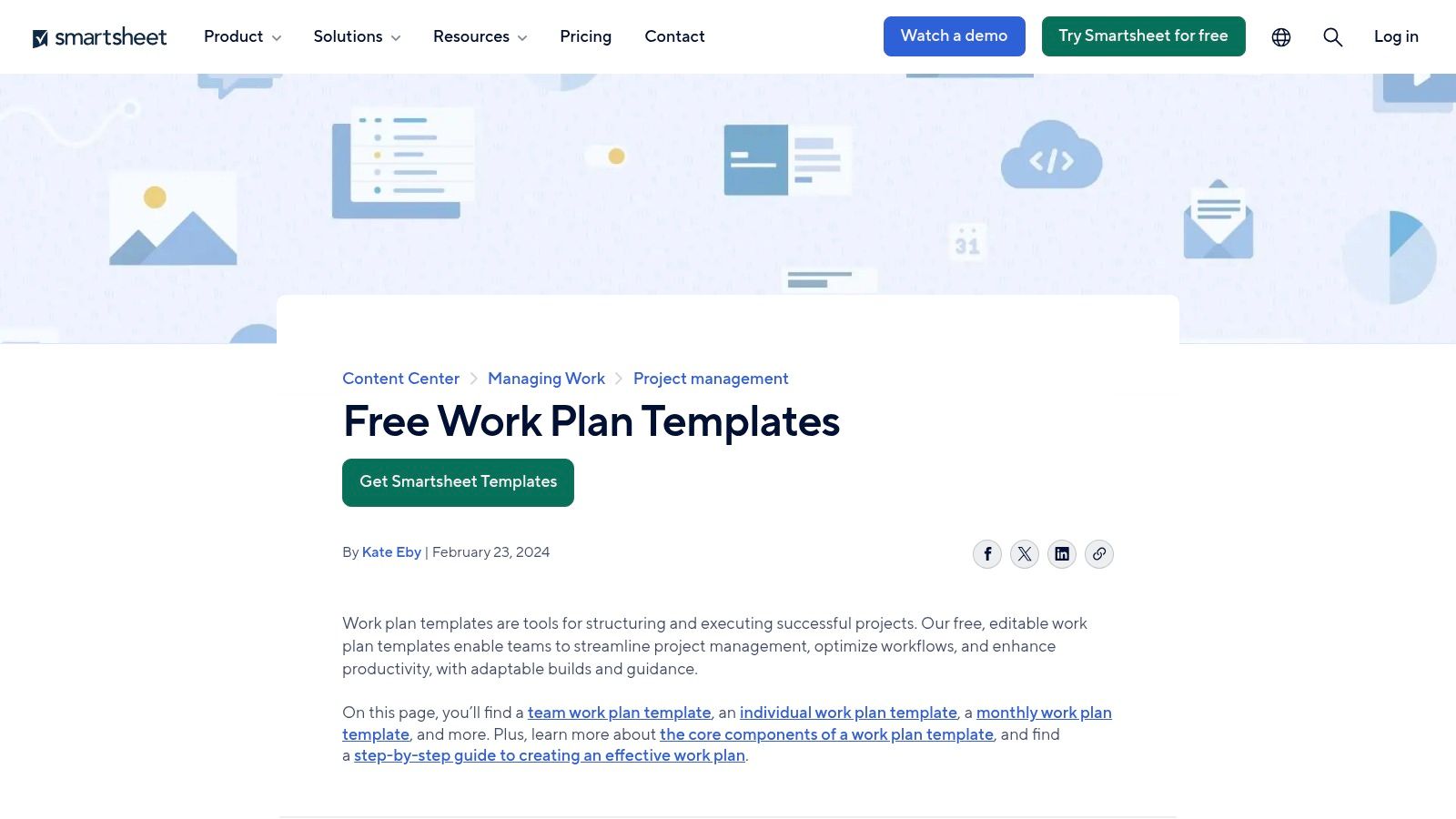
The key differentiator for Smartsheet is its powerful, spreadsheet-like software that brings static plans to life. You can use a pre-built template directly within the platform, transforming it into a dynamic workspace with automations, real-time collaboration, and multiple project views like Gantt, calendar, and Kanban boards. This makes it an enterprise-grade solution that scales from a simple downloadable document to a sophisticated work management system, ideal for growing organisations.
Use Case and Implementation
Smartsheet is perfect for teams that are comfortable with a spreadsheet interface but need more powerful project management capabilities than Excel can offer. You can start by downloading a free template to draft the initial plan. Once approved, the project can be managed within the Smartsheet platform to automate status updates, track dependencies, and manage resources, providing a single source of truth for the entire team without a steep learning curve.
Key Feature: The platform's strength is its versatility, offering both simple, free downloads and a powerful, scalable software solution that feels familiar to any spreadsheet user.
Platform Highlights:
| Feature | Details | Access |
|---|---|---|
| Template Format | Excel, Word, Google Sheets, and in-app Smartsheet format | Free downloads; account required for in-app use |
| Key Sections | Tasks, owners, start/end dates, status, comments, budget tracking | Included in most templates |
| Best For | Australian teams needing a scalable plan, from a basic spreadsheet to a collaborative, automated project tool. | Visit Smartsheet |
| Limitations | The most powerful features are part of paid plans, which can be costly for smaller teams or freelancers. | Free templates, paid plans for software |
3. monday.com
monday.com moves beyond static documents by offering a dynamic and highly visual work plan template within its Work OS platform. It's designed for teams who need a living, collaborative plan that updates in real time rather than a formal, printable document. The template is set up as a customisable board, allowing Australian teams to visually track tasks, ownership, and progress with intuitive, colour-coded statuses.
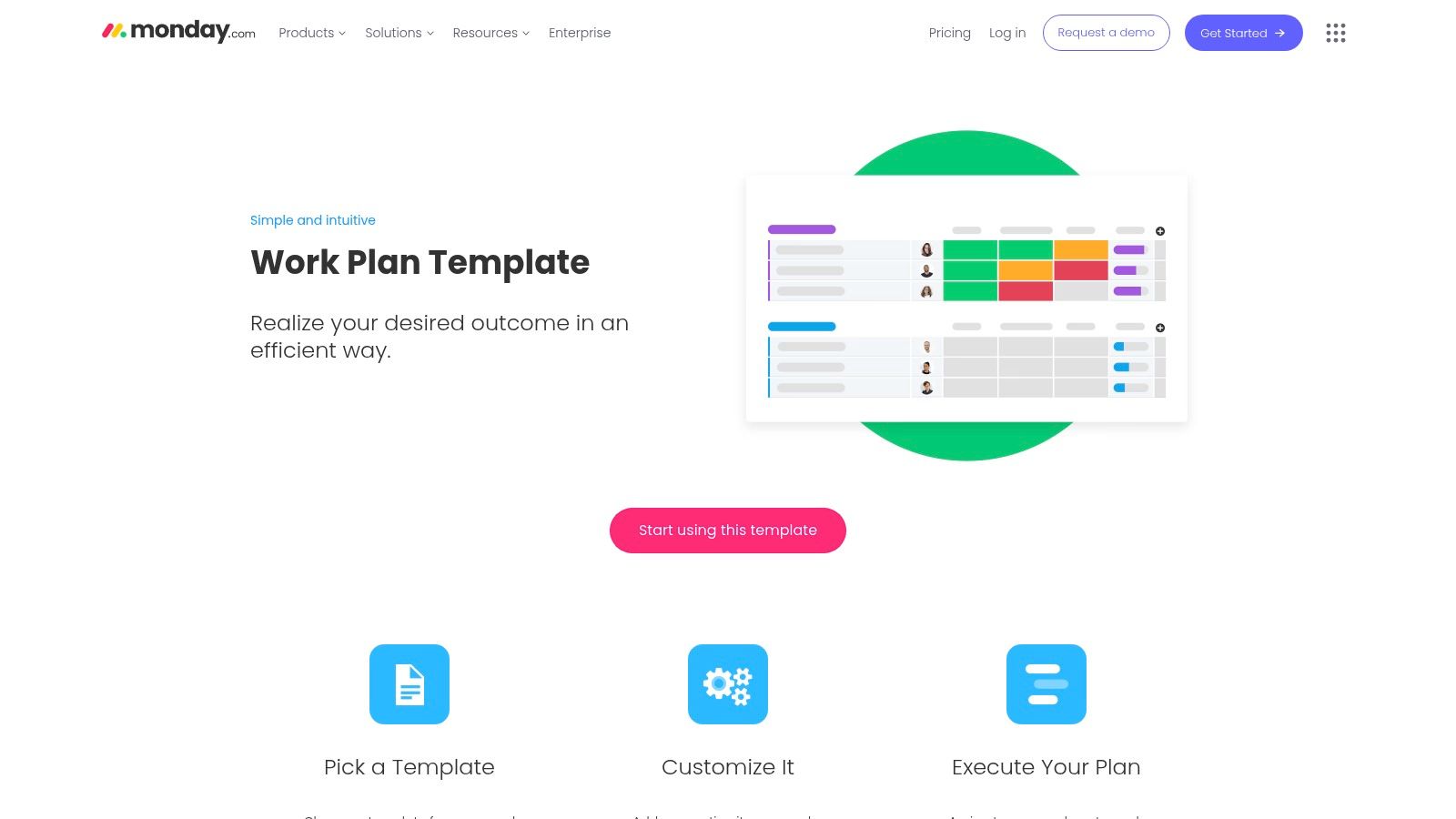
What makes monday.com stand out is its emphasis on automation and team-wide visibility. You can set up rules to automatically notify stakeholders when deadlines are approaching or move tasks between stages when their status changes. This transforms the work plan from a reference guide into an active project management engine. Its user-friendly interface is a significant advantage for businesses where not everyone is a trained project manager.
Use Case and Implementation
This platform is ideal for agile digital agencies and internal teams that manage multiple ongoing projects concurrently. The template works best as a central hub for daily operations, where team members can update their progress, communicate on specific tasks, and see how their work fits into the bigger picture. Use it to run marketing campaigns, content calendars, or client onboarding processes where real-time updates and collaboration are critical for success.
Key Feature: The platform’s strength is its visual-first approach, combining task management with powerful automations. It makes complex project plans easy to understand and manage for the entire team, not just the project lead.
Platform Highlights:
| Feature | Details | Access |
|---|---|---|
| Template Format | Interactive in-app board, with Timeline and Gantt views | Free trial available; account required to use templates |
| Key Sections | Customisable columns for tasks, owners, timeline, status, priority, and dependencies | Included in the pre-built template |
| Best For | Collaborative Australian teams needing a live, visual, and automated plan over a static document. | Visit monday.com |
| Limitations | The most powerful automations and integrations are on higher-priced tiers. Can be overkill for simple, one-off projects. | Paid plans with a free trial option |
4. Asana
Asana shifts the concept of a work plan template from a static document to a dynamic, collaborative workspace. It offers a vast library of pre-built project templates for various business needs, such as action plans, project schedules, and marketing campaigns. These templates are designed to be immediately actionable within the Asana platform, turning a high-level plan into a series of coordinated tasks with owners, deadlines, and dependencies. This approach is ideal for Australian teams focused on execution over documentation.
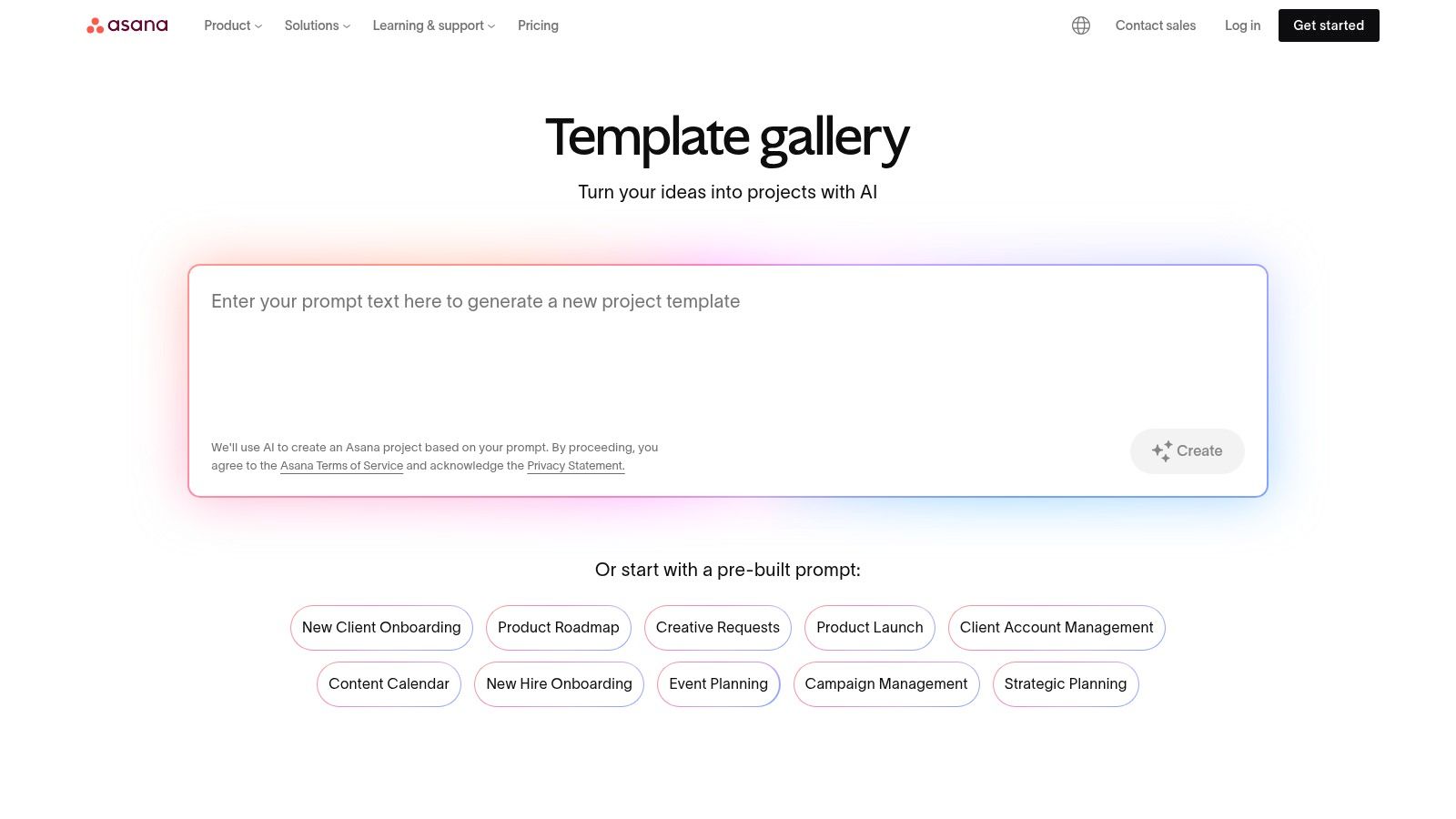
What makes Asana stand out is its emphasis on visibility and seamless workflow integration. A plan isn't just a document; it's a living project that can be viewed as a list, a Kanban board, a calendar, or a timeline. This flexibility allows different team members to interact with the work plan in the way that makes the most sense to them. The platform's strong notification system and integration with tools like Slack and Google Drive ensure everyone stays aligned as the project progresses from planning to completion.
Use Case and Implementation
Asana is best suited for agile teams and agencies that manage multiple ongoing projects and prioritise collaboration. Instead of a formal document, you can duplicate a template, customise the tasks and milestones, assign them to your team, and start tracking progress immediately. Its powerful features also help in managing resources; for instance, you can integrate timesheets to monitor project hours effectively, which is a key part of operational efficiency. Find out more about how to use time sheet templates with Asana.
Key Feature: The ability to instantly transform a template into an interactive, multi-view project plan. This removes the gap between planning and doing, fostering real-time collaboration and cross-team visibility.
Platform Highlights:
| Feature | Details | Access |
|---|---|---|
| Template Format | In-app, interactive project templates | Free account for basic templates; paid plans for advanced features |
| Key Sections | Customisable tasks, subtasks, deadlines, assignees, project goals | Included in all templates |
| Best For | Australian teams needing a collaborative, live work plan for ongoing project execution rather than a static document. | Visit Asana |
| Limitations | Less ideal for creating a formal, printable document for external stakeholders. Advanced features are paywalled. | Free plan available; paid plans unlock more features |
5. Atlassian Confluence
For teams already embedded in the Atlassian ecosystem, Confluence offers a powerful, guided work plan template that lives inside its collaborative wiki-style pages. This resource is less of a standalone document and more of an integrated planning hub, designed to connect directly with your team's documentation, knowledge bases, and, most importantly, their Jira tickets. It’s perfect for Australian tech companies, development teams, or any business that uses Jira for task management.
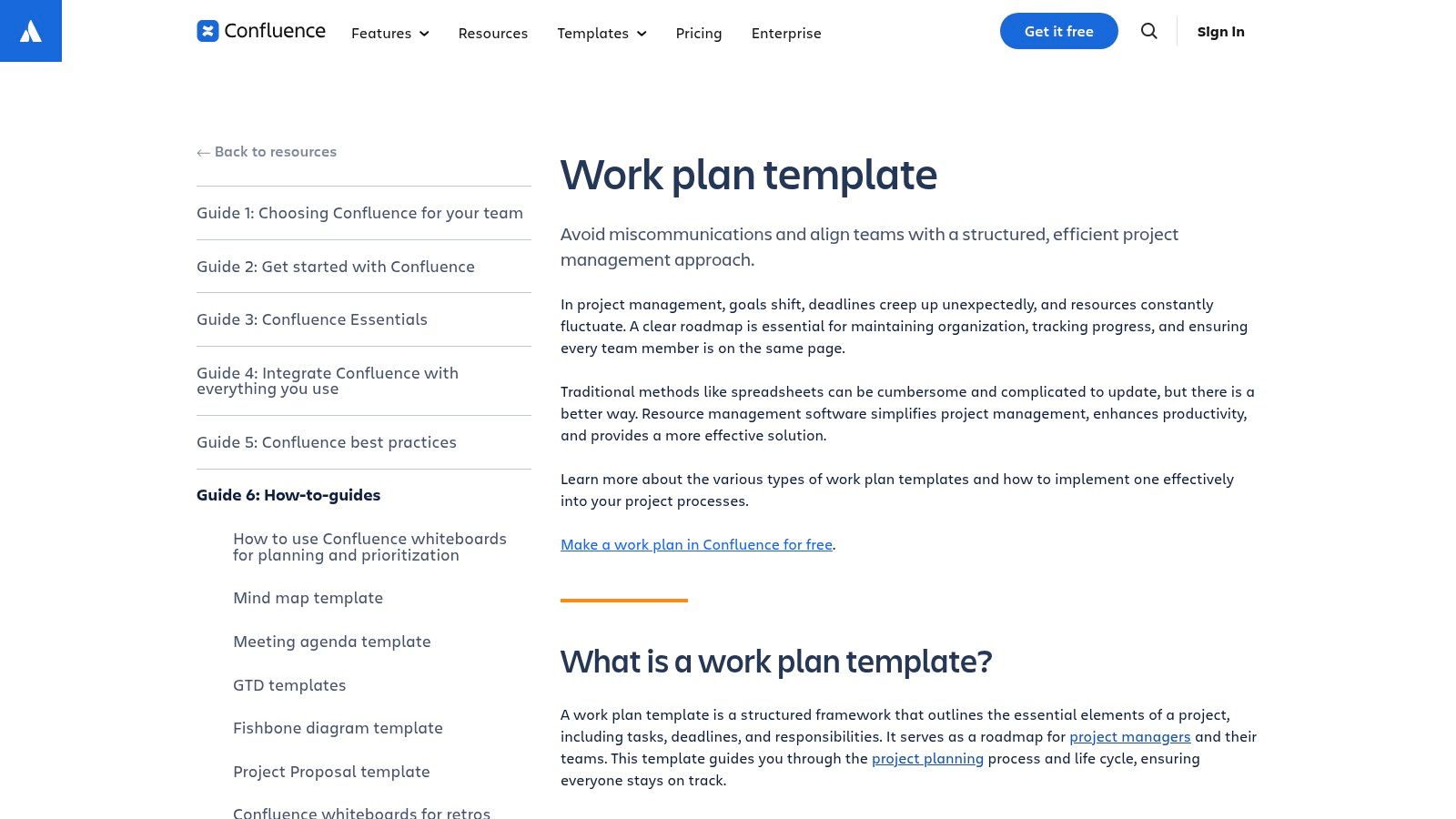
The key difference with Confluence is that the work plan isn't a static file; it's a dynamic, living page. Team members can comment, edit, and contribute in real time, with full version history. Its standout capability is the native integration with Jira, which allows you to embed live issue statuses directly into your plan. This eliminates the need for manual updates, as the plan automatically reflects the real-world progress of development or project tasks.
Use Case and Implementation
This template is ideal for internal project planning where the team's primary task management happens in Jira. An operations manager or project lead can create a high-level work plan in Confluence, outlining goals, scope, and key deliverables. They can then link or create specific Jira issues for each task, providing a single source of truth that connects strategic objectives in Confluence to the granular, day-to-day work tracked in Jira.
Key Feature: The native Jira integration is its greatest strength. It turns the work plan from a static guide into a real-time project dashboard that is always synchronised with your team's active tasks.
Platform Highlights:
| Feature | Details | Access |
|---|---|---|
| Template Format | Integrated Confluence Page Template | Requires a Confluence workspace; Free plan available |
| Key Sections | Goals, tasks, team roles, status, dependencies, success metrics | Included in the built-in template |
| Best For | Australian tech teams and businesses already using Jira who need a plan that integrates with live task tracking. | Visit Atlassian Confluence |
| Limitations | Requires commitment to the Atlassian ecosystem; not a simple downloadable file for external client sharing. | Free tier has user limits; paid plans for larger teams |
6. Canva
Canva excels at transforming a standard work plan template into a visually compelling and highly professional document. Known primarily for design, it offers a vast library of templates for presentations and documents that are perfect for Australian freelancers and agencies needing to create branded, client-facing plans. The drag-and-drop interface makes it incredibly easy to customise layouts, add brand colours, and incorporate graphics, ensuring your plan is not only informative but also memorable.
What sets Canva apart is its focus on presentation and shareability. While it's not a project management tool for task execution, it is unmatched for producing the initial stakeholder document. You can collaborate with team members in real time, leave comments, and share a final version as a polished PDF or a live link. This makes it an excellent supplementary tool for the initial planning and approval stages, where a strong visual impression is crucial.
Use Case and Implementation
Canva is ideal for the proposal or kickoff phase of a project where you need to present the work plan to a client or executive team. Its templates are perfect for summarising key objectives, timelines, and milestones in an easily digestible format. You can create a master brand template for your agency, allowing you to produce consistent, high-quality work plans for every new client quickly and efficiently. It’s less suited for the day-to-day management of tasks.
Key Feature: The platform’s strength lies in its design-first approach, enabling anyone to create a visually stunning, on-brand work plan that communicates professionalism and clarity without needing any design skills.
Platform Highlights:
| Feature | Details | Access |
|---|---|---|
| Template Format | Editable online documents, presentations, and PDFs | Free tier available; Canva Pro required for premium templates and features |
| Key Sections | Varies by template; includes timelines, goals, action steps, team roles | Fully customisable with drag-and-drop editor |
| Best For | Australian agencies and consultants who need to create visually impressive, branded work plans for client presentations. | Visit Canva |
| Limitations | Lacks project execution features like task tracking and automation. Functions as a document creator, not a management suite. | Core features are free; advanced tools are on paid plans |
7. ClickUp
ClickUp offers a highly adaptable work plan template within its comprehensive work management ecosystem, designed to bridge the gap between initial strategy and day-to-day execution. It provides a free Annual Work Plan Doc template that acts as a powerful starting point, allowing Australian businesses to outline their yearly objectives, key initiatives, and resource allocation in a structured document format. This initial plan is designed not to be static but to be the foundation for a dynamic project.
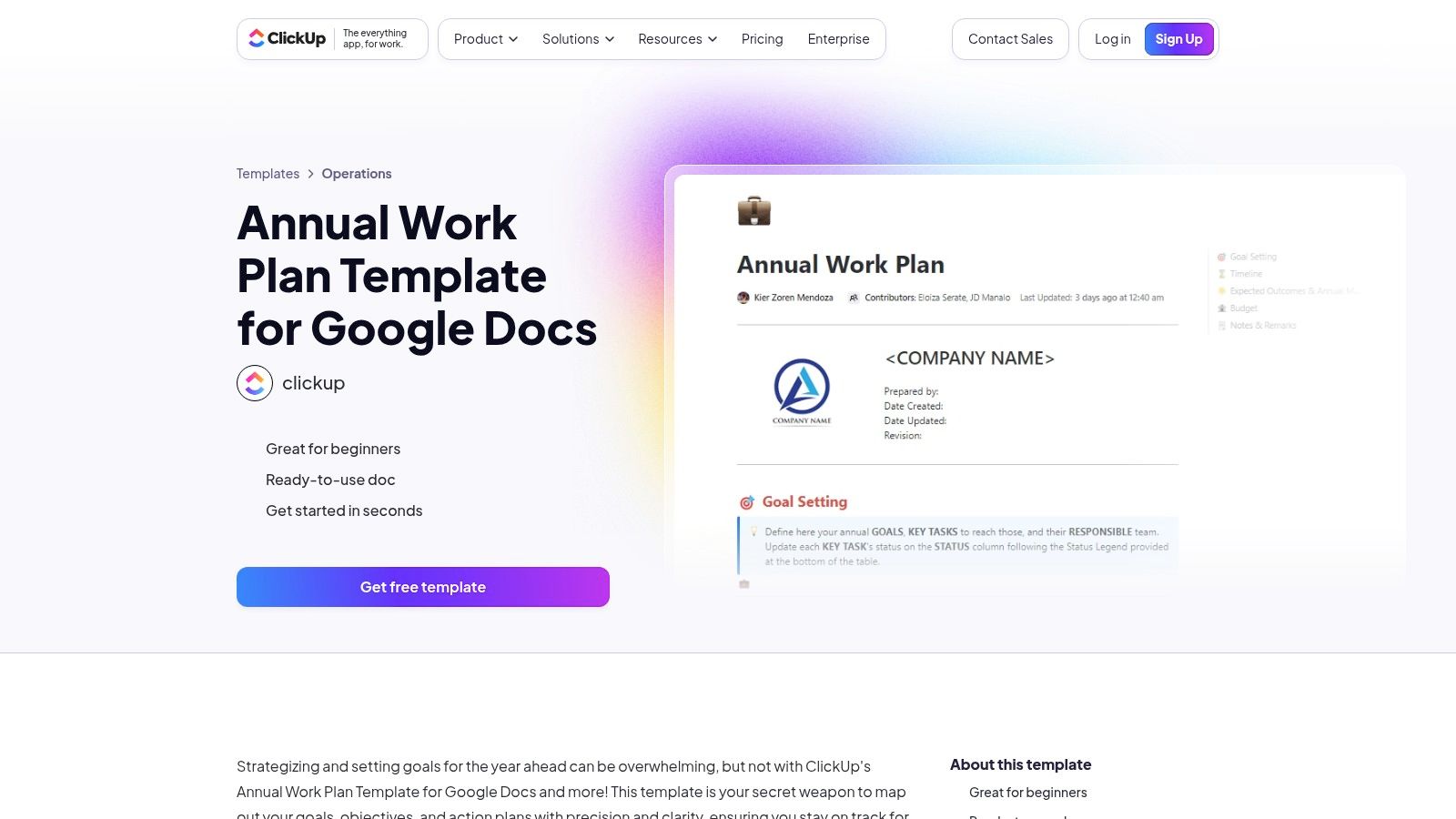
The true strength of ClickUp is its ability to instantly convert this document into an actionable project. With a single click, elements of your plan can become tasks, goals, and timelines within the platform. This seamless transition from planning to doing is what sets it apart, making it ideal for teams that need to operationalise their strategies without cumbersome data entry or switching between different tools. Features like Gantt charts, automations, and integrated time tracking are all native to the platform.
Use Case and Implementation
This template is perfect for agile agencies and growing businesses that require a plan that evolves with their projects. Start by using the ClickUp Doc to collaboratively draft your annual or project work plan with key stakeholders. Once approved, you can highlight any line of text and instantly create a task, assign it to a team member, and add it to a project board or timeline. This makes it an end-to-end solution, covering high-level strategy and granular task management.
Key Feature: The ability to transform a static document into a live, fully-featured project within the same platform is ClickUp's defining advantage. It eliminates the disconnect between planning and execution.
Platform Highlights:
| Feature | Details | Access |
|---|---|---|
| Template Format | ClickUp Docs, which can be converted into tasks, goals, and views | Free template; generous free-forever plan with paid tiers for advanced features |
| Key Sections | Goals, key results, initiatives, timelines, resource allocation (customisable) | Fully integrated into the ClickUp platform |
| Best For | Australian teams needing an all-in-one solution to create, manage, and execute work plans in a single environment. | Visit ClickUp |
| Limitations | The extensive feature set can have a learning curve for new users. Some automations and advanced reporting are on paid tiers. | Free plan available; paid plans unlock more features |
8. Notion
Notion offers a uniquely flexible environment where a work plan template isn't just a static document but a dynamic, interconnected workspace. Instead of a traditional file, you build your plan using modular "blocks" like databases, calendars, and text pages. This allows Australian agencies to create highly customised, living work plans that integrate project tasks, documentation, research, and client deliverables all in one place.
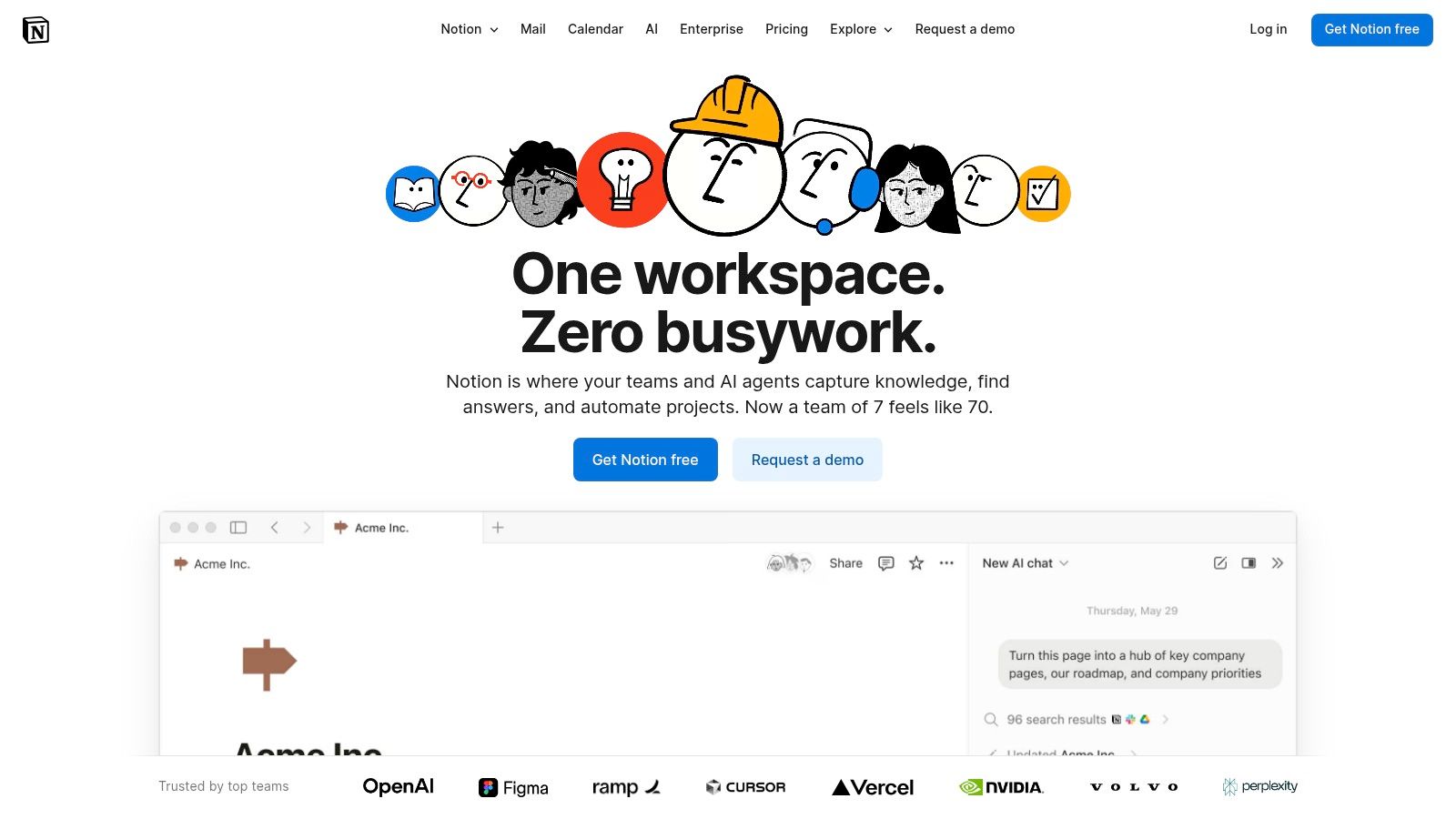
What makes Notion stand out is its ability to blend structure with adaptability. You can start with a pre-built project plan template from its extensive gallery and then tailor every aspect to your specific workflow. Link your project timeline directly to a database of tasks, embed design mock-ups from Figma, and create a shared wiki for project documentation. It transforms the work plan from a reference document into the central hub for the entire project.
Use Case and Implementation
Notion is ideal for digital agencies and creative freelancers who manage complex projects with many moving parts. It’s perfect for creating a central source of truth that the team and clients can access. Implementation involves selecting a base template (like a project plan or roadmap), customising database properties to track what matters to you (e.g., status, priority, assignee), and then linking related pages to build a comprehensive project OS.
Key Feature: Its "all-in-one" nature is the core benefit. You can build a work plan that is also your task manager, document repository, and collaborative wiki, eliminating the need to switch between multiple tools.
Platform Highlights:
| Feature | Details | Access |
|---|---|---|
| Template Format | Interactive pages built with blocks (databases, Kanban, text) | Free personal plan; paid team plans available |
| Key Sections | Fully customisable; can include timelines, task lists, goals, docs | Create sections as needed using different blocks |
| Best For | Australian teams needing a highly customisable, integrated workspace where the plan evolves with the project. | Visit Notion |
| Limitations | The learning curve can be steep due to its flexibility. The free plan has limits on collaboration and history. | Free plan has limitations; paid plans unlock advanced features |
9. Microsoft (Project/Planner/Create)
Microsoft offers a vast ecosystem of templates through its Create hub, Project, and Planner applications, providing a familiar starting point for crafting a work plan template. These resources are designed for seamless compatibility with Office apps like Word, Excel, and PowerPoint, making them ideal for Australian businesses already invested in the Microsoft 365 suite. The templates range from simple trackers to comprehensive project plans, offering a high degree of customisation within well-known software.
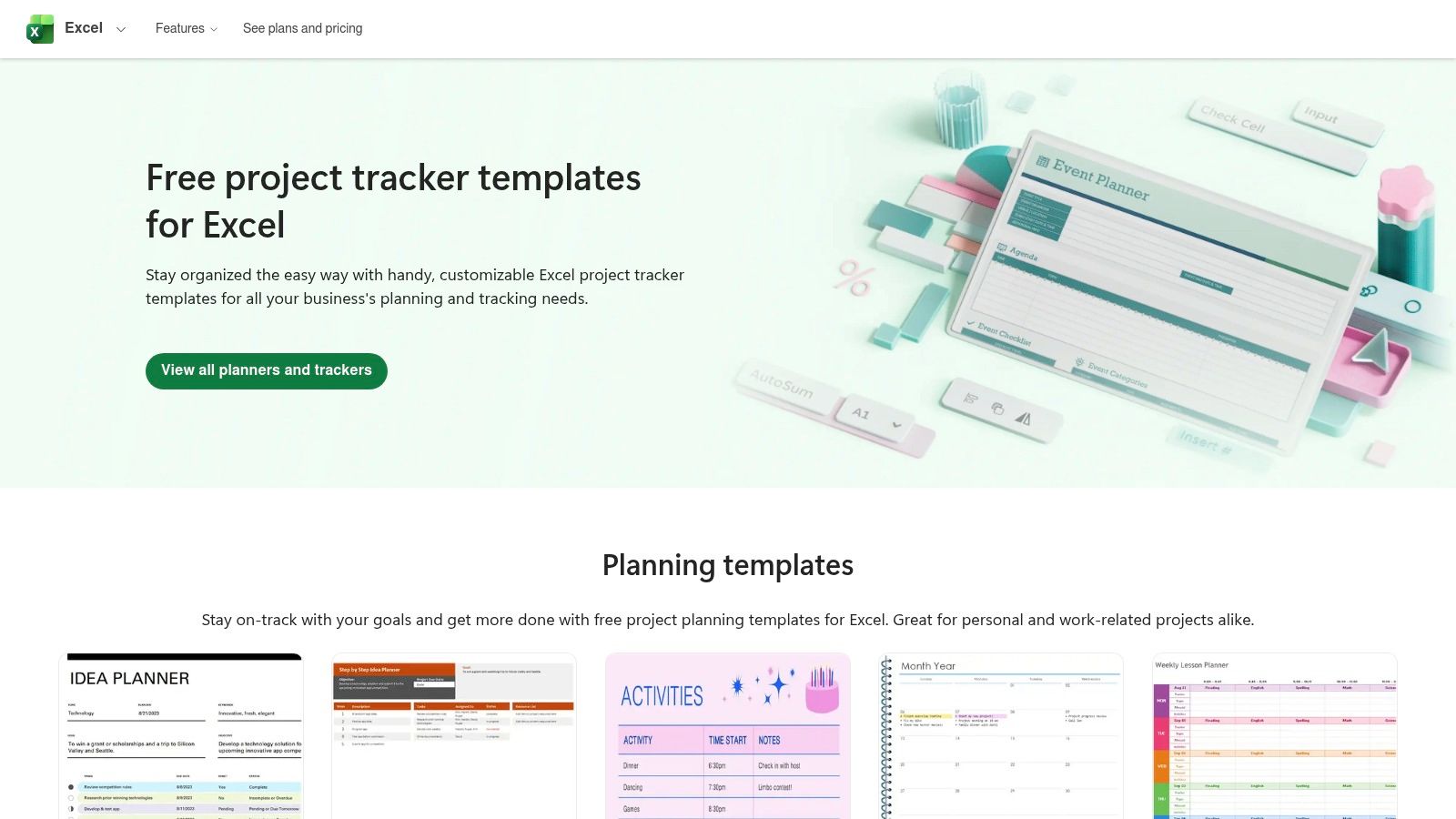
The primary advantage of using Microsoft's templates is the deep integration with tools your team likely uses daily. A plan created in Excel can be easily shared via Teams, or a Word document can be collaboratively edited and saved to SharePoint. This native compatibility streamlines workflows and leverages existing user knowledge, eliminating the need to learn a new platform. It’s a practical, accessible solution for creating shareable, printable, and professional work plans without leaving your established digital environment.
Use Case and Implementation
This collection is best for organisations and teams that operate heavily within the Microsoft 365 ecosystem. A marketing agency can use an Excel project timeline template for a client campaign, while a professional services firm can adapt a Word-based plan for internal process documentation. The implementation is straightforward: download a template, customise it with your project specifics, and share it securely within your organisation's network. The variety ensures there is a starting point for almost any planning need.
Key Feature: The native integration and familiarity are its core strengths. You can create, share, and collaborate on a work plan using the same tools your team relies on for everything else, ensuring high adoption and minimal friction.
Platform Highlights:
| Feature | Details | Access |
|---|---|---|
| Template Format | Microsoft Excel, Word, PowerPoint, and in-app Planner/Project | Free with a Microsoft account; some advanced templates require specific subscriptions |
| Key Sections | Varies by template; includes project timelines, task lists, budget trackers, and more | Available across the different template types |
| Best For | Australian businesses and agencies heavily invested in the Microsoft 365 suite needing integrated and familiar tools. | Visit Microsoft Create |
| Limitations | Lacks a single, unified template hub. The best templates are often tied to specific, sometimes paid, applications like Project. | Free templates available; premium features require subscriptions |
10. Template.net
Template.net offers a vast library of professionally designed work plan template documents, making it an excellent resource when you need a polished, printable plan with minimal fuss. Its main advantage is variety and speed, providing instantly downloadable templates in multiple formats like Microsoft Word, Google Docs, and Apple Pages. This is ideal for Australian businesses that prioritise creating a formal document over implementing a complex project management system.
What makes this platform unique is its sheer volume and format flexibility. Unlike single-template providers, Template.net acts as a catalogue where you can find a layout that precisely fits your brand's aesthetic. The templates are pre-filled with editable placeholders and professional formatting, which significantly cuts down on design time. It serves as a go-to hub for quickly generating client-ready plans without needing a graphic designer or mastering a new software tool.
Use Case and Implementation
This resource is best suited for freelancers and small agencies that need to produce well-structured, visually appealing work plans for proposals or internal documentation on a regular basis. The process is straightforward: choose a design, download it in your preferred format (e.g., Google Docs), and fill in your project details. It’s a purely document-based approach, perfect for situations where a simple, signed-off plan is the primary requirement.
Key Feature: Its extensive library of multi-format, professionally designed templates allows you to create a high-quality, branded document in minutes, not hours.
Platform Highlights:
| Feature | Details | Access |
|---|---|---|
| Template Format | Microsoft Word, Google Docs, Apple Pages, and more | Free and premium templates available; subscription for full access |
| Key Sections | Varies by template but typically includes goals, timeline, tasks, and budget | Structure is pre-defined but fully editable |
| Best For | Australian businesses needing a quick, professionally formatted document without a software learning curve. | Visit Template.net |
| Limitations | Template quality can vary, and many of the best designs require a subscription. Lacks any project management functionality. | Free options available; paid subscription for premium downloads |
11. Etsy
For those prioritising aesthetics and a polished, presentation-ready look, Etsy serves as an unexpected but valuable marketplace for a work plan template. Instead of a single platform, it offers thousands of creative templates from independent designers, usually available as instant downloads for Canva, Word, or Adobe InDesign. These are ideal for Australian creatives and consultants who need a plan that visually impresses clients as much as it informs them.
What makes Etsy unique is the sheer variety and design quality available for a small, one-off cost. You're not just getting a blank document; you're often purchasing a carefully crafted layout, complete with workbooks, bonus icons, and instructions. This is perfect for when a standard spreadsheet or document won't cut it, such as for a brand strategy proposal or a high-value project pitch. The focus is purely on creating a beautiful, static document to secure buy-in.
Use Case and Implementation
This resource is best for freelancers and agencies who need a visually compelling plan for client acquisition and formal presentations. After purchasing, you receive a link to edit the template in Canva or download the file directly. You can then customise the branding, colours, and content to match your business or client. Remember to carefully check seller reviews and file compatibility before purchasing to ensure quality and ease of use.
Key Feature: Access to professionally designed, creative layouts at an affordable one-time price. It allows you to produce a high-end, agency-quality document without needing a graphic designer.
Platform Highlights:
| Feature | Details | Access |
|---|---|---|
| Template Format | Varies by seller: typically Canva, Microsoft Word, Adobe InDesign, or PDF | One-off purchase with instant digital download |
| Key Sections | Highly variable, but most include project goals, timelines, task breakdowns, and budgets | Dependent on the specific template purchased |
| Best For | Australian creatives, consultants, and freelancers needing a visually striking, presentation-grade plan. | Visit Etsy |
| Limitations | Quality varies significantly between sellers. The templates are static documents with no project management functionality. | Paid, one-time cost per template |
12. Safe Work Australia
For Australian businesses navigating workplace health and safety (WHS) compliance, Safe Work Australia offers an essential and authoritative work plan template focused on a specific, critical scenario: returning an employee to work after an injury or illness. This free, downloadable resource is available in both DOCX and PDF formats, providing a structured framework that is directly aligned with national legislative requirements. It's less a project management tool and more a vital HR and compliance document.
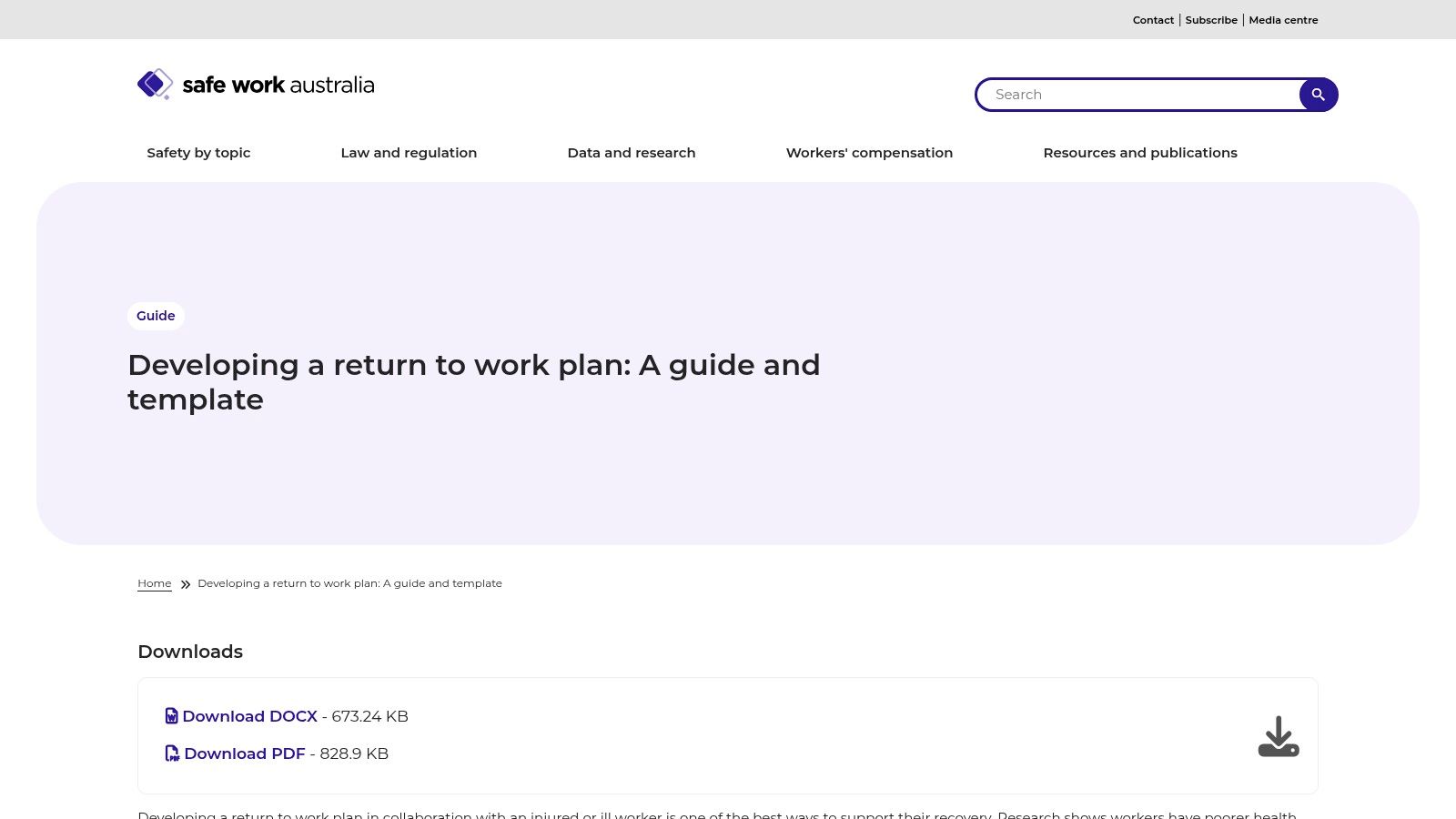
What makes this resource unique is its official government backing and its singular focus on a legally sensitive process. Unlike general project templates, this guide and template are designed to ensure employers meet their duty of care obligations. The structure walks you through defining goals, outlining suitable duties, setting timelines, and documenting consultations with the worker and their medical practitioner. It’s a practical, no-frills tool built for compliance, not creative project planning.
Use Case and Implementation
This template is indispensable for HR managers, WHS officers, and small business owners in Australia who are managing an employee's return to work. Its primary function is to create a formal, agreed-upon plan that facilitates a safe and organised transition back into the workplace. You simply download the DOCX file, fill in the specific details related to the employee's situation, and use it as a formal record for all stakeholders, including insurers and medical professionals.
Key Feature: Its authority and specialisation. This isn't a generic template; it’s a purpose-built compliance tool from an official Australian government body, ensuring your return-to-work process is correctly documented.
Platform Highlights:
| Feature | Details | Access |
|---|---|---|
| Template Format | Microsoft Word (.docx), PDF | Free download, no account required |
| Key Sections | Worker details, return-to-work goals, suitable duties, hours, supervisor, review dates | Included in the template |
| Best For | Australian businesses, HR managers, and WHS officers needing a compliant return-to-work plan for injured or ill employees. | Visit Safe Work Australia |
| Limitations | Highly specialised for return-to-work scenarios; not suitable for general project or business planning. The design is basic. | Completely free |
Top 12 Work Plan Template Comparison
| Tool | Core offering & format | Target audience | Live collaboration & automation | Unique selling point | Price |
|---|---|---|---|---|---|
| ProjectManager | Free Word work plan + in-app live PM (Gantt/Kanban) | Users who want a printable plan with upgrade path to PM software | Word template is static; in-app offers dashboards, dependencies | Truly free downloadable Word + smooth upgrade to live PM | Free template; paid tool for advanced features |
| Smartsheet | Template gallery (Word/Excel/Sheets) + collaborative platform | Teams needing scalable governance and many templates | Yes, in-product templates, automations, multiple views | Enterprise-grade collaboration & governance | Free downloads; paid tiers (can be pricey) |
| monday.com | Visual Work OS with Work Plan board template | Teams wanting a living, shareable, visual plan | Yes, automations, integrations, timeline/Gantt | Strong visualization and easy adoption | Paid plans; best features on higher tiers |
| Asana | Library of living project templates (tasks, timelines) | Cross-functional teams coordinating execution | Yes, tasks, notifications, 200+ integrations | Quick to duplicate templates for team visibility | Free tier; paid for advanced features |
| Atlassian Confluence | Guided work plan page template inside Confluence | Teams on Atlassian stack needing docs+tracking | Yes, page comments, versioning, Jira link | Integrated documentation with Jira issue tracking | Free tier available; requires Confluence workspace |
| Canva | Editable docs & presentation templates with brand kits | Stakeholders needing polished, branded plan documents | Collaborative editing and sharing (not task automation) | Fast creation of presentation-ready, branded plans | Free tier; Pro for premium assets |
| ClickUp | Work Plan Doc + full work management platform | Teams wanting plan → execution in one tool | Yes, Docs, Gantt, goals, native time tracking | Deep functionality with generous free tier | Free tier; paid upgrades for advanced features |
| Notion | Flexible workspace with templates (databases, boards) | Teams wanting highly customizable living plan pages | Yes, databases, timelines, Kanban, sharing | Blends documentation and tasks in one workspace | Free/paid tiers; advanced features require paid plans |
| Microsoft (Project/Planner/Create) | Planner/Project templates + Create hub; Office integration | Microsoft 365 organisations and enterprise users | Yes, integrates with M365; Project for advanced PM features | Familiar Office ecosystem and printable plans | Some templates free; Project/Enterprise features require licenses |
| Template.net | Downloadable professionally formatted templates (Word/Google/Pages) | Users needing quick editable/printable formal documents | Static templates (no live task features) | Large catalog of formal, ready-to-edit documents | Some free; subscription often required for full access |
| Etsy | Paid, designer-made work plan templates (Canva/Word/PDF) | Buyers wanting affordable, creative presentation templates | Static files (download only) | Wide variety of creative, low-cost designs | One-off paid purchases (varies by seller) |
| Safe Work Australia | Official return-to-work guide + editable DOCX/PDF template | Australian HR, WHS practitioners needing compliant RTW plans | Static template with guidance (not a live PM tool) | Authoritative, Australia-specific compliance resource | Free (government resource) |
Final Thoughts
Navigating the landscape of project management and operational planning can feel overwhelming, but as we've explored, the right work plan template is more than just a document; it's a strategic asset. From the powerhouse platforms of Smartsheet and monday.com to the creative flexibility of Canva and Notion, the tools available to Australian agencies, freelancers, and service businesses are more diverse and powerful than ever. We've dissected twelve distinct options, each with its unique strengths, to help you move beyond generic planning and into a more structured, efficient, and transparent way of working.
The core takeaway is this: there is no single "best" work plan template. The ideal solution is deeply contextual, hinging entirely on your specific operational needs, team size, client expectations, and technical comfort level. A freelance graphic designer's requirements will differ vastly from those of a multi-disciplinary marketing agency or a professional services firm bound by strict compliance standards, like those outlined by Safe Work Australia.
Key Insights from Our Exploration
Reflecting on the templates and platforms covered, several key themes emerge for Australian businesses:
- Integration is King: Standalone documents are becoming a thing of the past. The most effective work plans live within integrated ecosystems. Tools like Asana, ClickUp, and Atlassian Confluence excel by connecting your plan directly to task execution, communication, and resource allocation, creating a single source of truth.
- Customisation is Non-Negotiable: Your business processes are unique. Therefore, your work plan template must be adaptable. Platforms like Notion and Smartsheet offer unparalleled customisation, allowing you to build a planning framework that mirrors your exact workflow, rather than forcing you into a rigid, pre-defined structure.
- Visualisation Drives Clarity: A wall of text is not an effective plan. The success of tools like Canva and the visual dashboards in monday.com underscores the importance of visual communication. Gantt charts, Kanban boards, and colour-coded timelines make complex projects digestible and keep stakeholders aligned at a glance.
Choosing Your Path Forward
So, how do you select the right starting point from this extensive list? Your decision-making process should be a strategic exercise, not a random choice.
First, define your primary pain point. Are you struggling with scope creep? Is resource allocation your biggest headache? Or is it a lack of visibility into project progress? If scope is the issue, a detailed template from ProjectManager or a structured Confluence page might be best. For resource management, a platform like monday.com or Smartsheet provides robust features.
Second, consider your team's tech stack and culture. If your team lives in the Microsoft ecosystem, leveraging Microsoft Project or Planner is a logical and low-friction choice. Conversely, if you have a dynamic, creative team, the flexibility of Notion or ClickUp might foster greater adoption and innovation. Don't introduce a tool that creates more friction than it resolves.
Finally, start small and iterate. Don't attempt a business-wide rollout overnight. Select a single project or a small team to pilot a new work plan template. Use one of the downloadable options from Template.net or even a simple design from Etsy to test the waters. Gather feedback, understand what works and what doesn't, and then refine your approach before standardising it across your organisation.
Ultimately, a work plan is a living document. It’s a commitment to clarity, a roadmap for execution, and a tool for accountability. By choosing thoughtfully and implementing strategically, you transform your plan from a static checklist into the dynamic engine that drives your projects to successful completion.
Now that your project is meticulously planned, ensure the final, most crucial step, getting paid, is just as streamlined. Payly integrates seamlessly into your workflow, allowing you to create professional invoices, track time against your project plan, and accept online payments with ease. Move from project completion to payment received without the friction by exploring what Payly can do for your Australian business today.
Payly Team
Sharing insights and strategies to help service businesses thrive. Follow Payly for more tips on time tracking, invoicing, and business operations.
Related Articles

Ready to streamline your business?
Join thousands of freelancers and agencies who use Payly to track time, send invoices, and get paid faster.