
Mastering Expenses in Xero for Australian Businesses
Struggling with expenses in Xero? Our guide for Australian service businesses shows you how to manage bills, claims, and GST for better cash flow.
Payly Team
February 3, 2026
Managing expenses in Xero isn't just about punching in numbers; it's a fundamental part of running a healthy business. It directly impacts your cash flow, your GST obligations, and ultimately, how profitable you are. Getting a grip on Xero's built-in tools like bills, receipts, and bank feeds is the first step for Australian businesses wanting to take full control of their finances and make smarter decisions.
Why Smart Expense Management in Xero Matters
For any Australian service business, whether you're a freelancer or a growing agency, mastering your expenses is absolutely non-negotiable. It's easy to push expense tracking to the bottom of the to-do list, but letting it slide can cause serious headaches that affect your entire operation.
Think about a typical digital agency. They're constantly juggling client project costs, invoices from contractors, and a dozen different software subscriptions. Without a rock-solid system to track all that, they're essentially flying blind and making critical business decisions based on guesswork.
This lack of clarity is a killer for cash flow management. If you don't have a live, accurate picture of what's going out, you simply can't forecast where you'll be next month or next quarter. That's how unexpected cash crunches happen, and it’s how great opportunities get missed.

The True Cost of Poor Expense Tracking
Letting expense management slip has real consequences that go far beyond just having messy books. For Australian businesses, a few key problems tend to surface again and again:
- Inaccurate GST Reporting: A missing receipt here or a miscoded bill there can mean you’re under-claiming GST credits on your Business Activity Statement (BAS). In simple terms, you end up handing over more tax to the ATO than you legally need to.
- Reduced Profitability: If you can’t see exactly where your money is going, how can you spot places to cut back? Unchecked spending, even on small things, slowly eats away at your profit margins.
- Wasted Time: The hours spent manually chasing down receipts from the team, matching them to transactions, and reconciling accounts is time you're not spending on finding new clients or serving existing ones.
Smart expense management isn't just about keeping the tax office happy; it's a genuine strategic advantage. It gives you the financial clarity you need to grow your business with confidence and plug the leaks that are quietly draining your bank account.
Getting a handle on all your operational costs, including things like shipping, is a big piece of this puzzle. You might want to explore some essential tips to cut Australia shipping fees to see how you can keep your budget in line and make expense management in Xero even more effective.
While platforms like Xero give you a powerful foundation, connecting them with operational tools like Payly is where the real magic happens. That combination is how you build a truly seamless, transparent, and efficient system for tracking every single dollar that leaves your business.
Getting Bills and Receipts into Xero with Accuracy
Solid expense management in Xero starts with one thing: getting the data in accurately. If what you put in is a mess, the financial reports you get out will be just as unreliable. Every single bill and receipt is a vital piece of your business's financial puzzle, particularly when you're dealing with Australian GST.
Let's walk through a common scenario. Say you’re a freelance graphic designer and a bill from your go-to printing supplier lands in your inbox. Entering it manually into Xero is simple enough, but you need to be on the ball with the details.
You'd start by creating a new bill, then fill in the essentials: who the supplier is, the date on the invoice, and when it’s due. Don't forget the reference number; it's a lifesaver for matching payments down the track.
The most critical part? Coding the expense correctly. You’ll need to assign the cost to the right place in your chart of accounts, something like ‘Printing & Stationery’ makes sense here. Then, you have to apply the correct Australian tax rate, which is almost always ‘GST on Expenses’. Getting this right is non-negotiable for accurate Business Activity Statement (BAS) reporting and claiming the GST credits you're entitled to.
From Manual Typing to Smart Scanning
Look, manual entry works, but it’s a time sink. This is where tools like the Xero mobile app and its built-in sidekick, Hubdoc, completely change the game. Forget typing. Just snap a photo of a receipt or forward an email bill straight to your Xero account.
These tools use some pretty clever tech (optical character recognition, or OCR) to scan the document and pull out the important details: supplier, date, total amount, and that all-important GST. This automation doesn't just save a mountain of time; it also slashes the risk of typos and other human errors. What was once a tedious chore becomes a quick, simple task you can knock over while waiting for your coffee.
Here’s a look at the bill entry screen in Xero, where you’d give the scanned data a final once-over.
As you can see, Xero lays out all the key fields nice and clearly. This makes it easy to quickly check that the auto-extracted information is spot on before you approve the bill for payment.
The real win here is consistency. When you automate how you capture receipts and bills, you build a reliable workflow. It guarantees that every single expense, no matter how small, is recorded properly from the get-go.
And what about those small, out-of-pocket cash expenses? A good process is just as important. Using a simple petty cash receipt template ensures you have proper records for minor purchases, making life much easier when it's time to pop them into Xero.
At the end of the day, having a solid system for capturing your documents is the first real step towards running a more efficient business. We dive deeper into this in our guide to document management software for small business. This kind of organised approach makes managing your expenses in Xero a whole lot more effective.
Automating Expense Tracking with Bank Feeds
Let's be honest: manually entering every single business expense is a soul-crushing task and a massive time-waster. This is exactly where Xero's bank feeds come into their own, proving to be one of the platform's most powerful features for managing your expenses in Xero.
By securely linking your business bank and credit card accounts, every transaction flows straight into your accounting software. This gives you a live, up-to-the-minute picture of where your money is going, without you having to lift a finger.
This direct connection turns the dreaded task of bank reconciliation from a month-end headache into a quick, even daily, check-in. The whole point is to make the process as painless as possible, so you can spend your time running the business, not just recording it. The real magic happens when you teach Xero how to handle your regular costs for you.
The diagram below shows the different ways you can get your expense data into Xero, from the old-school manual approach to fully automated workflows.
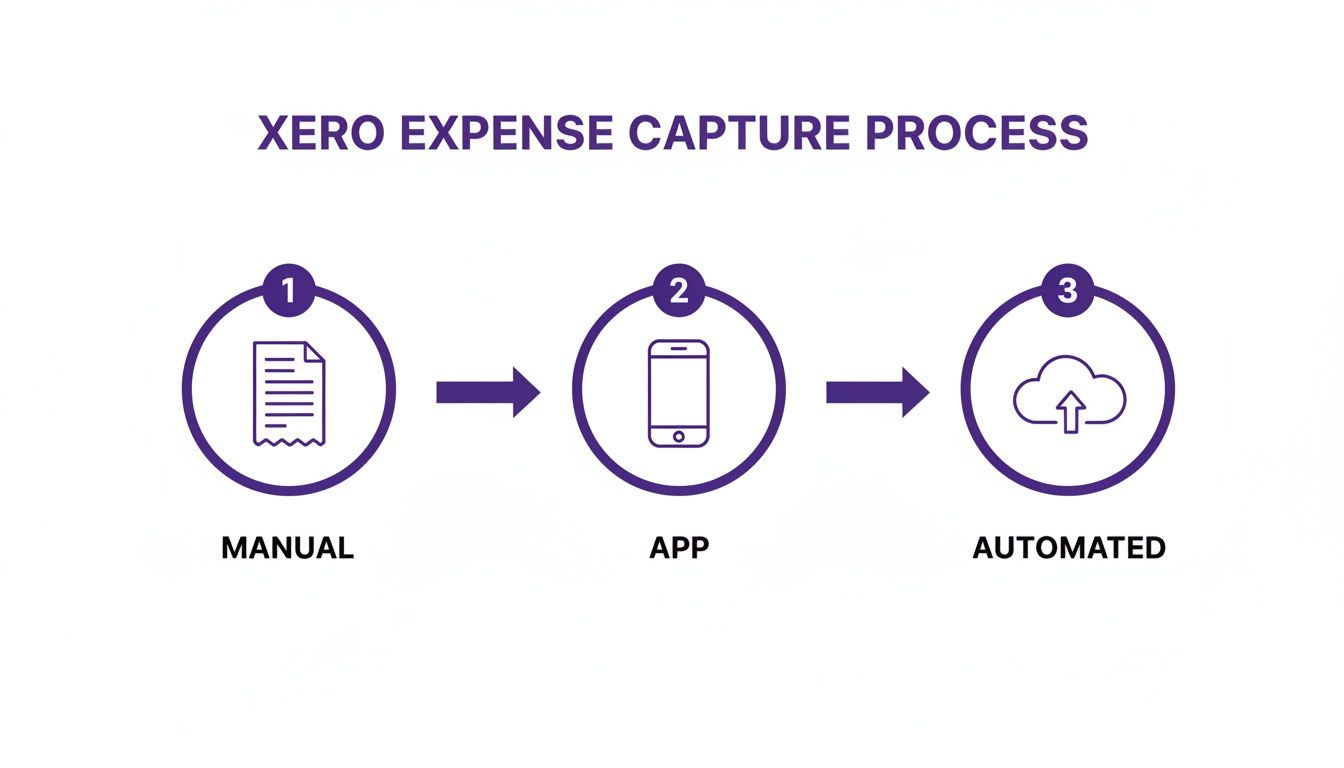
As you can see, letting bank feeds and connected apps do the heavy lifting is by far the most efficient way to stay on top of your expenses.
Before we dive into the specifics of bank rules and cash coding, it helps to understand why you might choose one method over another.
Comparing Expense Entry Methods in Xero
| Method | Best For | Key Advantage | Consideration |
|---|---|---|---|
| Bank Rules | Recurring, predictable expenses like software subscriptions, rent, or regular supplier payments. | "Set and forget" automation. Saves hours of manual coding each month. | Needs initial setup time. Less suitable for one-off or variable purchases. |
| Cash Coding | Catching up on a backlog of unreconciled transactions or processing high volumes of similar items. | Unmatched speed for bulk processing. Spreadsheet-style interface is fast and intuitive. | Only available on certain Xero plans and requires a 'Standard' or 'Adviser' user role. |
| Manual Entry | One-off supplier bills, expenses paid with personal funds, or purchases without a digital receipt. | Full control over every detail, including attaching source documents. | The most time-consuming method and prone to human error if used for everything. |
Choosing the right method for the right situation is key to working smarter, not harder. For most service businesses, a combination of all three is the perfect recipe for efficient expense management.
Creating Bank Rules for Recurring Costs
Think about a typical Melbourne advisory firm. Every month, they see the same predictable expenses hit their bank account: Adobe Creative Cloud subscriptions, office rent, Google Workspace fees, and maybe a few regular fuel purchases. Instead of manually coding each one, they can build bank rules.
A bank rule is just a simple instruction you give to Xero. For example, you can tell it:
- When a transaction pops up with "Adobe" in the description,
- Then automatically assign it to the 'Software Subscriptions' expense account,
- And make sure the 'GST on Expenses' tax rate is applied.
Setting up a few of these rules takes minutes, but the time you save over the long run is enormous. Once they're live, Xero will automatically match and suggest the correct coding for these transactions as they come through the feed. Often, all it takes is a single click to approve. This simple automation can handle dozens of monthly bills in minutes, not hours.
Using Cash Coding for Bulk Reconciliation
For those times you've got a mountain of transactions to get through, Xero’s cash coding feature is a genuine lifesaver. It lays out all your unreconciled transactions on one screen in a familiar spreadsheet-style format, letting you sort, filter, and code many items at once.
Cash coding is built for speed. It's perfect for quickly categorising a high volume of similar costs, like a month's worth of fuel receipts or office supply purchases, without needing to click into each individual transaction.
This feature is particularly handy if you’ve fallen behind on your bookkeeping and need to catch up fast. But the real goal is to stay current. Regular, consistent reconciliation is fundamental to the financial health of your business. It ensures your data is always accurate, giving you a reliable foundation for making smart decisions.
Keeping a tight rein on expenses is more important than ever. Recent Xero Small Business Insights data showed the intense pressure Australian businesses are under. While sales saw some growth, many businesses are keeping a close watch on costs. For professional service firms, this just reinforces the need for sharp, efficient expense management systems.
And if you want to connect your payment systems directly for even better visibility, exploring a Stripe and Xero integration can be a great way to close the loop on your cash flow.
Let's be honest, chasing your team for crumpled receipts and deciphering messy spreadsheets is a special kind of administrative nightmare. It's a time-waster for everyone involved. Thankfully, the Xero Expenses module is built to tame this chaos, creating a smooth, trackable workflow for your entire team.
It takes the whole process, from an employee buying a coffee for a client to you reimbursing them, and puts it into one clean, manageable system. This is how you really get on top of your expenses in Xero without drowning in paperwork.
What Your Team Sees: Submitting a Claim
For your employees, submitting an expense claim goes from being a chore to a simple task they can do on the go. Picture one of your staff paying for parking before a meeting.
Instead of that receipt ending up lost in the car's glovebox, they can deal with it in seconds:
- Snap a quick photo: They just open the Xero Me app and take a picture of the receipt. Xero’s tech is smart enough to read it and pull out the supplier, date, and amount automatically.
- Fill in the blanks: Your team member gives the scanned info a quick check, adds a note about what the expense was for, and assigns it to the right project or account code.
- Tap to submit: One final tap sends the claim straight to their manager for approval.
It’s a dead-simple process that means no more lost receipts and fewer "I forgot to submit my expenses" conversations at the end of the month.
What You See: Approving Claims
As a manager or business owner, your side of the process is just as streamlined. All submitted claims land in a neat dashboard inside Xero, waiting for your review.
The biggest win for managers here is the total visibility. You see who submitted what, the attached receipt, and how they’ve coded it, all in one screen. No more chasing people for the original paperwork.
From this dashboard, you can approve a claim with a single click. If something's not right, you can decline it and add a note explaining why, or simply edit the details if it was coded to the wrong account. Once you give it the green light, it's officially logged and ready to be paid.
This kind of structured approval is perfect for Australian businesses. For example, the module has built-in features for tracking work-related car trips with mileage claims, which simplifies a very common reimbursement headache. Once a claim is approved, you can pay it out as part of the next pay run or process it like any other bill.
This tiered functionality aligns with Xero's pricing plans in Australia, which scale from freelancers on the Ignite plan to larger businesses on the Ultimate 100 plan. This lets you choose the features you need, which is especially important when sales figures fluctuate with the economy. For a deeper dive, check out this guide on Xero's pricing and features.
Supercharging Xero with Payly Integration
Xero is a brilliant accounting tool on its own, but its true power for a service business is unlocked when you connect it to your day-to-day operational platforms. This is the point where Xero stops being just a bookkeeping system and becomes the financial heart of your entire operation, especially for managing expenses in Xero tied to client work. For Australian service businesses, plugging in a tool like Payly creates a workflow that just clicks.
The biggest win? It completely kills the soul-destroying, error-filled task of manual double-entry. Your team can handle everything from purchase orders to project costs right inside Payly, and all that vital information flows straight into Xero as perfectly coded bills, ready for payment.
What this means for you, immediately, is a much tighter grip on your finances. Every single expense gets allocated to the right client or project from the get-go. That level of detail is a game-changer for accurate job costing and gives you a far more reliable view of your future cash flow.
Unifying Documents and Expenses
One of the most practical benefits of this integration is how it brings your documents and your dollars together. Payly’s e-signature and document storage features let you attach signed supplier agreements, contracts, or proposals directly to the bill in Xero.
This is what that unified workspace looks like: your operations and finances, all in one place.
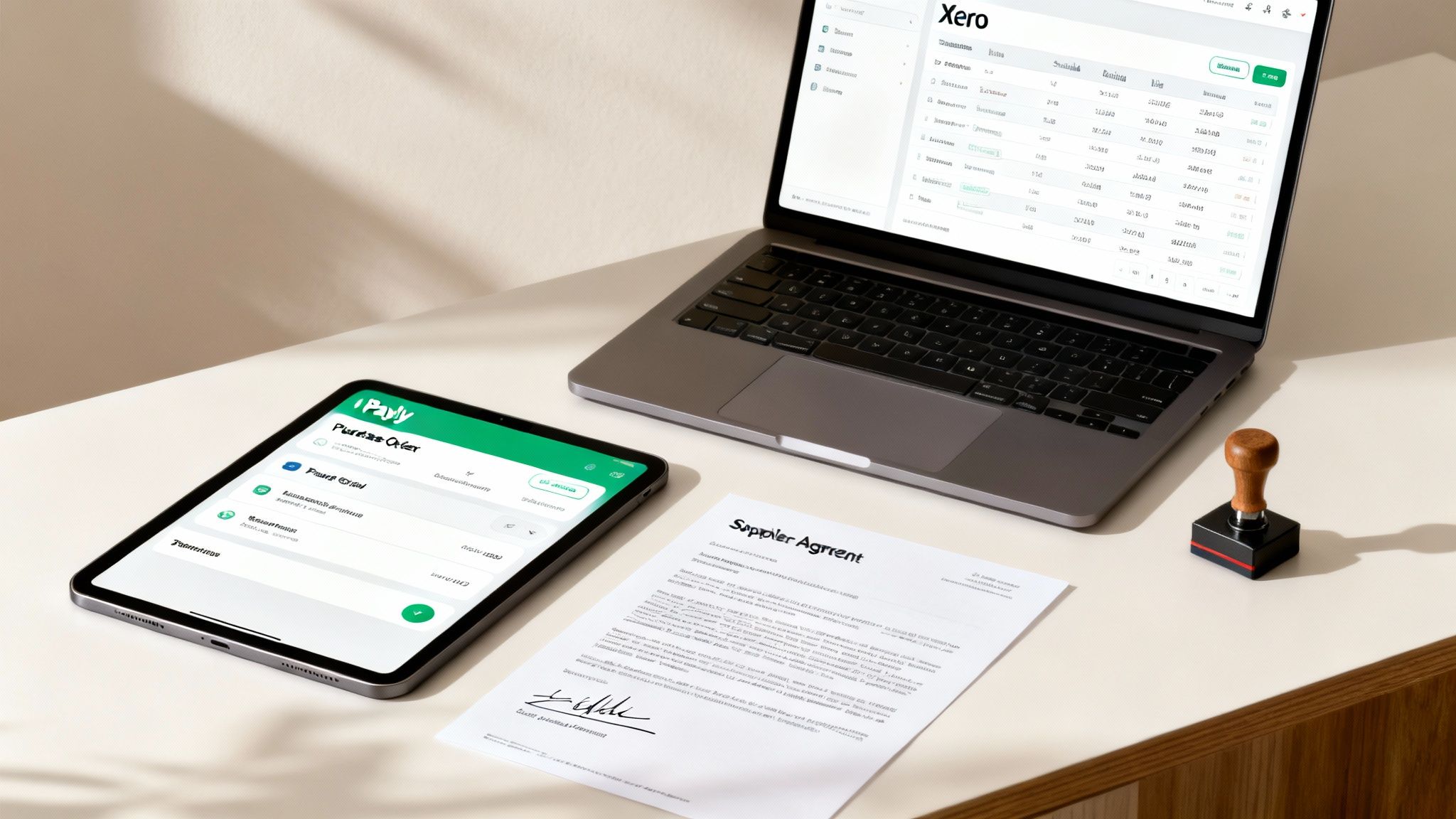
The image above really shows how your operational tasks in Payly talk directly to your financial records in Xero, creating one clean source of truth.
When you link a signed agreement directly to its financial transaction, you’re building a rock-solid audit trail. This isn't just about being neat and tidy; it’s crucial for compliance and gives you absolute clarity if there’s ever a dispute or a financial review.
This consolidated setup does more than just keep you organised. I've seen so many businesses juggling separate tools for e-signatures (like DocuSign), time tracking (like Harvest), and cloud storage (like Dropbox). Bringing Payly and Xero together can replace many of these separate subscriptions, potentially saving you up to 95% on software costs while making your workflow a whole lot simpler.
Driving Efficiency in the Australian Market
This kind of operational efficiency is especially critical for Aussie businesses trying to stay sharp in a constantly shifting economy. In the first half of fiscal year 2026, Xero's Australia and New Zealand region saw a massive 17% revenue surge to $663.7 million. This growth just goes to show how much businesses are relying on strong financial systems. For businesses using Payly, these numbers highlight the real value of a system that pushes every billable hour and supplier invoice seamlessly into Xero, cutting down on admin and boosting profitability.
By turning timesheets, purchase orders, and project costs into GST-compliant bills within a single workflow, you can get back to focusing on what you do best: delivering great service. It’s about making sure every expense is tracked, approved, and accounted for with the least amount of fuss. You can learn more about how Payly streamlines business operations for service-based businesses right across Australia.
Got Questions About Xero Expenses?
Even with a slick system like Xero, you're bound to run into questions when you're in the thick of managing your business finances. Getting the right answer quickly is what keeps everything ticking over smoothly. Let's walk through some of the most common queries we hear from Australian service businesses.
Can I Record an Expense I Paid for With My Own Money?
Absolutely. This happens all the time, especially when you're starting out. The cleanest way to handle this is to treat yourself like an employee for a moment.
Just use the ‘Expenses’ feature in Xero to submit an expense claim for yourself. Snap a photo of the receipt with your phone, fill in the details, and approve it. This creates a proper record of the transaction. Then, you can pay yourself back from the business account, and that reimbursement will match up perfectly with the claim when you reconcile. It’s the best way to keep your personal and business spending separate while making sure the expense is properly recorded for tax time.
What's the Difference Between a Bill and a Spend Money Transaction?
This is a classic point of confusion, but the difference is really important for getting your books right. Here’s a simple way to think about it:
- A Bill is for something you've been invoiced for but haven't paid yet. When you enter a bill, it sits in your ‘Accounts Payable’, which gives you a real-time view of who you owe money to and when it’s due. This is a game-changer for managing your cash flow.
- A Spend Money transaction is for an instant payment. Think tapping your debit card for fuel or buying office supplies online. You typically create these straight from your bank feed during reconciliation when you see a payment that doesn't have a bill waiting for it.
Use bills for your supplier invoices to stay on top of future payments. Spend Money is your go-to for recording those on-the-spot purchases after they've already happened.
How Do I Handle GST on My Expenses?
For any Aussie business, getting GST right is a must. It’s pretty straightforward in Xero; when you record an expense, you just need to choose the correct tax rate. For pretty much any legitimate business purchase, you'll select ‘GST on Expenses’.
Once you do that, Xero does the heavy lifting and calculates the GST amount for you. All this information feeds directly into your Business Activity Statement (BAS) reports, making it easy to claim all the GST credits you’re entitled to. Just make it a habit to quickly glance and confirm that the GST Xero calculates matches what's on the supplier's tax invoice.
What if I've Lost a Receipt?
It happens to the best of us. While a proper tax invoice is always the gold standard, sometimes they just vanish. The Australian Taxation Office (ATO) is generally okay with a few small claims (under $10) without a receipt, but you don't want to make a habit of it.
For a bigger expense where the receipt has gone missing, your bank or credit card statement is your next best friend. It serves as proof of payment. We recommend taking a screenshot of the transaction in your online banking, attaching it to the entry in Xero, and adding a quick note explaining what happened. It creates a digital paper trail, which is infinitely better than nothing.
Keeping a tight grip on your expenses is fundamental to running a healthy business. With Payly, you can connect your entire operational workflow, from time tracking and purchase orders to e-signatures and invoicing, directly with Xero. This creates a single source of truth, gets rid of painful double-entry, and puts you in complete control of your finances. Start your free 14-day trial today.
Payly Team
Sharing insights and strategies to help service businesses thrive. Follow Payly for more tips on time tracking, invoicing, and business operations.
Related Articles


Ready to streamline your business?
Join thousands of freelancers and agencies who use Payly to track time, send invoices, and get paid faster.