
Free Purchase Order: A Complete Guide to free purchase order Templates
Learn how to create a free purchase order with tips, templates, and step-by-step guidance for Australian businesses.
Payly Team
February 21, 2026
A free purchase order is simply a document that locks in the details of a purchase between you (the buyer) and a seller. Think of it as the formal "go-ahead" that confirms what you're buying, how much you're paying, and the terms, all before an invoice ever gets created. The easiest way to get started is by using a downloadable template to give your buying process a professional edge.
Why a Purchase Order System Is a Game Changer
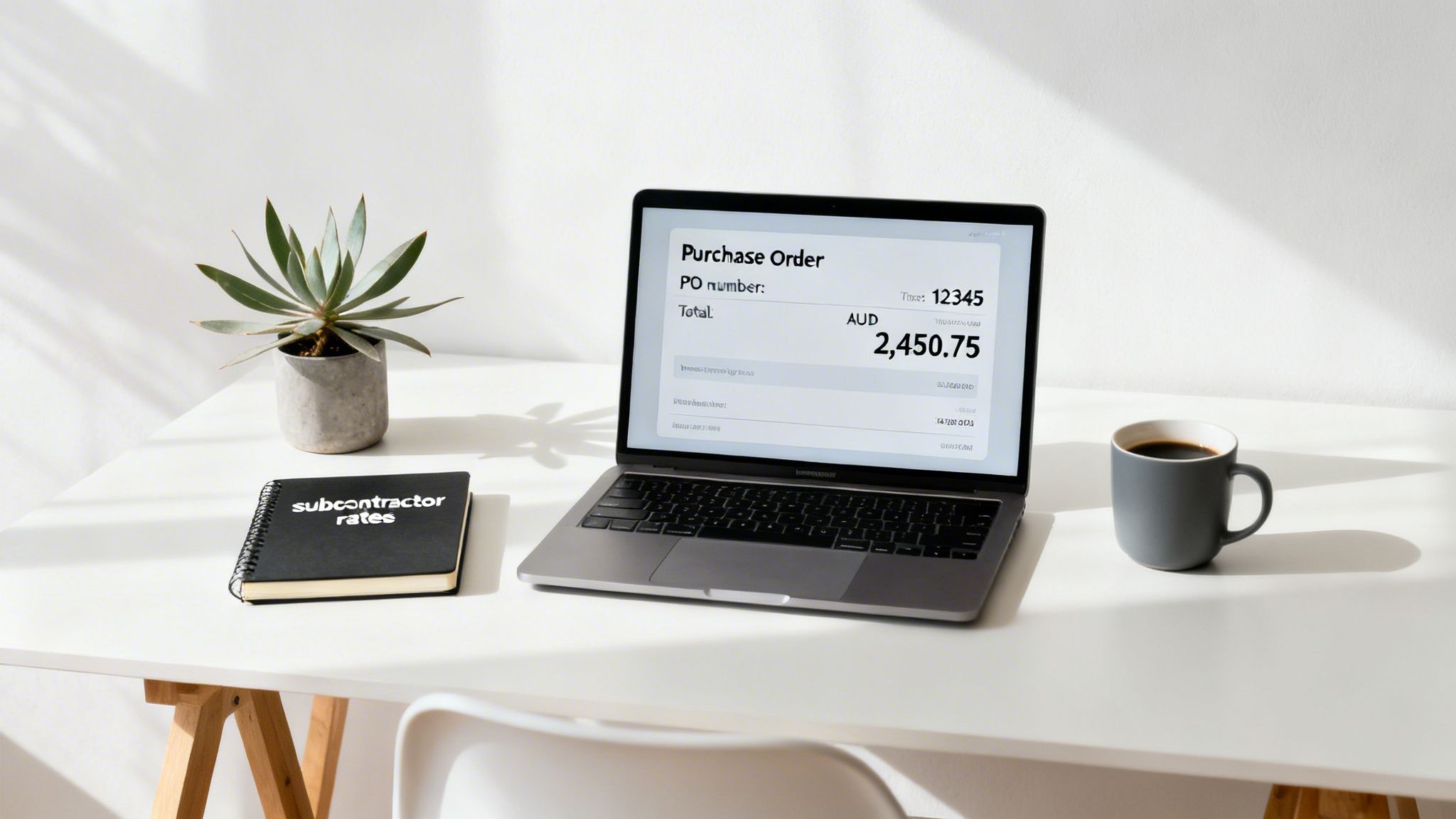
Before you grab the first template you find online, it’s worth understanding why a purchase order (PO) is so much more than just another piece of admin. For Australian freelancers and small businesses, it's a fundamental tool for getting a grip on your finances and communicating like a pro. It takes your agreements out of the "he said, she said" zone and into a clear, documented commitment.
Let’s take a real-world example. Imagine a digital agency in Melbourne brings on a freelance copywriter for a big client project. By issuing a PO upfront, the agency clearly defines the agreed rate per article and the total number of deliverables. That simple document prevents "scope creep" down the track and stops the freelancer from billing for extra work that wasn't actually approved.
Build Professionalism and Clarity
When you send a supplier or contractor a PO, it immediately signals that you're organised and serious about your financial commitments. It really sets a professional tone for the entire working relationship, right from day one.
And that clarity works both ways. The PO gives your supplier an exact breakdown of what you need, leaving no room for confusion. It typically includes:
- Specific services or goods required: No more guesswork about what you're actually paying for.
- Agreed-upon pricing: This is your best defence against surprise costs when the final invoice lands.
- Delivery dates and terms: Everyone is on the same page about timelines and when payment is due.
Create a Bulletproof Audit Trail
We all know the headache of reconciling expenses when tax time rolls around. A purchase order system creates a clean, chronological paper trail of every dollar your business spends. Each PO can be matched to a specific invoice and payment, making it incredibly simple to see where your money is going.
A well-managed PO system is your first line of defence against payment disputes and billing errors. It provides a written record of the initial agreement that you and your supplier can reference, preventing costly misunderstandings down the line.
This organised approach is also gold for managing cash flow. You get a much clearer picture of your upcoming financial obligations, which lets you budget far more effectively. If you're looking to get all your paperwork in order, you might want to check out our guide on document management software for small business.
Ultimately, a robust purchase order system provides huge benefits, especially when it’s paired with powerful integrated accounting features that simplify your financial management. It turns a messy manual process into a structured workflow that genuinely supports your business’s growth and stability.
What Goes into a Professional Purchase Order?
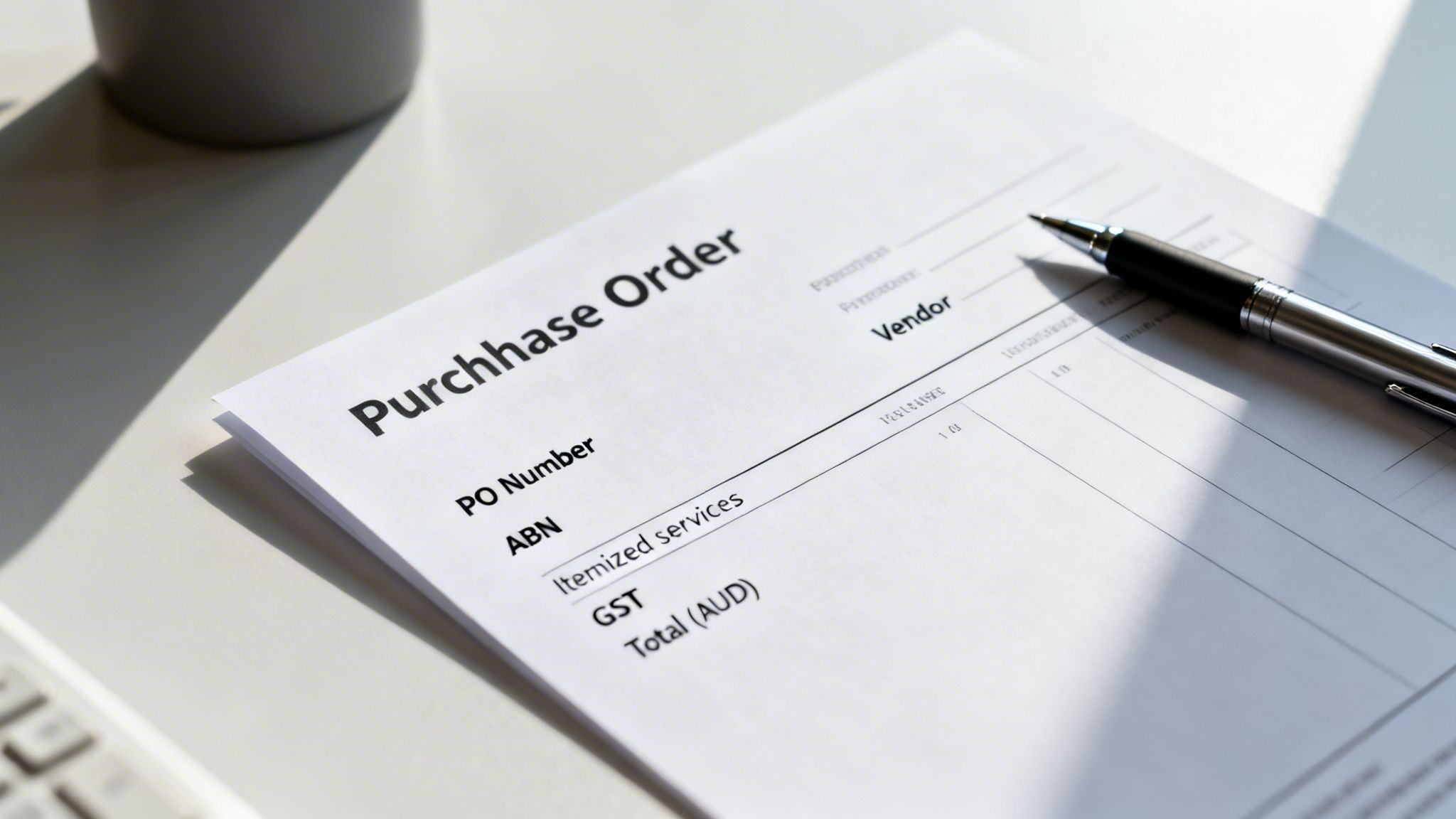
To really work, a purchase order needs to be more than a simple shopping list. It's a crucial communication tool that sets crystal-clear expectations, protecting both you and your supplier from misunderstandings down the line. A properly constructed document has specific fields that, together, paint a complete picture of the agreement.
Think of it like a recipe. Miss one key ingredient, and the final dish just won't be right. A professional PO ensures everyone is on the same page, which is the best way to prevent confusion and frustrating payment delays.
Who’s Who: Business and Supplier Details
First things first, you need to clearly identify who is involved. This might seem basic, but getting the details right from the start is absolutely essential for clean records and official communication.
Your PO should always feature:
- Your company details: Your full registered business name, address, and primary contact information.
- Supplier (or Vendor) details: The full business name of the company you're buying from, along with their address and a specific contact person if you have one.
- Australian Business Number (ABN): It's smart practice to include both your ABN and your supplier’s ABN. This is a must for tax and compliance purposes.
This section immediately answers the "who" of the transaction, making it simple to file and find later on.
The Nitty-Gritty: Essential Transactional Details
Next up are the specifics of this particular purchase. This is the heart of the agreement, and being clear here is non-negotiable.
The most critical element is the PO Number. Every single purchase order must have its own unique number, no exceptions. This number is your best friend when it comes to matching supplier invoices to the original order, a simple step that stops you from accidentally paying for the same thing twice. A straightforward system like CLIENT-2024-001 works perfectly.
A unique PO number is the single source of truth for a purchase. When an invoice lands on your desk quoting that number, you can instantly pull up the original agreement and check if the charges line up. It's a massive time-saver for your accounts payable process.
The PO must also show the PO Date (the day you issue it) and a clear Delivery Date or project timeline. This sets the official timing and manages expectations for when you'll receive the goods or when the service will be finished. If you're building your own templates, our guide on how to create an editable PDF form can help you make them look professional and be easy to use.
The Breakdown: Itemised Services and Costs
Finally, you need to spell out exactly what you're buying and how much it all costs. I’ve seen so many disputes arise from vague descriptions, so this is where you need to be precise, especially for a service-based business.
To get it right, a clear and comprehensive table is your best bet. A good purchase order template should include all the essential fields to prevent any back-and-forth with your supplier.
Here's a checklist of what every Australian purchase order should contain.
Essential Fields for Your Australian Purchase Order
| Field Name | Purpose | Example for a Service Business |
|---|---|---|
| PO Number | A unique identifier for tracking and matching with invoices. | SMITH-2024-015 |
| PO Date | The date the purchase order is officially issued. | 25 October 2024 |
| Your Details | Your company's legal name, address, contact info, and ABN. | Creative Solutions Pty Ltd, 123 Marketing St, Sydney NSW 2000, ABN: 12 345 678 910 |
| Supplier Details | The vendor's legal name, address, contact person, and ABN. | Web Wizards Co, 456 Dev Lane, Melbourne VIC 3000, ABN: 98 765 432 109 |
| Item Description | A detailed breakdown of each service or product. | Social media strategy consulting |
| Quantity | The amount of each item (e.g., hours, units, deliverables). | 15 |
| Unit Price | The cost per unit (e.g., hourly rate, price per item). | $120 |
| Line Total | The total cost for each line item (Quantity x Unit Price). | $1,800 |
| Subtotal | The total cost before any taxes are added. | $1,800 |
| GST | The Goods and Services Tax amount, which is 10% in Australia. | $180 |
| Total Amount | The final, all-inclusive cost payable in AUD. | $1,980 |
Making sure these fields are filled out correctly every time is the key. This level of detail ensures both you and your supplier have an identical understanding of the scope and cost, creating a solid foundation for a smooth and professional transaction.
How to Create Your First Purchase Order
Alright, let's move from theory to actually getting it done. Grabbing a good template is half the battle, and from there, creating your first free purchase order in something like Microsoft Word or Google Docs only takes a few minutes. The result is a professional document you can confidently send to any supplier.
The point here isn't just to fill in blanks. You're creating an official record of an agreement. It’s your first chance to set clear expectations and get the relationship with your supplier started on solid ground.
Let’s walk through how to turn that blank template into a polished, ready-to-go PO.
Make the Template Your Own
First things first, let's make that generic template look like it actually came from your business. Before you even think about the order details, spend a moment adding your own branding. It’s a small touch, but it instantly makes you look more credible.
Most templates will have a spot for your company logo, so just swap out the placeholder with your own image file. Then, pop your business name, address, ABN, and contact details into the header or footer.
Do this once, save the file as your "Master PO Template," and you'll save yourself a headache on every single purchase order you create from here on out.
Get Your PO Numbering System Right
This is one of those small habits that will save you from chaos down the road. You need a logical and consistent numbering system for your purchase orders. A random number just won't cut it when you're trying to track down a specific order six months later.
A simple, effective format I've seen work really well is [ClientCode]-[Year]-[Number].
- For example: Let's say you're creating your third PO for a client called "Smith Digital" in 2024. The number would be SD-24-003.
Anyone can look at that number and instantly know who it's for, when it was created, and where it falls in the sequence. It's a lifesaver when you're trying to match invoices or get your books in order for tax time.
Don't overcomplicate this. The best PO numbering system is one you'll actually stick to. Consistency is what creates a clean, searchable audit trail for every single purchase you make.
Filling in the Details with Confidence
Now for the main event: populating the document with the specifics of your purchase. Work your way through the fields we covered earlier, carefully adding everything from the supplier’s ABN to an itemised list of what you're buying.
Here's a pro tip for recurring tasks: create a little cheat sheet of standard descriptions you can copy and paste.
Instead of re-typing "Social media content creation for Instagram, 5 posts" every single time, have it saved somewhere. This not only saves a few seconds but also keeps your descriptions uniform across all your documents, which really helps avoid confusion.
Once everything is in, give it a final once-over. Double-check all the numbers, quantities, unit prices, GST, and the final total. A simple typo here can snowball into a payment dispute or a big delay.
The very last step? Save it as a PDF. Never, ever send an editable Word or Google Doc to a supplier. A PDF looks professional, locks the content to prevent accidental changes, and makes sure it displays correctly on any device.
And just like that, your first purchase order is ready to send.
Common Purchase Order Mistakes to Avoid
Using a free purchase order template is a great first step to getting your procurement organised, but let's be honest, a template is just a tool. It’s how you use it that really matters. Small mistakes can snowball into big problems like late payments, budget blowouts, and even damaged relationships with your suppliers.
The good news? Most of these headaches are completely avoidable. They usually boil down to a lack of detail or a messy internal process. Here are the most common traps I’ve seen businesses fall into and, more importantly, how to sidestep them.
Vague Descriptions and Scope Creep
This is hands down the biggest and most frequent mistake, especially if you're buying services rather than physical products. A PO that just says "Marketing Services" for a lump sum is asking for trouble. What does that actually mean? How many hours are included? What specific things will be delivered?
When you’re not specific, you’re leaving the door wide open for scope creep. The supplier delivers what they thought you wanted, which might be totally different from what you were expecting. Suddenly you’re in a dispute, getting extra invoices for work you thought was included.
- Bad Example: "SEO Consulting Services - $2,000"
- Good Example: "SEO Keyword Research & On-Page Audit for projectalpha.com.au (as per quote #112) - 15 hours @ $133.33/hr - $2,000"
See the difference? The second one is crystal clear. It's specific, references an existing quote, and breaks down the cost. There's no room for misunderstanding, which protects both you and your supplier.
Skipping Internal Approvals
Another classic blunder is firing off a purchase order to a supplier before it’s been given the green light internally. It happens all the time; an enthusiastic team member sends a PO for a fancy new software subscription, only for the business owner to see it later and realise there's no room in the budget.
This puts you in a really awkward spot. Once a supplier accepts a PO, it’s a legally binding contract. Having to go back and cancel it makes you look unprofessional and can create real friction with vendors you need to work with.
Always have a simple, non-negotiable approval workflow. It doesn't have to be complicated, it could be a quick confirmation email or a formal sign-off in a system. The key is to make sure no PO ever leaves the building without approval from whoever holds the purse strings.
Failing to Match Invoices to POs
This is where things can get expensive. The whole point of a PO is to track what you've ordered, what you've received, and what you need to pay for. This is often called three-way matching: comparing the purchase order, the delivery receipt, and the supplier’s invoice.
When things get busy, it’s tempting to just pay any invoice that lands in your inbox, assuming it's correct. This is how you end up paying for the same thing twice.
Imagine you hire a freelance designer. They finish the job, send an invoice, and you pay it. A month later, they accidentally send the same invoice again. Without a system that flags the PO number as already paid, your accounts team might just pay it a second time. It's an easy way to burn cash.
A solid process means matching every single invoice to its unique PO number before releasing payment. It's a simple check that guarantees you only pay for what you actually ordered, at the price you agreed on, and only once.
How Automation Elevates Your PO Process
A free purchase order template is a fantastic starting point for any Aussie business. But let's be honest, as you grow, manually creating, sending, and tracking every single one gets old, fast. You quickly find yourself drowning in spreadsheets and email chains, which isn't just slow; it's a recipe for human error.
This is the point where shifting from a simple template to an automated system isn't just a nice-to-have, it's a game-changer.
Platforms like Payly are built to take over the entire purchase order lifecycle, transforming a clunky, multi-step chore into a single, smooth workflow. Imagine generating a PO directly from an approved quote with a single click instead of building it from scratch every time. It saves a ton of time and, more importantly, ensures your numbers are spot-on right from the start.
This approach gives you one central place to see all your project finances. No more bouncing between different apps for quotes, POs, and invoices, you get a crystal-clear view of your financial commitments all in one spot.
From Manual Effort to Seamless Workflow
The real magic of automation is how it wires everything together. An integrated system doesn't just spit out a PO; it looks after it from creation to payment.
Here’s what that looks like in the real world:
- Generate from Estimate: A client accepts your quote. Bam. You instantly convert it into a purchase order for your subcontractor.
- Send for E-Signature: The PO is emailed directly from the platform, and you get a legally binding digital signature back in minutes, not days.
- Flag Invoice Mismatches: When the supplier's invoice lands, the system automatically checks it against the original PO. Any sneaky differences in price or quantity get flagged immediately.
For Australian agencies juggling multiple contractors, this kind of control is invaluable. It gets rid of the messy patchwork of separate tools for e-signatures, document storage, and accounting, which can save a small fortune on software subscriptions alone. For a deeper dive, our article on accounts payable automation software has some great insights.
Moving to an automated PO system isn't just about shaving off a few minutes. It's about building a scalable, error-proof process that gives you complete visibility over your spending before it happens.
This flow chart highlights some of the classic manual errors that automation helps you dodge.
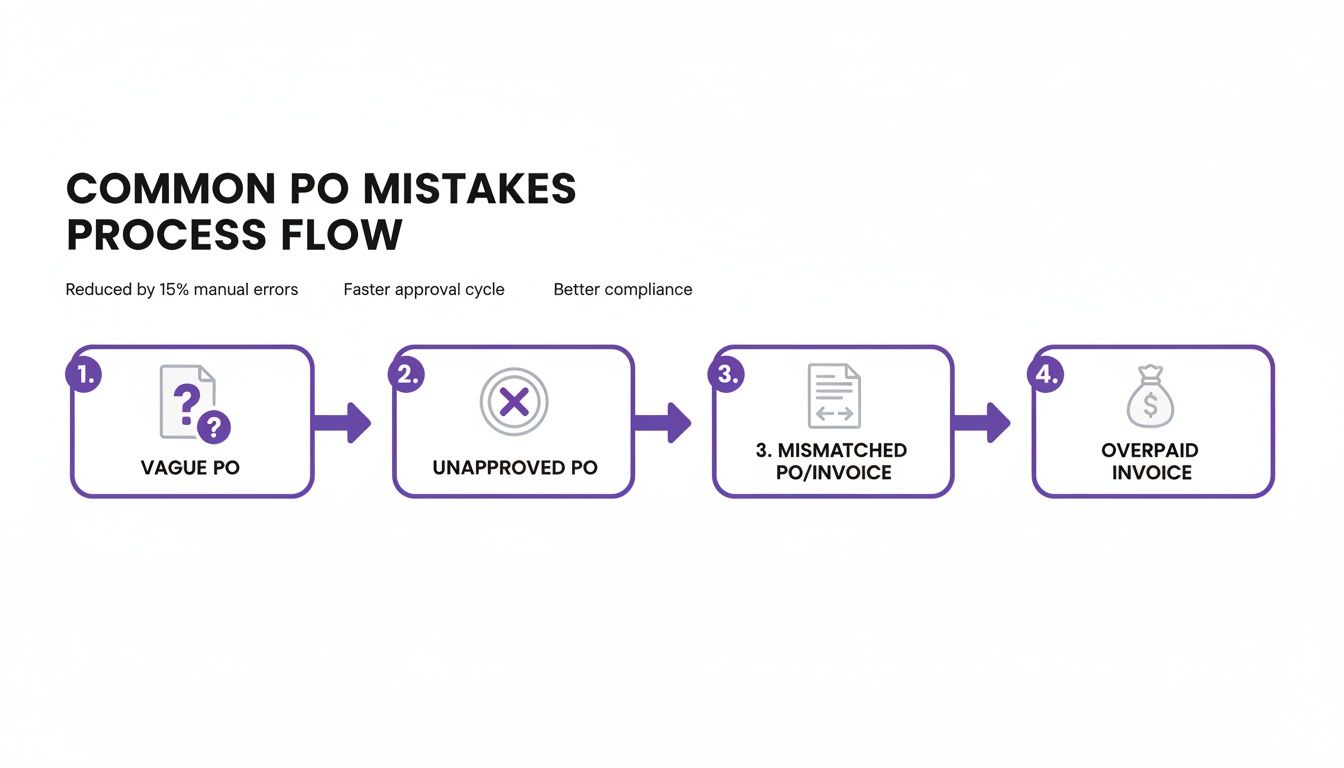
As you can see, a manual process leaves you wide open to vague orders, unapproved spending, and mismatched payments, all of which create costly administrative headaches nobody has time for.
Tapping into Bigger Opportunities
Getting your digital house in order can also unlock bigger and better projects. Consider this: in a recent financial year, the Australian Commonwealth government awarded a staggering $99.6 billion in procurement contracts. The best part? A massive 52% of all those contracts went to SMEs.
Having a slick system for managing purchase orders and compliance makes it so much easier for freelancers and small agencies to throw their hats in the ring for that kind of work.
Ultimately, tools for purchase order automation are about freeing you up to focus on what actually matters: growing your business, not chasing down paperwork.
Got Questions About Purchase Orders? We’ve Got Answers
Even with a great template, you’re bound to have a few questions when you first start using purchase orders. It’s completely normal. Getting these details right from the start helps build a rock-solid procurement process.
Let’s walk through some of the most common questions we hear from Australian businesses.
Is a Purchase Order a Legally Binding Contract in Australia?
Yes, it is. Once a seller accepts your purchase order, it becomes a legally binding contract here in Australia. That acceptance doesn't always need a formal signature, either. Sometimes, it’s as simple as them starting the work or dispatching the goods you ordered.
Because it forms a real legal agreement, getting the details right before it's accepted is non-negotiable. The PO locks in the scope, pricing, and terms, acting as the foundation of your agreement. Using a system with e-signatures can add an extra layer of legal certainty, leaving no room for doubt.
How Do I Handle GST on a Purchase Order?
If you’re a GST-registered business in Australia, getting this right is crucial for clean bookkeeping. The standard practice is to list the price of your items or services exclusive of GST first.
Then, add a separate line item just for the GST amount (10% of the subtotal) and show the final, total price including GST. Clearly labelling this line 'GST' avoids any confusion for your supplier and makes life much easier for your bookkeeper when it's time to claim GST credits.
Pro Tip: Always state that all prices are in AUD (Australian Dollars). It’s a small detail that prevents major headaches, especially if you ever work with international suppliers.
What’s the Best Way to Number Purchase Orders?
A consistent, logical numbering system is your best friend for staying organised. There’s no single "correct" way to do it, but a good system gives you context at a glance.
A popular and effective method is to use a prefix related to the project or client, followed by the year and a sequential number.
- For example: Your fourth PO in 2024 for a supplier called 'Web Wizards' could be numbered WW-24-004.
This makes finding and tracking specific orders incredibly simple down the line. If keeping track manually sounds like a chore, many software platforms can auto-generate unique PO numbers for you, which guarantees no duplicates and saves you the hassle.
Can I Use a Free Purchase Order Template for Services?
Absolutely. In fact, purchase orders are arguably even more important for services than they are for physical products. The key is to be extremely specific in the 'Item Description' section to avoid any arguments about the scope of work.
Instead of vaguely writing 'Consulting', a much better description would be something like, '10 hours of social media marketing consulting for the Q3 campaign at $150/hour'. This level of clarity removes any grey area about what you're paying for and ensures the final invoice matches your expectations perfectly.
Ready to move beyond manual templates? Payly combines purchase orders, e-signatures, invoicing, and time tracking into one seamless platform for Australian businesses. Streamline your workflow and get paid faster by starting your free trial.
Payly Team
Sharing insights and strategies to help service businesses thrive. Follow Payly for more tips on time tracking, invoicing, and business operations.
Related Articles
Ready to streamline your business?
Join thousands of freelancers and agencies who use Payly to track time, send invoices, and get paid faster.