
Finding the Best Free Alternative to DocuSign for Your Business
Searching for a free alternative to DocuSign? This guide compares the top e-signature platforms for Australian SMBs, focusing on real costs and features.
Payly Team
January 5, 2026
The hunt for a free alternative to DocuSign isn't just a fringe activity anymore; it's a common business move. For many Australian freelancers and small businesses, the hefty price tags and convoluted features of enterprise-grade software are simply overkill. They create financial and workflow headaches, pushing owners to find simpler, more budget-friendly options.
Why Businesses Are Looking for a Free Alternative to DocuSign

DocuSign certainly made its mark by taking signatures digital, but that very success has created real problems for smaller operators. Many Australian freelancers, agencies, and service businesses are stuck paying for a mountain of features they’ll never touch. At the same time, they're trying to make sense of complicated pricing tiers that make it impossible to predict costs. This fundamental mismatch is what’s driving so many to look elsewhere.
The goal isn't just to find something "free." It's about finding the right tool. It’s a search for a solution that fits the agile, efficient way a modern small business works, not the clunky processes of a massive corporation.
The Problem with Enterprise-Level Pricing
DocuSign’s pricing is built for big companies, often based on per-user licences and a set number of "envelopes." For a freelancer or a small team, this model just doesn't add up.
- Paying for Overkill: Many plans are loaded with sophisticated features like in-depth analytics or complex integrations that are completely unnecessary for sending a straightforward service agreement.
- Creeping Costs: What seems like a reasonable plan can balloon quickly with add-ons or as you add team members, leading to unpredictable monthly bills.
- Restrictive Basic Plans: The entry-level paid tiers often have tight limits on how many documents you can send, forcing you into a pricier plan much sooner than you'd like.
The real issue comes down to value. Small businesses aren’t just trying to pinch pennies; they want a platform where the price actually matches the utility they get. They need a tool that supports sustainable growth, not one that holds it back.
You can see this playing out in the market. The Australian digital signature market, valued at USD 75.19 million in 2024, is seeing a clear trend of businesses moving away from the expensive giants. While DocuSign has a huge global footprint, its dominance is being challenged locally as SMBs report 20-30% year-over-year increases in adopting more affordable rivals, citing confusing add-ons and slow performance as key frustrations. You can dig into more data on the Australian digital signature market to see these shifts for yourself.
Finding a Smarter Solution
A truly great alternative does more than just offer free signatures. It improves your operations by bringing essential functions together. Imagine not having to juggle different apps for invoicing, client onboarding, and project management. A platform that combines these tools delivers real value by simplifying your workflow and cutting down on admin, letting you get back to what you do best. This guide is here to help you compare your options and make a smart, informed choice.
Figuring Out What You Really Need from an E-Signature Tool
It's easy to get caught in the trap of comparing features when looking for a free alternative to DocuSign. But before you dive into what different platforms can do, it’s critical to first work out what your business actually needs. When you move past a simple feature checklist, you can find a tool that solves real problems instead of just grabbing the first free option that comes along.
A common mistake is focusing purely on the signature itself. Of course, getting a document signed is the end goal, but the process wrapped around it is just as crucial. For Australian businesses, that means thinking seriously about legal standing, security, and how the tool actually slots into your day-to-day work.
Moving Beyond a Simple Checklist
The right tool should support your entire workflow, not just one isolated step. The best way to start is by asking bigger-picture questions about how you get things done.
- Workflow Integration: Do you just need to send a PDF for signing, or do you need something that talks to your invoicing and project management software? A service business, for example, might need to attach a signed contract directly to the first invoice.
- Volume and Frequency: Are you sending one contract a month or juggling dozens of new client onboarding documents every week? Your signing volume will quickly show you whether a free plan’s limits are a genuine option or a frustrating bottleneck.
- Client Experience: What’s the signing process like for your clients? A clunky, confusing interface can reflect badly on your brand and even hold up the start of a new project.
Answering these questions first gives you a clear framework to evaluate your options. You stop searching for a "DocuSign clone" and start looking for a genuine business solution.
For many Australian service businesses, the most valuable alternative isn't just a signature tool; it's a platform that reduces the number of apps you have to juggle. The true cost of "free" often shows up in the time wasted switching between disconnected systems.
Australian Legal and Security Standards
In Australia, the validity of electronic signatures is largely governed by the Electronic Transactions Act 1999. To make sure your agreements are legally binding, any platform you choose has to meet a few key criteria.
A secure audit trail is completely non-negotiable. This is simply a digital record that logs every single action taken on a document-when it was viewed, who signed it, and at what time. It’s the evidence you need to prove the agreement's integrity if a dispute ever arises. To get a better handle on the technical side, it helps to understand what is a digital signature and how the technology works.
On top of that, data protection is paramount. Check that the provider complies with Australian privacy principles and is transparent about where your sensitive client data is stored. Having your data stored onshore is often a huge advantage for both compliance and peace of mind.
Pinpointing Your Core Needs with Real Scenarios
Let’s walk through two common scenarios for a small Australian business:
-
The Freelance Consultant: You send a handful of service agreements and proposals each month. Your main goal is a simple, legally sound way to get a client’s signature. A standalone free tool might do the job, but you’ll still have to manually create an invoice in another system like Xero or MYOB once the contract is signed.
-
The Small Digital Agency: You onboard multiple clients, each needing a signed proposal, a services agreement, and an initial invoice. Your team also has to track billable hours for these projects. In this case, a disconnected e-signature tool creates a lot of admin headaches. The ideal solution would weave signing, time tracking, and invoicing into one smooth process.
By mapping out your own specific workflows like this, you can quickly see where the gaps are. This simple self-assessment makes sure you pick a platform that doesn't just save you money, but also streamlines how you operate and gives you back your valuable time.
Comparing the Top Free DocuSign Alternatives
Once you’ve figured out what you actually need, it’s time to see what’s out there. Finding a great free alternative to DocuSign is more than just a surface-level feature check; it’s about understanding the real-world trade-offs you're making. You're essentially balancing direct cost savings against the functionality and efficiency you might be giving up.
This isn’t just a simple showdown between DocuSign and one free tool. It’s about recognising the different types of solutions available. You've got standalone free platforms that are perfect for straightforward, one-off tasks. Then you have integrated systems like Payly, which bundle e-signatures with other vital business functions like invoicing and time tracking. Thinking this way helps you pinpoint which tool genuinely fits your day-to-day workflow.
This decision tree can help steer your thinking, forcing you to focus on the things that truly matter: compliance needs, how complex your workflows are, and of course, the cost.
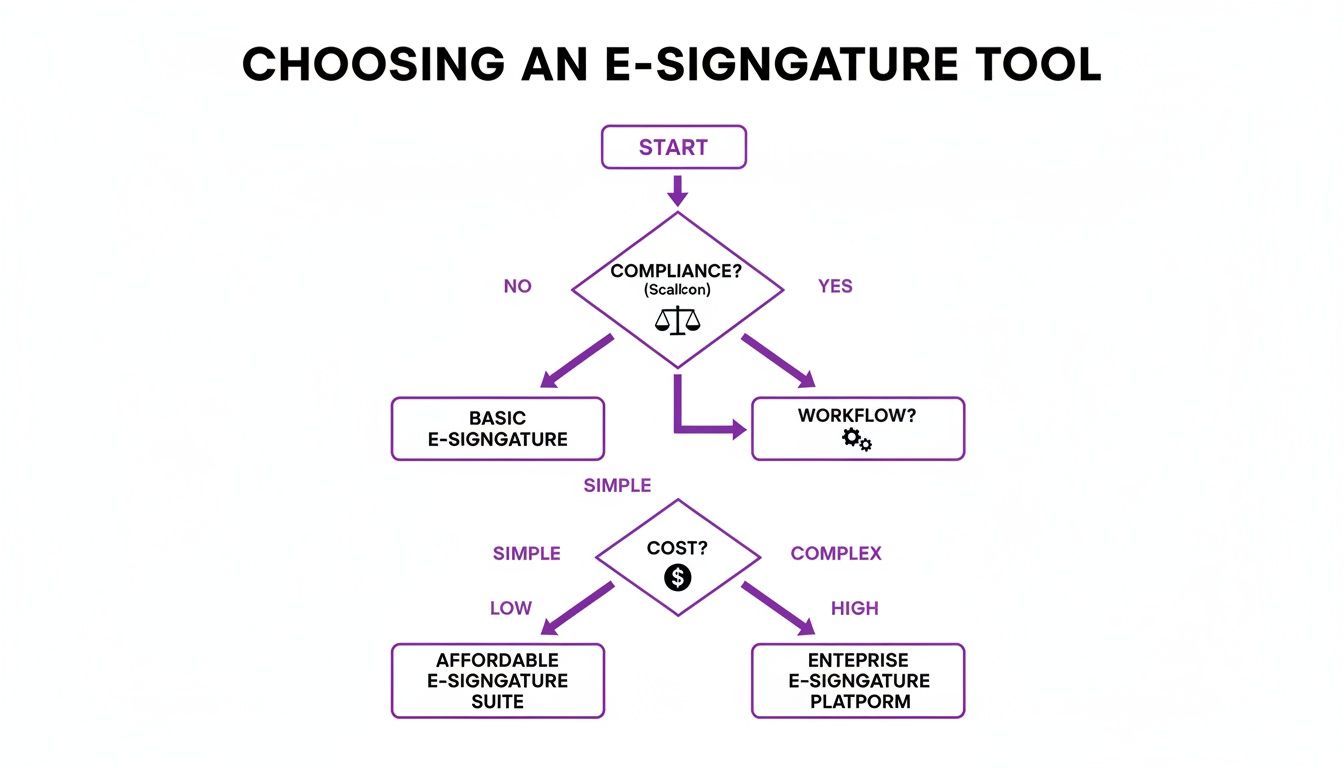
As the flowchart shows, the best choice is entirely dependent on your business context. A simple, low-cost tool might be a lifesaver for one person but a complete bottleneck for another.
Use Case 1: The Freelancer Needing Simplicity
Let's think about a freelance graphic designer. They might send out a few service agreements each month. All they really need is a simple, legally sound signature on a standard contract. They have no use for bells and whistles like bulk sending or complex API integrations.
- DocuSign: The entry-level paid plan would certainly get the job done, but it feels like using a sledgehammer to crack a nut. The monthly cost, while small on its own, quickly adds up when you’re a freelancer juggling multiple subscriptions.
- Standalone Free Alternatives (e.g., Dropbox Sign): A tool offering a handful of free signatures a month is often the perfect solution here. It solves the immediate problem with zero cost. The main catch is the disconnected process. After the contract is signed, the designer still has to jump over to another app like Xero or MYOB to manually create and send the invoice.
Use Case 2: The Agency Managing Complex Onboarding
Now, let's picture a small digital marketing agency onboarding several new clients every month. Their process is more involved: a signed proposal, a detailed services agreement, and an initial invoice all need to be handled. On top of that, team members need to start tracking their billable hours against each new project right away.
- DocuSign: A mid-tier plan could manage the signature volume and even offers templates to speed things up. The problem is that it operates in a silo. The team would still be using separate software for time tracking and another for invoicing. This creates administrative drag and opens the door to costly manual errors.
- Integrated Platform (e.g., Payly): This is exactly where an all-in-one solution really proves its worth. The agency can send a proposal for an e-signature and, the moment it's signed, convert it into a project where time can be tracked. That tracked time then flows seamlessly into an invoice-all within a single system. This connected workflow gets rid of the manual busywork that wastes time and money. For a closer look at how this all fits together, you can explore the features of an integrated e-signature platform.
The key takeaway is that the "best" alternative really depends on your workflow's complexity. A simple tool solves a simple problem, but a business with interconnected processes will get a huge benefit from an integrated solution.
DocuSign vs. Free Alternatives: A Feature and Cost Snapshot for Australian SMBs
To make the differences really pop, let's put these options side-by-side. The table below compares DocuSign's standard paid plan against typical free tools and an integrated option like Payly, focusing on what matters to small Australian businesses.
| Feature | DocuSign (Standard Plan) | Popular Free Alternative (e.g., Dropbox Sign Free) | Payly (Personal or Trial Plan) |
|---|---|---|---|
| Pricing Model | Subscription fee, charged per user, per month. | Free, but with very strict usage caps. | Account-based subscription, with no per-user fees. |
| Signature Limits | Envelope-based quotas (e.g., 100 per year). | Typically just 3-5 documents per month. | Unlimited signatures within a fair use policy. |
| Core Functionality | Advanced e-signature features and workflow automation. | Basic, no-frills document signing. | E-signatures plus invoicing, time tracking, and payments. |
| Xero/MYOB Sync | Yes, but this often requires a more expensive plan. | Very limited or, more commonly, non-existent. | Native, deep integration designed for Aussie businesses. |
| Australian Focus | General global features, not tailored to Australia. | No specific Australian features. | Built-in support for GST, state holidays, and AUD. |
This comparison really drives home a critical point for Australian SMBs, who are getting smarter about their software choices. The local digital signature market is projected to hit USD 117.1 million in 2024, and we’re seeing alternatives capture around 40% of the small business segment. This shift is being led by budget-conscious freelancers and consultancies who prioritise practical features and affordability over a big brand name.
Platforms like Dropbox Sign, for instance, earn high praise (4.7/5 on G2) by offering generous free tiers and well-priced paid plans, making them a fantastic choice for small teams. The process of choosing the right tool here is much like other business software decisions. For example, when evaluating alternatives to popular form builders like Typeform, businesses have to weigh the appeal of free features against the need for advanced logic and integrations.
The same thinking applies to e-signatures. The "free" option is only the best choice if it doesn't create hidden costs down the line through wasted time or clunky, disconnected processes. Ultimately, the right free alternative to DocuSign for your business is the one that supports your entire operation, not just one small piece of it.
The Hidden Costs of Free E-Signature Software

The appeal of a free e-signature tool is obvious, especially when you’re trying to run a lean business. But that $0 price tag can be deceptive. The true cost of "free" often shows up in other columns of the ledger-in lost productivity, administrative headaches, and the very real risks of outgrowing a restrictive platform.
When you opt for a free alternative to DocuSign, you're not just getting a piece of software; you're committing to a workflow. If that workflow is clunky and inefficient, the hidden costs can quickly eclipse any initial savings.
The Productivity Drain of Disconnected Tools
The biggest hidden cost is almost always time. A free, standalone e-signature app forces your team to constantly jump between different programs just to get one job done. This ‘context switching’ is a notorious productivity killer.
Think about a typical client onboarding process:
- First, you draft a proposal in your word processor.
- Then, you save it as a PDF and upload it to the free signing tool.
- Once it’s signed, you have to manually download and file the completed document.
- Next, you open your time-tracking software to set up a new project.
- Finally, you switch over to your invoicing platform to create and send the first bill.
Each step is a snag, an opportunity for error, and a drain on your focus. This manual juggling act simply doesn't scale. As your business grows, the time you burn on these administrative tasks multiplies, eating directly into your billable hours and profitability.
The Financial Risks of Free Plan Limitations
Free plans are designed with one goal in mind: to get you to upgrade. Their limits might seem generous at first, but they can quickly become a serious business bottleneck. Hitting your monthly signature limit just as you’re about to close a crucial deal can stall your momentum and even cost you a client.
Many free tools also lack features that are fundamental to efficiency, like document templates. Without them, your team is stuck recreating contracts and agreements from scratch, adding minutes-or even hours-of repetitive work to every week. It’s not just inefficient; it opens the door to human error in your most important legal documents.
The real problem with relying on free software is that your business processes become dictated by the tool's limitations, not by your own needs for growth and efficiency. You end up building workarounds instead of creating a streamlined, professional workflow.
For Australian small businesses, saving money is always a priority, but those savings have to be sustainable. This is where an all-in-one platform offers a smarter way forward. Payly, for example, combines legally binding e-signatures and secure audit trails within a unified system, potentially saving businesses up to 95% compared to paying for separate DocuSign, Harvest, and other subscriptions. The platform has already powered over 10,000 signatures and $2M+ in billing, all while offering Australian-specific features like state holiday calendars. You can find more insights on how integrated platforms reduce costs on esignglobal.com.
The Strategic Cost of Stacking Free Apps
Cobbling together multiple free apps for different jobs might feel like a clever hack to avoid subscription fees. In reality, you’re building a fragile, disjointed system. Client data ends up scattered across different platforms, there’s no single source of truth, and your entire workflow can break the moment one of those apps changes its free plan.
Bringing these functions under one roof isn't just about convenience; it's a strategic financial move. By replacing several disconnected apps with one integrated solution, you slash subscription costs, plug productivity leaks, and build a scalable foundation for your business. It’s a far more strategic choice for long-term success than simply collecting a handful of limited, free tools.
When an All-in-One Platform Is the Smarter Choice
Looking for a free alternative to DocuSign usually starts with one goal: cutting costs. But as your business grows, the smartest move isn't always about finding the cheapest tool-it's about finding the most efficient one. There's a definite tipping point where a comprehensive, all-in-one business platform delivers far more value than a standalone, free e-signature tool.
This shift happens when the hidden costs of inefficiency start to outweigh the savings of a free subscription. It’s for businesses where a signature isn't the end of the road. An integrated platform is designed for those situations where a signed contract is just the first step in a much larger client journey.
When Your Workflow Is Interconnected
Picture a digital agency in Melbourne. Their process doesn't stop once a client signs a proposal. In fact, that signature is the starting gun for a whole series of tasks that need to flow together perfectly.
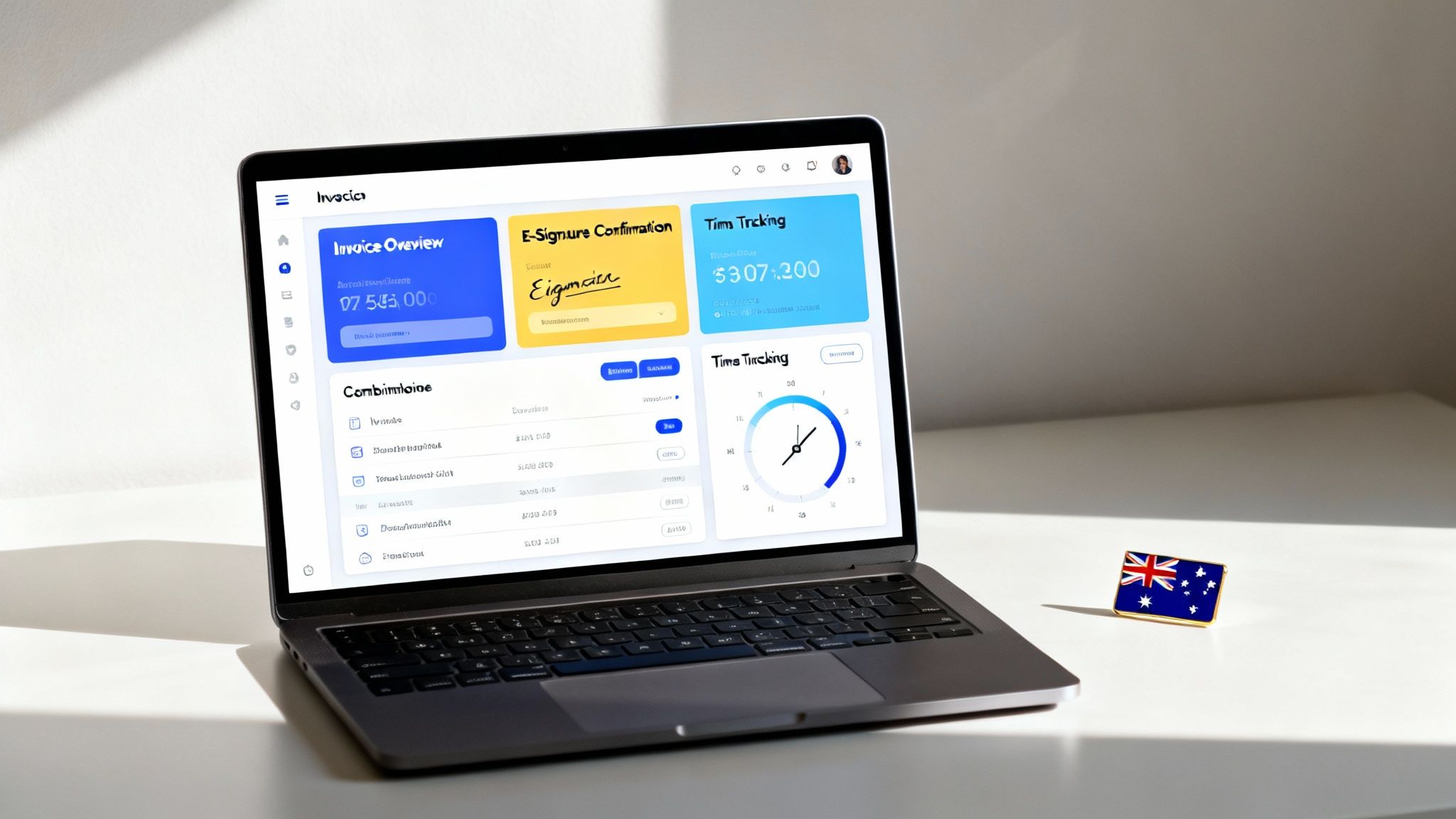
This is where a unified platform really shines, connecting every single step:
- From Proposal to Project: The moment a client e-signs a service agreement, the system can automatically kick off a new project.
- Seamless Time Tracking: Your team can immediately start logging billable hours against that project, doing away with guesswork and manual data entry.
- Effortless Invoicing: At the end of the month, all those tracked hours are pulled directly into a professional, branded invoice, often with the signed agreement attached for easy reference.
This is about more than just convenience; it’s about maintaining accuracy and a professional image. Nothing falls through the cracks between different apps because there are no cracks to begin with. The entire workflow, from the initial agreement to the final payment, is handled in one place.
The Power of Australian-Centric Features
Global e-signature platforms are built for a worldwide audience, which means they often miss the little details that really matter to Australian businesses. This is where a locally focused, all-in-one solution has a clear advantage.
Generic tools won't help you manage Australian public holidays or calculate Goods and Services Tax (GST) properly on your invoices. An integrated platform designed for Australia, like Payly, has these critical functions built right into its DNA.
An all-in-one platform becomes the smarter choice when the value of a connected workflow and local compliance features delivers more ROI than the zero-dollar price tag of a limited, free tool.
Features like local holiday calendars aren't just a nice-to-have; they're essential for accurate project planning and meeting deadlines. Likewise, built-in GST calculations eliminate a common source of invoicing errors, saving you time and ensuring you meet your tax obligations without having to think twice. For any business operating down under, these tailored features are game-changers that generic alternatives just can't offer.
A Real-World Example in Action
Let’s take a look at a freelance consultant juggling several clients. Using a patchwork of separate free tools, their process is disjointed and ripe for mistakes. It's easy to forget to start the timer after a contract is signed or make a typo when manually transferring hours to their invoicing software.
Now, imagine that same consultant using an integrated platform.
- They send a proposal out for e-signature.
- Once it's signed, the client and project are created automatically.
- They track every billable minute using a web or mobile timer.
- At the end of the month, they generate a detailed, accurate invoice in just a few clicks, with the correct GST already applied.
This unified approach drastically cuts down on admin work. It frees up the consultant to focus on billable tasks instead of chasing paperwork. You can see more of these benefits by exploring different types of all-in-one business operations software in Australia. This kind of consolidation is what turns a simple tool into a powerful business asset, making it a much smarter choice in the long run.
How to Make the Switch to a New E-Signature Platform
Okay, you've decided to move on from DocuSign to a better-fit alternative. That's the easy part. The real challenge is making the switch without throwing your entire business into chaos. A smooth, well-thought-out transition plan is your best friend here, breaking the process down into manageable chunks.
This is more than just a tech swap; it’s a change to how your team gets work done. To keep everyone on board and productive, it’s worth thinking about how to effectively implement change management as you introduce a new e-signature tool.
Step 1: Map Out Your Migration
Before you touch a single setting, you need a solid game plan. Start by getting a clear picture of what you're currently working with in DocuSign.
- Audit Your Docs: Figure out which contracts, agreements, and templates are active. Which ones are absolutely critical to move now, and which can be archived? You probably don't need to bring everything over.
- Plan the Data Export: Look into DocuSign’s export features. You'll need to download all your completed documents and-this is crucial-their audit trails. This keeps your records legally sound and complete.
- Set a Go-Live Date: Pick a date for the final switch, ideally during a quieter time for your business. This creates a clear deadline and helps minimise any disruption to your day-to-day operations.
Step 2: Set Up and Customise Your New System
With your plan ready, it’s time to get your new platform humming. If you're moving to an all-in-one system like Payly, this is where you tailor it to your exact needs.
Start by rebuilding your most important document templates, like your standard service agreements or client intake forms. Then, get your integrations sorted. If your workflow relies on connecting to Xero or MYOB for invoicing, set that up from the get-go.
Don’t just copy and paste your old workflow. This is a golden opportunity to improve it. Think about how the new platform's features could automate a step that used to be a manual headache.
Step 3: Test, Get Feedback, and Go Live
Whatever you do, don't just flip a switch and move everyone over at once. A phased approach will save you a world of pain, letting you catch any glitches before they affect your clients.
- Run a Pilot Test: Pick a small, low-stakes project or a friendly client to be your guinea pig. Walk them through the entire new process, from sending the document right through to the final invoice.
- Gather Feedback: Check in with your team. What do they think? Is the new system easy to use? Are there any confusing bits? Their hands-on insights are gold for ironing out the kinks.
- Go Live: Once you’re confident that everything is running smoothly, you can officially make the change for all new documents and clients. You've now successfully moved on from DocuSign.
Frequently Asked Questions
Switching from a familiar platform like DocuSign can feel like a big step, so it’s natural to have a few questions. Let's tackle some of the most common queries we hear from Australian businesses looking for a better, more cost-effective way to get documents signed.
Are Free E-Signature Tools Legally Binding in Australia?
In short, yes-as long as they tick the right boxes. Australia's Electronic Transactions Act 1999 sets the standard, stating that an electronic signature is valid if it properly identifies the person signing and shows they intended to agree to the document's terms.
The key to proving this is the audit trail. Think of it as a digital paper trail-a secure, time-stamped record of every single interaction with the document, from who viewed it and when, to the moment it was signed. Any decent free alternative must provide a robust audit trail to ensure your agreements are legally sound.
What Features Do I Lose When Switching from DocuSign to a Free Tool?
Moving from a paid DocuSign plan to a free tool almost always means trading features for cost savings. You get the core function-getting a signature-but you’ll likely lose the bells and whistles.
Here’s what you can expect to give up on most free plans:
- A Cap on Signatures: Free tools usually limit you to a small number of documents per month, sometimes as few as three or five.
- Branding and Customisation: Forget adding your company logo or tailoring the email notifications. That level of professional polish is typically kept for paying customers.
- Advanced Workflows: Features like sending a document to hundreds of people at once (bulk sending) or setting up automatic follow-up reminders are generally not part of the free package.
How Does an Integrated Platform Save More Money Than a Free Tool?
This is where the real value emerges. A free signature tool saves you one subscription fee, which is great. But an all-in-one platform delivers much bigger savings by bundling several tools into one, cutting down on both subscription costs and the hidden cost of admin time.
The true value of an all-in-one platform isn't just in the signatures; it's in streamlining the entire workflow from proposal to payment. This consolidation reduces the time spent on manual admin, which is a direct boost to your bottom line.
When your e-signatures are connected to your invoicing, time tracking, and client management, you're not just saving money on separate software. You're saving hours of tedious data entry and app-switching, freeing up your team to focus on work that actually generates revenue.
Ready to stop juggling apps and start streamlining your business? Payly combines time tracking, smart invoicing, and legally binding e-signatures into one powerful platform designed for Australian businesses. Start your free 14-day trial today and see how much time and money you can save.
Payly Team
Sharing insights and strategies to help service businesses thrive. Follow Payly for more tips on time tracking, invoicing, and business operations.
Related Articles

Ready to streamline your business?
Join thousands of freelancers and agencies who use Payly to track time, send invoices, and get paid faster.