
The Best Software for Billing and Invoicing Australian Businesses
Find the best software for billing and invoicing. We compare top platforms on features, pricing, and integrations for Australian service businesses.
Payly Team
December 27, 2025

When you're searching for the best software for billing and invoicing, it often boils down to a simple truth: find a single platform that's built for Australian businesses from the ground up. This is where tools like Payly really shine, as they bring together time tracking, invoicing, and even document signing in one place. For service-based businesses, this means you can stop paying for and juggling multiple different subscriptions.
The right choice just works; it supports AUD, handles GST without a fuss, and is ready to grow alongside your business.
How to Choose Your Ideal Billing and Invoicing Software

Trying to find your way through the local software market can feel a bit much. The thing is, Australian businesses need more than just a fancy PDF generator. You need a system that truly understands our local financial environment. Things like GST compliance, multi-currency support that defaults to AUD, and smooth integrations with Aussie accounting staples like Xero and MYOB are absolutely non-negotiable.
This isn't just a hunch; the numbers back it up. In Australia's buzzing software market, application software, which includes billing and invoicing tools, is the clear leader, pulling in a massive 53.26% revenue share in 2024. To put that in perspective, this single segment generated billions of dollars.
Building Your Decision-Making Framework
To cut through the noise, it helps to build a simple evaluation framework. Don't get bogged down in endless feature lists. Instead, zero in on the three pillars that really deliver long-term value: functionality, user experience, and the total cost of ownership. Your goal is to find a solution that not only fixes today's headaches but is flexible enough to handle what’s coming next.
A great invoicing tool does more than just send bills; it becomes the operational hub for your client work, connecting your billable hours directly to your bottom line and professionalising every client interaction.
The checklist below breaks down the must-have criteria for Australian service businesses. Use it to quickly vet potential software and create a shortlist of tools that genuinely match how you work. For a deeper dive, you might want to check out our detailed guide on software for quotes and invoices.
Quick Evaluation Checklist for Billing Software
To make things easier, we've put together a quick checklist summarising the essential features and considerations you should be looking for as an Australian service business.
| Evaluation Criteria | Why It Matters for Your Business | Key Features to Look For |
|---|---|---|
| Australian Compliance | Ensures you meet local tax obligations effortlessly and avoid costly errors. | Built-in GST calculations, AUD as a default currency, and Australian public holiday schedules. |
| Core Functionality | Determines if the software can handle your entire workflow, reducing the need for other tools. | Time tracking, recurring invoices, automated payment reminders, and expense management. |
| Integration Capability | Saves time by connecting your billing tool with the accounting and payment software you already use. | Direct integrations with Xero, MYOB, QuickBooks, and payment gateways like Stripe. |
| Scalability and Pricing | Your software should grow with your business without becoming prohibitively expensive. | Flexible pricing tiers, no per-user fees, and features that support a growing team. |
Think of this table as your starting point. A platform that ticks these boxes is far more likely to be a genuine asset to your business, not just another monthly expense.
Core Features Every Australian Business Needs
Beyond just creating a PDF, the right billing and invoicing software acts as the engine room for your entire operation. For Australian service businesses in particular, a few features are non-negotiable. They’re what turn a chaotic manual process into a smooth, professional, and profitable workflow.
These tools are built to capture value that might otherwise slip through the cracks. They make sure you get paid accurately for every minute of your work while presenting a polished, reliable image to every single client.
Integrated Time Tracking for Billable Hours
If you’re in the service game, time is literally money. Trying to track your hours on spreadsheets or in a separate app is a recipe for disaster. It almost always leads to inaccurate billing and, ultimately, lost revenue.
Modern invoicing software solves this by building time tracking directly into the system.
This means every billable minute your team logs against a project or client can be pulled straight onto an invoice with a single click. No double-entry, no guesswork, and no risk of under-billing. This direct link between work done and money earned is the foundation of a profitable service business.
The real power of integrated timesheets is that they plug revenue leaks. When your team can track hours effortlessly, and those hours automatically show up on draft invoices, you capture every cent you're owed without the administrative headache.
This integration also gives you a clear, transparent record of work for both you and your client, which goes a long way in reducing invoice disputes and building trust.
Automated Invoicing and Payment Reminders
Chasing late payments is one of the most draining and frustrating tasks for any business owner. We all know that a huge portion of small business invoices are paid late, which can create serious cash flow problems. Automation is your best defence against this constant battle.
The best software lets you set up automated workflows that handle the entire cycle for you. Key features to look for here are:
- Recurring Invoices: Absolutely perfect for clients on retainers or subscription-style models. You set it up just once, and the system sends a professional invoice automatically every month, week, or quarter.
- Automatic Payment Reminders: You can create a sequence of polite but firm reminders that get sent to clients when an invoice is getting close to its due date or becomes overdue. This consistent, hands-off follow-up dramatically improves payment times.
These automated systems work in the background to ensure a steady, more predictable cash flow, freeing you up to focus on client work instead of chasing money.
Professional Templates and E-Signatures
Your invoice is more than just a request for payment; it’s a final touchpoint that reflects your brand’s professionalism. A clunky, unbranded document can easily undermine a client's confidence in your work. Look for software that offers customisable templates, letting you add your logo, brand colours, and specific payment terms.
This consistency across all your client documents reinforces your professional identity. For more critical documents like quotes, proposals, or contracts, integrated e-signatures are a complete game-changer.
Instead of the old-school method of emailing PDFs back and forth, you can send documents for a legally binding digital signature right from your platform. A solid system will provide a cryptographic audit trail, which records every single action taken on the document, giving you a secure and verifiable record. This is especially valuable for service agreements, making sure both sides are protected before work even starts. To see how this fits into the bigger picture, it's worth reading about invoicing software for small business and its overall impact.
A single platform that bundles these capabilities, time tracking, automation, and document management, doesn't just add convenience. It builds an efficient and professional operational cycle that’s essential for any business looking to grow.
A Detailed Comparison of Leading Invoicing Platforms
Choosing the right billing and invoicing software means taking a hard, side-by-side look at the top contenders. For an Australian service business, the decision usually boils down to one fundamental choice: do you go for a massive accounting platform that has invoicing features, or a specialised tool built from the ground up for service delivery?
Here, we'll compare Payly against industry heavyweights like QuickBooks and Xero, as well as the popular time-tracker Harvest. My goal isn't to just tick off feature lists. It's to dig into the practical trade-offs in function, price, and overall fit for the unique needs of Aussie freelancers, agencies, and professional services firms.
The Big Picture: All-In-One vs. Specialised Tools
The first thing to understand is the core philosophy behind each platform. QuickBooks and Xero are accountants at heart. Their main job is to manage your business's complete financial health, think ledgers, bank reconciliation, payroll, and tax reporting. Invoicing is just one, albeit important, part of that much larger ecosystem.
On the flip side, tools like Payly and Harvest are built for the day-to-day grind of service operations. Their world revolves around the client work lifecycle: tracking time, managing projects, sending the invoice for that work, and getting paid. They are designed to solve the immediate operational headaches that service businesses face, not company-wide accounting.
This distinction is massive. While accounting platforms are incredibly powerful, their invoicing and time-tracking modules can sometimes feel like an afterthought. Specialised tools often deliver a much smoother and more intuitive experience for the tasks you're doing all day, every day.
The most significant decision is whether you need a tool that runs your finances or a tool that runs your client operations. An accounting platform answers, "How is my business performing?" while a service platform answers, "How efficiently am I delivering and billing for my work?"
Pricing Models: The Hidden Costs of Complexity
Pricing is another area where these platforms diverge significantly. The real cost often goes way beyond the advertised monthly fee, especially if you find yourself needing to glue multiple tools together to fill in the gaps.
Let's break down the common models:
- QuickBooks and Xero both use tiered subscription plans. The more you pay, the more features you unlock, like multi-currency support or project profitability reporting.
- Harvest is laser-focused on time tracking and invoicing, and its pricing is typically tied to the number of users on your team. This can get pricey fast as your team expands, and you'll still need separate software for your core accounting.
- Payly takes a different route with an account-based pricing model that has no per-user fees. This is a huge advantage for growing teams, as you can add staff without your subscription cost blowing out. It bundles time tracking, invoicing, and e-signatures into one predictable fee.
The demand for integrated billing software in Australia is undeniable, with the entire software sector projected to hit US$12.44 billion in revenue by 2025. You can find more details on this growth in the Australian software market report on Statista.
This is why having a single, cohesive system is so important.
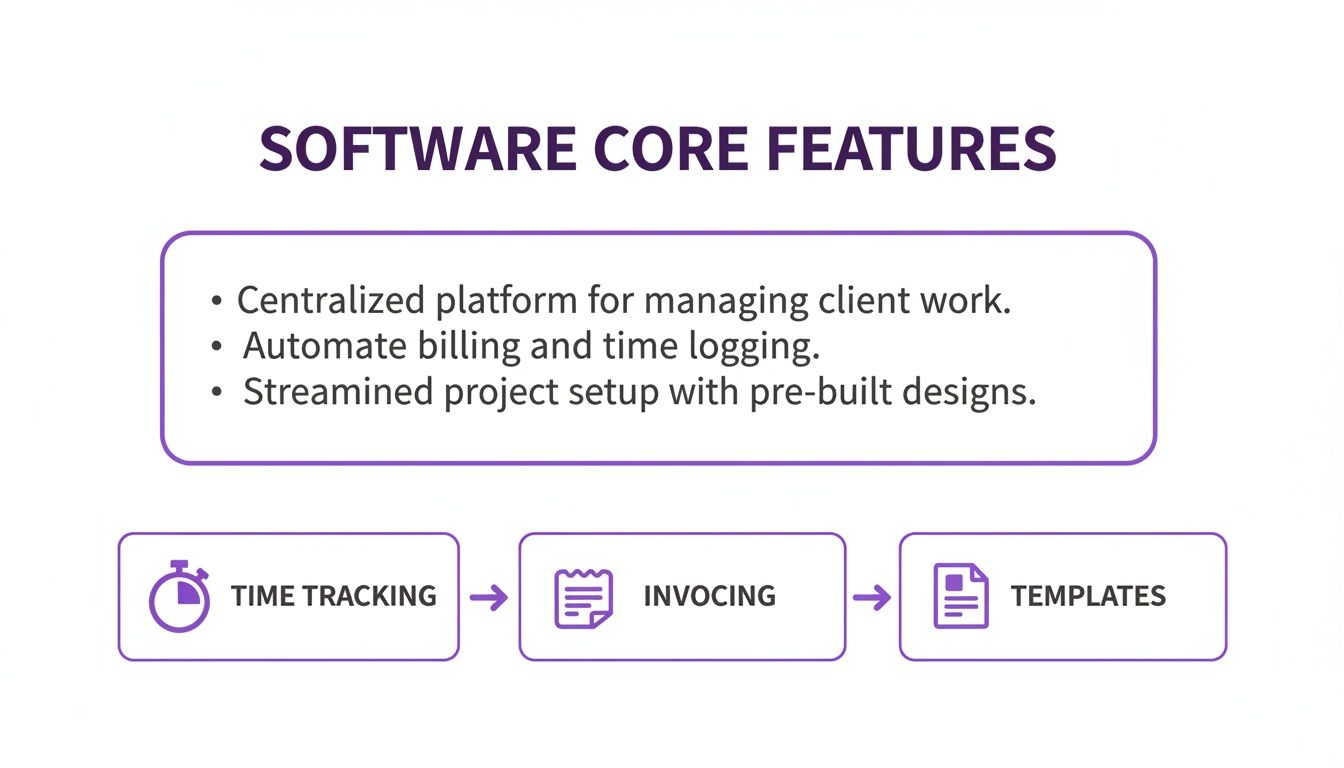
When you unify these functions, you create a seamless workflow from the first minute of tracked time to the final payment, cutting down on admin and getting rid of messy data silos.
Australian-Specific Features: A Crucial Differentiator
If you're running a business in Australia, local compliance isn't a "nice-to-have", it's non-negotiable. This is where you can really see the difference between global platforms and those with a proper Aussie focus.
- GST Compliance: All the platforms we're looking at can handle GST. But the experience matters. Tools designed with Australia in mind, like Payly and the local versions of Xero and QuickBooks, make it feel natural and default to our tax rules.
- AUD and Local Payments: Most platforms support AUD, but you want one that makes it the default and integrates smoothly with local payment gateways like Stripe. This makes life easier for your clients and saves you from currency conversion headaches.
- Local Support and Integrations: Being able to connect to Australian accounting mainstays like Xero is vital. A platform like Payly is built to complement these systems perfectly, acting as the operational front-end while your accounting software manages the back-end financials.
Feature and Pricing Matrix for Australian Service Businesses
This matrix gives a quick, focused look at how each platform stacks up on the criteria that matter most to Australian service businesses. It's designed to highlight the real-world trade-offs between a full accounting suite and a specialised operational tool.
| Feature/Criteria | Payly | QuickBooks | Xero | Harvest |
|---|---|---|---|---|
| Primary Function | All-in-one service operations | Comprehensive accounting | Comprehensive accounting | Time tracking and invoicing |
| Pricing Model | Account-based (no per-user fees) | Tiered subscription | Tiered subscription | Per-user subscription |
| Integrated e-Signatures | Yes, with audit trail | No (requires third-party app) | No (requires third-party app) | No (requires third-party app) |
| GST and AUD Support | Yes, built-in and default | Yes, in Australian version | Yes, in Australian version | Yes |
| Ideal User Profile | Australian agencies, freelancers, service firms | Small to medium businesses needing full accounting | Small to medium businesses needing full accounting | Teams focused purely on billable hours |
| Key Differentiator | Bundles time tracking, invoicing, and e-signatures with no per-user fees | Deep accounting and payroll features | Strong ecosystem and integrations | Simple, best-in-class time tracking interface |
Ultimately, the best choice really does depend on your specific business. If you need one system to run your entire financial world, QuickBooks or Xero are rock-solid contenders. But if your main goal is to sharpen your client workflow, track time accurately, and get paid faster, without paying for a bunch of features you'll never use, then a specialised platform like Payly offers a much more focused and cost-effective solution.
Which Software Fits Your Business Use Case?
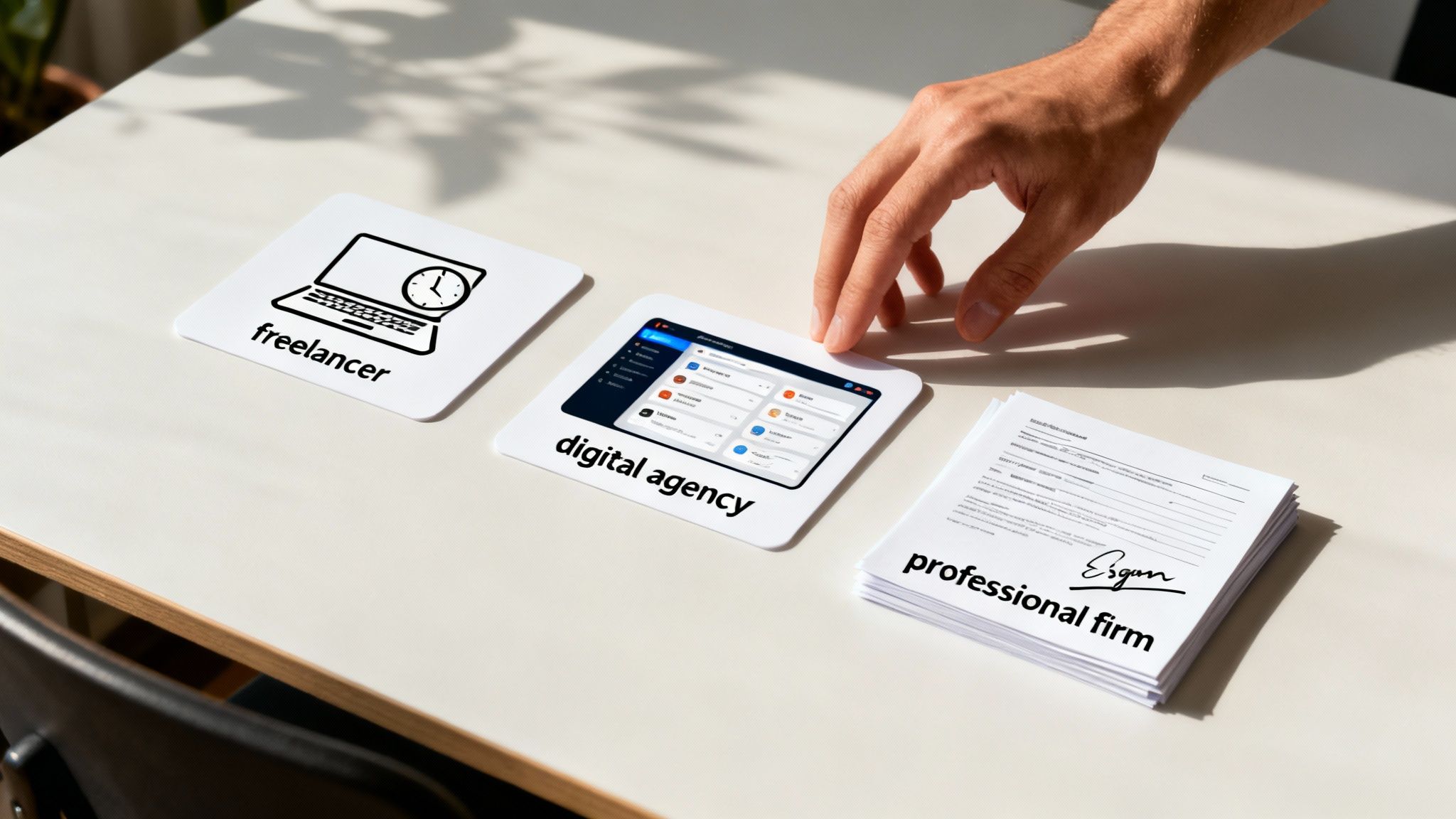
A feature matrix is a great starting point, but the real test of the best software for billing and invoicing is how it actually performs day-to-day. Every business has its own unique rhythm. The right tool should feel like a natural extension of your workflow, not something that forces you to change how you operate.
To put this into perspective, let's walk through three distinct scenarios that reflect common Australian service businesses. By looking at the specific needs of each, we can see how different platforms step up to the challenge and help you figure out which software profile truly fits your own operation.
The Freelance Graphic Designer
Meet Alex, a freelance graphic designer based in Melbourne. Alex is constantly juggling a handful of projects, each with its own billing setup. Some are fixed-price, others are billed by the hour. The biggest headaches? Accurately tracking time without it feeling like a chore and sending out polished, branded invoices without losing half a day to admin.
For a freelancer like Alex, the essentials are pretty clear:
- Simple Time Tracking: An intuitive timer that can be easily assigned to different clients and projects is a must.
- Professional Templates: The ability to whip up an invoice that reflects a creative brand is non-negotiable.
- Low Overheads: As a solopreneur, every dollar counts, so a cost-effective solution is crucial.
In this situation, a specialised tool like Harvest or Payly makes a lot more sense than a full-blown accounting suite. Harvest is well-known for its clean time-tracking interface. However, Payly’s all-in-one approach, bundling time tracking with branded invoices and e-signatures for client briefs at a predictable price, offers better long-term value as Alex’s business grows.
The Digital Marketing Agency
Now, let's imagine a digital agency in Sydney with a team of six. They manage monthly retainers for SEO, run fixed-scope web development projects, and handle one-off consulting gigs. Their pain points centre on team collaboration, managing recurring revenue, and getting client sign-off on proposals and new work scopes without endless email chains.
This kind of agency needs a much more robust feature set:
- Recurring Invoices: Automating monthly retainer billing is a massive time-saver and absolutely vital for healthy cash flow.
- Team Timesheets: A central system where multiple staff can log their hours against different clients is fundamental.
- Integrated E-Signatures: Sending out a proposal and getting a legally binding signature without ever leaving the platform is a huge efficiency boost.
Here, a simple time tracker just won't cut it. While a comprehensive platform like Xero can handle recurring invoices, it lacks native timesheets and e-signatures without pricey add-ons. Payly really shines in this scenario because its core platform directly addresses all three needs, with no per-user fees, making it incredibly scalable for a growing team.
For an agency, the goal is to find a single source of operational truth. A platform that connects your team's billable hours to recurring invoices and signed client agreements eliminates the friction and data gaps that come from using separate tools.
The Professional Services Firm
Finally, let’s look at a Brisbane-based consulting firm. This business manages complex client engagements that demand detailed proposals, strict compliance, and secure document handling. For them, accuracy and a crystal-clear audit trail are everything.
Their priorities are different yet again:
- Secure Document Management: The ability to send, sign, and store sensitive client agreements with a cryptographic audit trail is a must-have.
- Customisable Invoicing: Their invoices often require detailed line-by-line breakdowns of services rendered.
- Integration with Accounting Software: A seamless link to their primary accounting system, like MYOB or Xero, is critical for financial reporting.
For a firm like this, security and compliance are just as important as billing. A tool like QuickBooks Online provides strong accounting features, but it would require a separate, expensive subscription for secure document signing. This is where an integrated solution like Payly once again offers a compelling advantage, delivering the necessary e-signature security alongside robust invoicing and time tracking that feeds data straight into their existing accounting software.
How to Make a Seamless Software Transition

Picking the right tool is a huge step, but the real payoff comes from a smooth rollout. A clumsy transition can derail your workflows, lead to lost data, and frustrate your team, wiping out the very benefits you were hoping to gain. The goal here is to make the move to your new billing and invoicing software as painless as possible.
This really comes down to a clear, methodical approach that focuses on proper preparation, thorough testing, and getting your team on board. By breaking the process into manageable stages, you can keep downtime to a minimum and make sure your business starts benefiting from the new system right away.
Preparing Your Data for Migration
Before you even think about importing anything, you have to get your existing data in order. This is the most crucial step for a successful switch, and it stops the classic "garbage in, garbage out" problem right in its tracks. Start by pulling all your client info, project details, and old invoices into one consistent format.
Most platforms let you import data with CSV files, so getting everything organised in a spreadsheet is the perfect place to start. This is your chance to:
- Update Contact Information: Fix any out-of-date client emails, phone numbers, or addresses.
- Archive Old Projects: Be realistic about which historical project data you truly need to bring across and what can be archived.
- Standardise Naming Conventions: Make sure client names and project titles are consistent to avoid creating messy duplicates in the new system.
Spending a bit of time on this now means you’ll start fresh with a clean, accurate, and organised foundation in your new software.
Setting Up and Testing Integrations
Modern billing software rarely operates in a vacuum. Its real strength lies in how well it connects with the other tools you use every day, like your accounting platform or payment gateway. It’s absolutely vital to set up and properly test these connections before you go live.
For Aussie businesses, this usually means linking up with platforms like MYOB or Xero. This integration is what automates the flow of financial data, saving you countless hours of manual reconciliation. For instance, getting your head around the specifics of a Stripe and Xero integration can help you create a completely seamless workflow from payment to bookkeeping.
The best way to de-risk a software transition is to leverage the free trial period. Use it as a sandbox to test every part of your workflow, from creating a test client and importing data to sending a sample invoice and syncing it with your accounting software.
This hands-on testing will expose any potential hiccups before they can impact your live business, giving you confidence that everything will work as it should. With 8 in 10 Australian households shopping online in 2023, the demand for these kinds of integrated invoicing platforms has never been higher. You can read more about how this trend impacts Australian businesses on openpr.com.
Your Software Rollout Checklist
To make sure nothing falls through the cracks, it helps to follow a structured plan. A simple checklist keeps the process on track and ensures everyone knows what’s happening.
- Finalise Data Cleanup: Do one last check of your CSV files before you hit import.
- Import Clients and Projects: Upload your clean data into the new platform.
- Configure System Settings: Customise your invoice templates, set your default payment terms, and switch on automated reminders.
- Connect and Test Integrations: Link to Xero, MYOB, and Stripe, then run a test transaction from start to finish.
- Train Your Team: Run a short session to walk your team through the new way of doing things.
- Go Live: Pick a quiet time, like a Monday morning, to officially flick the switch.
- Monitor and Review: For the first week, keep a close eye on the system to catch any small issues early on.
Frequently Asked Questions
Picking the right billing and invoicing software always brings up a few questions. That's a good thing. Getting solid answers now helps you move past the research phase and get a solution in place that actually helps your business grow. Here, we’ll tackle some of the most common queries we hear from Australian service businesses.
We'll look at the must-have features for different business models, what the real costs look like, and how to make the switch to a new platform without pulling your hair out. The goal is simple: give you the confidence to choose a tool that saves you time and gets you paid faster.
What’s the Single Most Important Feature for a Freelancer?
For most freelancers, the one feature that makes the biggest difference is integrated time tracking. Your billable hours are your bread and butter. Any hassle or friction in tracking that time is money left on the table, plain and simple. A system where you can start a timer, link it to a client, and then pull that exact time onto an invoice with a single click is a game-changer.
It gets rid of messy spreadsheets and the need to juggle separate apps, which cuts down on human error and makes sure you're billing for every minute you work. It also gives your clients a transparent breakdown of your time, which helps avoid invoice disputes and builds trust.
After that, professional, customisable invoice templates are a very close second. Your invoice is often the last thing a client sees, so it needs to reflect the quality of your work.
Are All-In-One Platforms Actually Cheaper Than Using Specialised Tools?
It’s easy to assume that a single-purpose tool would be cheaper, but when you look at the total cost of ownership, the numbers often tell a different story. For a growing business, an all-in-one platform can be far more cost-effective.
Think about the typical software stack for a small agency or consultancy:
- A time tracking tool like Harvest, with its per-user fees.
- An e-signature platform like DocuSign, which has its own subscription.
- An invoicing feature inside an accounting package like QuickBooks, which has its own costs.
Each of these subscriptions adds up. Worse, the costs usually scale per user, getting more and more expensive as your team grows. An integrated platform like Payly bundles all this into a single, predictable subscription with no per-user fees, which can lead to huge savings over time.
The real cost isn't just adding up subscriptions. It's the admin time wasted managing multiple systems. A unified platform cuts both financial and operational costs by getting rid of data silos and repetitive tasks.
Can I Move My Existing Client Data to a New System?
Yes, absolutely. Any decent billing and invoicing software is built to handle data migration smoothly. Most platforms make this process as straightforward as possible, usually by letting you import your data with a CSV (Comma-Separated Values) file.
This means you can export your client list, project details, and even outstanding invoices from your old system into a spreadsheet. From there, you can clean it up and upload it directly into your new software. This ensures you start on the right foot with an organised, accurate database, saving you from days of tedious manual data entry.
A smart move is to always test the import feature during your free trial. This quick check can save you a world of headaches later by making sure it plays nicely with your existing data format.
How Does Billing Software Handle GST for Australian Businesses?
For any Australian business, getting Goods and Services Tax (GST) right is non-negotiable. The best billing software makes this completely painless because it’s designed for the Australian market and has GST compliance baked right in.
This usually includes:
- Automatic GST Calculation: The software instantly adds the correct 10% GST to your line items.
- Tax-Inclusive or Exclusive Pricing: You can easily toggle between showing prices with or without GST.
- Clear GST Totals: Invoices clearly break down the subtotal, the GST amount, and the final total, meeting all Australian Tax Office (ATO) requirements for a valid tax invoice.
A good system removes all the guesswork from tax. It ensures your invoices are always compliant and your financial records are spot-on, which makes lodging your Business Activity Statement (BAS) so much simpler.
Ready to stop juggling multiple subscriptions and bring your entire workflow under one roof? Payly combines time tracking, smart invoicing, and e-signatures into one powerful platform designed for Australian service businesses. Start your free 14-day trial today and see how much time you can save.
Payly Team
Sharing insights and strategies to help service businesses thrive. Follow Payly for more tips on time tracking, invoicing, and business operations.
Related Articles


Ready to streamline your business?
Join thousands of freelancers and agencies who use Payly to track time, send invoices, and get paid faster.