
Invoicing Software for Small Business A Practical Guide
Discover the best invoicing software for small business in Australia. This guide compares features, pricing, and integrations to help you get paid faster.
Payly Team
November 29, 2025
Staring at a pile of overdue invoices while your bank balance dwindles is an all-too-familiar kind of stress for Australian small business owners. The right invoicing software for small business isn't just another tool on your subscription list; it's the key to fixing cash flow headaches, putting tedious follow-ups on autopilot, and getting back precious hours you can pour into growing your business.
Why Manual Invoicing Is Holding Your Business Back
For so many of us starting out, creating and sending invoices feels like a necessary evil. You might be juggling a spreadsheet or a simple Word template, thinking it gets the job done. But this manual approach has hidden costs, and they’re quietly eating away at your most valuable assets: your time and your money.
Every minute you spend fiddling with a PDF layout, digging through your sent folder to see if you even sent the bill, or manually nudging a client is a minute you're not spending on what actually matters, serving your customers and drumming up new business.
This administrative slog isn't just an annoyance; it's a direct chokehold on your cash flow. Manual systems are breeding grounds for human error. A simple typo in the amount, a forgotten due date, or even forgetting to send an invoice in the first place can spark payment disputes and cause major delays. Suddenly, your ability to pay your own suppliers, your staff, and even yourself is on shaky ground.
The Real Cost of Sticking to Old Habits
It’s surprising how many businesses stick with manual invoicing, even when much better options exist. Here in Australia, there's a huge disconnect between how people prefer to pay and how businesses actually bill them. While card payments account for 76 percent of all consumer transactions, a massive 90% of SMEs are still sending out old-school paper or PDF invoices.
This mismatch creates a lot of friction. On average, Australian SMEs wait 6.4 days past the due date for payment, which adds up to a collective $1.1 billion in lost working capital every single year. You can discover more insights about Australian invoicing trends and see just how big the impact is.
Think of manual invoicing like trying to bail out a leaky boat with a bucket. You're working hard, but the slow, constant drain from unseen inefficiencies means you're never quite getting ahead.
Shifting from Reactive to Proactive
This is where dedicated invoicing software completely changes the game. It allows you to move from a reactive position, constantly chasing payments after they're late, to a proactive one where the system does the heavy lifting for you.
- Automated Reminders: Your software can send out polite, perfectly-timed follow-up emails for overdue invoices. No more awkward phone calls or wondering if you're being too pushy.
- A Professional Look: Sending consistently branded, professional-looking invoices builds trust and shows your clients you're a serious operation.
- A Clear Financial Snapshot: A central dashboard gives you a bird's-eye view of your finances. You can see exactly who owes you what and when, empowering you to make smarter decisions.
When you ditch the spreadsheets and PDFs, you're not just buying a piece of software. You’re investing in a more stable, predictable, and efficient financial foundation for your business.
What Should Your Invoicing Software Actually Do?
Think of choosing invoicing software like putting together the perfect toolkit for your business. You need the basics, the hammer and screwdriver, but also some specialised gear that helps you work smarter, not harder. It’s not about having the most features; it’s about having the right features that work together to make your financial admin seamless.
Let's cut through the jargon and look at what really matters. These are the non-negotiable tools that will save you time, get you paid faster, and make your business look as professional as it is.
Look the Part with Professional Invoice Templates
First impressions are everything. Your invoice is often the last thing a client sees, so a messy, slapped-together document can cheapen the great work you just delivered. Good software gives you sharp, customisable templates where you can pop in your logo, match your brand colours, and add a quick thank-you note.
But it’s not just about aesthetics. A professional template ensures all the crucial details, your ABN, GST information, and payment terms, are laid out clearly every single time. This simple consistency prevents confusion and stops those annoying payment delays caused by a missing piece of information.
As this diagram shows, sticking with manual, disorganised invoicing is a direct route to wasting time and losing money. The right software is designed to fix exactly these problems.

Ultimately, outdated processes have a real, measurable cost to your productivity and your bank account.
Stop Chasing Money with Automated Payment Reminders
Let’s be honest: chasing overdue payments is the worst. It’s awkward, it’s a time-suck, and it pulls you away from the work that actually makes you money. This is where automated reminders become your best friend.
Great invoicing software lets you set up a series of polite but firm follow-up emails that trigger automatically when an invoice is overdue. You can usually customise the timing and wording, so the system handles the awkward nudging while you maintain a great client relationship.
This one feature can completely change your cash flow. It flips the script from a reactive, manual chore to a proactive, automated system that works around the clock to bring your money in.
With a platform like Payly, for example, you can set your reminder schedule once and forget about it. The system ensures no late invoice slips through the cracks, giving you consistent follow-up without adding a single thing to your daily to-do list.
Get Paid Faster with Integrated Payment Options
Want to get paid quicker? Make it dead simple for your clients to pay you. If they have to manually log into their bank and punch in your BSB and account number, you’ve just given them a reason to put it off until "later". An invoice with a big, friendly "Pay Now" button is a whole different story.
The best software plugs directly into payment gateways, letting clients pay on the spot with a credit card, debit card, or BPAY. This convenience is a total game-changer. In fact, a study of over 100,000 Australian invoices found that those with card payment options were settled significantly faster, with many paid in under 24 hours. You can dig into the numbers and see how payment options impact invoice speed yourself.
These core features, professional templates, automated reminders, and easy payment options, are the foundation of any good invoicing setup. They work together to streamline your process, speed up payments, and give you back the time you need to focus on what you do best: running your business.
As your business grows, your needs will evolve. It's helpful to understand the difference between the absolute essentials and the more advanced features that can help you scale.
Essential vs. Advanced Invoicing Software Features
| Feature Category | Essential Feature (Must-Have) | Advanced Feature (Growth-Oriented) |
|---|---|---|
| Invoicing | Professional, customisable templates | Multi-currency invoicing |
| Payments | Integrated credit/debit card & BPAY options | Recurring billing and subscription management |
| Automation | Automated payment reminders | Workflow automation (e.g., project to invoice) |
| Reporting | Basic sales and payment reports | In-depth cash flow forecasting |
| Client Management | Simple client contact database | Full Client Relationship Management (CRM) portal |
| Integrations | Accounting software (Xero, MYOB) | E-commerce, project management, and marketing tools |
While you might start with just the essentials, having a clear path to access more advanced tools within the same platform can save you major headaches down the road.
Features That Power Your Business Growth
Once you’ve got the basics sorted, the right invoicing software stops being just a billing tool and starts acting like a growth engine for your business. These advanced features are what turn a simple platform into a proper financial hub, automating the fiddly stuff and giving you a much clearer picture of your business's health. They’re the kind of features that don’t just save you a few minutes here and there; they can save you entire days of admin.
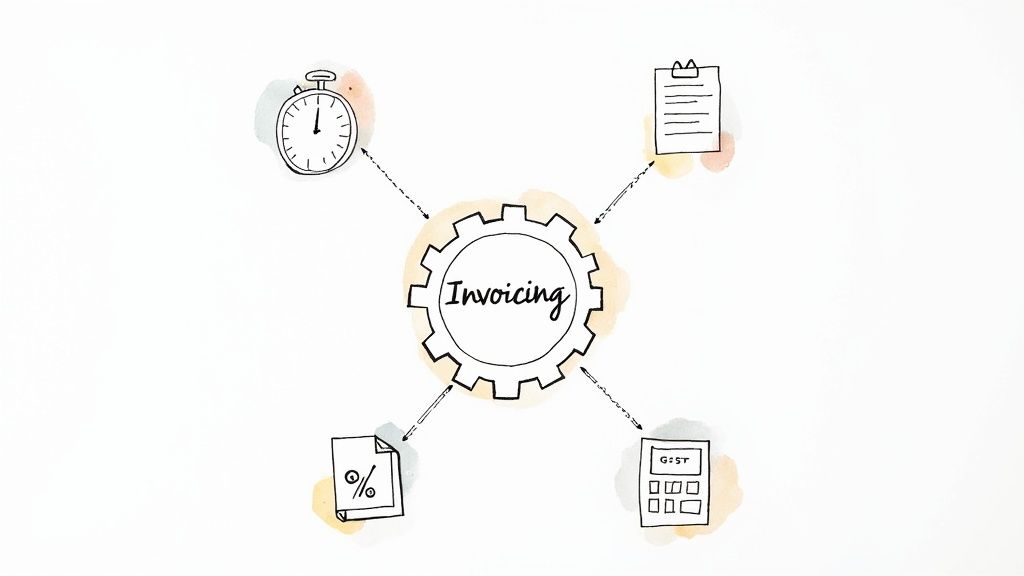
This is the point where you move from just managing day-to-day bills to actually thinking about strategy and growth. Let's dig into some of the more advanced features that are absolute game-changers for Australian businesses.
Nail Your Numbers with Automated GST Calculations
For any Aussie business, dealing with Goods and Services Tax (GST) is just a non-negotiable part of the deal. Trying to manually calculate GST on every single item is not only mind-numbingly dull but also an open invitation for errors. And one small mistake can lead to big headaches with the Australian Taxation Office (ATO).
This is where automated calculations come in to save the day.
Good invoicing software will automatically apply the correct GST to your invoices, making sure you’re accurate every single time. This isn’t just a nice-to-have; it’s a crucial compliance tool that makes lodging your Business Activity Statements (BAS) so much simpler.
When your software handles GST automatically, BAS time goes from a frantic scramble through piles of receipts to a straightforward, almost-automated process. That accuracy gives you peace of mind that your tax obligations are being met correctly.
With a platform like Payly, for example, GST is calculated as you add items to an invoice. The system keeps a running total, so your financial reports are always spot-on and ready for BAS time, saving you from costly mistakes and that last-minute panic.
Capture Every Billable Minute with Time Tracking
If you run a service-based business, time is quite literally money. Forgetting to bill for a 30-minute phone call or underquoting the hours on a project is a direct hit to your bottom line. Integrated time tracking solves this by linking your team's work directly to your invoicing.
Instead of relying on memory or messy spreadsheets, your team can log hours against specific clients and projects right inside the software. This creates a precise, verifiable log of all the work you’ve done. When you’re ready to send the bill, you can pull those timesheets across with a single click, generating a detailed invoice that ensures no money is left on the table.
This level of detail also does wonders for client trust. When you can show them exactly where their money is going with an itemised bill, it cuts down on questions and potential disputes, which means you get paid faster.
Turn Opportunities into Cash with Quote-to-Invoice Conversion
The path from a potential customer showing interest to you getting a paid invoice should be as short and smooth as possible. A clunky process with manual steps creates friction and gives potential clients a chance to have second thoughts. A quote-to-invoice feature bridges this gap beautifully.
Here’s how it works:
- Create Professional Quotes: Quickly build and send off detailed, branded quotes directly from the platform.
- Get Client Approval: Clients can review and accept your quote online, often with a digital signature, which locks in the agreement.
- Convert to an Invoice Instantly: Once the quote gets the green light, the software turns it into a ready-to-send invoice in one click. All the details are carried over automatically.
This seamless flow puts your whole sales cycle on fast-forward. It gets rid of the admin delay between landing a job and actually billing for it, so you can get to work and get paid much sooner.
Understand Your Profitability with Expense Management
Getting a true handle on your finances isn't just about tracking what’s coming in; it's also about understanding what it costs you to do the work. Integrated expense management lets you track project-related costs, things like materials, software subscriptions, or subcontractor fees, and link them directly to a specific job.
When you track expenses alongside your billable hours, you get a razor-sharp view of each project's profitability. This data is gold. It helps you figure out which types of jobs are your real money-makers, lets you fine-tune your pricing, and makes sure your future quotes are on the money.
By combining these advanced features, your invoicing software for small business becomes the command centre for your financial operations, paving the way for smarter, more sustainable growth.
Keeping Your Business Safe and Connected
Bringing any new software into your business raises two big questions: Is it safe? And will it actually make my life easier? When we're talking about your finances, those questions are even more critical. You need to know, without a doubt, that your financial data is locked down tight and that the tool slots neatly into how you already work.
Picking the right invoicing software for small business is about more than just firing off bills. It’s about building a secure, connected financial hub for your company.
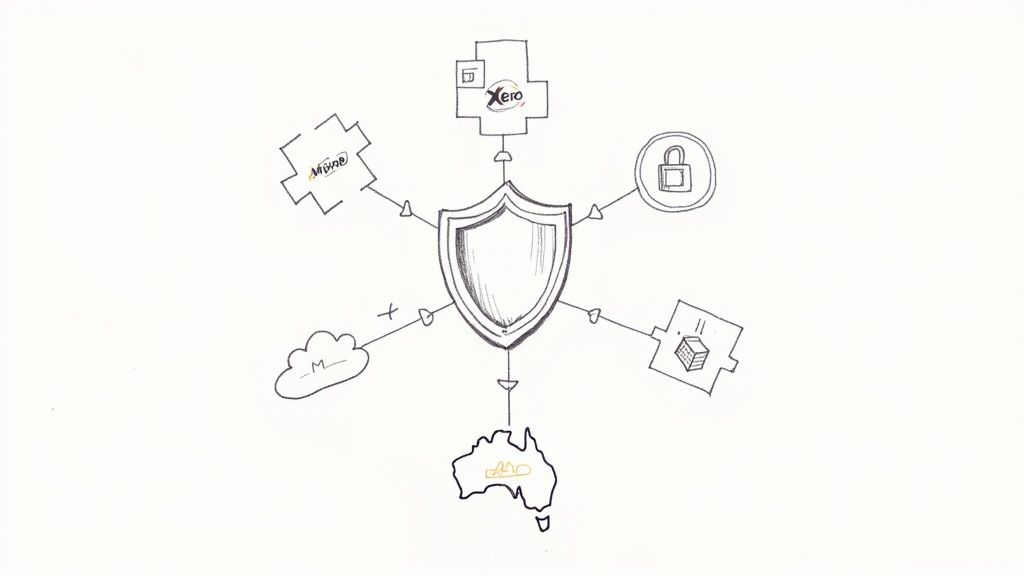
This means we need to look past the flashy features and focus on two crucial foundations: how the software talks to your other essential tools, and the safeguards it has in place to protect your sensitive information.
Build a Smooth Workflow with Smart Integrations
Think of your business software like a crew working on a project. If no one talks to each other, you get chaos, double-handling, and a lot of wasted time. Integrations are the communication lines that let all your different apps share information automatically, so everyone is on the same page.
For your invoicing software, the single most important handshake is with your accounting platform. For most Aussie businesses, that means a rock-solid connection to Xero or MYOB.
When your invoicing and accounting systems are properly linked up:
- Reconciliation becomes a breeze. Payments collected via your invoices are automatically ticked off in your accounting ledger. No more manual matching.
- You can say goodbye to data entry errors. Forget about copying invoice details from one system to another. This alone dramatically cuts down on costly mistakes.
- Your financial reports are always spot-on. Your bookkeeper or accountant gets a live, accurate picture of your business's health, anytime they need it.
This kind of connection transforms your separate tools into a unified financial control centre. It’s what allows you to make smarter, faster decisions, takes the pain out of tax time, and gives you a crystal-clear view of your cash flow.
A platform like Payly is built to plug directly into major accounting software, making sure your financial data flows exactly where it needs to, without you lifting a finger.
Insist on Rock-Solid Security
Handing over your financial and client data is a big deal. It requires absolute trust. Any modern invoicing platform worth its salt is built with layers of security to protect your business from risk. When you're weighing up your options, there are a few security standards that are completely non-negotiable.
First up is data encryption. This essentially scrambles your information, turning it into unreadable code for anyone who shouldn't have access. Look for platforms that use bank-level encryption for your data, both when it's being stored (at rest) and when it's moving across the internet (in transit).
Next, check that the platform uses PCI-compliant payment gateways. The Payment Card Industry Data Security Standard (PCI DSS) is a strict set of security rules for handling credit card information. If you're taking card payments, this isn't a nice-to-have; it's essential for protecting your clients' payment details.
Finally, you need reliable backups and data sovereignty. Your provider must be backing up your data regularly to prevent it from being lost. For Australian businesses, it's also smart to ask where that data is physically stored. Choosing a provider that keeps your data on servers here in Australia adds another layer of protection under our local privacy laws.
Making sure your chosen software ticks these boxes is fundamental. You can tell a lot about a company by how seriously they take this stuff. For a clear example, you can read more about Payly's security practices and see what a real commitment to data protection looks like.
How to Choose the Right Invoicing Software
With so many options out there, picking the right invoicing tool can feel a bit like wading through mud. But choosing the right invoicing software for small business is more than just a tech decision; it’s a strategic move that directly impacts your cash flow, customer relationships, and how much time you spend on admin.
This practical checklist will help you cut through the noise and find a platform that’s a perfect fit for your business goals and budget.
It’s no surprise the demand for these tools is booming. The Australian billing software market was valued at AUD 104.57 million in 2025 and is tipped to hit AUD 453.41 million by 2034. That’s a huge jump, and it shows just how many local businesses are waking up to the benefits of smarter financial tools. You can read the full research on the Australian market growth if you want to dig into the trends.
To make the right call, you need to look past the flashy marketing and ask the tough questions.
Evaluate the User Experience First
Let’s be honest, the most feature-packed software on earth is useless if it’s a nightmare to use. A clunky, confusing interface simply swaps one admin headache for another. The whole point is to find a tool that feels natural right from the get-go, letting you whip up and send an invoice in minutes, not hours.
When you're on a free trial, really pay attention to how it feels.
- Is the dashboard clear and simple? Can you see vital stats like outstanding invoices and total revenue at a single glance?
- How intuitive is creating an invoice? Does the process flow logically, or do you find yourself clicking around, hunting for basic options?
- Can you figure it out without a user manual? A genuinely user-friendly design shouldn't need a degree in computer science to operate.
A great user interface gets out of your way. It should make your financial admin faster and less stressful, empowering you to manage your money with confidence instead of adding to your to-do list.
Scrutinise the Pricing Model
Invoicing software pricing can be a minefield of hidden costs and confusing tiers. You need absolute clarity on what you’re paying for. Look for transparency and a pricing structure that actually makes sense for how your business operates.
Here are a few questions to ask before you sign up:
- Is it a per-user fee or a flat monthly rate? Per-user pricing can get expensive very quickly as your team expands. A platform like Payly, which offers account-based pricing, gives you predictable costs you can budget for.
- Are there limits on clients or invoices? Some "free" or entry-level plans come with tight caps you’ll outgrow in no time. Check that the limits are generous enough for your current and expected volume.
- What are the payment processing fees? If you want clients to pay you directly through the invoice, make sure you understand the percentage charged by payment gateways like Stripe.
Check for Scalability and Future Growth
The software you choose today has to be able to keep up with you tomorrow. Trust me, the last thing you want is the massive headache of migrating years of financial data to a new system because you’ve outgrown your first choice.
Think about where you want your business to be in a year or two. Does the platform offer a clear upgrade path with more advanced features like project management, deeper reporting, or team collaboration tools? A scalable solution protects your initial investment and supports you as your business evolves. Our guide to invoicing for freelancers has some great tips on this, especially for those scaling from a one-person show to a growing team.
Prioritise Local Australian Support
When you’ve got a tricky question about GST or you’re scrambling to get things sorted at the end of the financial year, you don’t want to be waiting 24 hours for an email back from a support team on the other side of the world.
Having access to a local, Aussie-based support team is a game-changer.
They understand the specific compliance needs of Australian businesses, from ATO reporting to lodging your BAS. Before you commit, find out what kind of support they offer. Is it just email, or can you actually pick up the phone and talk to a real person? When it comes to your money, fast, knowledgeable help is worth its weight in gold.
Common Questions About Invoicing Software
Choosing the right invoicing software can feel like a big decision, and it’s natural to have a few questions before you dive in. We hear a lot of the same queries from Aussie business owners, so let's tackle them head-on and clear up any lingering doubts you might have.
Is This Software Easy to Use for Non-Techies?
Absolutely. There's a common misconception that you need to be a tech wizard to use modern business tools, but the opposite is true. The best platforms are built for real people, not just accountants. They’re designed with clean, intuitive dashboards and straightforward workflows.
Think of it less like learning a complex piece of accounting software and more like using a well-designed app on your phone. Most of what you need to do, from creating a new invoice to checking a payment status, is just a few clicks away. You can find out more about how to send an invoice with today's tools and see for yourself just how simple it can be.
How Does It Handle Australian GST and BAS Reporting?
This is a crucial question for any business in Australia, and the right software makes it incredibly simple. Instead of manually calculating Goods and Services Tax on every single line item, the platform handles it for you. You just set the correct tax rate once, and it’s applied accurately every time.
This automation becomes a massive time-saver when it's time to lodge your Business Activity Statement (BAS). The software maintains a running, precise record of all the GST you've collected and paid. This means you can pull a simple report that gives you the exact figures needed for the ATO, turning what was once a dreaded chore into a quick, stress-free task.
How Safe Is My Business Data?
Protecting your financial and client information is non-negotiable. Any reputable invoicing software provider invests heavily in security; it’s not just an add-on feature, it’s a fundamental part of their promise to you.
Here’s what you should expect as standard:
- Bank-Level Encryption: This scrambles your data, making it completely unreadable to anyone without authorised access. It's the same level of security your bank uses.
- Secure Data Centres: Top providers store your information in highly secure facilities, often located right here in Australia. This is a big plus for complying with local privacy laws.
- Regular Backups: Your data is backed up automatically and continuously, so you’re always protected against accidental loss.
When you choose a platform built with these safeguards, you can manage your finances with genuine peace of mind, knowing your sensitive business data is protected by industry-leading security.
Ready to stop chasing payments and start streamlining your business? Payly combines smart invoicing, time tracking, and document management into one simple platform designed for Australian businesses. Start your free 14-day trial and see how much time you can save. Learn more at https://www.payly.com.au.
Payly Team
Sharing insights and strategies to help service businesses thrive. Follow Payly for more tips on time tracking, invoicing, and business operations.
Related Articles
Ready to streamline your business?
Join thousands of freelancers and agencies who use Payly to track time, send invoices, and get paid faster.