
Calculate the Number of Working Days in a Year in Australia
A complete guide to calculating the number of working days in a year in Australia. Learn to account for public holidays, leave, and state variations.
Payly Team
January 6, 2026

At first glance, a year in Australia has 260 weekdays, or 261 if it’s a leap year. But that's just the starting point. The actual number of working days you have on the calendar depends entirely on which state or territory you’re in, because public holidays are far from uniform across the country.
Your Quick Guide to Australian Working Days
Figuring out the exact number of working days in a year is a bit like planning a road trip. You know the total distance, but your real travel time depends on the route you take, which cities have public holidays, and even local road rules. A drive from Sydney to Melbourne isn't the same as one from Perth to Darwin.
In the same way, there isn't a single, universal number for Australian working days. Each state and territory has its own unique set of public holidays, and this detail is absolutely critical for:
- Project Managers: Trying to forecast project timelines and figure out who is available when.
- Business Owners: Managing payroll and correctly calculating pro-rata leave entitlements.
- Freelancers: Putting together accurate quotes and setting deadlines you can actually meet.
State Variations Make a Real Difference
The impact of these regional differences can be surprisingly significant. For instance, in any given year, folks in New South Wales might have a couple more working days than their colleagues in Victoria. A day or two might not sound like much, but it adds up quickly when you’re managing a team's capacity or billing for an annual contract.
To give you a clearer picture, we've put together a quick overview of how the numbers typically stack up across the states in a standard non-leap year.
Working Days in Australia: A Quick Overview
This table provides a quick reference for the standard number of working days in a non-leap year across different Australian states, highlighting the impact of public holidays.
| State/Territory | Total Weekdays | Public Holidays | Net Working Days |
|---|---|---|---|
| ACT | 260 | 13 | 247 |
| NSW | 260 | 11 | 249 |
| NT | 260 | 11 | 249 |
| QLD | 260 | 11 | 249 |
| SA | 260 | 11 | 249 |
| TAS | 260 | 12 | 248 |
| VIC | 260 | 13 | 247 |
| WA | 260 | 11 | 249 |
As you can see, the starting point of 260 weekdays is quickly reduced once you account for the local holidays, making state-specific calculations essential for accuracy.
This variation is especially important for businesses operating across Australia. A full-time employee in NSW might start the year with 249 potential workdays, while their counterpart in Victoria has only 247. It’s a small but crucial difference for anyone tracking time across states for accurate timesheets and invoicing. You can find more detail on how these state-based differences affect the annual count in this helpful guide from Remitly.
Knowing the specific number of working days in your state is the foundation for accurate financial planning, resource allocation, and payroll. It shifts you from a rough guess to a precise calculation you can actually build a business on.
Building Your Calculation from the Ground Up
Figuring out the number of working days in a year is a bit like budgeting. You start with the total you have, 365 days in a normal year or 366 in a leap year, and then you start subtracting the non-negotiables to see what you actually have to work with.
The process is pretty straightforward. First, you take out all the weekends. Then, you subtract the public holidays that apply to you. What’s left is your net number of working days, the real figure you can use for project planning, payroll, and invoicing.
This simple, step-by-step approach breaks it all down, taking the guesswork out of the final number.
The Role of Weekends and Leap Years
The biggest chunk you’ll remove right away is the weekends. A standard year has 52 full weeks, which means you immediately subtract 104 weekend days (Saturdays and Sundays) from your starting total of 365. Just like that, you’re down to 261 potential workdays.
But what happens in a leap year? Leap years pop up every four years to keep our calendar in sync with the Earth’s orbit, adding an extra day on 29 February. If that day lands on a weekday, it gives you one extra working day for the year. For instance, 2024 was a leap year and 29 February fell on a Thursday, bringing the total number of weekdays to 262 before any other deductions.
The process is simple: start with weekdays, then remove the holidays.
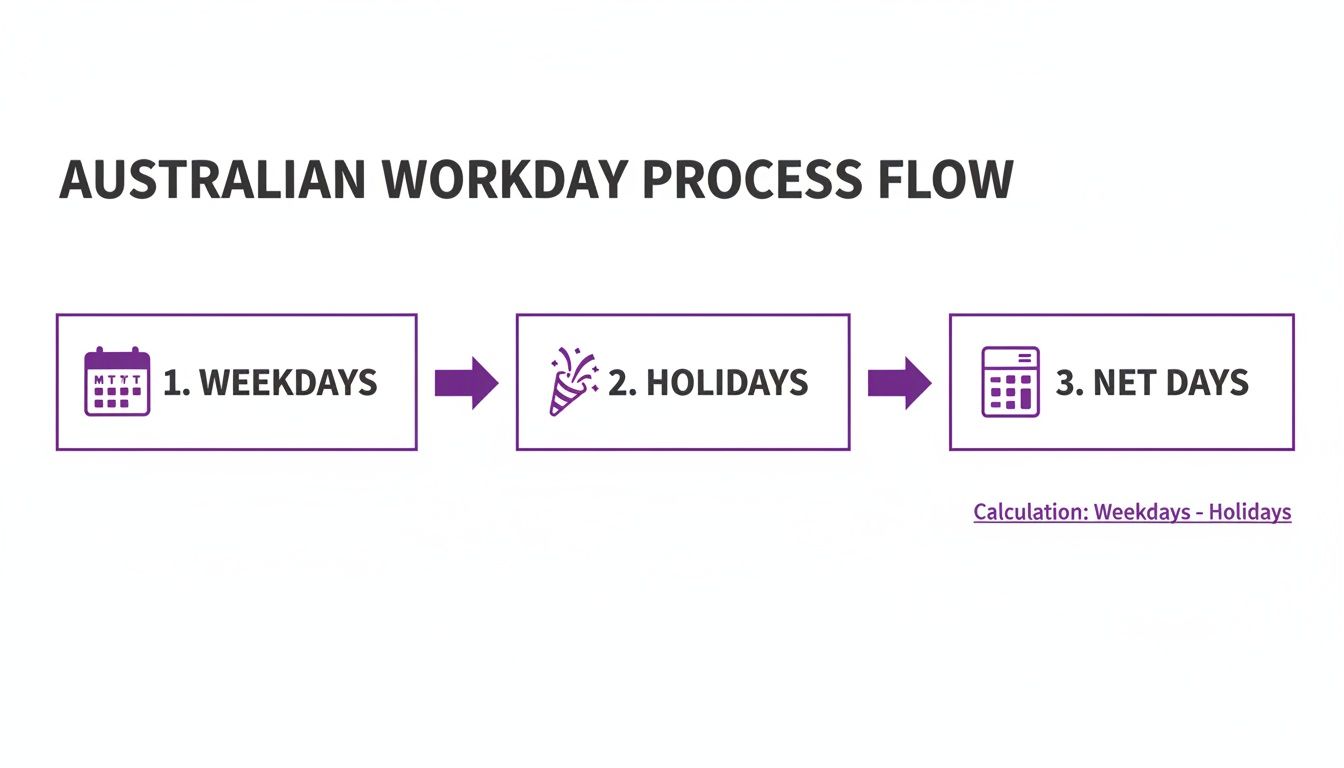
As you can see, getting the public holidays right is the final, crucial step to finding the true number of working days for your state.
Subtracting Public Holidays
Once you’ve set the weekends aside, it’s time to subtract public holidays. This is where it gets tricky, because the number of holidays can be wildly different depending on where you are in Australia.
An employee in Victoria will likely have a different number of annual working days than someone in Queensland. Why? Because their public holiday schedules are unique, and that small difference can have a big impact on project deadlines and payroll for national companies.
To get an accurate count, you absolutely need a reliable list of holidays for your state or territory. You can find a complete list of dates for your area by checking out these Australian public holiday calendars. This final step turns a rough estimate into a precise figure you can build your business plans around.
Mastering the Working Day Formula in Spreadsheets
Let's be honest, nobody wants to manually count days on a calendar. It’s slow, tedious, and a recipe for mistakes. Thankfully, spreadsheet programs like Microsoft Excel and Google Sheets have some clever tools built right in to do the heavy lifting for you.
The magic happens with a function called NETWORKDAYS. It’s specifically designed to calculate the total number of workdays between two dates, and it automatically skips Saturdays and Sundays. It’s the perfect starting point for any serious workday calculation.
The Basic NETWORKDAYS Formula
At its simplest, the NETWORKDAYS function just needs a start date and an end date. The structure is clean and easy to remember.
=NETWORKDAYS(start_date, end_date)
So, if you wanted to find out the number of weekdays in 2025, you’d pop this into a cell:
=NETWORKDAYS("2025-01-01", "2025-12-31")
Just like that, it will return 261, the total number of weekdays for that year. It’s a huge time-saver, but we're not quite finished. This number doesn't yet account for public holidays.
Adding Public Holidays for Precision
To get a truly accurate picture of the number of working days in a year, you need to tell your spreadsheet which public holidays to exclude. The NETWORKDAYS function makes this easy with an optional third part of the formula.
First, you’ll want to create a list of all your relevant public holiday dates in a separate column. Let's imagine you've listed them in cells F2 down to F12.

Your new, more powerful formula will look like this:
=NETWORKDAYS(start_date, end_date, [holidays])
Sticking with our 2025 example, and assuming your list of holidays is in the range F2:F12, the formula becomes:
=NETWORKDAYS("2025-01-01", "2025-12-31", F2:F12)
Now you have a precise count of actual working days, with both weekends and public holidays removed. This level of detail is critical for creating realistic project timelines and reliable quotes. Mastering this formula is a great first step, and you can find more tips for organising your work schedule in our guide to time sheet templates.
By incorporating a dedicated list of public holidays, your spreadsheet transforms from a simple day counter into a powerful business planning tool. This ensures your capacity planning and invoicing are based on your team's actual availability.
Handling Non-Standard Work Weeks
But what if your business doesn't stick to the classic Monday-to-Friday grind? For that, Excel and Google Sheets have an even more flexible function: NETWORKDAYS.INTL.
The "INTL" bit stands for international, and it lets you define exactly which days of the week count as the weekend. This is a game-changer for industries like hospitality, healthcare, or retail, where teams are often working on Saturdays and Sundays.
The formula adds a "weekend" argument right in the middle:
=NETWORKDAYS.INTL(start_date, end_date, [weekend], [holidays])
The [weekend] part uses a special number code to represent different weekend setups. For instance, using the number 11 tells the formula that only Sunday is a weekend day.
With these functions at your fingertips, you can build a robust calculator perfectly tailored to your business, ensuring every single calculation is spot-on.
Adjusting for Leave and Part-Time Schedules
The modern Australian workforce is wonderfully flexible, but that means our calculations for the number of working days in a year need to be just as adaptable. A simple count of weekdays minus public holidays gives you a great baseline for a full-time employee. But let's be honest, that number doesn't reflect the reality of individual schedules.
To get a truly accurate picture of an individual's productive days, we need to dig a little deeper and subtract any time they take off. This is where we move from a general, company-wide number to a specific, person-by-person calculation that's absolutely essential for accurate capacity planning and payroll.

Accounting for All Types of Leave
In Australia, employees have access to several types of leave, all of which reduce their total annual working days. The most common deductions you’ll need to make are for:
- Annual Leave: Full-time employees are typically entitled to four weeks of paid annual leave, which works out to be 20 working days per year.
- Personal/Carer's Leave: This covers sick leave and time off to care for family, usually totalling 10 days a year for full-time staff.
- Long Service Leave: While this varies by state, it definitely becomes a factor for your long-term, loyal employees.
It's also crucial to understand specific legal provisions for longer absences, like maternity leave entitlements, when doing any long-term workforce planning. Once you subtract these days from your net total, you get a much clearer view of an individual's actual available workdays.
Calculating for Part-Time Employees
Adjusting for part-time schedules is just as important. With a huge portion of the workforce on flexible arrangements, a one-size-fits-all approach simply doesn’t cut it. The key here is to use the concept of Full-Time Equivalent (FTE).
Think of it this way: an FTE of 1.0 represents a full-time employee. Someone who works three days a week is working 60% of a standard five-day week, so their FTE is 0.6.
The formula is wonderfully straightforward:
Part-Time Workdays = Net Annual Workdays x Employee's FTE
Let's take an example. If the net working days in NSW for the year are 249, a part-time employee working four days a week (an FTE of 0.8) would have 199.2 working days (249 x 0.8). This simple method gives you a repeatable way to calculate capacity across your entire team, no matter their schedule.
This level of precision is vital. Recent data shows just how common part-time work has become. In 2023, while 7.1 million people worked full-time, nearly 4 million Australians worked part-time. That means almost one-third of the workforce is on a varied schedule, a massive consideration for any business managing team capacity and invoicing. You can explore more employment trends over at the Australian Bureau of Statistics.
Why Nailing Your Working Day Count Is a Game-Changer
Figuring out the number of working days in a year might seem like a simple bit of maths, but it’s one of those fundamental things that can quietly make or break your business operations. When you swap rough guesses for a precise number, you'll see the positive effects ripple through everything from your team's efficiency to your company's bottom line.
Think about it. Knowing your team's exact capacity allows you to build realistic project timelines and give clients deadlines you can actually hit. It's the difference between saying a project will take "roughly three months" and confidently telling a client it'll be delivered in 62 working days. That kind of precision builds trust.
Smarter Project and Capacity Planning
A solid working day count is the cornerstone of good capacity planning. It gives you a clear, honest view of your team's total productive time for the year, which is crucial for preventing overscheduling and employee burnout. When you know exactly how many days you have to work with, you can make much smarter calls about whether to take on that exciting new project or if it's time to hire.
This clarity also completely changes the conversation with clients. Instead of plucking deadlines out of thin air, you can ground them in reality by factoring in public holidays and planned leave right from the start.
Clearer Invoicing and Costing
If you’re a freelancer or run an agency, being transparent with your pricing is everything. When you can break down a project fee by the exact number of working days it will take, your quote instantly becomes more credible and easier for the client to understand.
Getting your annual working days right lets you set realistic billable targets and properly benchmark your team's productivity. It means you can create fair quotes that truly reflect your availability and operating costs, which is a massive step in building strong client relationships.
This is especially helpful for long-term retainers or big projects that stretch over several months. It shows the client exactly what they’re paying for, backed by simple, solid numbers.
Accurate Payroll and Leave Management
Finally, getting your workday calculations right is non-negotiable for accurate payroll and leave management. It ensures that pro-rata pay for part-timers and leave accruals are spot on, helping you avoid compliance headaches and keeping your books clean.
This is a big deal here in Australia, where working hours can vary. In 2023, the average Aussie worker put in 1,713.11 hours. For any service-based business, that number is a handy benchmark for estimating project timelines and setting billable targets. By keeping these national averages in mind, you can get a better sense of your team's capacity and plan your year far more effectively. If you're keen to dig deeper, you can find more insights into Australian working hours from The Global Economy.
Stop Calculating and Start Automating with Payly
Are you tired of wrestling with spreadsheets and trying to keep track of different public holiday schedules for every state? Calculating working days is a must-do, but it shouldn't be a recurring administrative headache. There’s a much smarter way to handle this.
An integrated platform like Payly takes all that tedious manual work off your plate. It’s built from the ground up for Australian service businesses, creating a single source of truth for your most important operational data. This hands you back the valuable time you used to lose just keeping everything up to date.
A Single Source of Truth
This is where Payly really shines. Its built-in, state-specific calendars are a game-changer. They automatically factor in public holidays and leap years, and they sync perfectly with your team's leave schedules. What you get is a calculation that’s always based on live, up-to-the-minute information.
Automation gives you a reliable foundation to build on. When your working day counts are always spot-on, that precision flows through to better time tracking, more professional invoicing, and effortless capacity planning.
For any business that prizes accuracy but wants its time back, this kind of automation is the logical next step. If you're looking to really dial in your processes, exploring a guide to employee leave management systems can offer even more great ideas.
This automated approach means your planning is always grounded in reality, not guesswork. Want to see how easy it can be? Have a play with our free working days calculator. It’s a perfect example of how automation strips the complexity out of your workflow, letting you focus on what actually matters.
Got Questions About Working Days? We've Got Answers
Even when you've got the basics down, a few tricky questions always seem to pop up. These are the practical, real-world queries that arise when you're actually running payroll, managing a team, or bringing someone new on board. Let's dig into some of the most common ones.
How Does Paid Leave Affect Payroll?
This is a great question. When it comes to payroll, paid leave days like annual leave or personal leave are treated as part of an employee's normal working hours. Even though they aren't physically at work, you still include these days when calculating their regular pay.
But for project planning and figuring out team capacity, it’s the opposite. You have to subtract these leave days from the total available workdays to get an honest picture of how much productive time you actually have.
What Happens When a Public Holiday Falls on a Weekend?
In Australia, we have a pretty sensible system for this. If a public holiday happens to land on a Saturday or Sunday, we usually get a substitute day off on the following Monday. This is to make sure no one misses out on their paid day off.
So, when you're doing your calculations, make sure you use the observed public holiday date (the Monday), not the original one. This is super important if you're using spreadsheet formulas like NETWORKDAYS, as the function needs the exact weekday to exclude from its count.
A quick tip: Always, always use the observed date for public holidays in your calculations. This is the secret to avoiding errors and keeping your working day count spot-on, especially for payroll and invoicing that crosses over these dates.
What’s the Easiest Way to Calculate Workdays for a New Hire?
Trying to manually count the working days for someone who starts mid-year is a recipe for a headache and almost guaranteed to be wrong. Skip the hassle.
The simplest and most accurate way is to lean on the NETWORKDAYS function in your spreadsheet. Just plug in their start date as the start_date and the end of the year (31 December) as the end_date. Add your list of remaining public holidays for the year, and you’ll get a precise number of workdays for that person instantly.
Stop wasting time on manual calculations and start focusing on growing your business. Payly brings all your essential tools from time tracking and invoicing to e-signatures and document management into one simple platform designed for Australian businesses. Discover how Payly can save you time and money.
Payly Team
Sharing insights and strategies to help service businesses thrive. Follow Payly for more tips on time tracking, invoicing, and business operations.
Related Articles



Ready to streamline your business?
Join thousands of freelancers and agencies who use Payly to track time, send invoices, and get paid faster.