
How to Digitally Sign a PDF a Guide for Australian Businesses
Learn how to digitally sign a PDF with clear guides for any device. Discover secure, legally binding e-signature solutions for Australian businesses.
Payly Team
February 15, 2026
Stuck with a contract that needs a signature, but the printer is miles away? You can digitally sign a PDF using tools you likely already have, like macOS Preview, the free Adobe Acrobat Reader, or a dedicated online platform. These methods create a legally recognised signature, letting you finalise agreements in minutes, not hours.
Your Quick Guide to Signing PDFs Digitally
We’ve all been there. One minute you’re finalising a client proposal, the next you need a legally binding signature to lock it in. For Australian freelancers and small businesses, knowing which tool to grab depends entirely on your situation. Is this a one-off document, or are you handling contracts every week?
Understanding your options beforehand saves you from that last-minute scramble. The good news is you don't always need to shell out for expensive software; often, the best tool is already on your computer.
Choosing Your Signing Method
Different situations call for different tools. A quick signature on an internal memo has very different requirements from a high-value client contract that needs a bulletproof audit trail. The method you choose affects not just convenience but also security and how professional you look.
For example, pasting a simple image of your signature is fast, but a true digital signature offers cryptographic security. This technology verifies your identity and proves the document hasn't been touched since you signed it, a critical distinction for maintaining trust and legal standing.
This decision tree can help you figure out the best path forward based on how often you're signing documents.
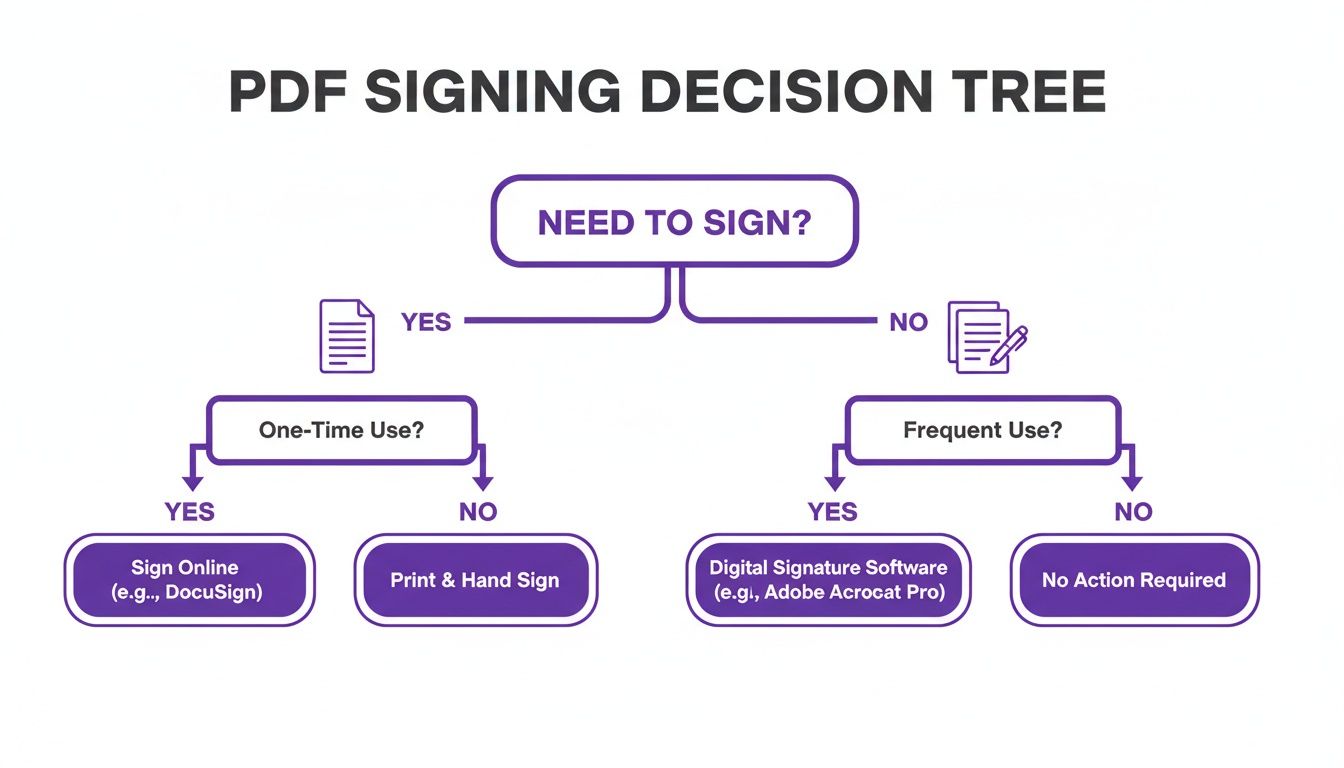
As you can see, if you're signing things all the time, a dedicated platform quickly becomes worth it. For everyone else, simpler, free tools usually do the trick just fine.
Key Takeaway: The best way to digitally sign a PDF isn't a one-size-fits-all answer. It's about matching the tool's security and features to the importance of the document you're signing.
To give you a clearer picture, let's break down the most common methods side-by-side.
Common Ways to Digitally Sign a PDF at a Glance
Here’s a quick comparison of the most accessible methods for digitally signing a PDF, highlighting their pros, cons, and best use cases for busy professionals.
| Method | Best For | Security Level | Ease of Use |
|---|---|---|---|
| Built-in OS Tools | Quick, one-off signatures on a personal Mac. | Basic | Very Easy |
| Adobe Acrobat Reader | Occasional signing on Windows or Mac. | Moderate | Easy |
| Online Services | Signing from any device without installing software. | Variable | Very Easy |
| E-Signature Platforms | Frequent, high-volume, and secure signing. | High | Easy |
Think of this table as your cheat sheet. For a quick internal sign-off, your computer’s built-in tool is perfect. For a critical contract with a new client, you’ll want the robust security and audit trail that comes with a proper e-signature platform.
Electronic vs Digital Signatures: What Australian Businesses Need to Know
It’s easy to get tangled up in the terminology. Many people use ‘electronic signature’ and ‘digital signature’ as if they’re the same thing. But for Australian businesses, knowing the difference isn't just semantics, it's crucial for legal security and compliance. Getting this right ensures your agreements are not just convenient, but actually enforceable when it counts.
An electronic signature, or e-signature, is really a catch-all term. It covers any electronic sound, symbol, or process that shows someone has agreed to something. Think of simple actions like typing your name into a contract, ticking an "I agree" box online, or even pasting a scanned image of your handwritten signature onto a document.
A digital signature, on the other hand, is a far more advanced and secure subset of an e-signature. It uses a unique, certificate-based digital ID to create a cryptographic 'fingerprint'. This encrypted code is permanently embedded in the document, offering a much higher level of security and verification.
The Core Difference: Security and Verification
Here’s a practical way to think about it. An electronic signature is like signing for a parcel with a stylus on a screen. It shows you accepted the delivery, but that signature is relatively easy to forge.
A digital signature is more like sealing that same document in a tamper-proof digital vault. This vault can only be opened and verified with a unique key that belongs exclusively to the signer, proving who they are and that the contents haven't been touched.
This robust, built-in security is what truly sets them apart. A digital signature provides three critical things:
- Authentication: Confirms the signer's identity has been properly verified.
- Integrity: Locks the document after signing, making it clear if any alterations have been made.
- Non-repudiation: Creates an undeniable link between the signer and the document, so they can’t later claim they didn’t sign it.
To fully grasp the importance of digital signatures, it's helpful to understand their role within larger frameworks of cybersecurity and data security and compliance that businesses must navigate.
Legal Standing in Australia
So, where do they stand legally? In Australia, both signature types are recognised under the Electronic Transactions Act 1999. The law simply requires that the signing method is reliable for the situation and that all parties have consented to using an electronic format.
For everyday, low-risk agreements, like a simple service sign-up, a basic electronic signature will usually do the job.
But when the stakes are higher, you need more assurance. For major contracts, financial agreements, or important legal deeds, a cryptographic digital signature provides a far stronger audit trail and carries significantly more weight in a legal dispute. It’s no surprise the Australian digital signature market hit USD 235.2 million and is projected to reach USD 3,325.7 million by 2033, all driven by this increasing need for legally-sound digital processes.
Ultimately, your choice depends entirely on the level of risk and trust involved in the transaction. For a deeper analysis of the nuances, check out our guide on the differences between digital and electronic signatures.
How to Sign a PDF on Any Device
The need to sign a PDF can pop up at the most inconvenient times: at home, on-site with a client, or even while you're in transit. Thankfully, you don't need to scramble for a printer or invest in complex software. Most of the devices you use every day already have the tools you need to get the job done quickly.
Whether you're sitting at your desk or tapping away on your phone, the right method is usually just a few clicks away. I'll walk you through the most common ways to sign a document so you can confidently handle any request, no matter where you are.
Signing on a Windows PC with Adobe Acrobat Reader
For most of us on a Windows PC, Adobe Acrobat Reader is the default for opening PDFs. What many people don't realise is that it also includes a powerful, free feature for adding your signature. It’s my go-to recommendation for anyone who needs to quickly sign a document without creating an online account.
First, open your PDF in Adobe Acrobat Reader. Look for the Fill & Sign tool, which you can usually spot in the pane on the right or find in the main toolbar. Clicking this will switch your cursor and bring up a new set of options specifically for form-filling and signing.
Once you're in the Fill & Sign mode, find and click the Sign icon (it looks like the tip of a fountain pen), then select Add Signature. Adobe gives you three simple ways to create it:
- Type: Just type your name, and Adobe will generate a few different signature-style fonts for you to choose from.
- Draw: For a more personal touch, you can use your mouse or a stylus to draw your signature right on the screen.
- Image: If you already have a scanned image of your handwritten signature, you can upload that file directly.
After you've created your signature, you can click anywhere in the document to place it. Drag it onto the signature line, resize it to fit perfectly, and hit save. That's it. Your document is now signed and ready to email.
Using Preview on a Mac for Quick Signatures
If you're on a Mac, you're in luck. You already have a fantastic signing tool built right into the operating system: Preview. It’s incredibly handy for those one-off signing tasks because it doesn't require you to download a thing.
Just open the PDF with Preview. Click the Show Markup Toolbar button (the icon looks like a pen tip inside a circle), and then from the toolbar that appears, click the Sign button.
The first time you use this feature, you'll be prompted to create your signature. Preview offers a couple of clever ways to do this:
- Trackpad: Simply use your finger to sign your name on your Mac's trackpad.
- Camera: Sign your name clearly on a piece of white paper and hold it up to your Mac's camera. Preview will scan it and convert it into a crisp digital version. It works surprisingly well!
Once saved, your signature will be available in the Sign menu. Just select it and click on the document where you want it to go. In seconds, you have a signed PDF ready to send.
Leveraging Free Online PDF Signing Tools
What if you're on a shared computer or just prefer a browser-based solution? There are quite a few reputable online services that let you sign PDFs for free, no software installation required. These are perfect when you need flexibility.
You just head to a free e-signature website, upload your PDF, and follow the on-screen instructions. The process is very similar to Adobe Reader, where you can type, draw, or upload an image of your signature.
A Word of Caution: While incredibly convenient, be mindful of what you upload to free online services. For any document containing sensitive or confidential information, sticking to a secure desktop application or a trusted, professional e-signature platform is always the safer bet.
These web-based tools are fantastic for less sensitive paperwork like permission slips or simple agreements. For anything involving critical business data, I'd suggest a more secure alternative.
Signing Documents on Your Mobile Device
In a world where business moves at the speed of a text message, signing documents from your phone isn't just a convenience, it's often a necessity. Whether you have an iPhone or an Android, you've got powerful options right in your pocket.
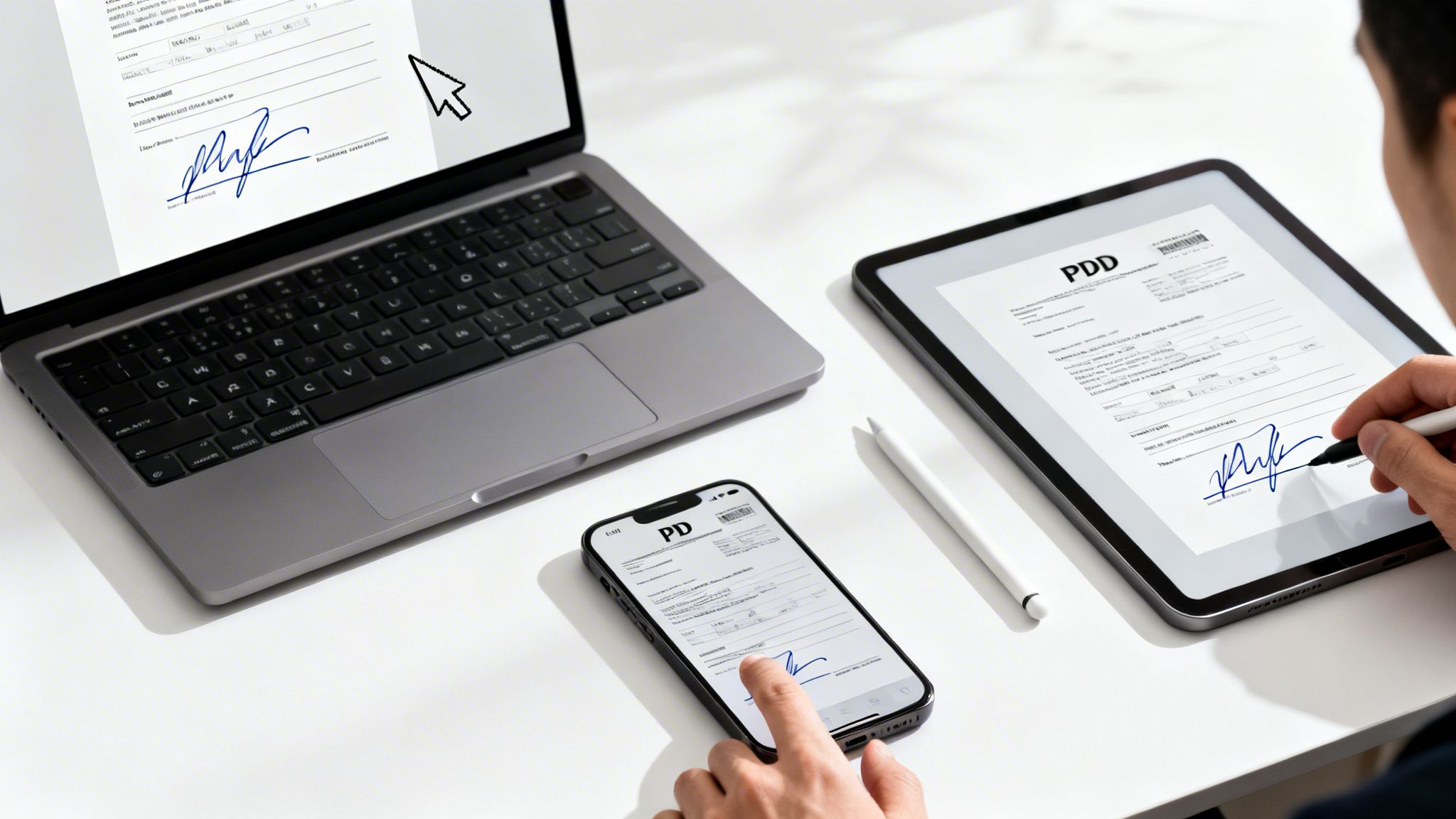
On an iPhone, the built-in Markup tool is all you need. Open the PDF from an app like Mail or Files, tap the Markup icon, then tap the plus (+) button to find the Signature option. You can create and save your signature, then place it on the document with a quick drag-and-drop. For those who sign on the go a lot, it’s worth exploring all the ways to sign a document on your iPhone.
For Android users, the process is just as straightforward. You can download the free Adobe Fill & Sign app or use the markup features already built into Google Drive. Both let you open a PDF, draw your signature on the screen, and place it precisely where it needs to be.
Best Practices for Secure and Professional E-Signatures
Knowing how to add a signature to a PDF is a great start, but making sure that signature is secure, professional, and legally sound is a completely different ball game. Your digital signature isn't just a convenient shortcut; it’s a direct reflection of your business's credibility and attention to detail.
A few smart practices can elevate your signature from a simple electronic mark to a robust, legally defensible seal of approval. It’s about moving past the idea of just pasting an image of your signature. Real digital signatures are built on a rock-solid security foundation that verifies who you are and locks the document down, preventing any sneaky edits after the fact.
Use a Certificate-Based Digital ID
The heart of a truly secure signature is a certificate-based digital ID. Think of it like a digital passport: a unique credential issued by a trusted authority that's tied directly to you or your organisation. When you use it to sign a document, it embeds a cryptographic key that validates your identity and seals the document's contents.
This is a massive leap forward from a basic e-signature. It provides concrete proof that you, and only you, approved the document. For anyone in professional services juggling sensitive client agreements or high-stakes contracts, this added layer of verification isn't just nice to have; it's essential. It's no wonder that businesses globally made up 76.80% of the digital signature market, a trend driven by the demand for this kind of secure encryption. You can read more about the digital signature market trends for Australia to see how it's playing out locally.
Focus on Placement and Appearance
It might seem superficial, but how your signature looks and where it sits on the page really does matter. A messy, poorly placed signature can make a polished document feel amateurish in an instant. The goal is simple: make your digital signature look as crisp and intentional as if you'd signed it with your best pen.
Here are a few tips I've picked up over the years:
- Nail the positioning: Always place your signature squarely on the designated signature line. Don't let it float around in the white space above or below.
- Keep it clean: If you're drawing your signature with a mouse or stylus, use a smooth, steady hand. If you’re typing it, pick a script font that looks professional, not like a cartoon.
- Add the important details: Most tools let you include your typed name, the date, and your job title alongside the signature. Adding these gives it a much more official and complete look.
Your digital signature's appearance should reinforce the professionalism of the document itself. A clear, well-placed signature shows attention to detail and respect for the agreement.
Maintain a Clear Audit Trail
This is probably the most critical piece of the puzzle. You need to ensure every document you send out for signing comes with a comprehensive audit trail. This is a detailed log that automatically records every single interaction with the document, creating undeniable proof of the entire signing process.
A solid audit trail should capture key information without you having to lift a finger:
- The email addresses of everyone involved in the signing.
- The exact time and date each person viewed and signed the document.
- The IP addresses used during each step of the process.
This log is invaluable if a contract ever comes into question. It gives you a complete, time-stamped history of the agreement from the moment it was sent to the final signature. It's the digital equivalent of having a notary witness the entire thing, making your signed PDF genuinely defensible and secure.
Using an E-Signature Platform to Streamline Your Workflow
Let's be honest, juggling different apps to run your business can be a real headache. You’re tracking time in one place, creating an invoice in another, and then you have to export a PDF to a third service just to get a signature. This isn't just inefficient; it’s a recipe for mistakes and, worst of all, delays in getting paid.
This is exactly where an all-in-one platform changes the game. By bringing legally binding e-signatures directly into the tools you already use, you can stop the constant app-switching. Instead of hopping between tabs, you can manage everything from the first client conversation to the final payment, all from one dashboard.
The Power of an Integrated System
The real magic of an integrated system like Payly is how smoothly it moves you from one task to the next. You can wrap up a project, generate an invoice from your tracked hours, and fire off a contract for signature in a couple of clicks. It’s all part of the same system, creating one efficient, unbroken workflow.
Imagine this: you finish a client project, and the final timesheet is already there. You can instantly attach it to an invoice and send it for their approval and payment. If you need a new service agreement signed, you just upload the PDF, drag and drop the signature fields, and send it out, without ever leaving the platform.
When your admin becomes a single, cohesive action instead of a clunky, multi-step process, you get more time back for the work that actually matters: serving your clients.
This kind of centralisation doesn’t just save time. It gives you a complete, at-a-glance history of every client interaction, from the initial proposal to the final payment.
How It Works in Practice
The process itself is refreshingly straightforward. You upload your PDF into the platform, place the signature fields where you need them, and send it off to your client. They get a secure link and can review and sign the document on their computer, tablet, or phone.
Once it’s signed, the final document is automatically stored with a full, cryptographic audit trail. This log records every step of the signing journey: timestamps, IP addresses, the lot. This gives you the robust, legally binding proof we talked about earlier.
For Australian businesses, these platforms often come with a few extra perks:
- Built-in GST Calculations: Invoices and quotes automatically have the correct Goods and Services Tax applied, so you don't have to think about it.
- Direct Accounting Integrations: You can sync your signed documents and paid invoices straight to software like Xero and MYOB.
- Secure Audit Trails: Every signature comes with a detailed, tamper-proof record, which is great for compliance and your own peace of mind.
To really dial in your processes, it's worth exploring different e-signature platforms and tools, like Passflow's workflow solutions, to see what fits your business best.
Getting Paid Faster
At the end of the day, we all want to get paid for our work without a fuss. An integrated system helps you do just that by linking the signature process directly to invoicing and payments. As soon as a client signs a contract, the platform can automatically kick out the first invoice or let you know it's time to start billing.
By removing the friction from the approval stage, you dramatically shorten the gap between agreement and payment. This is a huge win for your cash flow and makes your business finances far more predictable. If you're curious how this stacks up against standalone tools, it’s worth looking into a free alternative to DocuSign that’s built into a broader business platform.
Got Questions About Signing PDFs? You're Not Alone.
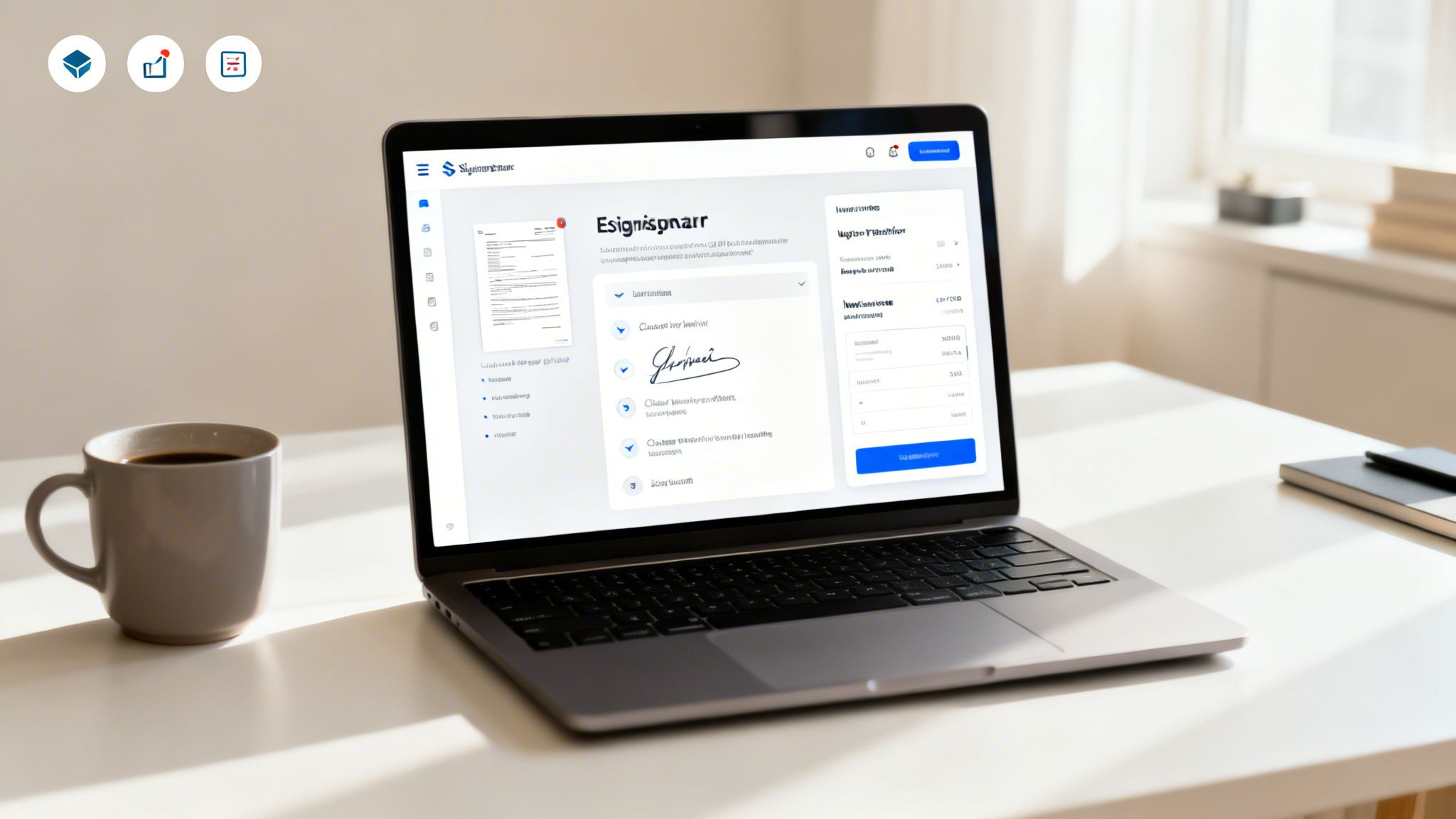
Even with all the tools at our fingertips, figuring out the best way to digitally sign a PDF can still feel a bit murky. It's completely normal to wonder about the legal side of things, how secure different methods are, or whether you really need another bit of software just to sign one document.
Let's clear the air. We’ve pulled together some of the most common questions we hear from Australian freelancers and small businesses to give you clear, no-nonsense answers. The goal here is to help you sign your next document with total confidence.
Are Digital Signatures on a PDF Legally Binding in Australia?
Yes, absolutely. The law is on your side here. Under Australia's Electronic Transactions Act 1999, digital signatures are recognised and hold the same legal weight as a traditional handwritten signature.
The main conditions are that all parties agree to sign electronically and that there's a reliable way to identify who is signing. This is why for important contracts, using a platform that creates a cryptographic audit trail is so valuable. It provides solid evidence that these requirements were met, making your agreement much stronger if it's ever challenged.
What’s the Difference Between an Image Signature and a Digital Signature?
This is a big one. Pasting a simple image of your signature onto a PDF is just that: an image. It's technically a form of electronic signature, but it’s incredibly basic, easy to copy, and offers almost no real security.
A true digital signature, on the other hand, is a different beast entirely. It uses a secure, certificate-based ID to embed a unique, encrypted 'fingerprint' into the document. This not only verifies your identity but also locks the document to prevent any further changes, ensuring its authenticity and integrity. For any serious professional or legal documents, this is the standard you should be aiming for.
Key Takeaway: An image is just a picture, but a digital signature is a secure seal. It provides proof of who signed and confirms the document hasn't been tampered with, something an image can never do.
Do I Need Expensive Software Just to Sign One PDF?
Not at all. If you just need to sign a single document every now and then, free tools like Adobe Acrobat Reader or the built-in Preview app on a Mac will get the job done perfectly well.
But if you’re a freelancer or run a business that regularly sends out contracts, proposals, or agreements, investing in an integrated platform makes a world of difference. It brings everything into one place, offers far better security, and keeps all your important signed documents organised. In the long run, it’s a huge time-saver.
Can I Sign a PDF on My Mobile Phone?
You certainly can, and in today's world, you should expect to. So much business happens on the go, and being able to sign documents from anywhere is a massive advantage.
Most dedicated e-signature apps and all-in-one business platforms are designed to be mobile-friendly or have their own iOS and Android apps. This means you can review, sign, and send back a critical document in minutes, whether you’re on-site with a client, grabbing a coffee, or working from home.
Ready to stop juggling different apps and start managing your business in one spot? Payly brings together time tracking, invoicing, and legally binding e-signatures to help you get paid faster. Start your free 14-day trial today.
Payly Team
Sharing insights and strategies to help service businesses thrive. Follow Payly for more tips on time tracking, invoicing, and business operations.
Related Articles
Ready to streamline your business?
Join thousands of freelancers and agencies who use Payly to track time, send invoices, and get paid faster.