
Master Your Track Timing App Setup for Australian Service Businesses
Discover how to choose, set up, and master a track timing app to streamline your Australian service business. Boost profits with our expert guide.
Payly Team
December 25, 2025
Think of a time-tracking app as more than just a digital stopwatch. For any service business, it’s the core system for recording every billable minute against the right client and project. It swaps out clunky manual timesheets for a smarter, more accurate way of working, becoming the foundation for how you manage projects and get paid.
Why a Track Timing App Is Your Business Intelligence Hub
Just using a track timing app to log hours is like having a top-of-the-line smartphone and only ever making calls. Yes, its main job is to track time, but the real power comes from the business intelligence it unlocks. For Australian freelancers, agencies, and consulting firms, it’s the nerve centre that feeds you the data needed to make sharper, more profitable decisions.
This is about so much more than just invoicing. Getting serious about time tracking directly impacts your business's financial health, strengthens client relationships, and gives you a rock-solid defence against scope creep. It’s how you find and fix those sneaky revenue leaks that quietly eat away at your profits.
Uncovering Hidden Revenue Leaks
It’s shocking how much money businesses lose to unbilled time and guesswork on quotes. A 15-minute client call that goes unrecorded, an extra half-hour of unexpected revisions... it all adds up. A good track timing app catches these moments, turning what was once lost time into paid revenue.
When you log all your work with precision, you create a transparent record that's impossible to dispute. This doesn't just get you paid fairly; it gives you the hard data to price future projects more profitably, stopping you from undervaluing your work.
Building Trust and Preventing Scope Creep
When you send a client a detailed, itemised invoice backed by clean time logs, it builds incredible trust. They can see exactly what they're paying for, which helps avoid payment disputes and creates a much healthier working relationship.
This level of transparency is also your best tool against scope creep. With project boundaries clearly set and every minute tracked, it’s much easier to have a conversation about new requests that fall outside the original agreement and adjust the budget accordingly.
For Australian freelancers, the numbers speak for themselves. Recent stats show that 68% of Aussie freelancers use time tracking apps daily. This habit is linked to a 25% jump in invoicing accuracy and a 15% drop in payment delays. It’s clear proof that the right tool can directly boost your cash flow. You can learn more about effective time tracking strategies that will make a real difference to your operations.
Choosing the Right Features for Your Australian Business
Picking a track timing app isn't just about logging hours. It's about finding a system that genuinely gets the rhythm of your Australian business. Before you jump in, it's crucial to map out what you actually need, moving past simple time entry to features that will make you more profitable and efficient.
Too many businesses get this wrong. They either pay a fortune for a complex system loaded with features they’ll never touch, or they cheap out on a basic tool that can't grow with them. The trick is to nail down what’s truly essential for your day-to-day operations.
Think about the whole process, from a team member logging their first minute to you getting paid. Does your team need to track time against specific projects or tasks? Do you need to see who’s overworked and who’s got capacity?
This quick decision guide can help you figure out if your current methods are costing you money.

As the guide shows, simply being unsure if you're losing revenue is a massive red flag. That uncertainty is precisely what a good data-driven tool is designed to eliminate.
To help you prioritise, I've broken down the features into what's essential for most Australian service businesses versus what's simply a 'nice-to-have'.
Essential vs Optional Track Timing App Features
| Feature Category | Essential for Australian Service Businesses | Optional (Nice-to-Have) | Why It Matters |
|---|---|---|---|
| Localisation & Compliance | GST calculation, AU public holidays, legally binding e-signatures. | GPS tracking, custom reporting dashboards. | These are non-negotiable for legal compliance and accurate financial operations in Australia. |
| Billing & Invoicing | Automated invoice creation from timesheets, billable rates per user/project. | Retainer management, expense tracking. | Directly connects your team's work to your cash flow, reducing admin and speeding up payments. |
| Core Time Tracking | Mobile app with timers, manual time entry, timesheet approval workflow. | Geofencing, automatic time capture. | The fundamental function. It needs to be simple and accessible for your team to actually use it. |
| Integrations | Accounting software (Xero, QuickBooks, MYOB), payment gateways. | Project management tools (Jira, Asana), calendar integrations. | Prevents double-handling of data, reduces human error, and creates a seamless financial workflow. |
Ultimately, the 'essentials' keep your business compliant and solvent. The 'optionals' are about adding layers of efficiency and insight once the core foundations are solid.
Must-Have Features for Australian Compliance
For any service-based business operating in Australia, a few features are completely non-negotiable. Your app needs to be built from the ground up with our local rules in mind, which is about more than just tracking time.
These are the core functions you should be looking for:
- GST Calculation: Invoicing is more than just adding up hours. The app must be able to correctly calculate and apply the 10% GST to your billable items. This ensures every invoice you send is compliant with ATO requirements.
- Public Holiday Calendars: Australia’s public holidays are a patchwork of state and territory dates. A smart track timing app will have these built-in, preventing scheduling mistakes and making sure payroll is always accurate.
- Secure E-Signatures: When it comes to contracts, proposals, or client agreements, a simple digital signature won't cut it. You need a solution that offers legally binding e-signatures with a secure, cryptographic audit trail to prove consent.
These aren't just fancy extras; they are foundational for running a professional, compliant business here in Australia. Skimping on these will only create major administrative and legal headaches for you later on.
A great track timing app doesn't just record time, it protects your business. It ensures every invoice is accurate, every agreement is legally sound, and every project is managed with an awareness of local business conditions.
Smart Integrations That Save Time
The real magic of a modern track timing app is how it talks to the other tools you rely on. When your systems are connected, you eliminate the soul-crushing task of manually entering data from one platform to another, a process that’s not just tedious, but a primary cause of costly mistakes.
An app that works in a silo is creating more problems than it solves.
Look for a solution that plays nicely with major Australian accounting software like Xero, MYOB, and QuickBooks. This is what allows you to turn an approved timesheet into a professional invoice in a couple of clicks. Even better, an integration with a payment gateway like Stripe can slash your payment times, giving your cash flow a serious boost.
This is how you turn raw time data into financial intelligence, automatically.
Setting Up Your App for Seamless Team Adoption
A brilliant time-tracking app is only as good as the team that uses it. Let's be honest, the biggest hurdle you'll face isn't the technology; it's getting people to actually log their hours consistently. A clunky or confusing setup is a surefire way to create resistance, which leads straight to patchy data and a team that sees tracking as a chore.
The real secret to a smooth rollout is to weave time tracking into the daily workflow so it feels helpful, not like another box to tick. This thinking starts long before you send out the first team invitation. It begins with you, setting up the app's bones in a way that perfectly mirrors how your business already works.
When you get the configuration right, the app stops feeling like a surveillance tool and becomes a genuine assistant. Your team will see how it helps them organise their day and, more importantly, proves the value they’re creating. It’s not about micromanagement; it's about giving everyone clarity.
Build Your Foundation with Projects and Tasks
Before anyone logs a single minute, you need to build the digital filing cabinet where all that time will live. Think of your projects as the main folders; they should directly reflect your client agreements or internal work.
For instance, a digital agency might create a project called "Client A - Website Redesign" or "Client B - Q3 Social Media Campaign." A consulting firm could have "Major Corp - FY24 Financial Audit."
Once your projects are in place, you need to define the tasks within them. Vague labels like "Work" or "Admin" are your enemy here. Get specific.
- For that website project: Your tasks could be 'Discovery & Strategy', 'UI/UX Design', 'Frontend Development', and 'Client Revisions'.
- For the financial audit: Think along the lines of 'Initial Data Collection', 'Risk Assessment', 'Fieldwork', and 'Final Report Preparation'.
This level of detail is non-negotiable. It’s what gives you the powerful, granular data you need to understand where every minute is going, which is priceless for quoting future jobs and analysing profitability.
The goal is to make logging time a simple choice from a clear, predefined list. If your team has to stop and think about where to categorise their work, you've already lost the battle for consistency.
Set Clear Billable Rates and Approvals
With your projects and tasks structured, it's time to assign a dollar value to the work. Any professional time-tracking tool will let you set both default and custom billable rates. You can have a standard company rate but also create specific ones for different roles, seniorities, or even unique projects.
For example, a senior consultant’s time might be billed at $250/hour, while a junior analyst’s is $120/hour. This flexibility is what makes your invoicing accurate later on without you having to do painful manual calculations.
Next up, sort out your timesheet approval workflow. This is your quality control checkpoint. A simple process where a team member submits their weekly timesheet for a manager to approve adds a crucial layer of accountability. It’s the perfect opportunity to catch obvious mistakes or question an odd entry before that data gets baked into an invoice.
A clean approval process gives everyone transparency and reinforces the message that accurate tracking matters. Trust me, this simple step can prevent a mountain of billing headaches down the line.
Going from Tracked Time to Paid Invoice, Automatically
Let’s be honest: manually copying hours from timesheets into an invoice is a tedious chore that’s just asking for mistakes. It’s a classic bottleneck that slows down your entire billing cycle. This is exactly where a modern track timing app changes the game, creating a direct pipeline from the work you do to the money you earn.
The whole point is to build a seamless flow of information. You want to ditch the repetitive admin and dramatically shrink the time it takes to get paid. Smart integration is the secret ingredient that makes this happen. When your time tracker talks directly to your accounting software, the most frustrating parts of the billing process simply disappear.
Connecting to Your Accounting Software
First things first, you need to connect your track timing app to the accounting platform you use every day. For most Australian businesses, that’s going to be Xero, MYOB, or QuickBooks. A good app will guide you through this with a straightforward, one-time setup that takes minutes.
Once they’re linked, the two systems can start sharing vital information. Client details, project codes, and specific billable rates are all kept in sync, creating a single source of truth for your business operations.
This integration is your best weapon against double-handling data. Think about it: research shows that employees can spend up to 60% of their day on duplicative tasks. Connecting your systems cuts that out at the source, because the data only needs to be entered once.
From Timesheet to Invoice in One Click
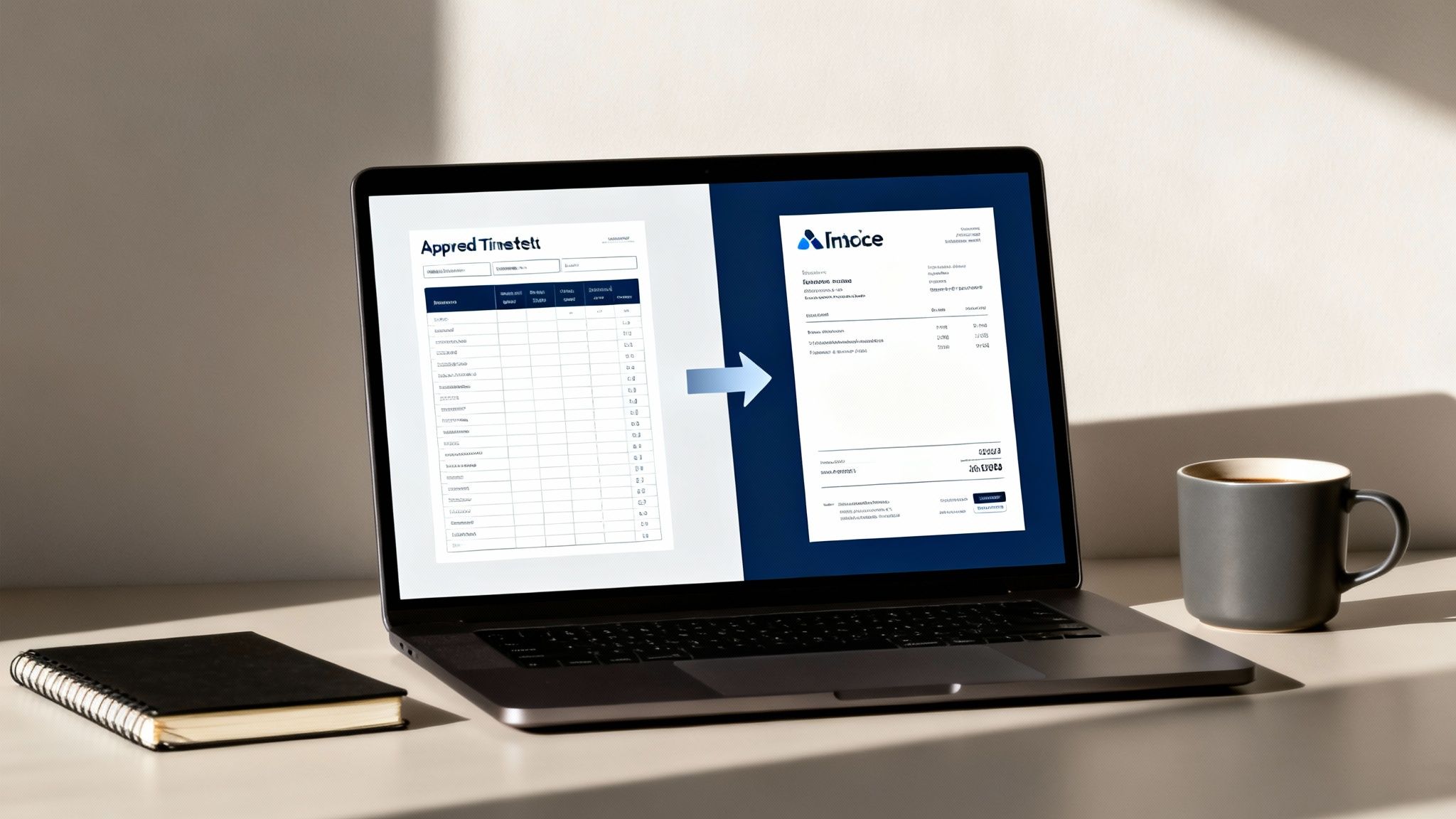
This is where you really see the payoff. Once you’ve reviewed and approved your team’s timesheets, a properly integrated system lets you turn all that billable time into a polished, professional invoice with a single click.
Here’s how it plays out in the real world. Imagine you run a marketing agency that’s just finished a month’s worth of work for a client:
- Your team members log their hours against the ‘Client A - Social Media’ project in their time tracker.
- At the end of the week, the project manager looks over the timesheets and approves them.
- Instead of exporting a CSV file and manually building an invoice in Xero, they just select the approved time entries and hit a ‘Generate Invoice’ button.
The app instantly pulls all the necessary data, calculates the final amount (including GST), applies your company branding, and creates a draft invoice right inside your accounting software, ready to be sent. This shrinks the invoicing process from a painstaking, hour-long task to something you can do in under a minute. If you're curious about how these connections work behind the scenes, this guide on the Stripe and Xero integration offers a great look at how much time businesses can save.
Automating invoice creation directly from approved timesheets isn't just a time-saver; it's your guarantee of accuracy. Every single billable minute is captured, wiping out human error and preventing revenue from slipping through the cracks.
Speed Up Payments with Automated Reminders
Getting the invoice out the door is only half the job. The real challenge is getting it paid on time. A powerful track timing app doesn’t just stop once the invoice is created; it also helps you manage your accounts receivable. It can automate one of the most awkward parts of running a business: chasing up late payments.
You can easily set up a simple yet effective sequence of automated reminders.
- A Gentle Nudge: Send an automatic email a few days before the invoice is due.
- The First Reminder: If the due date passes, a polite follow-up is sent automatically.
- Persistent Follow-Ups: You can schedule more reminders to go out at intervals like 7, 14, and 30 days past the due date.
This automated system keeps things professional while making sure you stay on top of your cash flow. It frees you up to focus on client work instead of chasing invoices, which is absolutely critical for any service business.
Navigating Legal and Compliance Needs in Australia
For any Australian service business, getting compliance right isn’t just a good idea; it's the bedrock of your operations. A solid time-tracking app does more than just count the hours; it becomes your official system of record. It’s what ensures every invoice, contract, and timesheet can withstand scrutiny from clients and the Australian Taxation Office (ATO).
Simply put, you need to move past basic timers. The goal is to find a tool that’s been built from the ground up with the Australian legal framework in mind. Think of it as a compliance partner, one that actively protects your business from the common slip-ups that can lead to costly disputes or penalties.
Creating Legally Sound Documentation
Every invoice you issue and every contract you get signed is a legal document. In this day and age, just sending a PDF with a typed name often isn't enough to create a truly binding agreement. Modern business demands a higher standard of proof.
This is where electronic signatures with secure audit trails come in. A quality track timing app should have this built right in.
- Legally Binding E-Signatures: These aren't just images of a signature. They create a secure, cryptographic link between the person signing and the document itself.
- Secure Audit Trails: Every signature is backed by a detailed log. It records who signed, the exact time they signed, and from where. This creates an iron-clad record that serves as powerful evidence if a dispute ever arises.
This kind of functionality elevates your app from a simple time-logger to a powerful tool for executing secure, legally recognised agreements with your clients.
Mastering Australian-Specific Requirements
Running a business in Australia means navigating a unique set of financial and employment rules. The software you choose has to be localised to handle these details automatically, freeing you from the headache of manual calculations and the risk of mistakes.
Peace of mind comes from knowing your operations are fully compliant. An app that understands Australian rules lets you focus on your clients, not on worrying about whether your invoices or records are correct.
A system truly designed for Australia will manage key local requirements without you even thinking about it. It should automatically calculate and apply the 10% Goods and Services Tax (GST) to your invoices, keeping you square with the ATO.
It also needs to manage work calendars that recognise state-specific public holidays, which is vital for accurate project timelines and payroll. And remember, the ATO requires you to keep financial records for five years, so your platform must provide secure, long-term data storage. By using tools built for these local needs, you can more easily manage the complexities of tracking employee time while staying compliant.
Navigating the Real-World Bumps in the Road
So, you've chosen a track timing app and got it all set up. Fantastic. But let’s be honest, the real work starts now. The day-to-day realities of running a business mean you’re bound to hit a few snags. Maybe your team’s time entries are all over the place, or a client keeps adding "just one more thing" to a fixed-price project.
These aren't signs of failure; they're just part of the process. I've seen it all before. The trick is to have a game plan for these common headaches before they turn into major migraines.

Dealing with Inconsistent Time Logging
One of the first and most common hurdles is getting everyone to log their time consistently. If the data is patchy, your invoices will be wrong, and you’ll have no real idea if a project is even profitable. It's rarely about people being lazy; it's usually because the process is clunky or they don't see the point.
The solution? Make logging time a complete non-event.
- Log in the moment. Don't rely on memory. Get your team using a mobile app with a simple start-stop timer. It's infinitely more accurate than trying to piece together a day's work at 5 PM on a Friday.
- A gentle nudge helps. Set up a friendly, automated reminder at the end of each day. It’s amazing how effective this is for building a solid habit.
- Connect the dots for them. Don’t just ask for timesheets; show your team the results. Share reports illustrating how their tracked hours directly contribute to project success and company revenue. It helps them see their role in the bigger picture.
Taming the Beast: Scope Creep
Ah, scope creep. The silent killer of profit margins. It starts innocently enough with a client asking for a "quick tweak," but before you know it, you've donated 10 extra hours to a fixed-price job. Your time tracking app is your single best defence here.
As soon as a new request lands, create a separate task for it in your system. Track every single minute spent on it. Now you’re not just going on a hunch; you have hard data. This turns an awkward, subjective conversation into a clear, professional one.
Armed with data, you can confidently say: "Absolutely, we can take care of that for you. It's taken 3.5 hours so far, which sits outside the original scope. How would you like to proceed? We can add this to the final invoice or stick to the initial plan."
Sidestepping Common User Errors
Little mistakes can cause big problems. Think logging hours to the wrong project or forgetting to flag time as billable. Most of these issues are preventable with a bit of foresight.
Your best bet is to set up your track timing app with blindingly obvious project and task names. Ditch vague labels like "Admin" or "Meeting." Get specific. "Client XYZ - Fortnightly WIP Meeting" or "Internal - Team Training" leaves no room for error.
This small bit of discipline from the start makes it much easier for everyone to get it right the first time, keeping your data clean and your reports trustworthy.
Ready to solve your time tracking and invoicing headaches for good? Payly combines everything you need into one simple platform for Australian businesses. Start your free 14-day trial today.
Payly Team
Sharing insights and strategies to help service businesses thrive. Follow Payly for more tips on time tracking, invoicing, and business operations.
Related Articles


Ready to streamline your business?
Join thousands of freelancers and agencies who use Payly to track time, send invoices, and get paid faster.