
A Guide to Project Schedule in Project management
Discover how a project schedule in project management drives success. Learn key methods, tools, and steps to deliver projects on time and within budget.
Payly Team
December 8, 2025

At its core, a project schedule in project management is the game plan that turns a big idea into a real-world result. It’s a detailed timetable laying out what needs to be done, who is doing it, and when each piece of the puzzle needs to fall into place. Think of it as the single source of truth for your entire team.
What Is a Project Schedule and Why Is It So Important?

It’s easy to mistake a project schedule for a simple calendar, but they're worlds apart. A calendar might show you the final move-in date for a new house, but the project schedule is the architectural blueprint detailing every single step to get you there. It tells you precisely when the foundation needs to be poured, when the framing must go up, and how each task depends on the one that came before it.
This makes the schedule an active tool for steering your project forward, not just a passive document for looking back at what’s already happened. It gives you a clear framework for measuring progress and making sure everyone is working from the same script.
The True Value of a Good Schedule
A well-built project schedule is so much more than a list of dates. It’s a communication powerhouse that aligns your team, manages stakeholder expectations, and brings a sense of calm to even the most complex projects. When everyone knows what their role is and how their work slots into the bigger picture, collaboration just clicks.
The benefits are real and immediate:
- Sets Realistic Expectations: It gives you a solid, data-backed timeline, so you can confidently tell clients and stakeholders what to expect and when.
- Improves Resource Management: You get a bird's-eye view of who is working on what, which helps you avoid overloading your team and causing burnout.
- Helps You Spot Trouble Early: By mapping out how tasks depend on each other, you can see potential bottlenecks long before they grind things to a halt.
- Creates a Performance Baseline: The schedule is your benchmark. It’s what you measure against to see if you’re on track or falling behind.
A project schedule is the narrative of your project. It tells the story of how you will get from the starting point to the final destination, chapter by chapter, ensuring no plot twists derail the ending.
This structured approach isn't just a nice-to-have; it's becoming essential. The Australian project management workforce is seeing huge growth, largely thanks to major infrastructure projects. With an estimated 24,000 new project management roles expected across different industries, the demand for professionals who can master complex schedules is soaring. You can find more insights about project management trends in Australia to see the full picture.
The Building Blocks of an Effective Project Schedule
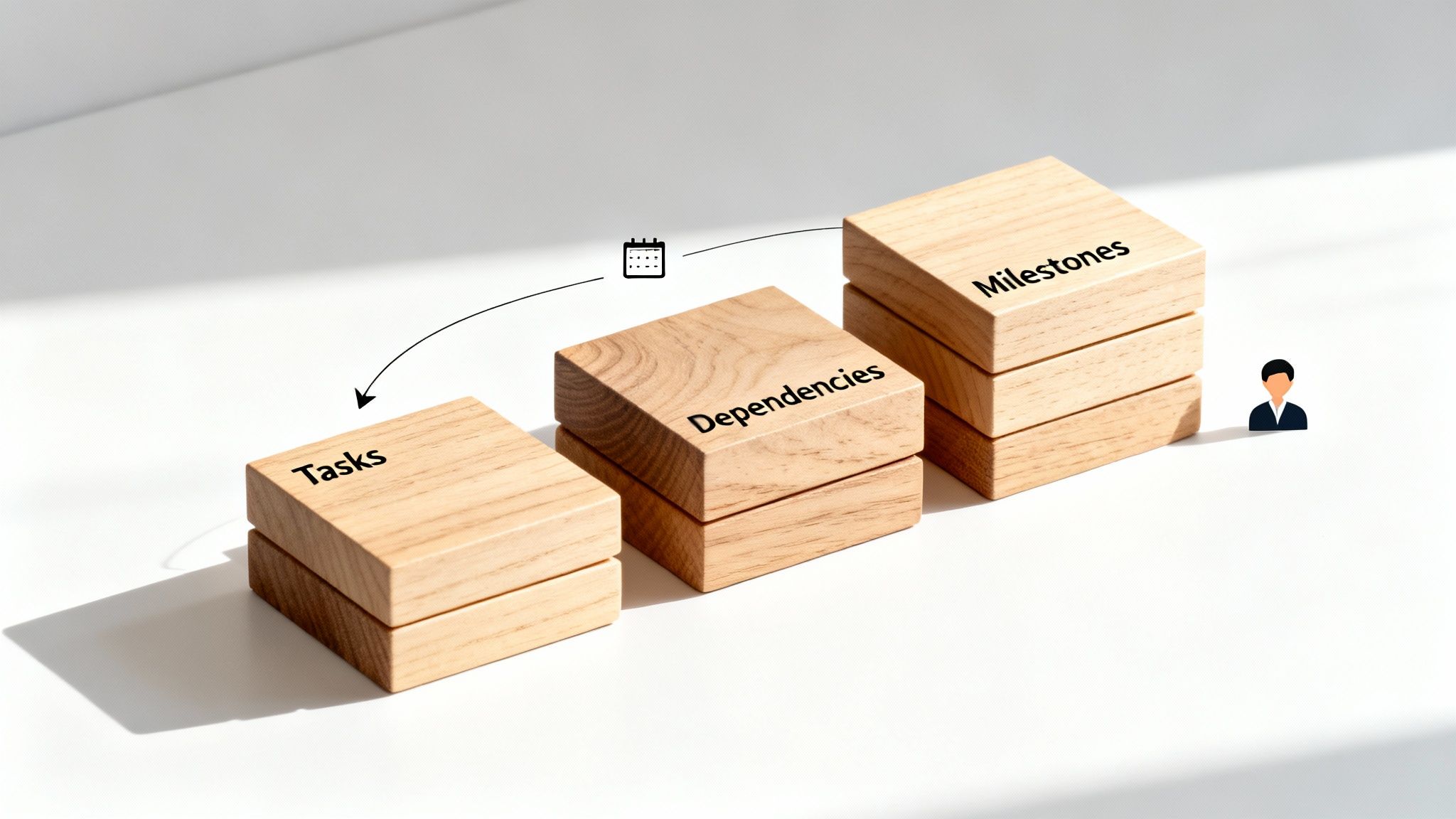
If you want to build a project schedule that actually works, you need more than just a list of due dates. A truly solid schedule is pieced together from a few core components that give it structure, clarity, and control. Getting your head around these elements is the first step to creating a reliable roadmap your team can actually follow.
Think of it like building a house. You can't just throw up walls wherever you feel like it. You need a foundation, a frame, and a logical order for everything. Each part has a specific job, and when they come together correctly, they create a strong, functional plan that won't fall over.
These are the building blocks that turn a simple timeline into a powerful project management tool.
Defining Your Project Tasks
At the very bottom of it all, you have your tasks. These are the individual, concrete actions that need to get done to hit the project goals. Breaking a massive project down into these smaller, bite-sized chunks is absolutely essential for keeping things clear and tracking progress.
For a new marketing campaign, for example, your tasks might look like this:
- Conduct market research
- Develop ad copy
- Design visual assets
- Configure the ad platform
Each task is a specific piece of work you can assign to someone and check off a list. This granular view makes sure nothing slips through the cracks and tells everyone on the team exactly what's expected of them.
Mapping Task Dependencies and Milestones
Here’s where it gets interesting. Tasks rarely live on an island; they’re almost always connected by dependencies. A dependency is just the relationship between tasks that dictates the order they have to be done. You can't start designing the visuals, for instance, until the ad copy has been written and signed off.
The most common type is a "finish-to-start" dependency, where one task has to be completely finished before the next one can kick off. Figuring out these connections is critical for creating a logical workflow and avoiding those frustrating bottlenecks down the line.
Working alongside tasks and dependencies are your milestones. These aren't really tasks themselves, but rather significant checkpoints that signal the end of a major phase or a key deliverable. In our marketing campaign, "Creative Brief Approved" would be a milestone. It’s a key achievement that greenlights the next stage of work, like copywriting and design.
Milestones act as the signposts on your project journey. They confirm you're on the right path and provide clear moments to celebrate progress with your team and stakeholders.
Estimating Duration and Allocating Resources
Once you know what needs to be done and in what order, you have to figure out how long each task will actually take. Duration estimates need to be realistic, which often means looking at data from past projects or, even better, asking the people who will be doing the work. Being too optimistic with your timelines is one of the quickest ways to derail a project.
Finally, you have to think about resource allocation. This is all about assigning the right people, tools, and budget to each task. A good schedule clearly shows who is responsible for what, making sure workloads are manageable and your team has everything they need to get the job done. This is the step that connects the "what" and "when" of your schedule to the "who" and "how."
Which Project Scheduling Method is Right for You?
Choosing how to build your project schedule is a lot like picking the right tool for a job. You wouldn't use a sledgehammer to hang a picture frame, right? In the same way, the scheduling technique that works wonders for a complex engineering build might be overkill for a three-week marketing campaign.
Different projects have different needs. Some call for a simple, visual roadmap, while others demand a deep, analytical approach to navigate complexity and risk. Let's break down the most common methods to help you find the perfect fit.
Gantt Charts: The Visual Go-To
When people think of a project schedule, they often picture a Gantt chart, and for good reason. It’s a classic bar chart that lays out your entire project timeline visually, showing the start and end dates for every single task. That visual clarity is its superpower, making it incredibly easy to track progress with a quick glance.
Gantt charts are brilliant at showing how tasks overlap and giving everyone a clear sense of the project's total duration. If you're running a relatively straightforward project and your main goal is to communicate the timeline and keep the team aligned, this is your best bet. Its simplicity is what makes it so effective and accessible for everyone involved, from team members to stakeholders.
Critical Path Method (CPM): For Complex Dependencies
What happens when your project is a tangled web of interconnected tasks? That's when you bring in the Critical Path Method (CPM). This technique forces you to map out every crucial task and, more importantly, identify exactly how they depend on one another. The "critical path" is the longest chain of these dependent tasks, the one sequence that dictates your project's earliest possible finish date.
Any delay to a task on this critical path will push back your final deadline.
Think of CPM as your project's structural blueprint. It shows you which tasks are the absolute load-bearing walls. This allows you to focus your resources and attention where they matter most, preventing a single bottleneck from derailing everything.
CPM is the gold standard for large-scale projects in fields like construction, engineering, or new product development, where even a small delay can have massive financial ripple effects.
PERT: For Taming Uncertainty
But what if you genuinely don't know how long a task will take? This is the reality for many innovative projects, and it's where the Program Evaluation and Review Technique (PERT) shines. PERT was designed specifically for projects clouded by uncertainty, like pioneering R&D work or launching a first-of-its-kind technology.
Instead of demanding a single, often arbitrary, time estimate, PERT uses three:
- Optimistic (O): The best-case scenario if everything goes perfectly.
- Pessimistic (P): The worst-case scenario where Murphy's Law is in full effect.
- Most Likely (M): The most realistic estimate, based on your experience.
These three points are then used to calculate a weighted average, giving you a far more probable and defensible timeline. PERT helps you build a schedule that acknowledges risk and unknowns right from the start.
Agile and Sprints: A Modern, Flexible Alternative
Breaking away from the traditional, rigid project plan, Agile scheduling organises work into short, iterative cycles known as "sprints." A typical sprint lasts between one and four weeks, with the goal of delivering a small, complete piece of the final product. This bite-sized approach allows teams to adapt to new information and changing priorities on the fly.
With Agile, the focus shifts from a fixed, long-term schedule to dynamic, short-term planning. It values responsiveness over blindly sticking to the original plan, making it the perfect fit for software development, creative work, and any fast-paced project where requirements are likely to evolve.
To make it even clearer, let's put these methods side-by-side.
Comparison of Project Scheduling Techniques
This table breaks down the core features, ideal use cases, and relative complexity of each scheduling method we've discussed.
| Technique | Best For | Key Feature | Complexity |
|---|---|---|---|
| Gantt Chart | Straightforward projects with clear timelines and dependencies. | Visual bar chart showing task duration and progress over time. | Low |
| CPM | Large, complex projects with many interdependent tasks (e.g., construction). | Identifies the longest sequence of tasks that determines project length. | High |
| PERT | Innovative or R&D projects with a high degree of time uncertainty. | Uses a three-point estimate (optimistic, pessimistic, most likely) for tasks. | High |
| Agile (Sprints) | Fast-moving projects where requirements are expected to change (e.g., software). | Breaks work into short, iterative cycles with defined deliverables. | Medium |
Ultimately, the best technique is the one that provides the clarity and control your specific project demands. For many service-based businesses, a simple Gantt chart is often enough, but knowing the others exist gives you the power to tackle more complex challenges with confidence.
How to Create Your Project Schedule Step by Step
Staring at a blank page and trying to map out an entire project can feel overwhelming. Where do you even begin? The good news is that building a solid project schedule isn't about guesswork; it's a step-by-step process that turns a massive goal into a clear, manageable plan.
Let’s walk through how to build a practical, action-oriented schedule from the ground up. This is your roadmap to keeping everyone aligned and the project moving forward.
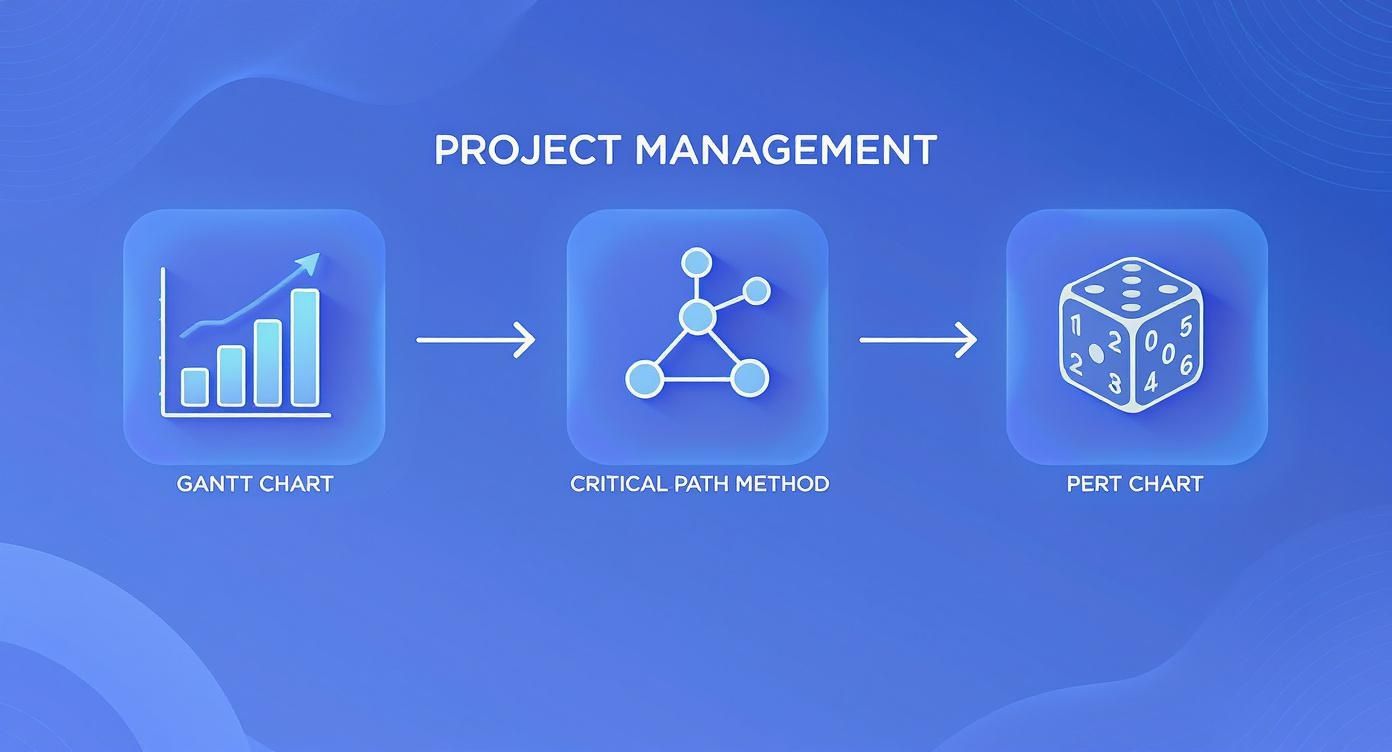
As you can see, tools like Gantt charts give you the visual timeline, while methods like CPM and PERT help you dig deeper into task dependencies and potential roadblocks.
Step 1: Define Your Project Scope and Deliverables
Before a single task gets scheduled, you have to know exactly what you’re building. The absolute first step is to nail down the project scope and identify every key deliverable. This means drawing a clear line in the sand: what are the project’s goals, what’s out of bounds, and what tangible things will we produce?
Think of a well-defined scope as your project's North Star. It’s what stops "scope creep" from derailing your timeline and budget later on. Getting this clarity ensures your team and your stakeholders share the exact same picture of what "done" really looks like.
Step 2: Break Down the Work into Manageable Tasks
Okay, you've got your main deliverables. Now, it's time to break them down into smaller, bite-sized pieces. This process is often called a Work Breakdown Structure (WBS), and it's your secret weapon for making a huge project feel far less intimidating.
For example, a deliverable like "New Website Homepage Design" isn't a single task. It's actually a collection of smaller jobs, such as:
- Create wireframes
- Write the homepage copy
- Design the UI mockups
- Get client feedback and final approval
This level of detail gives you the real substance for your schedule. A great tool for getting this organised is a work plan template, which can help you structure all these moving parts logically.
Step 3: Estimate Durations and Assign Resources
With a list of tasks in hand, you can start putting time against them. How long will each one really take? The biggest mistake here is for a project manager to just pluck numbers out of thin air.
The most accurate estimates come from the people who will actually be doing the work. Always consult your team members for realistic timeframes based on their expertise and current workload.
Once you have your time estimates, you can start assigning resources. This is where you connect the dots between the work, the people, the equipment, and the budget. This step makes it clear not just what needs to happen and when, but also who is responsible for getting it done.
Step 4: Map Out Task Sequences and Dependencies
Tasks rarely happen in a vacuum. More often than not, one task can't start until another is finished. The next step is to map out these task dependencies to understand the natural order of the work. You can't start coding a webpage, for instance, until the design mockups are approved.
Mapping these relationships is what creates a logical workflow. It also helps you identify the project's "critical path," the longest chain of dependent tasks that determines the absolute minimum time your project will take. Spotting this is crucial for preventing bottlenecks down the road.
Step 5: Develop and Finalise the Baseline Schedule
Now it's time to put all the pieces together and create your baseline schedule. Using your project management software of choice, plug in your tasks, their durations, their dependencies, and the assigned resources. This will generate a visual timeline, very often a Gantt chart, that shows your entire project plan from start to finish.
Before you lock it in, review this draft schedule with your team and key stakeholders. Is it realistic? Is it achievable? Once everyone is on board, you can finalise it. This schedule now becomes your official baseline, the benchmark you'll use to measure progress, track performance, and manage any changes that pop up along the way.
Common Scheduling Pitfalls and How to Avoid Them
Even with the best intentions and the most detailed plan, project schedules can hit some serious turbulence. Knowing what to watch out for isn’t about being negative; it’s about being realistic and prepared. When you can spot these common traps early, you can build a more resilient timeline that keeps your project on track.
These problems often start small, looking like tiny hiccups, but they have a nasty habit of snowballing. Before you know it, you're facing missed deadlines, a burnt-out team, and disappointed clients. Let's break down the biggest culprits and how to sidestep them.
The Dangers of Scope Creep
You've probably heard this one before: scope creep. It's that slow, insidious expansion of a project's requirements beyond what everyone initially agreed on. It starts with a client asking for "just one more tiny change" or a team member suggesting a "quick little addition." On their own, these requests seem minor, but they add up fast, eating away at your time and budget.
Your best defence against scope creep is a strong offence. From the very beginning, establish a formal change request process. This isn't about saying "no" to everything; it's about making sure every new request is properly assessed for its impact on the schedule, costs, and resources. Having crystal-clear project boundaries is also non-negotiable. Our guide on crafting a comprehensive Statement of Work helps prevent scope creep shows you exactly how to lock this down.
Overlooking Risk Management
Running a project without thinking about potential risks is like trying to sail through a storm without checking the weather forecast. Too many teams build their schedules based on a perfect-world scenario, completely ignoring things like sick leave, unexpected tech failures, or delays from suppliers. When one of these inevitable risks becomes a reality, the entire timeline can collapse.
The only real solution is to bake risk management right into your scheduling process from the start.
- Identify Risks: Get the team together and brainstorm everything that could possibly go wrong.
- Assess Impact: Figure out how likely each risk is and how much damage it could do.
- Create Contingency: Build in time buffers or have a plan B ready for the most significant risks.
A schedule without a risk plan is just a wish list. Acknowledging what could go wrong is the first step toward ensuring it doesn't derail your project.
Inaccurate Time and Resource Estimates
This is easily one of the most frequent mistakes: simply getting the numbers wrong. Underestimating how long tasks will take or who is actually available to do the work is a recipe for disaster. This usually happens when a manager creates a schedule in a vacuum without talking to the people who will be doing the heavy lifting. The outcome is an unrealistic timeline that guarantees stress and burnout.
To get this right, you have to involve your team in the estimation process. They're the ones with the hands-on experience, so their input is invaluable for creating accurate forecasts. It's also wise to use resource levelling to make sure you haven't assigned one person a mountain of work while others are waiting around. This helps create a sustainable workflow and avoids frustrating bottlenecks.
Take the Australian construction sector, for example. It's under immense pressure from rising material costs and skilled labour shortages. Recent ASIC data revealed that construction companies account for a staggering 27% of all external administrations, showing just how tough things are. The firms that are thriving are the ones using meticulous project scheduling to get the absolute most out of their labour and equipment. It’s not just good practice; it's essential for survival. You can learn more about Australian construction project management challenges and how smart scheduling builds resilience.
How to Streamline Your Workflow with Scheduling Tools
A truly useful project schedule shouldn't just be a document you create and then file away. Think of it less as a static map and more as the command centre for your entire client workflow. With the right tools, your schedule can become a living thing that actively triggers other critical business operations, saving you a massive amount of time and manual effort.
Imagine this: you tick off a major milestone as 'complete' in your project plan. In a properly connected system, that one click can automatically generate the client's invoice, pull in all the logged hours from your timesheets, and send it straight to them for approval. Your schedule just went from being a passive guide to an active, intelligent assistant.
Connecting Your Schedule to Your Operations
The real magic happens when your scheduling tool talks to your other essential business software. When every part of the system is linked, you create a smooth flow of information that gets rid of tedious data entry and slashes the risk of human error. This is what separates a basic to-do list from a high-performance workflow.
For agencies, freelancers, and other service businesses, this kind of integration is a game-changer, especially in a few key areas:
- Automated Invoicing: Link project milestones directly to your invoicing platform. As soon as a phase is done, the invoice gets created. This means you get paid faster and more reliably.
- Accurate Time Tracking: This one is huge. Connecting time tracking directly to scheduled tasks ensures every single billable minute is captured and assigned to the right project.
- Simplified E-Signatures: You can set up your system to automatically send out a contract or scope of work for an e-signature the moment a project is officially kicked off in your schedule.
Turning Time Tracking into Business Intelligence
Integrating time tracking isn’t just about billing properly; it’s about collecting vital data that makes your future project schedules smarter. When your team logs hours against specific tasks, you're building up a treasure trove of information on how long things actually take.
This data-driven approach takes the guesswork out of planning. You can suddenly create more accurate quotes, set deadlines you can actually meet, and assign your resources with confidence. The result is better project profitability and happier clients.
This feedback loop lets you compare your initial estimates with reality, showing you exactly where you nailed it and where you need to adjust for next time. To really make this work, you need a solid system. It's worth exploring how powerful time tracking for small businesses in Australia can be when it's fully baked into your workflow.
By turning your project schedule into the engine of your operations, you’re not just planning anymore, you’re building a smarter, more automated business.
Got Questions About Project Schedules? We’ve Got Answers.
Even with the most meticulously planned project schedule, questions are bound to pop up. It’s all part of the process. Knowing how to navigate the common bumps in the road when creating, adjusting, and sticking to your timeline is what separates a good project manager from a great one.
Let’s tackle some of the most common queries that land on a manager's desk.
How Much Detail Is Too Much Detail?
The honest answer? It completely depends on who you’re talking to and how complex the project is.
When you're presenting to stakeholders or clients, they typically need the big picture. Stick to major milestones and key deliverables, the main beats of the project. But for your internal team, the ones in the trenches doing the work, you need to get granular. They need a detailed breakdown of individual tasks and clear dependencies to manage their day-to-day.
A solid rule of thumb is to break down the work until a single task can be owned by one person and knocked over in a reasonable timeframe, say a few days or a week. This gives you enough detail to track progress properly without getting bogged down in micromanagement.
What Do We Do When Delays Happen?
First, breathe. Unexpected delays are a reality of project management, not a sign of failure. The absolute first thing to do is communicate, and do it quickly. Let every team member and stakeholder know what’s happening and what the potential knock-on effect is.
Once you’ve done that, it’s time to act:
- Assess the damage: Figure out exactly which tasks on your critical path have been hit.
- Find a new path forward: Can you fast-track other tasks? Can you move resources around to make up for lost time?
- Update the schedule: Adjust your project baseline to reflect the new reality and share the revised timeline with everyone involved.
How Can We Get Better at Estimating Timelines?
Making your schedules more accurate is a skill you build over time, not overnight. A great starting point is to look at your past projects. That historical data is gold for informing your future time estimates.
Most importantly, always bring the people who will actually be doing the work into the estimation process. Their hands-on experience and insights are priceless.
Building a buffer, or contingency time, into your schedule for tricky, high-risk tasks isn't padding. It’s a smart, strategic move that makes your entire plan more realistic and resilient when things inevitably go sideways.
The need for accuracy isn't just a nice-to-have; it has a real financial impact. In Australia, a staggering 81% of public sector IT projects run over schedule. Think about that. And it’s estimated that for every project dollar spent, around 10% is wasted due to poor performance that often starts with a dodgy schedule. You can discover more insights on Australian project performance to see just how critical this is.
Ready to build schedules that actually connect to your time tracking and invoicing? Payly brings it all together on one platform. Turn your project plan into a tool that keeps you organised and helps you get paid faster. Start your free 14-day trial at https://www.payly.com.au.
Payly Team
Sharing insights and strategies to help service businesses thrive. Follow Payly for more tips on time tracking, invoicing, and business operations.
Related Articles



Ready to streamline your business?
Join thousands of freelancers and agencies who use Payly to track time, send invoices, and get paid faster.