
How to Digitally Sign a PDF: how to digitally sign in pdf - A Practical Guide
Learn how to digitally sign in pdf across devices with free tools, professional platforms, and key e-signature laws in Australia.
Payly Team
January 19, 2026
Signing a PDF digitally is pretty straightforward. You'll typically use a program you already have, like Adobe Acrobat Reader or even macOS Preview. The idea is to create your signature-by drawing it with a mouse or trackpad, typing your name, or uploading a picture of your actual signature-and then apply it to the document. It's all about creating a legally recognised mark on a digital file, so you can finally stop printing things out.
The Shift to Digital Signatures in Australian Business
Let's be clear: moving away from old-school ink signatures isn't just a fleeting trend. For Australian freelancers and small businesses, it's become a fundamental part of how we work. The ability to sign a PDF digitally is now essential for getting things done faster, from signing up a new client to locking in that final payment. This isn't just about convenience; it’s about being more efficient and secure in your day-to-day operations.
In any service-based business, time is literally money. Think about how long it takes to get a contract signed the old way. You email it, the client has to print it, find a pen, sign it, scan it, and then email it back. That can stall a project for days. A secure, verifiable e-signature cuts that entire process down from days to mere minutes. That speed is vital for keeping projects moving and, ultimately, for getting paid on time.
Why Digital Is the New Standard
The push towards digital is huge, and it’s part of a bigger national move towards a digital-first economy. The numbers really tell the story here. Australia's digital signature market was valued at USD 235.2 million in 2024 and is forecast to explode to USD 3.34 billion by 2034. This isn't happening in a vacuum; it's backed by government initiatives like the national Digital ID strategy, which helps standardise how we verify identities online and builds trust in e-signatures.
This government support gives freelancers and small businesses real confidence when using digital signatures for important paperwork. After all, you need to know that your signed invoices and service agreements are legally sound and will hold up.
A digital signature is far more than just a picture of your name. It’s a secure, encrypted seal that confirms your identity and proves the document hasn't been tampered with since you signed it. This is why it’s trusted for legally binding contracts.
It's helpful to understand the difference between a simple electronic signature (like pasting an image of your signature) and a true, secure digital signature.
Digital Signatures vs Electronic Signatures: What's the Difference?
| Feature | Electronic Signature (E-Signature) | Digital Signature |
|---|---|---|
| What It Is | A digital representation of a handwritten signature. It shows intent to sign. | A specific type of e-signature that uses a certificate-based digital ID to encrypt and seal the document. |
| Security | Basic security. Often just an image or typed name with no advanced verification. | High security. Uses cryptographic technology to verify the signer's identity and ensure document integrity. |
| Verification | Can be difficult to verify who actually signed the document. | Easily verifiable through a trusted Certificate Authority. Provides a clear audit trail. |
| Best For | Low-risk documents, internal approvals, or situations where intent is more important than identity proof. | Legally binding contracts, financial agreements, invoices, and high-value transactions where security is critical. |
As you can see, while both are digital, a "digital signature" offers a much higher level of security and legal assurance, which is exactly what you need for most business documents.
Getting your head around these concepts is the first step. To dig deeper, check out our guide on what a digital signature is. Honestly, mastering this skill is no longer a "nice-to-have"-it's a core competency for any modern Australian professional who wants to work efficiently and securely.
Signing a PDF With Tools You Already Have
You don't need to hunt for fancy, expensive software just to sign a document. The truth is, you probably have everything you need already installed on your computer. Learning how to digitally sign a PDF using these built-in tools can take you from an unsigned contract to a finalised agreement in a matter of minutes.
Most people immediately think of Adobe, and for good reason. Adobe Acrobat Reader is the free, global standard for viewing PDFs, and it comes with a surprisingly robust signing feature. For Apple users, the journey is even shorter. Every Mac has Preview, a powerful, built-in application that handles image and PDF viewing, editing, and, of course, signing. Both options are free and incredibly easy to get started with.
Using Adobe Acrobat Reader for Free
If you have Adobe Reader on your machine, you're already set. The process couldn't be more straightforward. When you open a PDF, just look for the "Fill & Sign" option in the right-hand toolbar or find the little pen icon in the top menu. This is your gateway.
From there, you’ll see a few ways to create your signature:
- Type it out: Simply type your name, and Adobe will render it in a handful of different script-like fonts.
- Draw it: Use your mouse or trackpad to draw your signature directly. It can take a bit of practice to get it looking right, but it offers a more personal touch.
- Upload an image: Sign a blank piece of paper, snap a clear photo with your phone, and upload the image file.
Once you’ve created it, Adobe handily saves it for future use. You can then just drag your new signature onto the correct line, resize it as needed, and save the document. That's it-your PDF is now signed. This is often all you need for straightforward, everyday agreements.
Just keep in mind that while this method is quick and easy, signatures made in free tools like Adobe Reader are considered standard electronic signatures. They show your intent to sign but don't have the heavy-duty cryptographic security and verifiable audit trail of a true digital signature from a dedicated platform.
The whole process of signing documents has come a long way, evolving from physical ink and paper to these easily accessible digital methods.
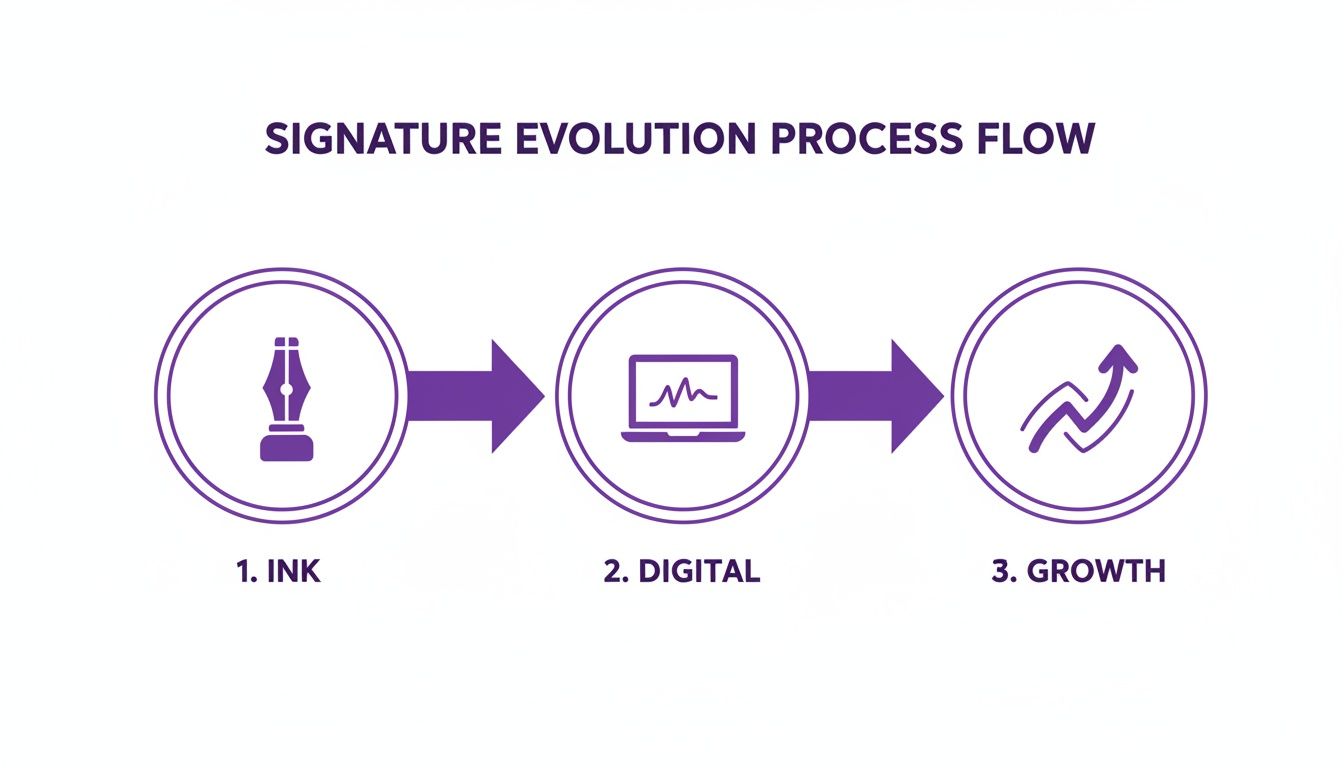
This visual really captures the progression from the old pen-and-paper days to modern, digital signing solutions, showing just how much these new technologies have been adopted. For a deeper dive into modern document workflows, it's worth understanding cloud-based document management systems.
Signing PDFs on a Mac With Preview
If you're on a Mac, the built-in Preview app is a fantastic and often-overlooked tool. No downloads needed. Just open your PDF in Preview, click the "Markup" button (it looks like a pen tip inside a circle), and then select the signature icon.
Just like Adobe Reader, Preview gives you a couple of clever ways to create your signature:
- Use the Trackpad: Click to begin, then draw your name with your finger on the trackpad. Just press any key when you’re done, and it saves automatically.
- Use the Camera: This is my personal favourite. Sign your name on a white piece of paper and hold it up to your Mac's camera. Preview scans it and cleverly turns it into a clean, transparent signature you can use over and over again.
Once your signature is created, just click it from the menu and place it anywhere you need it in the document. It’s a native macOS feature that makes signing documents a seamless part of your workflow. And while you're working with documents, you might find our guide on how to fill out PDF forms online helpful for other common tasks.
Signing Documents on Your Phone or Tablet
Business doesn't stop just because you've stepped away from your desk. For Aussie professionals, being able to finalise an agreement or approve an invoice from anywhere isn't just a luxury-it's essential. Thankfully, signing a PDF on your phone or tablet is incredibly straightforward, whether you're using an iPhone, iPad, or Android device.

These tools are built around touch-screen interaction, so creating a clean, natural-looking signature with your finger or a stylus is a breeze. It means you can get that urgent contract back to a client while waiting for your morning coffee, keeping business moving without a hitch.
Signing a PDF on an iPhone or iPad
Apple has baked document signing right into its operating system, so you won't need to hunt for third-party apps. You can sign a PDF directly within the Mail app or from a document saved in your Files app using the powerful, built-in Markup tool.
When you get a PDF attachment in an email, tap to open it. Look for the Markup icon-it looks like a pen tip inside a circle-and give it a tap. A new toolbar will pop up at the bottom of your screen.
- First, tap the plus (+) button in that toolbar.
- From the menu that appears, choose Signature.
- You can select a previously saved signature or tap Add or Remove Signature to create a new one.
- Simply draw your signature on the screen with your finger or an Apple Pencil and hit Done.
- Now you can drag your signature exactly where it needs to go and resize it to fit the space perfectly.
This native iOS feature is a massive time-saver. Once you save a signature, it automatically syncs via iCloud, making it instantly available across your iPhone, iPad, and even your Mac. You only have to create it once.
For a deeper dive, check out our complete guide on how to sign a document on an iPhone, which walks you through every detail.
Signing PDFs on an Android Device
If you're an Android user, the process is just as simple, though it usually involves a dedicated app since there isn't a single, universal tool like Apple's Markup. One of the best and most reliable free choices is Adobe Fill & Sign.
After downloading the app from the Google Play Store, open the PDF you need to sign. Tap on the screen where your signature should go, then tap the fountain pen icon. Much like the iOS process, you'll be prompted to draw your signature with your finger or a stylus.
The app conveniently saves your signature for next time. For any future documents, you just tap the pen icon again and place your saved signature onto the PDF. It’s a quick, two-tap process that keeps your paperwork flowing, no matter where you are.
Free tools are fantastic for signing the odd document here and there. But for any Australian business that’s growing, there’s a tipping point where those basic solutions just don't cut it anymore.
If you find yourself juggling multiple client contracts, onboarding staff, or sending out a regular stream of agreements, you’ve probably already felt the strain. This is where a dedicated, professional e-signature platform becomes less of a luxury and more of a necessity.
Moving to a professional tool isn't just about making things quicker. It’s a strategic decision about security, legal robustness, and pure operational efficiency. When the stakes are high, you need features designed for real business, transforming a simple signature into a verifiable, tamper-proof record of agreement.
Key Features You Can't Ignore
Professional platforms bring some serious firepower to the table. These aren’t just nice-to-haves; they are fundamental for anyone doing serious business.
- Tamper-Proof Audit Trails: This is a big one. Unlike just pasting a signature image, a professional system creates a detailed log of everything that happens to that document. It records who opened it, when they viewed it, their IP address, and the exact moment they signed. This creates an ironclad, unchangeable record that’s invaluable if a dispute ever arises.
- Enhanced Legal Compliance: These platforms are specifically built to align with Australia's electronic transaction acts. They provide the robust evidence needed to prove who signed what and when, giving you far greater legal protection than a basic signature made in a free PDF viewer.
- Centralised Document Management: Say goodbye to hunting through endless email chains and folders. A dedicated platform gives you a single dashboard to see everything. You can track the status of all your documents, see who still needs to sign, and even set up automatic reminders to gently nudge them along.
To really appreciate the security benefits, it's worth understanding the underlying cryptographic principles like end-to-end encryption that power these platforms.
When Does the Upgrade Make Sense?
So, when is the right time to make the switch? It really comes down to volume and risk.
A freelance designer sending a single contract a month might get by just fine with macOS Preview. But a busy agency onboarding five new clients and ten contractors in the same timeframe? They need a system built for that kind of workflow.
It’s often helpful to see a direct comparison. While free tools are accessible, they come with significant limitations for business use.
Free Tools vs Professional Platforms at a Glance
| Feature | Free Tools (Adobe Reader, Preview) | Professional Platform (e.g., Payly) |
|---|---|---|
| Legal Defensibility | Basic; relies heavily on email records for context. | Strong; detailed, time-stamped audit trail for every action. |
| Security | Low; signature is just an image, easily copied or forged. | High; tamper-proof documents with cryptographic verification. |
| Workflow & Automation | None; completely manual process. | Advanced; automated reminders, templates, and multi-signer routing. |
| Document Tracking | None; you have to manually track via email. | Centralised; real-time dashboard to see status of all documents. |
| Audit Trail | No built-in audit trail. | Comprehensive; records IP addresses, timestamps, and all events. |
| Templates | No; you have to prepare each document from scratch. | Yes; save time by creating reusable templates for common documents. |
Ultimately, a professional platform gives you control and peace of mind that free tools simply can't offer.
The real advantage is integration. A platform like Payly doesn't just collect a signature; it connects that signature to your entire business process. It links the signed service agreement to time tracking, invoicing, and final payment, creating a seamless flow from start to finish.
This kind of connected workflow is a game-changer. It slashes administrative time, minimises the chance of human error, and gets you paid faster. It’s no longer just about figuring out how to digitally sign PDFs; it’s about making that signature the trigger for the next critical action in your business.
Bring It All Together: How Payly’s Integrated Signatures Transform Your Workflow
Knowing how to digitally sign a PDF is a great start, but the real magic happens when that signature becomes a seamless part of your entire business process. For Australian service businesses, it’s not just about getting a document signed; it’s about connecting that approval to the entire project lifecycle-from the initial agreement right through to the final payment. This is where an all-in-one platform like Payly really changes the game.
Let's walk through a common scenario for a freelance consultant. You’ve just wrapped up a major project. Instead of jumping between different apps, you can generate a GST-compliant invoice directly from your tracked hours, all within Payly. With one click, you send it off. Your client then gets a request to digitally sign the PDF invoice, creating a legally binding approval of the completed work. The best part? It all happens in one place, with a complete audit trail attached.
From Time Tracking to a Paid Invoice
This kind of integrated approach gets rid of the friction that eats up your time and money. It swaps out all those clunky, manual steps for a smooth, automated flow.
- Track Every Minute: Log all your billable hours, whether you're at your desk or on the go via mobile.
- Create Pro Invoices: Instantly convert your timesheets into branded, professional invoices.
- Request a Signature: Send the invoice for a secure, legally binding e-signature.
- Get Paid Quicker: The moment the invoice is signed, automated payment reminders can be triggered.
This whole sequence is managed inside one system. It gives you a crystal-clear view of every project's status without ever needing to switch tabs or open another program. It’s simply a smarter way to work, built specifically for the needs of Australian professionals.
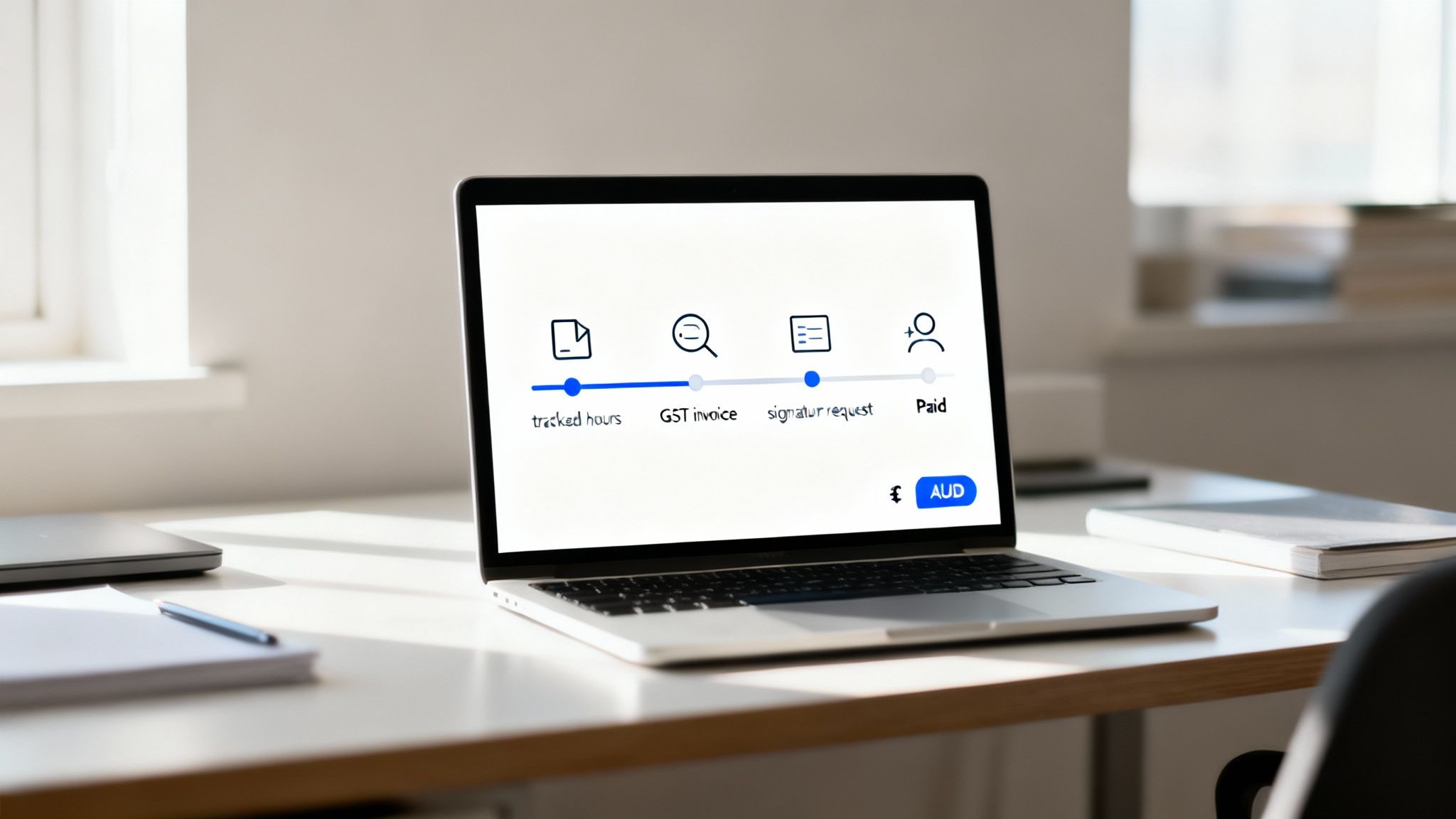
This process isn't just a concept; it’s a complete, end-to-end workflow, from the work you do to the money landing in your bank account, all powered by a single, unified system.
The push for this type of digital workflow is picking up serious steam in Australia. The national Digital Identity system, which went live in November 2024, is forecast to save AUD 11.4 billion over the next ten years by making online verification simpler and more trustworthy. This government initiative is accelerating the adoption of digital PDF signing everywhere, creating the perfect climate for platforms like Payly that blend compliance with pure efficiency. You can dig into more data on the digital signature market growth to see the trend for yourself.
The true advantage of an integrated platform isn't just about signing a document. It’s about what that signature kicks off next. It becomes the critical link that connects your project delivery, client approval, and payment cycle into one airtight process.
Built for Australian Businesses
Payly was designed from the ground up with the local market in mind. It has built-in support for AUD, handles GST calculations for you, and even manages public holiday schedules by state to keep your timesheets and project plans spot on. It’s a practical tool that takes the place of needing multiple, expensive subscriptions for separate time tracking, invoicing, and e-signature software.
By bringing all these functions under one roof, Payly gives you back your most precious asset: your time. You can spend less energy bogged down in admin and more on what you do best-delivering fantastic work for your clients, all while knowing your operational workflow is completely sorted.
Common Questions About Signing PDFs in Australia
Even with the best tools at your disposal, a few practical questions always seem to pop up when you start signing documents digitally. Let's walk through some of the most common hurdles Australian professionals face and give you the clear answers you need to handle them with confidence.
Are Digital Signatures Legally Binding in Australia?
Yes, they absolutely are. In Australia, electronic and digital signatures are legally recognised thanks to the Electronic Transactions Act 1999 (and similar state laws).
For a signature to be valid, it just needs to do two things: reliably identify the person signing and show they intended to agree to the document's contents. One crucial detail is that both parties have to agree to do business electronically. This is where platforms with a solid audit trail really shine, as they capture clear proof of consent throughout the entire signing process.
Why Can't the Recipient See My Signature?
This is probably the most common troubleshooting call we get. If someone says they can't see your signature, it's almost always because they're using an outdated or incompatible PDF viewer that can’t properly display the signature details.
Here’s what to tell them to do:
- First, try opening the document in the latest version of Adobe Acrobat Reader. It’s the industry standard for a reason and usually sorts out rendering issues.
- Look for a blue bar or a notification at the top of the screen that says something like, "Signed and all signatures are valid." This confirms the signature is embedded in the file, even if it’s not showing up visually.
It’s also worth remembering that some digital signatures don't have a visible image of a signature at all. The real proof is the cryptographic data embedded in the file, which can always be checked in the signature panel.
What if I Need to Sign a Document for a Government Agency?
This is a great question, as government forms often have stricter requirements. When you're dealing with agencies like the ATO or Services Australia, a simple electronic signature might not cut it. Many of their processes now require a verified digital identity solution, such as myGovID.
For important government or legal paperwork, you’ll likely need what's called a certificate-based digital signature. These are a step up in security, issued by a trusted authority that links your signature to a verified digital identity. It's the highest level of assurance you can get, so always double-check the specific signing requirements of the agency you're submitting to.
Ready to stop juggling multiple apps and bring your entire workflow into one place? Payly combines time tracking, smart invoicing, and legally binding e-signatures into a single, powerful platform built for Australian businesses. Streamline your operations and get paid faster. Start your free 14-day trial today.
Payly Team
Sharing insights and strategies to help service businesses thrive. Follow Payly for more tips on time tracking, invoicing, and business operations.
Related Articles
Ready to streamline your business?
Join thousands of freelancers and agencies who use Payly to track time, send invoices, and get paid faster.