
7 Best Free Sample Work Plan Template Options for 2026
Discover the best free sample work plan template for your Australian business. Download our top picks in Word, Excel, and Sheets to streamline your projects.
Payly Team
January 7, 2026
A well-structured work plan is the foundation of any successful project, translating ambitious goals into a clear, actionable roadmap. For Australian service businesses, from solo freelancers to growing agencies, a solid work plan ensures everyone is aligned, resources are allocated effectively, and deadlines are met without last-minute chaos. It’s the difference between organised progress and reactive fire-fighting. Yet, creating one from scratch can be a significant drain on time you'd rather spend on client work.
This guide simplifies that process entirely. We've curated a comprehensive list of the best platforms offering a sample work plan template perfect for the unique demands of Australian service delivery. Each entry is more than just a link; it’s a strategic breakdown. We provide a preview, direct download options (Word, Google Sheets, Excel), and practical notes on how to customise each template for your specific needs, whether you're a marketing consultancy, a professional services firm, or a creative agency.
You'll discover how to integrate these templates directly into your existing time tracking and invoicing workflows, creating a seamless operational flow from project kickoff to final payment. Think of these templates not just as documents, but as strategic tools to enhance efficiency and project clarity. For those looking to standardise even broader business functions, exploring various operations manual templates can offer a valuable framework that complements your project-specific work plans. Dive in to find the perfect template that will streamline your projects and empower your team.
1. Atlassian Confluence
Atlassian Confluence offers a robust, free "Work plan" template that functions as a collaborative project hub rather than a static document. As an Australian-founded company, Atlassian has designed this tool with a deep understanding of modern team dynamics, making it an excellent sample work plan template for service businesses already embedded in or transitioning to a more structured, digital project management ecosystem. It’s a dynamic, living document designed for real-time updates and team collaboration.
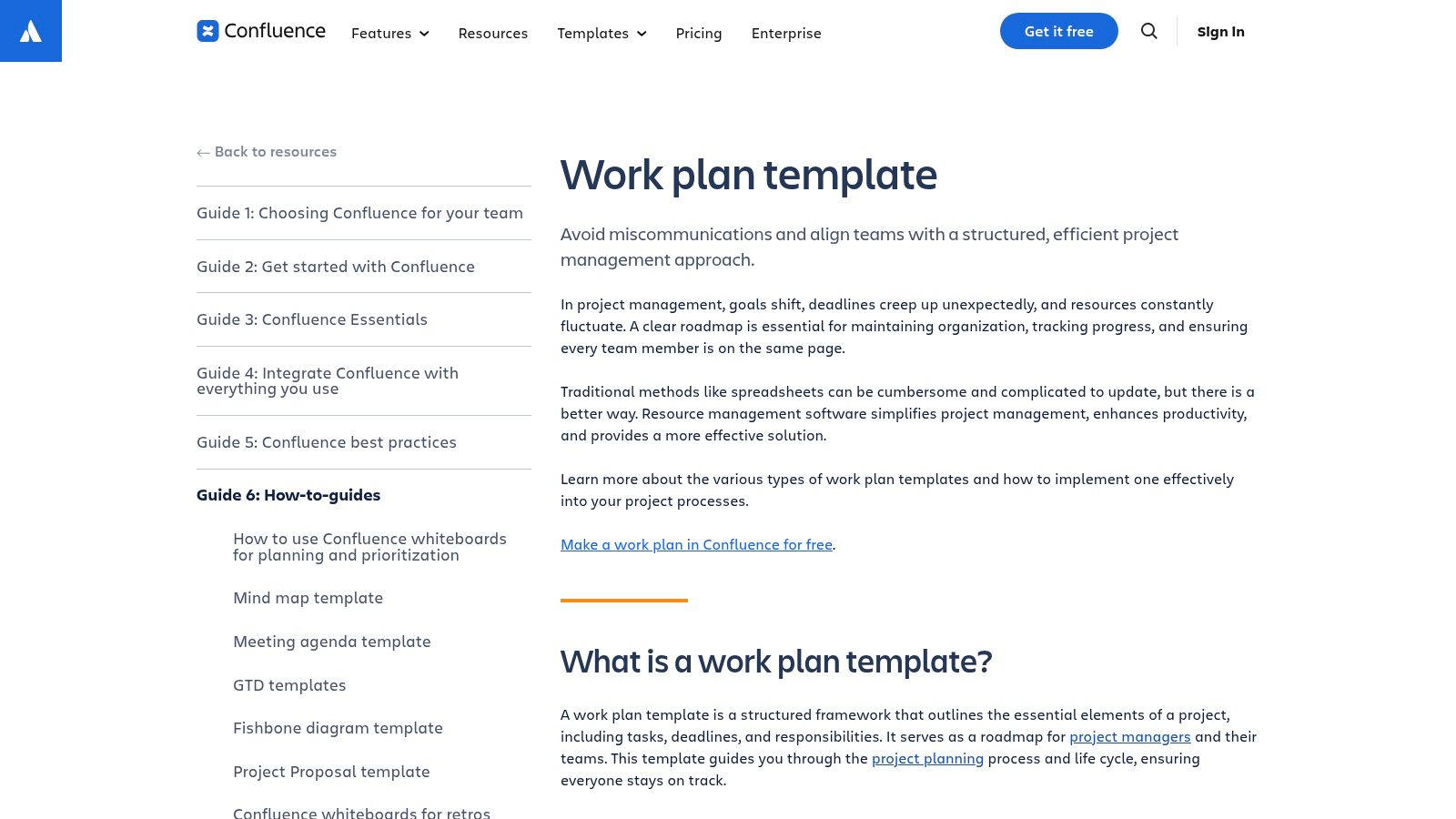
This template is less about creating a document to email and more about establishing a single source of truth for a project's lifecycle. It is particularly powerful for Australian agencies, software developers, and professional service firms that manage complex projects with multiple stakeholders.
Strategic Analysis & Key Features
Confluence’s strength lies in its native integration within the Atlassian suite. If your team uses Jira for task and issue tracking, this work plan becomes a command centre. You can embed Jira tickets directly into the plan, automatically updating their status as work progresses. This eliminates the need for manual progress reports and ensures everyone has a real-time view of project health.
The user experience is clean and intuitive for those familiar with modern document editors. Real-time co-editing, inline comments, and a detailed page history make collaboration seamless, especially for distributed or remote teams.
Key Features:
- Structured Sections: Pre-built sections for Goals, Status, Team Members, Resources, Timeline, and Milestones ensure comprehensive planning.
- Jira & Trello Integration: Natively link tasks and issues, creating a connected workflow from high-level planning to granular execution.
- Collaboration Tools: Real-time editing and commenting foster active participation and clear communication.
- Accessibility: The template is available within Confluence’s free tier, allowing you to create a project space and duplicate the work plan instantly.
Practical Tips for Australian Businesses
To get started, simply sign up for a free Confluence account and use the search function to find the "Work plan" template. When you create a new page, it will be an option in the template gallery.
Pro Tip: Customise the template by adding a "Client Communication Log" section. This helps service-based businesses in Australia keep a clear record of all client interactions, decisions, and feedback directly within the project's central document, enhancing accountability and reducing disputes.
The biggest drawback is the learning curve for teams new to the Atlassian ecosystem. While powerful, it can feel like overkill if you just need a simple, standalone work plan. The true value is unlocked when used in conjunction with other Atlassian products.
| Feature | Pros | Cons |
|---|---|---|
| Integration | Seamless connection to Jira and Trello | Less effective as a standalone tool |
| Collaboration | Excellent for real-time team input | Can be complex for simple projects |
| Cost | Free to start and use the template | Advanced features require paid plans |
| Customisation | Highly flexible with macros and add-ons | Initial setup can be time-consuming |
Website: Atlassian Confluence Work Plan Guide
2. Smartsheet
Smartsheet provides a versatile and highly accessible collection of work plan templates, making it an ideal starting point for businesses that prefer traditional document formats like Excel, Word, or Google Sheets. Unlike platform-specific solutions, Smartsheet offers these resources for free download, allowing Australian service businesses to quickly adopt and customise a sample work plan template without committing to a new software ecosystem. It’s a practical, no-barrier approach for those needing a solid foundation for project planning.
This approach is perfect for freelancers, small agencies, and professional service firms that need a functional, easy-to-share document for client proposals or internal alignment. The templates are designed to be immediately usable, filled with example data and clear instructions that guide you through the process of outlining project goals, tasks, and timelines effectively.
Strategic Analysis & Key Features
Smartsheet’s primary strength is its simplicity and flexibility. The templates are standard, universally compatible files (XLSX, DOCX) that require no special software beyond the Microsoft Office or Google Workspace suite. This makes them incredibly easy to integrate into existing workflows. You can download a template, tailor it to a specific client project, and attach it to an email in minutes.
The platform also acts as a gentle introduction to more sophisticated project management. While the templates function perfectly as static documents, they are designed for seamless import into the Smartsheet platform. This creates a clear upgrade path for businesses that start with a simple spreadsheet and later decide they need live tracking, automated alerts, and collaborative features. You can explore a more advanced setup by learning more about document management software in Australia.
Key Features:
- Multiple Formats: Templates are available for Excel, Word, and Google Sheets, catering to different business preferences.
- Variety of Templates: Offers specialised plans including team, individual, monthly, quarterly, and annual work plans.
- Guided Setup: Each template includes example data and step-by-step guidance to simplify the planning process.
- Free and Accessible: The downloads are completely free, with no requirement to sign up for the Smartsheet platform.
Practical Tips for Australian Businesses
To get started, visit the Smartsheet work plan templates page and select the format that best suits your needs. The Excel and Google Sheets versions are particularly useful for projects that require budget tracking or resource allocation, as you can add formulas to automate calculations.
Pro Tip: Use the "Individual Work Plan" template for onboarding new Australian employees or contractors. Customise it to outline their 30, 60, and 90-day goals, key responsibilities, and required training. This transforms a simple template into a powerful performance management tool.
The main limitation of the downloadable templates is their static nature. Without importing them into Smartsheet, they lack real-time collaboration and automated updates. This means progress must be tracked and communicated manually, which can be inefficient for larger or more complex projects.
| Feature | Pros | Cons |
|---|---|---|
| Accessibility | Truly free downloads, no signup needed | Templates are static unless used on the platform |
| Ease of Use | Familiar formats (Excel, Word) | Manual updates required for progress tracking |
| Cost | Free to download and use offline | Live tracking requires a paid Smartsheet plan |
| Flexibility | Quick to adapt for any business size | Lacks real-time collaboration features |
Website: Smartsheet Work Plan Templates
3. ClickUp
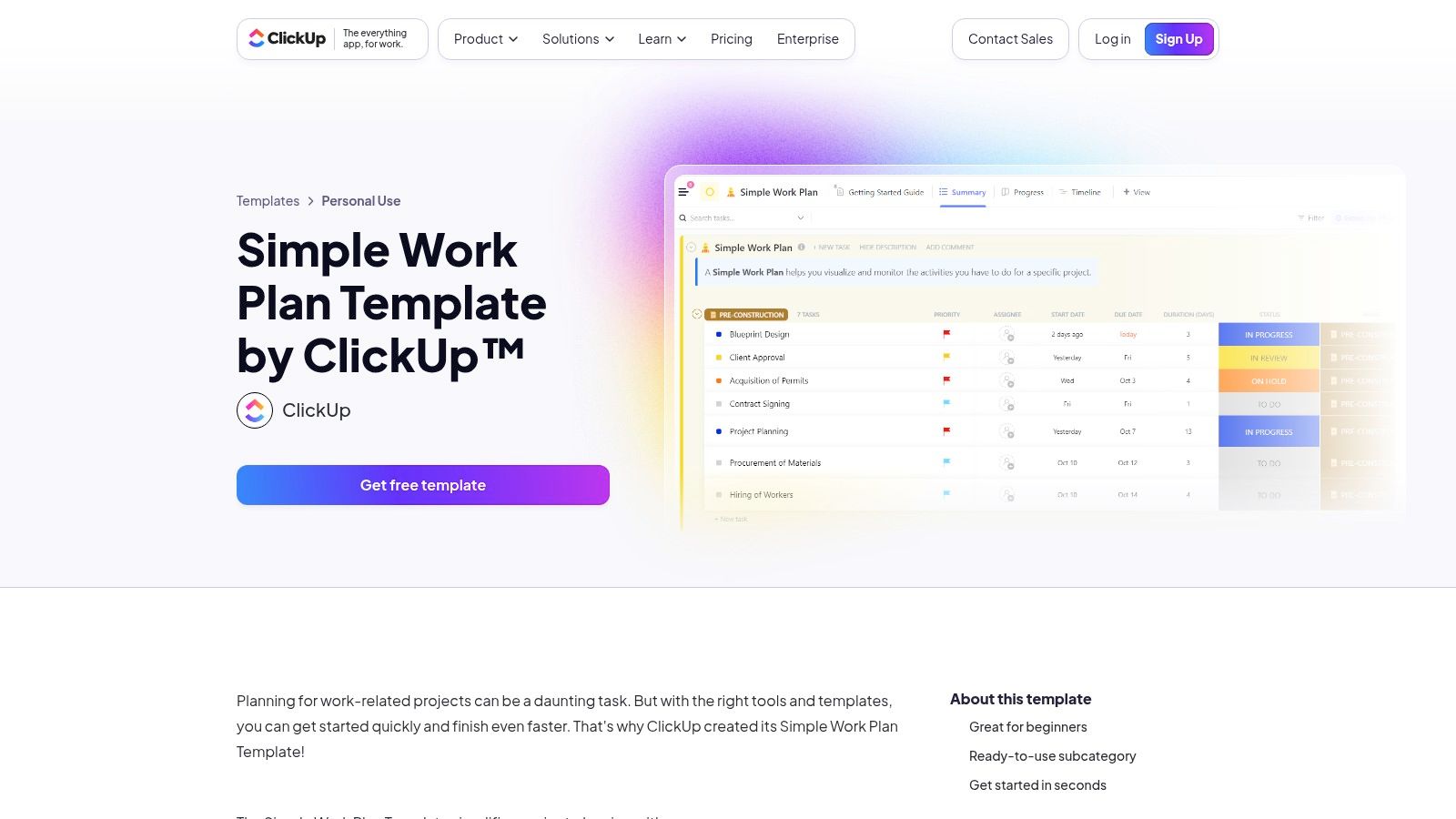
ClickUp offers a versatile and highly visual "Simple Work Plan" template that serves as a powerful starting point for structured project management. It strikes an excellent balance between pre-configured detail and customisable flexibility, making it a fantastic sample work plan template for Australian service businesses looking for a tool that can scale from solo use to full team collaboration. Unlike static documents, this template is an interactive dashboard for managing tasks and tracking progress in real-time.
This template is ideal for Australian agencies, consultants, and small businesses that need more than a simple spreadsheet but aren't ready for a heavy enterprise-level system. Its strength is in providing a clear, organised framework that can be implemented quickly, allowing teams to standardise their project planning process without a steep learning curve.
Strategic Analysis & Key Features
ClickUp's advantage is its all-in-one nature. The "Simple Work Plan" template comes with pre-built custom fields for assigning teams, defining outcomes, and tracking project phases. It also includes multiple views out-of-the-box, such as a Timeline (Gantt chart), a high-level Summary, and a Progress tracker. This means you can visualise your work plan from different strategic perspectives without any manual setup.
The user experience is modern and intuitive, with a drag-and-drop interface that makes adjusting timelines and reassigning tasks simple. For Australian businesses that frequently work with external contractors or clients, ClickUp’s guest access feature is a significant benefit, allowing stakeholders to view progress without needing a full paid seat. The platform's capabilities also position it as a form of professional services automation software, centralising planning and execution.
Key Features:
- Pre-configured Structure: Comes with ready-to-use statuses and custom fields (Team, Outcome, Phase, Duration) to guide the planning process.
- Multiple Views: Instantly switch between Timeline, Summary, and Progress views to see data from different angles.
- Generous Free Plan: The template is fully accessible on ClickUp’s Free Forever plan, which is robust enough for many small businesses.
- Quick Setup: The template can be added to your workspace with a single click, allowing for immediate and structured work planning.
Practical Tips for Australian Businesses
To access the template, sign up for a free ClickUp account and navigate to the Template Center. Search for "Simple Work Plan" and add it to your desired Space or Folder. This creates a new list populated with the template's structure.
Pro Tip: Customise the pre-built "Phase" custom field to match your business's specific project lifecycle. For an Australian digital agency, this might be "Discovery & Strategy," "Design & UX," "Development," and "Launch & Optimisation." This small change makes the template feel bespoke to your operations.
The main limitation is that to get the most out of ClickUp, your team needs to commit to working within the platform. While you can export data, its true power lies in its interactive and integrated environment. The Free plan also has limits on storage and advanced automations, which may necessitate an upgrade as your business grows.
| Feature | Pros | Cons |
|---|---|---|
| Setup | Quick to set up with a strong, pre-built structure | Requires working inside the ClickUp ecosystem |
| Scalability | Suitable for solo users and scales well for teams | Advanced features require paid plans |
| Cost | Powerful free plan makes it very accessible | Exporting complex project setups can be difficult |
| Flexibility | Good balance of structure and customisation | Free plan has limits on storage and automations |
Website: ClickUp Simple Work Plan Template
4. monday.com
monday.com provides a highly visual, board-based "Work Plan" template designed for intuitive task management and status tracking. This platform excels at turning complex plans into colourful, easy-to-understand boards, making it an ideal sample work plan template for Australian businesses where team members may not have formal project management training. Its user-friendly interface lowers the barrier to entry for effective project planning and execution.
The template is fundamentally a customisable board where each row is a task or action item. You can then add columns for owners, status updates, due dates, and priorities. This visual approach is particularly effective for creative agencies, marketing teams, and service businesses in Australia that benefit from seeing the big picture at a glance.
Strategic Analysis & Key Features
monday.com’s key advantage is its vast Template Centre, which offers numerous variations of work plans tailored to specific needs, such as remote work (WFH) plans or high-level organisational plans. This flexibility allows businesses to find a starting point that closely matches their unique workflow rather than building from scratch. The platform's strength lies in its simplicity and visual appeal, which promotes adoption across different departments.
The user experience is centred around drag-and-drop functionality and customisable columns. Automations can be set up to handle repetitive tasks, like notifying a team member when a task's status changes. While it's a powerful online tool, it also supports exporting to Excel, offering a bridge for teams that still rely on traditional spreadsheets for reporting.
Key Features:
- Visual Boards: Colour-coded statuses and clear ownership columns make it easy to see project progress instantly.
- Extensive Template Centre: A wide variety of pre-built templates for different planning scenarios, including WFH and organisational work plans.
- Customisable Columns: Add columns for people, status, dates, priorities, and more to fit your project's specific needs.
- Excel Integration: Easily import from or export to Excel for seamless data transfer and reporting.
Practical Tips for Australian Businesses
You can access the work plan template by signing up for a monday.com account (a free trial is available) and searching their Template Centre. Start with the basic work plan and then explore adding automations to streamline communication.
Pro Tip: Use the "Status" column with custom labels that match your service delivery process (e.g., "Awaiting Client Feedback," "In Review," "Ready for Invoicing"). This simple customisation provides immediate clarity on where each project stands, which is crucial for Australian service businesses managing multiple client accounts.
The main drawback is that advanced features, such as template governance and higher platform limits, are reserved for more expensive, higher-tier plans. For a small business or freelancer, the limitations on the free or basic plans might be a constraint as the team grows.
| Feature | Pros | Cons |
|---|---|---|
| Usability | Highly visual and easy for non-PMs | Feature access varies significantly by plan |
| Flexibility | Large template ecosystem for many use cases | Can become costly as teams and needs scale |
| Customisation | Easily adaptable boards and columns | Advanced governance is on Enterprise plans |
| Integration | Good import/export with Excel | Full power requires commitment to the platform |
Website: monday.com Work Plan Template
5. ProjectManager
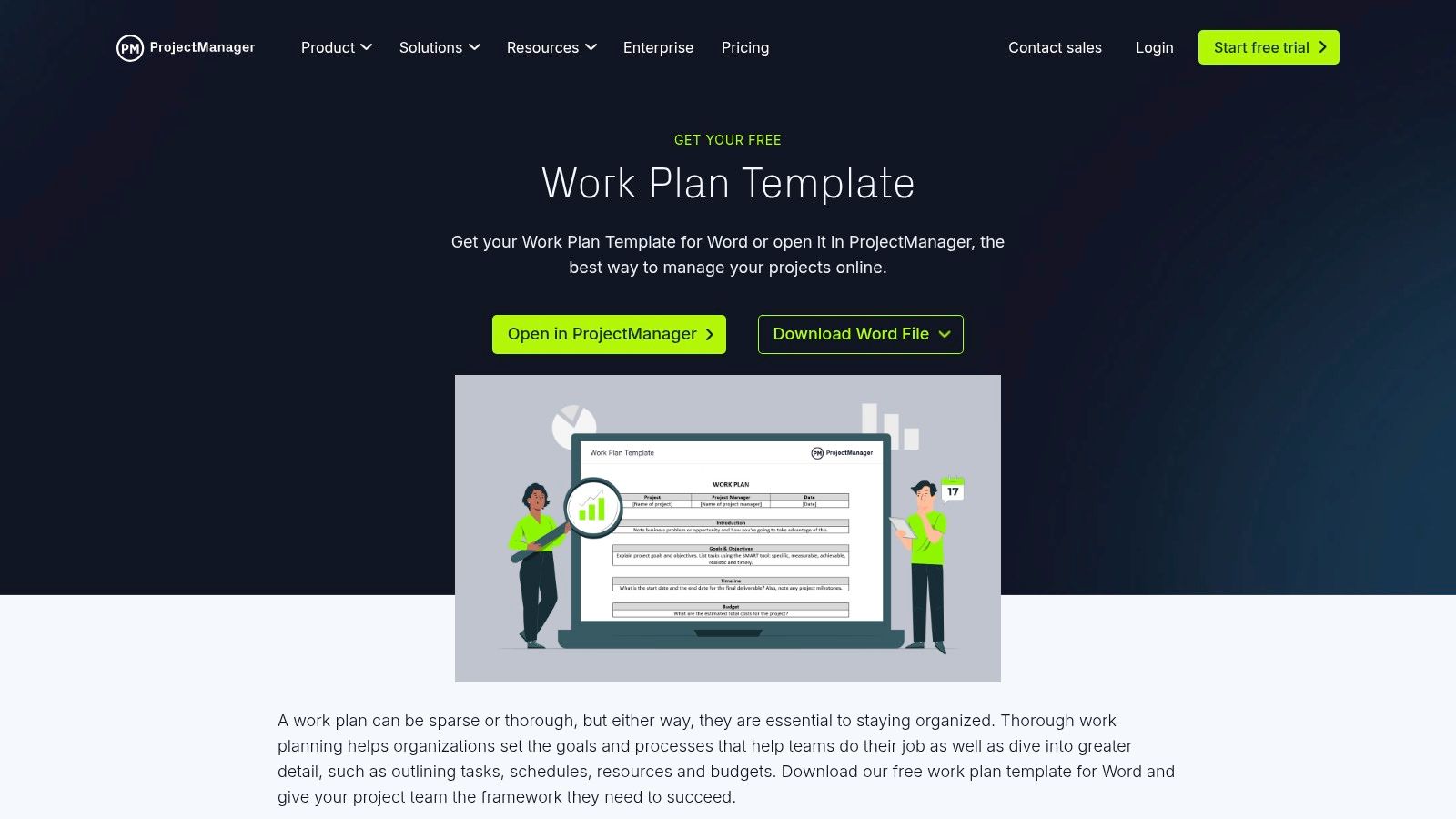
For teams and clients who prefer traditional, narrative-style planning documents, ProjectManager offers a comprehensive and free DOCX template. It is designed as a classic, formal document that outlines every critical project element before work begins. This makes it an ideal sample work plan template for Australian consultancies, legal firms, and professional service providers who need to deliver a detailed, static plan for client sign-off or internal approval.
This template serves as a foundational agreement, providing clarity and setting expectations in a format that is universally accessible with Microsoft Word or Google Docs. It’s perfect for projects where a formal, written record is paramount before moving into a more dynamic execution phase.
Strategic Analysis & Key Features
The core strength of ProjectManager’s template is its thorough, step-by-step structure. It guides you through creating a complete narrative, covering everything from high-level goals and success criteria to granular details like the risk log and team responsibilities. This approach minimises the risk of overlooking critical planning components, which is especially valuable for junior project managers or businesses formalising their planning processes.
Unlike collaborative platforms, this template is a standalone file. While this makes real-time updates challenging, it excels as a point-in-time deliverable. The detailed sections encourage you to think through the entire project lifecycle, from resource allocation to a clear project schedule, ensuring all stakeholders are aligned from the start.
Key Features:
- Comprehensive Structure: Includes dedicated sections for goals, timeline, budget, roles, a risk log, and success metrics.
- Traditional Format: Delivered as a downloadable DOCX file, ensuring compatibility and ease of use for clients who prefer tangible documents.
- Guided Planning: The template's layout provides clear instructions and prompts, helping users build a robust plan without prior experience.
- Instant Access: Available for immediate download without requiring a sign-up, offering a quick and straightforward solution.
Practical Tips for Australian Businesses
To use this template, simply visit the ProjectManager website and download the DOCX file. Open it in your preferred word processor and fill in the sections relevant to your project.
Pro Tip: Before sending the final document to a client, save it as a PDF. This ensures the formatting remains intact across different devices and prevents unintentional edits, presenting a more professional and finalised plan.
The main limitation is its static nature. Collaboration involves emailing versions back and forth, which can lead to confusion. The template also serves as a gateway to ProjectManager's paid software, where more dynamic features like Gantt charts and real-time dashboards are available.
| Feature | Pros | Cons |
|---|---|---|
| Format | Great for clients wanting a traditional document | Static file; difficult for real-time collaboration |
| Guidance | Clear, step-by-step framing is helpful for new planners | Lacks the dynamic features of software-based tools |
| Cost | The template is completely free to download | Advanced planning tools require a paid subscription |
| Simplicity | Easy to download, edit, and share | Requires manual updates for any project changes |
Website: ProjectManager Work Plan Template
6. Template.net
Template.net offers a vast library of highly specific work plan templates, making it a go-to resource for businesses needing a specialised starting point. Instead of providing a single generic template, this platform offers dozens of variations tailored to niche roles and industries, such as nonprofit, marketing, employee, and annual work plans. This makes it an ideal sample work plan template source for Australian businesses seeking a document that closely matches their unique operational needs right out of the box.
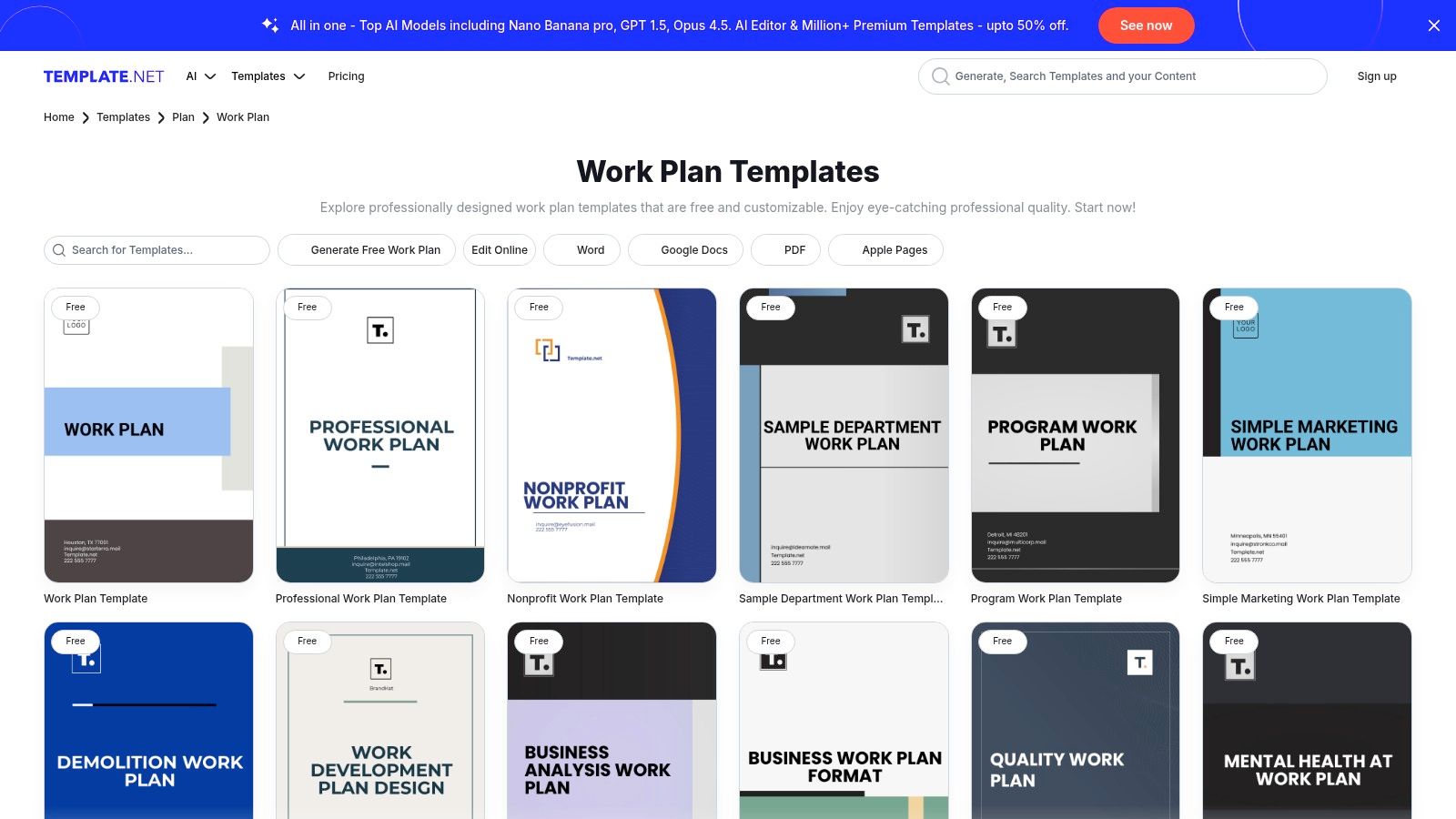
This platform excels at providing quantity and variety, allowing freelancers, agencies, and professional services firms to find a template that requires minimal customisation. While many assets are free to download, a subscription unlocks premium designs, advanced export options, and AI-powered editing features.
Strategic Analysis & Key Features
The core strength of Template.net is its sheer volume and specificity. An Australian marketing agency doesn't have to adapt a generic project plan; they can download a "Marketing Work Plan" that already includes sections for campaign goals, target audience, and channel strategy. This specialisation significantly reduces the initial setup time and ensures industry-relevant fields are included from the start.
The user experience is straightforward: search, select, and either edit online or download. The online editor is a convenient feature for quick adjustments, and the platform's support for multiple file formats (Word, Google Docs, PDF) ensures compatibility with common office software used by Australian businesses and their clients. The AI editor and brand kit features, available to subscribers, further streamline the customisation process.
Key Features:
- Specialised Formats: A huge collection of templates for different sectors and purposes, from project management to employee development.
- Multiple Export Options: Downloadable in DOCX, Google Docs, PDF, and other common formats for maximum flexibility.
- Online Editor: Make quick changes directly in your browser before downloading the final document.
- Freemium Model: A mix of free templates for basic needs and premium options for more polished or complex designs.
Practical Tips for Australian Businesses
When using Template.net, use specific search terms like "creative agency project work plan" or "consultant weekly work plan" to filter through the extensive catalogue and find the most relevant option. Always preview the template to assess its quality and structure before downloading, as consistency can vary.
Pro Tip: Use a free template as a structural foundation. Download it in Google Docs or Word, then add your own branding and customise sections to fit your specific service delivery process. This gives you a professional, tailored document without needing a paid subscription.
The primary drawback is the variability in template quality and the fact that the most polished designs and advanced features are locked behind a paywall. For businesses that only need a single, simple work plan, the sheer number of options could also feel overwhelming.
| Feature | Pros | Cons |
|---|---|---|
| Selection | Broad variety for almost any niche or industry | Quality and complexity can be inconsistent |
| Compatibility | Supports common office file types like Word & PDF | Advanced export features require a subscription |
| Cost | Many templates are available for free | Best assets and editing tools are paid |
| Customisation | Online editor and multiple formats simplify changes | Free customisation options are basic |
Website: Template.net Work Plan Templates
7. Canva
Canva offers a unique approach, blending educational resources with a suite of free, visually-driven templates. As another Australian-founded powerhouse, Canva has designed its tools for accessibility and aesthetic appeal, making it an ideal sample work plan template source for creative agencies, freelancers, and service businesses who need to present plans to non-technical stakeholders. It focuses on producing polished, easily shareable documents that are both professional and easy to understand.
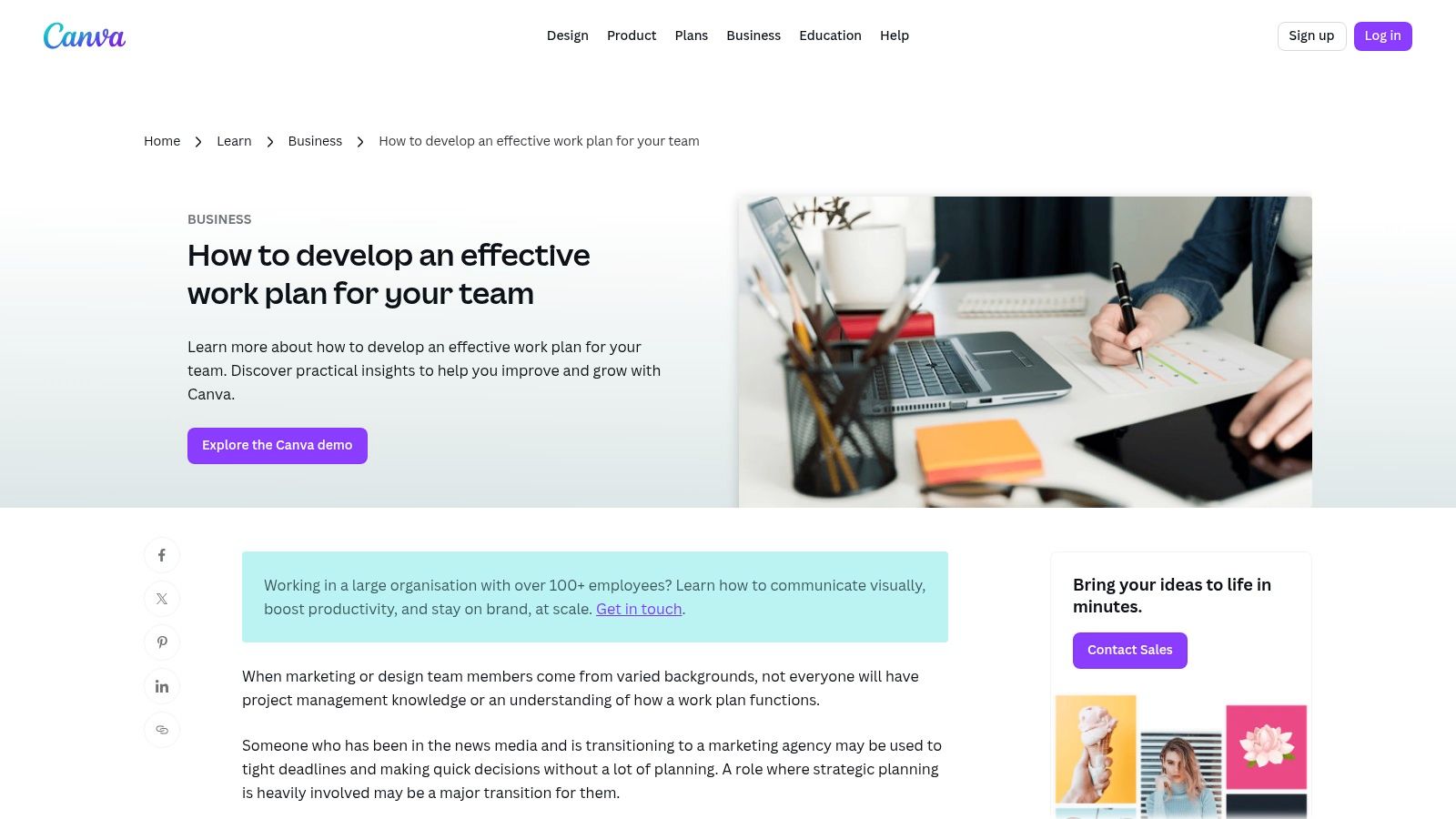
This platform excels at creating client-facing documents. Rather than focusing on deep project management mechanics, Canva’s templates are built for communication and presentation, ensuring that project goals, timelines, and deliverables are communicated with clarity and visual impact.
Strategic Analysis & Key Features
Canva’s key advantage is its unparalleled ease of use and design flexibility. Unlike dedicated project management tools, it allows Australian businesses to infuse their brand identity directly into their work plans with minimal effort. This is crucial for creative agencies, marketing firms, and consultants who use every client touchpoint as a branding opportunity. The templates, available in Canva Docs and Sheets, are intuitive and require virtually no training to use.
The platform supports real-time collaborative editing, making it simple for teams to build out a plan together. You can easily share a view-only link with clients or export the entire plan as a high-quality PDF or image file for inclusion in proposals or presentations. While it lacks advanced features like Gantt charts or dependency tracking, its strength lies in its simplicity and presentational quality.
Key Features:
- Design-Centric Templates: A vast library of professionally designed templates for project management, timelines, and reports.
- Brand Integration: Easily apply your company’s colours, fonts, and logos to any template for consistent branding.
- Collaborative Editing: Invite team members to edit documents in real-time on both web and mobile platforms.
- Versatile Export Options: Download plans as PDFs, PNGs, or JPEGs, or share them via a direct link.
Practical Tips for Australian Businesses
Begin by exploring Canva’s "Effective Work Plan" guide to understand the core principles, then search their template library for "project plan" or "work plan" to find a starting point. The free tier is incredibly generous and provides all the necessary tools for creating and sharing a comprehensive plan.
Pro Tip: Create a master "Client Project Plan" template in your Canva brand kit (a Pro feature, but highly recommended). This ensures every new work plan your team creates is automatically on-brand, saving time and reinforcing your professional image with every Australian client.
The primary limitation is its lack of depth as a project management tool. It's not designed for complex resource allocation or real-time progress tracking against granular tasks. It works best as a high-level planning and communication document, rather than an all-in-one project execution platform.
| Feature | Pros | Cons |
|---|---|---|
| Visual Appeal | Excellent for creating client-friendly, on-brand documents | Lacks the functional depth of dedicated PM software |
| Ease of Use | Extremely intuitive interface with a minimal learning curve | Limited functionality for task dependencies or reporting |
| Cost | Generous free tier with powerful collaborative features | Advanced AI and brand management tools require a Pro plan |
| Collaboration | Simple real-time co-editing and link sharing | Not suitable for managing complex project workflows |
Website: Canva Effective Work Plan Guide
Sample Work Plan Template: Top 7 Comparison
| Solution | Implementation complexity | Resource requirements | Expected outcomes | Ideal use cases | Key advantages |
|---|---|---|---|---|---|
| Atlassian Confluence | Moderate, easy if in Atlassian stack, steeper otherwise | Confluence account; Jira for full value; some advanced features require paid plan | Collaborative, structured work plans with issue-tracking links | Distributed software/project teams already using Atlassian | Native Jira integration, real-time co-editing, structured template |
| Smartsheet | Low for downloads; moderate to enable live tracking in platform | None for offline templates; Smartsheet subscription for live features | Fillable static templates for offline use; optional live tracking when imported | Teams needing quick downloadable templates or offline workflows | Multiple formats (XLSX/DOCX/Sheets), clear guidance and examples |
| ClickUp | Low, ready-to-use template on Free plan | ClickUp account (Free available); paid tiers for advanced automations/storage | Structured, view-rich work plan with statuses and custom fields | Solo users to small teams wanting quick setup and multiple views | Free plan support, multiple built-in views and preconfigured fields |
| monday.com | Low to moderate, visual boards are easy, governance on higher tiers | monday.com account; advanced governance on paid plans | Visual board-based plans with priorities, owners and timelines | Non-PM users and teams that prefer visual, board-centric workflows | Highly visual UI, large template center, easy onboarding |
| ProjectManager | Low, simple DOCX download; higher if using paid software features | No tools needed for DOCX; paid software for Gantt/dashboards | Traditional narrative-style work plan document for client deliverables | Consultants and clients who prefer document-based plans | Complete Word template (goals, budget, risks), quick download |
| Template.net | Low, searchable downloads; quality varies | Internet access; subscription for premium templates/exports | Wide variety of niche templates across industries, editable formats | Teams needing industry-specific templates or many format options | Broad template library, multiple export formats (DOCX/Google/PDF) |
| Canva | Low, template-based visual creation | Canva account (Free); Pro for advanced AI/brand features | Visually polished, shareable plans suitable for stakeholders | Marketing, design, or stakeholder-facing plans that need strong visuals | Fast on-brand visuals, collaborative editing, easy exports |
Final Thoughts
We've explored a diverse range of powerful tools, each offering a unique sample work plan template to help Australian service businesses streamline their operations. From the collaborative powerhouse of Atlassian Confluence to the visual simplicity of Canva, the right framework exists to transform your project planning from a chore into a strategic advantage. The journey through Smartsheet, ClickUp, monday.com, ProjectManager, and Template.net has highlighted one central theme: a well-structured work plan is the bedrock of successful project execution, client satisfaction, and business growth.
The key takeaway is that the 'perfect' template is not a one-size-fits-all solution. Instead, it's the one you can consistently use and adapt to your specific business needs. The most effective work plan is a living document, not a static file saved and forgotten. It should be a central source of truth that guides daily tasks, informs stakeholder communication, and provides a clear benchmark for measuring progress and success.
From Template to Triumph: Your Action Plan
To move from theory to practice, consider these final actionable steps. This is how you translate the potential of a sample work plan template into tangible results for your freelance business, agency, or firm.
-
Conduct a Needs Analysis: Before committing to a tool, honestly assess your primary requirements. Do you need robust dependency management like that in Smartsheet or ProjectManager? Is real-time collaboration and documentation, a strength of Confluence, your top priority? Or is it the all-in-one customisation of ClickUp and monday.com that will best serve your team?
-
Start Small and Customise: Select one or two templates that resonate most with your workflow. Don't try to implement every feature at once. Begin with a single project, populate the template with real data, and actively use it. Tweak the sections, columns, and terminology to match your business's unique language and processes.
-
Integrate for Efficiency: A work plan's power is amplified when it connects seamlessly with your other business systems. Focus on integrating your chosen template with your time tracking and invoicing software. This creates a powerful, unified workflow where planned tasks flow directly into timesheets, and approved work is converted into invoices with minimal manual effort. This not only saves administrative time but also drastically reduces the risk of revenue leakage from unbilled hours.
-
Establish a Review Cadence: Schedule regular check-ins to review and update your work plan. This could be a quick daily stand-up or a more detailed weekly project review. This discipline ensures the plan remains relevant and continues to provide value, helping you proactively identify risks and adapt to changes rather than reacting to them.
As you implement these plans, you'll inevitably handle numerous associated documents, from project briefs to final reports. For managing large or consolidated project files, it's crucial to have efficient document handling processes in place. Learning how to master PDF splitting for efficient document workflows can be incredibly useful for breaking down cumbersome reports into shareable sections for different stakeholders.
Ultimately, the goal is to find a system that reduces administrative friction and empowers you to focus on delivering exceptional value to your clients. By selecting the right sample work plan template and committing to its implementation and refinement, you are not just organising tasks; you are building a more resilient, profitable, and professional service business.
Once your project is complete and your work plan is fulfilled, ensure you get paid promptly and professionally. Payly simplifies the final, most crucial step by integrating directly with your invoicing workflow, offering your clients easy, modern payment options. Turn your completed work plans into paid invoices faster with Payly.
Payly Team
Sharing insights and strategies to help service businesses thrive. Follow Payly for more tips on time tracking, invoicing, and business operations.
Related Articles

Ready to streamline your business?
Join thousands of freelancers and agencies who use Payly to track time, send invoices, and get paid faster.