
How to Electronically Sign in PDF: Quick, Secure, Legally Binding
Learn how to electronically sign in pdf with a simple, secure method. Explore tools and tips for legally binding e-signatures on any device.
Payly Team
January 16, 2026
Knowing how to electronically sign a PDF is pretty straightforward with the right tools. The whole point is to go beyond just pasting an image of your signature onto a document. It’s about preparing your file, adding a verifiable signature, and locking in the agreement to create a legally sound record. This ensures your contracts and forms look professional and, more importantly, are enforceable.
Your Quick Guide to Electronically Signing a PDF
Getting a PDF signed shouldn’t be a headache. Thankfully, modern platforms have made the entire process incredibly simple. A true electronic signature creates a secure, verifiable record of who signed what and when: a must-have for any Australian business.
The workflow usually boils down to three main phases: getting the document ready, applying the actual signature, and then finalising everything with a secure audit trail.
For Australian freelancers and agencies, knowing the difference between the available methods is crucial. Your standard PDF editor might let you slap a signature image on a document, but that often falls short of the security and legal weight needed for important contracts. This is exactly where dedicated e-signature platforms shine.
Comparing Your Options
Different situations call for different tools. A quick internal memo probably doesn't need Fort Knox-level security. A major client contract, on the other hand, absolutely does.
Business-grade platforms offer features that are lightyears ahead of just adding a signature image. Think of things like:
- Cryptographic Audit Trails: A detailed, tamper-proof log capturing every single action: views, signatures, IP addresses, and timestamps.
- Legally Binding Status: Signatures that are compliant with Australia's Electronic Transactions Act 1999.
- Automated Workflows: The power to send documents to multiple people in a specific sequence and nudge them with automatic reminders.
A proper electronic signature is far more than just a picture of your John Hancock. It’s a secure, time-stamped, and verifiable action that protects everyone involved in the agreement. It turns a simple document into a legally enforceable record.
Let's break down the common methods you'll come across.
E-Signature Methods Compared for Australian Businesses
| Method | Security Level | Legal Standing in Australia | Best For |
|---|---|---|---|
| Pasting an Image in a PDF Editor | Low | Questionable; lacks verification | Internal, non-critical documents. Not recommended for contracts. |
| Basic "Draw Signature" Tools | Low to Medium | Weak; difficult to prove signer identity | Quick, informal agreements where legal risk is minimal. |
| Dedicated E-Signature Platforms | High | Strong; meets legislative requirements | Client contracts, proposals, NDAs, and all legally binding agreements. |
| Digital Signatures (Certificate-Based) | Very High | Very Strong; uses encrypted certificates | High-value transactions, government forms, and regulated industries. |
As you can see, for any serious business use, a dedicated platform is the only real choice. It provides the necessary security and legal backing to give you confidence in your agreements.
Dedicated platforms like Payly offer a comprehensive e-signature solution built specifically for Australian businesses, making sure you stay compliant and have complete peace of mind.
Getting Your PDF Ready for a Legally Binding Signature
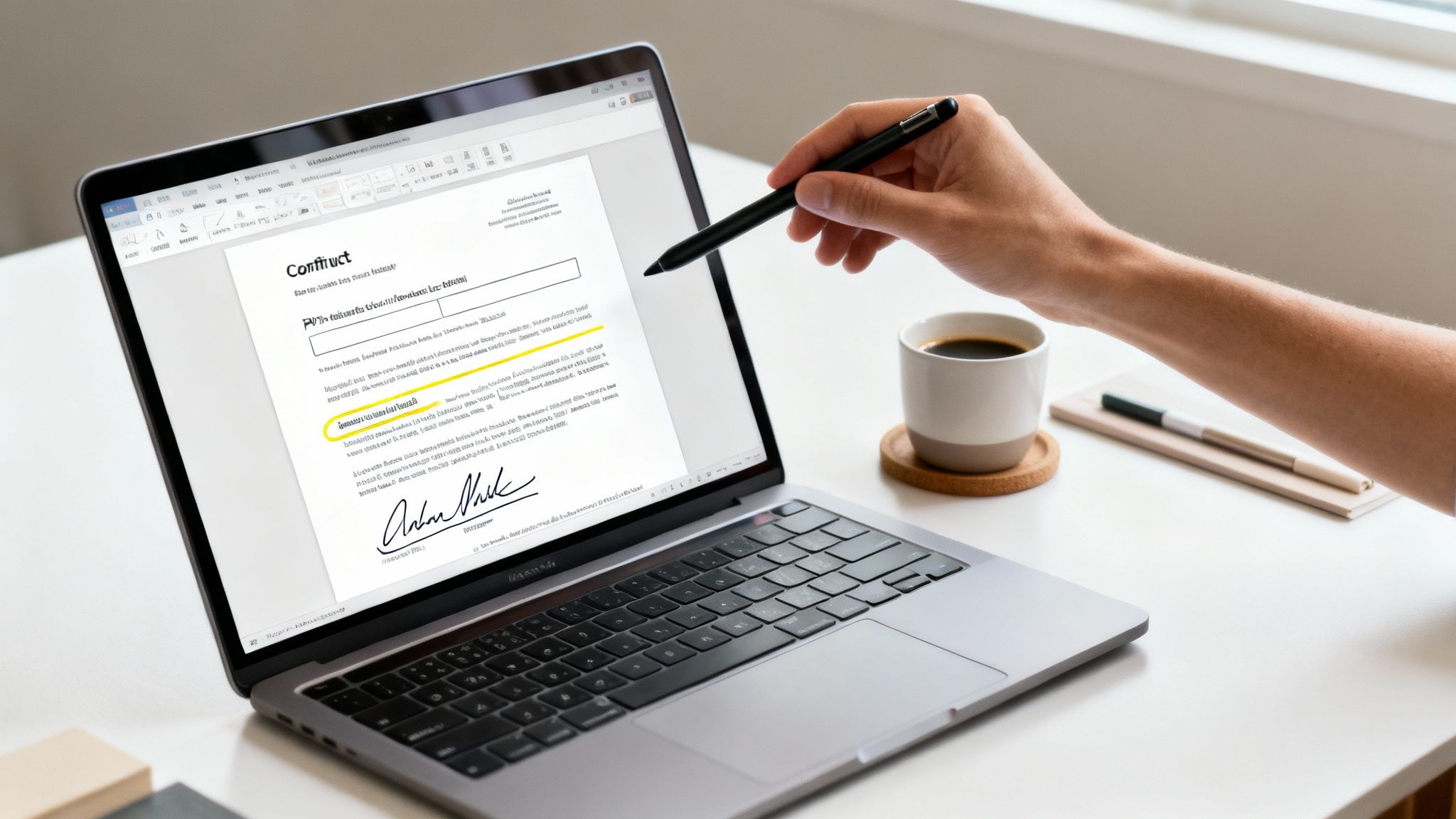
Before you even get to the signing part, the document itself has to be spot on. A signature is only as good as the agreement it’s on, so for any Australian freelancer or agency, starting with a professional, clearly structured PDF is non-negotiable.
This prep work isn't just about looking good; it's about making sure everything is clear, preventing mistakes, and protecting everyone involved. It’s what separates a quick, seamless agreement from a confusing back-and-forth that chips away at a client's confidence.
Setting Up Your Document for Success
First things first, make sure the document is final. Before you ask for a signature, you'll want to properly set it up, often by using an online PDF reader to check that everything is in order. This means a final proofread, double-checking all the numbers, and ensuring the layout is clean and professional.
Think about it: sending a service agreement full of typos or old information immediately damages your credibility. A polished document, on the other hand, tells your client you're meticulous and trustworthy.
With the content finalised, it's time to add the interactive fields. This is where your client will fill in their details and sign. A quality e-signature platform makes this easy by letting you drag and drop fields for:
- Signatures: The main spot where each person will place their legal signature.
- Initials: Perfect for confirming they’ve read specific clauses or pages in a lengthy contract.
- Dates: These should automatically fill in with the date of signing to keep the records accurate.
- Text Fields: Let clients add their name, ABN, address, or any other necessary details.
Placing these fields thoughtfully guides your client through the document, making the whole process intuitive and error-proof.
The Power of Templates
For any busy freelancer or agency in Australia, creating a perfectly formatted contract from scratch for every single client is a massive time-drain. This is where templates truly shine.
Using a pre-built and legally sound template doesn’t just save time, it ensures consistency. Every client gets the same professional, compliant document, which cuts down your legal risk and admin work on every project you start.
Platforms like Payly let you save your go-to documents, like proposals or service agreements, as templates. All your custom fields for signatures, dates, and client info are saved right there, letting you whip up a new contract in just a few clicks. It’s a simple way to make sure you never forget a critical field or accidentally send an outdated version. If you need more advanced options, you can also learn how to create an editable PDF form to gather more detailed client information.
Why Locking the Document is Critical
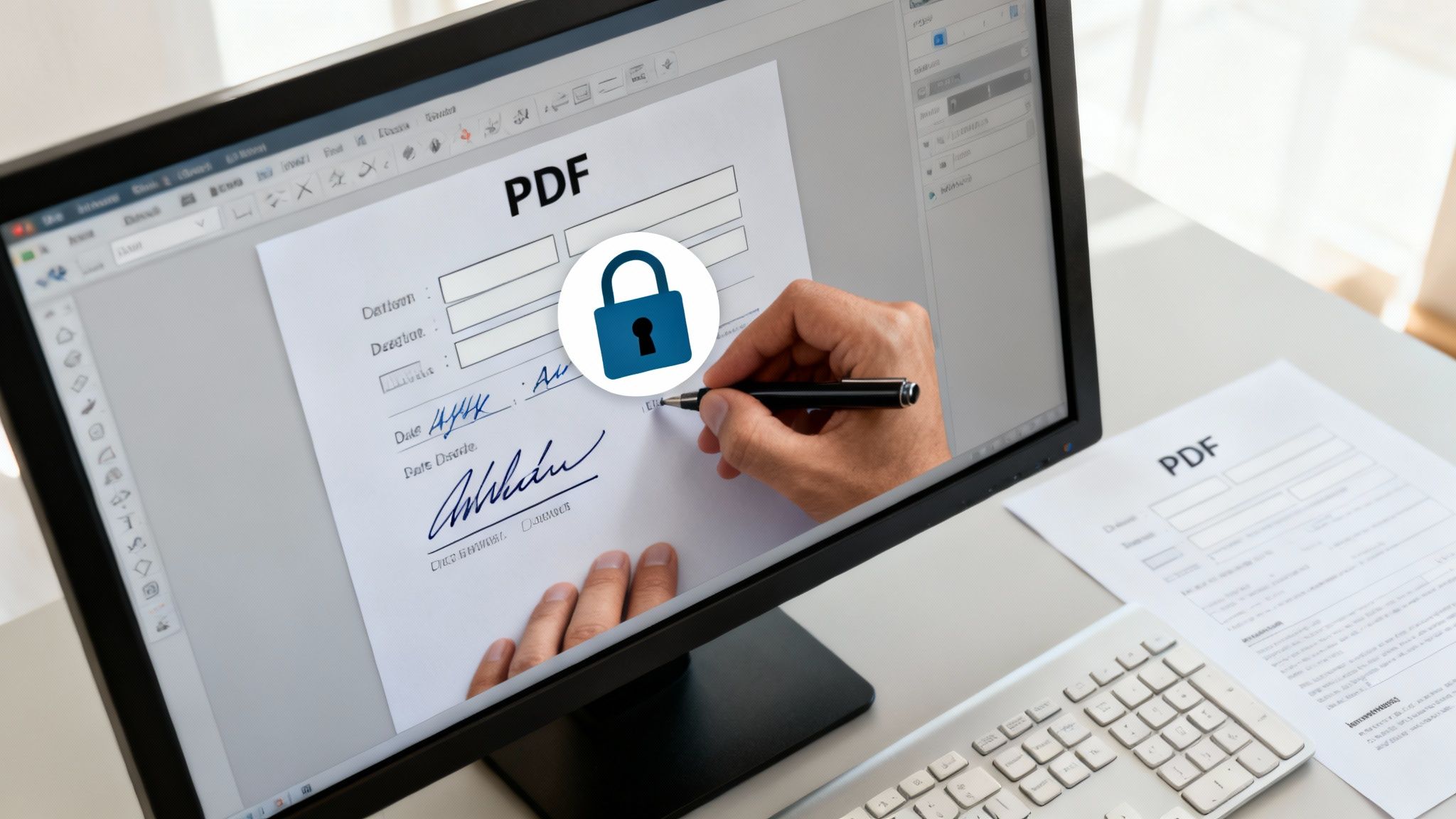
Once all the signatures are on the document, there's one last crucial step: locking it. Honestly, this is one of the most important security measures in the entire process.
An unlocked PDF can be altered after it has been signed, which completely invalidates the agreement and leaves you wide open to potential fraud. A secured, locked PDF becomes a tamper-evident file. Any attempt to change it after the fact would break its cryptographic seal, instantly flagging that the document's integrity has been compromised. This final action is what transforms a simple PDF into a legally solid and defensible record.
Alright, let's get into the nitty-gritty of actually signing a PDF. The great news is that modern platforms have made this process incredibly straightforward, whether you're sitting at your desk or handling business on the move. The goal isn't just to get a picture of your signature on a page; it’s about creating one that’s securely and legally linked to you.
This kind of flexibility is a must-have for Australian businesses these days. With remote work and digital-first operations becoming the norm, the demand for reliable e-signatures has really taken off.
Creating Your Unique Electronic Signature
First things first, you need to create your signature. You'll usually have a few different ways to do this, so you can pick whatever feels most comfortable. Most platforms are built to handle your personal preference, making sure the final result looks professional and authentic.
Your main options will almost always be:
- Drawing it yourself: Use your mouse or trackpad to sketch your signature right on the screen. If you're on a phone or tablet, your finger or a stylus works perfectly.
- Uploading an image: Already have a crisp, clear image of your handwritten signature? Just upload the file. This is a brilliant choice if you want to keep your signature looking consistent across all documents.
- Typing your name: This is often the fastest route. Simply type your name, and the software will generate a handful of professional-looking, script-style fonts for you to choose from.
Once you’ve created it, your signature gets saved. That means you can reuse it on any future document without having to go through the whole process again: a real time-saver for freelancers and agency owners who are constantly juggling contracts.
Placing Your Signature and Other Key Details
With your signature ready to go, the next step is to get it onto the PDF. Modern tools make this as easy as dragging and dropping. You just click on the signature field in the document, and your saved signature pops right in.
But here’s where a dedicated platform really shows its worth. You aren't just slapping an image onto a file; you're interacting with a secure field that ties your action to the document's cryptographic audit trail. This is also where you can add other crucial information with total precision:
- Date Fields: Most are set to automatically fill in the current date, which removes any guesswork and ensures accuracy.
- Initial Boxes: For those long, multi-page contracts, you can quickly stamp your initials on each page to show you've reviewed it.
- Text Boxes: Need to add your printed name, job title, or company details? Just type them into the designated text fields.
Here’s a look at how a clean user interface guides you through placing your signature and other fields onto a document.
This visual, step-by-step approach makes it hard to miss a required field and ensures everything lands exactly where it needs to be.
Signing Seamlessly Within Your Workflow
Honestly, the most efficient way to manage e-signatures is to use an integrated system. When your signing tool is built into the same platform you use for invoicing and project management, like Payly, the whole process just flows. You can forget about the clumsy routine of downloading a PDF, uploading it to a separate signing service, and then re-uploading the signed copy back into your records.
An integrated workflow lets you create an invoice or contract, send it off for a signature, and get the executed copy back, all within one system. It keeps all your critical business documents organised, secure, and easy to find in a single place.
This unified approach is a massive win for efficiency. It’s also part of a much bigger trend in the Australian market, where businesses are adopting digital tools to get work done smarter. Australia's digital signature market has seen huge growth, pulling in USD 117.1 million in revenue in a single year and is projected to skyrocket to USD 891.1 million by 2030. This boom really kicked off when regulations opened the door for businesses to transact digitally, and that shift continues to fuel the demand for secure, streamlined solutions. If you're interested in the data, you can discover more insights about Australia’s e-signature landscape.
Requesting Signatures and Managing Document Workflows
Signing a document yourself is often just the first step. The real power comes when you need to gather signatures from clients, partners, or your own team. This is where you graduate from simply signing a document to actually managing an entire agreement from start to finish.
Modern platforms are built for this. You can send a document to multiple people, see exactly who has opened it, and make sure everyone signs in the right order. It's the end of chasing email attachments and playing guessing games about who still needs to sign.
The idea is to make the process as hands-off as possible, freeing you up from tedious admin. With the Australian digital signature market booming, this kind of organised workflow is quickly becoming the standard.
Setting the Signing Order
Sometimes, you just need everyone to sign, and the order doesn't matter. But what about more complex situations, like a multi-party contract where one director has to sign off before it goes to the next? That's when defining a signing order becomes absolutely critical.
You can easily set up a sequential workflow. The document automatically travels from signatory A to signatory B, but only after A has completed their part. This gives you complete control and avoids any confusion. Most systems also handle the follow-ups for you, sending out gentle, automated reminders to anyone who’s holding things up. No more awkward "just checking in" emails.
The real value isn't just getting a signature; it's the automated, trackable workflow that surrounds it. You get a clear view of where every document stands, who has signed, and who needs a follow-up, all without sending a single reminder email yourself.
This simple, three-step flow is designed to be intuitive for everyone involved, whether they're creating the document or adding their signature.
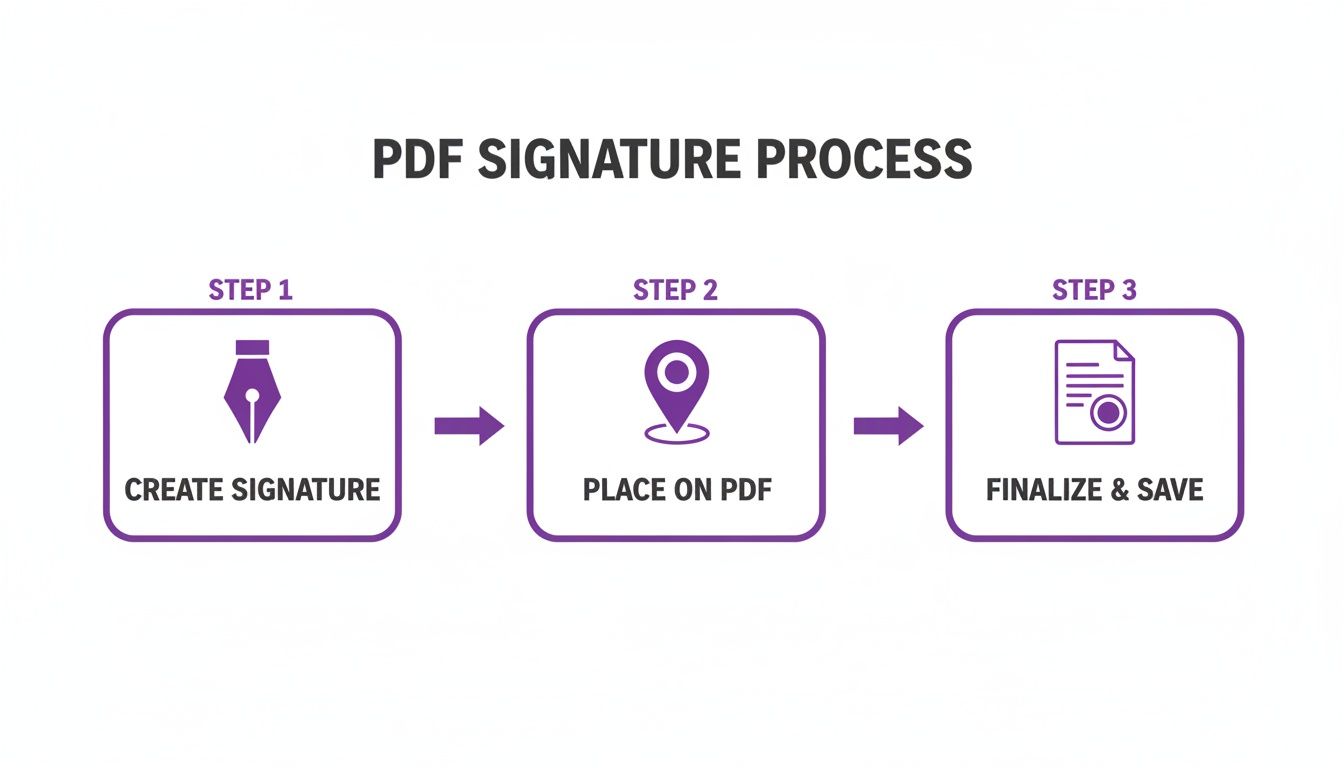
As you can see, the journey from an unsigned draft to a finalised, legally binding agreement is quick and painless.
Your Best Friend for Legal Proof: The Audit Trail
This is where the real magic happens, especially when it comes to your legal peace of mind. Every time a document is sent, viewed, or signed through a reputable platform, a cryptographic audit trail is created in the background. It’s like a digital fingerprint that records every single interaction with your document.
This audit trail, usually provided as a separate certificate when everyone has signed, is your indisputable proof of the entire process. It captures key details, including:
- Timestamps: The exact date and time of every action taken.
- IP Addresses: The unique internet address of the device used for each signature.
- Signatory Information: The name and email address of everyone who interacted with the document.
Having this comprehensive record provides a verifiable history that's incredibly difficult to challenge in a dispute. It gives you solid evidence if the validity of a signature is ever questioned. This level of security is a massive reason the market is growing so fast. In fact, the Australian digital signature market, which hit USD 306.5 million, is projected to soar to USD 3.34 billion by 2034.
And once your documents are signed, you need an easy way to share them. Learning how to create a QR code can be a game-changer. For an easy-to-follow walkthrough, check out this complete guide to creating a QR code for a PDF to streamline how you distribute the final copies.
Are E-Signatures Legally Binding in Australia?
For any Australian business, the big question is always: "Will this actually hold up in court?" It's a fair question. When you move away from paper contracts and physical ink, you need complete confidence that your digital agreements are legally sound.
Thankfully, Australia sorted this out years ago. The legal backbone for electronic signing is the Electronic Transactions Act 1999. This key piece of federal legislation gives electronic signatures the same legal weight as their traditional "wet ink" counterparts for most business and personal agreements.
This legal certainty has been a game-changer, paving the way for businesses across the country to adopt digital workflows. In fact, you can read the full research about the Australian digital signature market and see just how much confidence this framework has created, especially when everyone involved agrees to sign electronically from the get-go.
The Checklist for a Valid E-Signature
So, what makes an electronic signature legally valid under the Act? It’s not about fancy technology, but about meeting a few common-sense conditions. Think of it as a simple checklist to make sure your agreements are airtight.
Here are the main things the law looks for:
- You Know Who's Signing: There must be a reliable way to identify the person and show they intended to sign the document.
- Everyone Agrees to It: All parties involved must have consented to doing business and signing documents electronically.
- The Method is Trustworthy: The signing process needs to be reliable enough for the specific situation, ensuring the signature's integrity can't be easily compromised.
If this sounds complicated, don't worry. A good e-signature platform is designed to handle all of this automatically. These systems create a detailed audit trail that logs every single action, from when the document was opened to the final click to sign.
An electronic signature isn't just a picture of your name; it's the entire process behind it. The law cares most about how reliable that process is at proving who signed and that they meant to be bound by the agreement.
Electronic vs. Digital Signatures: What's the Difference?
You’ll often hear the terms "electronic signature" and "digital signature" used as if they're the same thing. While they're related, there's a technical difference that's good to know, as it speaks to the level of security you're using.
An electronic signature is the broad, catch-all term. It can be as simple as typing your name into a form, drawing your initials with a mouse, or even just ticking an "I agree" box.
A digital signature, on the other hand, is a specific, much more secure type of electronic signature. It uses advanced, certificate-based encryption to lock the document down and verify its integrity after signing.
If you want to get into the technical nitty-gritty, you can learn more about what a digital signature is in our detailed article. Knowing the difference helps you pick the right tool for the job, ensuring every digital contract you send is secure, verifiable, and fully backed by Australian law.
Frequently Asked Questions About E-Signatures
Even after you've mastered how to electronically sign a PDF, a few questions tend to crop up. Getting the answers right not only helps you but also gives your clients the confidence they need to ditch paper for good.
Let's tackle some of the most common queries I hear from business owners.
What's the Real Difference Between an Electronic and a Digital Signature?
This one comes up a lot. While people often use the terms interchangeably, they aren't quite the same thing. Think of it like this: an electronic signature is the broad category. It’s any electronic mark that shows you intend to sign; even just typing your name in an email can count.
A digital signature, on the other hand, is a specific, super-secure type of electronic signature. It uses complex encryption to create a unique "fingerprint" that links you to the document. If anyone tries to alter the document after it's signed, the digital signature will show it's been tampered with.
How Do I Convince a Hesitant Client to Sign Electronically?
It's completely normal to encounter a bit of hesitation. Most of the time, it’s just a fear of the unknown, not a genuine objection. My advice? Be proactive and educate them.
I find it helps to explain that the platform you're using (like Payly) generates a legally-binding audit trail. This trail is often far more robust and secure than a traditional ink signature ever could be.
Point out the sheer convenience: they can review and sign in just a few minutes, from their phone or computer, without ever touching a printer. A quick mention that the whole process is protected by bank-level security and fully complies with Australian law usually seals the deal.
When a client is on the fence, I always centre the conversation on two things: security and simplicity. I'll explain that e-signing actually protects both of us with a verifiable, time-stamped record that’s much harder to dispute than a scrawl on a piece of paper.
What's the Best Way to Store Signed Documents?
Once the ink is dry (so to speak), you need a solid plan for storing your agreements. Just dragging the signed PDF onto your desktop isn't going to cut it for long-term compliance or simple organisation. A secure, centralised system is non-negotiable.
Here are a few methods that work well:
- Let your e-signature tool do the work: Most platforms, including Payly, provide secure cloud storage for all your signed and completed documents.
- Connect it to your cloud storage: You can often link your signing platform to services like Google Drive or Dropbox to automatically file away signed contracts into the right folders.
- Get your naming convention sorted: A simple, consistent file name like "ClientName_ProjectName_Agreement_Date.pdf" will save you a world of headaches down the track.
Putting these simple habits in place means your most important documents will always be safe, organised, and easy to find when you need them.
Ready to bring your documents, invoices, and signatures under one roof? Payly is designed specifically for Australian service businesses, giving you all the tools you need to streamline your work and get paid faster. Stop switching between different apps and see what an all-in-one platform can do for your business. Start your free 14-day trial today.
Payly Team
Sharing insights and strategies to help service businesses thrive. Follow Payly for more tips on time tracking, invoicing, and business operations.
Related Articles
Ready to streamline your business?
Join thousands of freelancers and agencies who use Payly to track time, send invoices, and get paid faster.