
How Do You Electronically Sign a PDF Document Your Quick Guide
Discover how do you electronically sign a PDF document on any device. Get clear, actionable steps for Mac, Windows, mobile, and secure business platforms.
Payly Team
January 2, 2026
Got a contract staring back at you from your screen? If you’re wondering how to sign it without wrestling with a printer and scanner, you're in the right place. You can electronically sign a PDF using built-in computer tools, mobile apps, or dedicated e-signature platforms.
Each route offers a different mix of security and convenience, ranging from a quick, informal sign-off to a legally binding agreement complete with a full audit trail.
Your Quick Guide to Signing a PDF Electronically
Knowing how to electronically sign a PDF isn’t just a neat trick anymore; it’s an essential skill. Whether you're a freelancer locking in a new project, a small business onboarding a team member, or just approving an invoice, the old "print, sign, scan" routine is officially a thing of the past. The right digital tool saves you time, cuts down on paper clutter, and speeds up your entire workflow.
But let's be honest, the number of options out there can be a bit much. Do you just need a simple, free tool for a one-off task? Or are you handling important contracts that demand a high level of legal validity? The best choice really comes down to what you're trying to achieve.
This flowchart is a great starting point for figuring out which path makes the most sense for you.
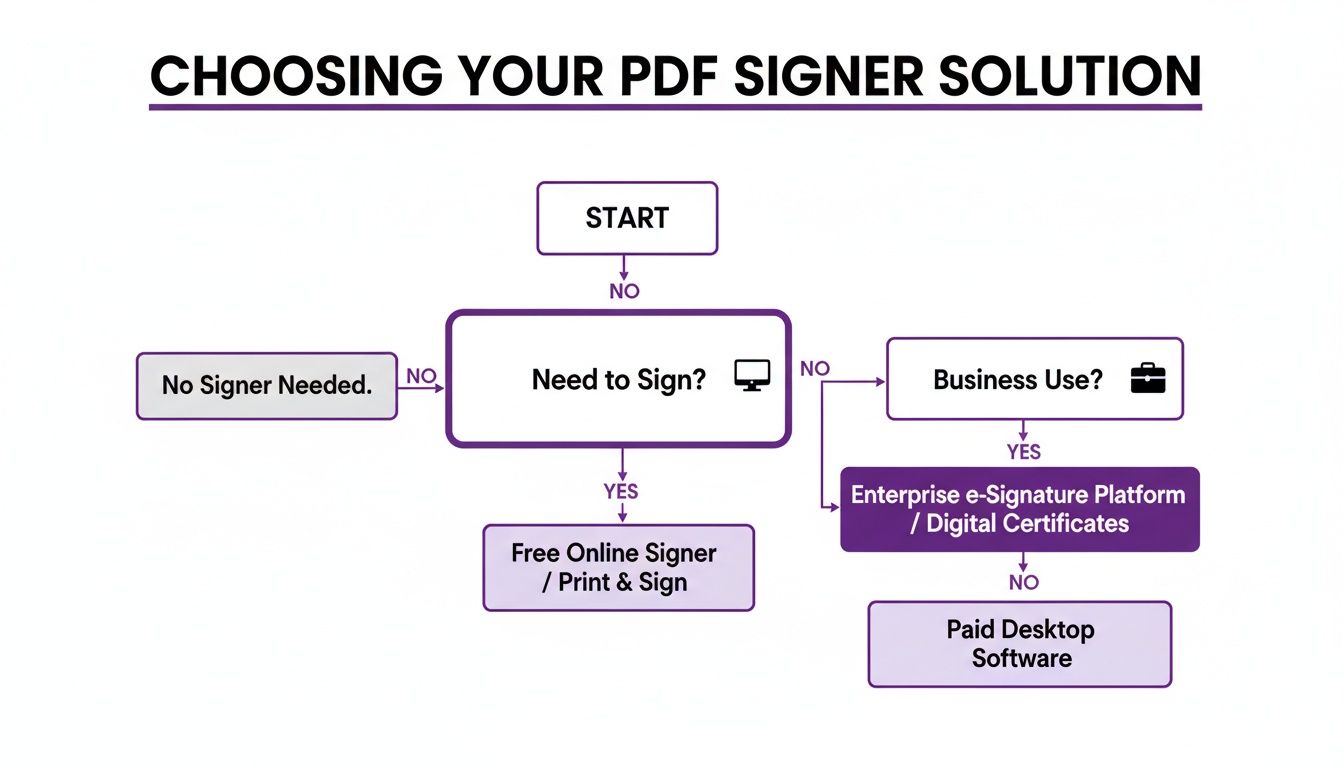
As you can see, the decision really hinges on a single question: is this for personal, occasional use, or is it for regular business operations? Once you get into business territory, things like audit trails, security, and legal compliance become a whole lot more important.
Which PDF Signing Method Is Right for You?
To help you get a clearer picture, I've put together a quick comparison of the most common ways to sign a PDF. Each has its pros and cons, especially when you factor in security and legal standing here in Australia.
| Signing Method | Best For | Security Level | Australian Legal Validity |
|---|---|---|---|
| Built-in OS Tools (macOS Preview, Windows) | Quick, informal signatures on low-risk documents like internal forms. | Low – Just a visual representation. No verification. | Generally not suitable for formal or contested agreements. |
| Adobe Acrobat Reader (Free Version) | Simple signing with a bit more structure than basic OS tools. Good for personal use. | Low to Medium – Creates a digital signature but lacks a robust audit trail. | May be acceptable for low-value agreements, but lacks strong evidence. |
| Browser-Based PDF Tools | One-off signing when you don't want to install software. Convenient but variable. | Low – Security varies widely between free online tools. | Not recommended for anything legally sensitive due to a lack of verifiable identity. |
| Dedicated E-Signature Platforms | Business contracts, client agreements, and any legally binding document. | High – Includes encrypted audit trails, identity verification, and tamper-sealing. | Strong – Designed to meet and exceed requirements of the Electronic Transactions Act. |
Think of it this way: the free tools that come with your computer are great for signing off on an internal memo or a permission slip. They get the job done quickly.
But when you're dealing with a client contract or a sales agreement, you need something more robust. A dedicated e-signature service is the only way to get a legally compliant signature with total peace of mind. These platforms create a cryptographic link to prove who signed, exactly when they signed, and that the document hasn’t been touched since.
My Two Cents: Just pasting an image of your signature onto a PDF is the digital equivalent of using a sticky note. It's easy, but it carries absolutely no security or legal weight. Real electronic signature solutions are designed to create a verifiable, tamper-proof connection between you and the document, and for business, that’s non-negotiable.
Signing PDFs with Your Computer's Built-in Tools
You don't always need to hunt down specialised software just to electronically sign a PDF. For those quick, one-off jobs, the tools already on your Windows PC or Mac are often more than capable, no extra cost or complicated setup required.
This is the perfect solution for freelancers and small business owners who just need a fast way to sign off on an internal approval, a supplier form, or other low-risk documents. Think of it as the digital equivalent of grabbing a pen for a quick signature. It's all about speed and convenience, right from your desktop.
How to Sign a PDF on a Mac Using Preview
If you’re on a Mac, the Preview app is your best friend. It’s surprisingly powerful and makes adding a signature incredibly simple. The best part? You only need to set up your signature once, and Preview will have it ready for you next time.
You've got a few cool ways to create your signature:
- Trackpad: Just use your finger to draw your signature directly on your Mac's trackpad.
- Camera: Scribble your name in black ink on a clean white piece of paper, hold it up to your webcam, and Preview cleverly captures and digitises it.
- iPhone/iPad: Use your finger or an Apple Pencil to sign on your device's screen, and it pops up instantly in Preview on your Mac.
Once it's saved, just open the PDF, click the Markup Toolbar icon (it looks like a pen tip), hit the Sign button, and pick your signature. You can then drag, drop, and resize it to fit perfectly on the signature line. For Mac users exploring other document tools, a good rundown of the best free PDF editor for Mac options can offer some great insights for both editing and signing.
How to Sign a PDF on a Windows PC
For those on Windows, the free version of Adobe Acrobat Reader is the go-to. It’s not technically built into the OS like Preview is for Mac, but it’s so common that it’s practically standard on most PCs. It comes with a simple and effective Fill & Sign feature.
The process is just as straightforward. Open your PDF in Adobe Reader and look for the "Fill & Sign" tool, which you'll usually find in the right-hand toolbar or as a little fountain pen icon at the top. From there, just click Add Signature.
Pro Tip: You get three choices for creating your signature: typing your name and picking a font, drawing with your mouse, or uploading an image. Honestly, drawing with a mouse can look pretty clumsy. For a cleaner, more professional look, the "type" option often works best.
After you've created your signature, place it where it needs to go on the document and save the file. This is an important step, as it "flattens" the signature onto the PDF, making it a permanent part of the document and harder for someone to simply remove or alter.
While these built-in methods are fantastic for basic signing, it’s important to remember what they are: a visual image of your signature. They don’t carry the heavy-duty cryptographic audit trails required for high-stakes legal or financial contracts. Also, before you send a document out to be signed, you might need to prepare it first. For a bit of help with that, check out our guide on how to create an editable PDF form.
How to Sign Documents on the Go with Your Phone or Tablet
For anyone who’s constantly on the move, the office is wherever you happen to be. Your phone or tablet isn't just for calls and emails; it's a powerful pocket-sized office for getting real work done, and that includes signing important documents. Knowing how to electronically sign a PDF from your mobile device means you can finalise that sales contract, approve an urgent invoice, or sign off on project briefs without being chained to a desk.
The good news is that both iOS and Android have fantastic, user-friendly options for signing on the fly. Whether you use a built-in feature or a dedicated app, you can add a secure signature in just a few taps.
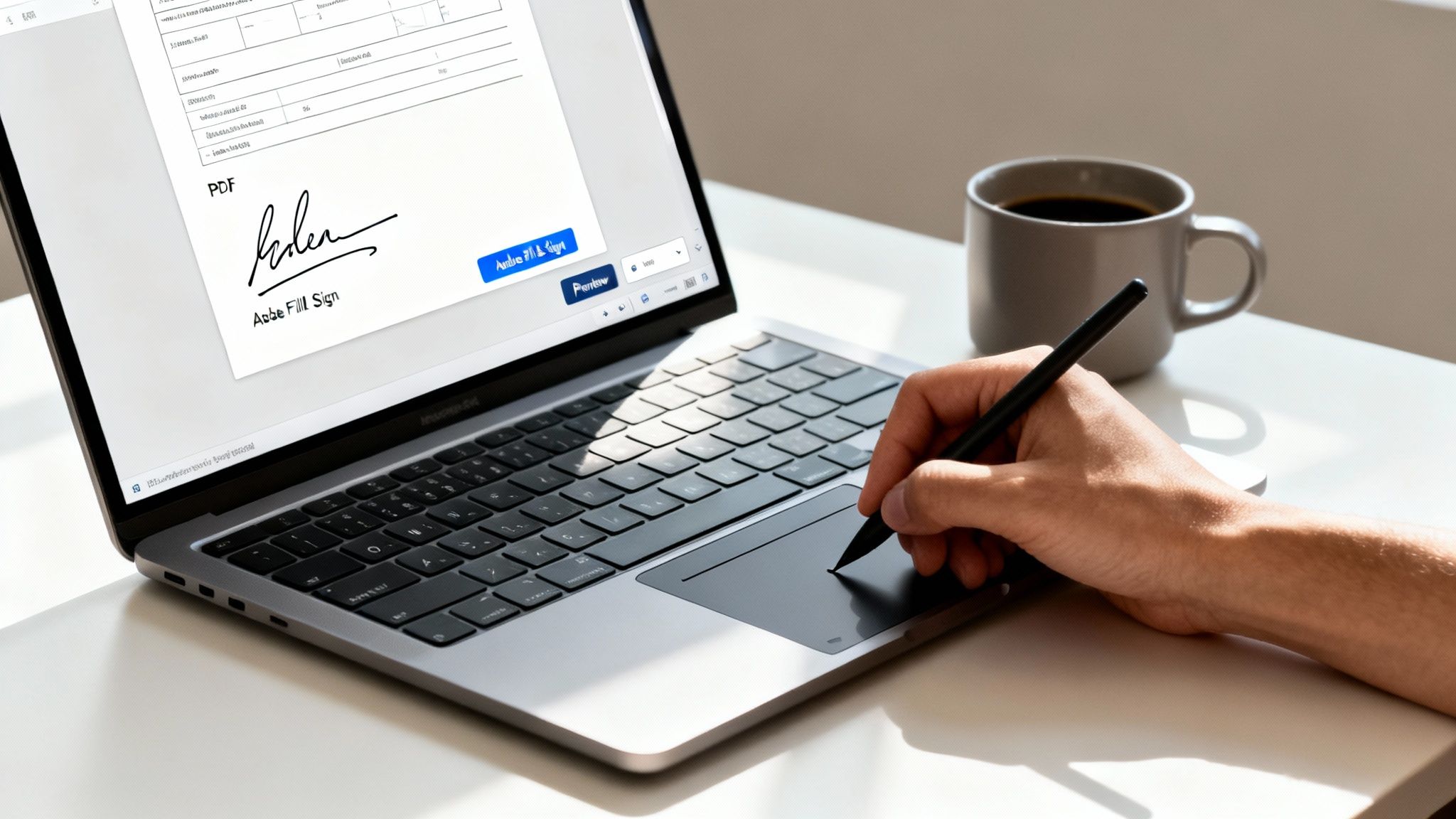
This kind of mobile flexibility really changes the game. Think about it: you're a freelance photographer who’s just wrapped up a great photoshoot. Instead of waiting to get back to your office, you can have the client sign the model release form on your tablet, right then and there. It's a simple move that finalises the job instantly, secures all the necessary permissions, and lets you deliver the final images that much faster.
Signing PDFs on an iPhone or iPad
Apple has made this incredibly simple with its built-in Markup tool. The feature is baked right into iOS, so you don't need to download any extra apps for straightforward signing jobs.
You'll find Markup waiting for you in any PDF attachment in your Mail app or a document you've saved to the Files app. Just open the PDF, tap the Markup icon (it looks like a little pen tip), and then hit the plus (+) sign to reveal more options. You'll see "Signature" in the list. From there, you can draw one with your finger or an Apple Pencil and even save it for next time.
One of the best things about this method is how seamlessly it all works together. Once you save a signature on your iPhone, it syncs through iCloud, making it instantly available on your iPad and Mac. This keeps your signature consistent across all your Apple devices.
Signing PDFs on an Android Device
While Android doesn't have a single, universal equivalent to Apple's Markup, the ecosystem is full of excellent, free apps on the Google Play Store. One of the most reliable and popular choices I've seen people use is Adobe Fill & Sign.
This app makes the whole process a breeze. Once you've installed it, you can open a PDF from your email or cloud storage directly inside the app. Tap the signature icon, draw your signature with your finger, and then just drag it into place on the document. It also lets you fill out other form fields, which is a massive help for completing entire documents, not just signing them. It's a really solid, no-fuss solution for any Android user who needs to get signatures sorted while out and about.
When You Need More Than Just a Signature: Using Dedicated E-Signature Platforms
Let's be honest, for high-stakes business documents, just pasting an image of your signature onto a PDF feels a bit flimsy. When it comes to client contracts, service agreements, or any kind of legal paperwork, you need more than a simple picture, you need undeniable proof. This is exactly where dedicated e-signature platforms come in.
These professional tools are built for freelancers, agencies, and service-based businesses who need iron-clad legal validity, complete audit trails, and smooth integrations. They turn the simple act of signing a document into a secure, verifiable event, giving everyone involved total peace of mind.
Going Beyond a Basic Signature
Unlike the simple markup tools on your computer or phone, specialised platforms are packed with features designed for serious business. They're built from the ground up to comply with Australian electronic transaction laws, making sure every document you sign is legally enforceable.
So, what do you actually get?
- Cryptographic Audit Trails: Every document is backed by a detailed log. This trail records every single action, who opened the file, when they signed, and even their IP address. It's a tamper-evident record that's crucial if a dispute ever arises.
- Automated Workflows: Forget chasing people up. You can set up templates, define a specific signing order for multiple people, and schedule automatic reminders. This kind of automation is a massive time-saver on the admin front.
- Serious Security: Your documents are protected with bank-level encryption, both while being sent and while stored. This meets stringent Australian data security standards, safeguarding your sensitive business and client information.
A Real-World Walkthrough with Payly
Picture this: you're a digital agency owner in Sydney, ready to kick off a project with a new client. Normally, you might be juggling Dropbox to share the proposal and a separate tool like DocuSign for the signature. With an all-in-one platform like Payly, you can manage the entire process in one spot.
It's incredibly straightforward. You upload your project proposal PDF, drag the signature fields to the right places, and send it straight to your client. They get a secure link in their email, open the document, and add their legally binding e-signature in a few clicks. Best of all, they don't even need to create an account.
The real magic is what happens after the signature. Once signed, the document is securely filed away, and you can instantly convert that proposal into a payable invoice. This seamless flow from document signing to invoicing is a genuine game-changer for small teams.
The Australian Shift to Digital Signatures
The move to platforms like this has exploded across Australia. The pandemic was a major catalyst, with the local e-signature market jumping from USD 117.1 million and now projected to hit USD 891.1 million by 2030. Key legislative changes, like those made permanent in Queensland and Victoria, have solidified the legal framework for remote signing, turning it into a standard business practice. You can dig into the numbers behind this shift by exploring the full research on Australia's digital signature growth.
This legal backing means that for any Australian freelancer or business, using a tool that complies with the Electronic Transactions Act 1999 makes signing a PDF just as valid as putting pen to paper. And with all-in-one solutions, you can ditch a cluttered stack of software and cut down on costs. It's no longer just a matter of convenience; it’s about running a smarter, more efficient business.
To see how this can work for you, find out how Payly’s e-signatures can streamline your workflows.
Best Practices for Secure and Valid E-Signatures
Knowing the technical steps to electronically sign a PDF is one thing. But making sure that signature holds up legally and keeps your information secure? That's a whole different ball game. Simply pasting an image of your signature onto a document just doesn't cut it when real contracts and client trust are at stake.
To truly protect your business, you need to adopt a few key practices that go beyond the basics.
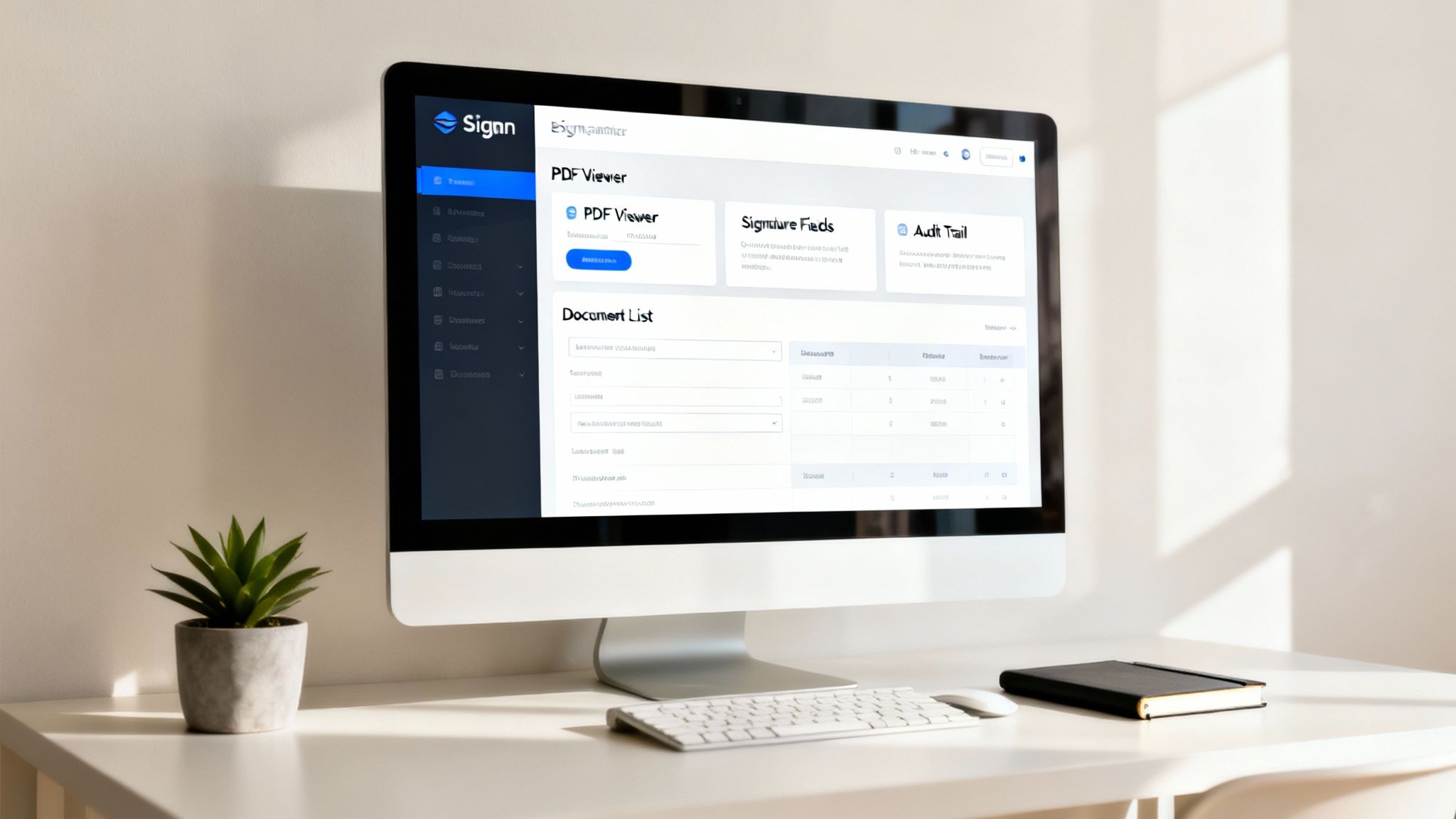
First and foremost, you have to be able to verify who is actually signing. An unverified signature image on a PDF doesn't prove anything about the person who put it there. This is where professional e-signature platforms really shine. They create a comprehensive, verifiable audit trail that logs details like the signer's email, IP address, and a precise timestamp to confirm both their identity and their intent.
Understand the Type of Signature You Need
Not all e-signatures are created equal, and the differences in security have massive legal implications. It’s absolutely vital to know whether you need a basic electronic signature or a more robust digital signature.
- An electronic signature is a broad term for any electronic sound, symbol, or process that shows consent. This could be as simple as a name typed at the end of an email or a signature you draw with your finger on a screen.
- A digital signature, on the other hand, is a specific, highly secure type of electronic signature. It uses powerful encryption to create a tamper-evident seal, locking the document down and proving its integrity hasn't been compromised since it was signed.
If you're interested in the nitty-gritty, you can learn more about the crucial differences between a digital signature vs electronic signature and see why it matters for your agreements. Platforms like Payly use digital signatures to provide that cryptographic muscle needed for high-stakes, legally binding contracts.
Secure Your Signed Documents and Workflow
The way you manage your documents before and after signing is just as critical as the signature itself. A secure workflow is essential for protecting sensitive information and maintaining the long-term validity of your agreements.
A signed contract is a valuable business asset. Storing it in a random desktop folder or an unsecured email account is a significant risk. Always use a secure, centralised location with access controls.
For any business, weaving e-signatures into a structured process is the key to success. Understanding contract management best practices helps you establish clear protocols for how documents are created, sent, signed, and stored. It also means avoiding common security blunders, like signing a sensitive document while connected to a public, unsecured Wi-Fi network where your data could easily be intercepted. When you prioritise secure storage and handling, you strengthen the integrity of every single document you sign.
Common Questions About E-Signing PDFs
Switching to digital signing feels like a big step, and it’s natural to have a few questions. Once you get these cleared up, you’ll see just how much easier life is without the old print-and-scan shuffle. Let's tackle some of the most common uncertainties we hear from people making the change.
We'll cover everything from the legal side of things to the nitty-gritty security details, giving you the confidence to sign on the digital dotted line.
Are Electronic Signatures Legally Binding in Australia?
Yes, they absolutely are. In Australia, electronic signatures are legally recognised and enforceable, thanks to the Electronic Transactions Act 1999 (Commonwealth) and corresponding state and territory legislation.
The key is that the method you use must properly identify the person signing and show they intended to agree to the contents of the document. This is where things get interesting.
A simple image of a signature just dropped into a document might not stand up to scrutiny. This is exactly why a professional platform is a must for business. Tools like Payly create a robust, cryptographic audit trail that satisfies these legal standards, making them perfect for important client contracts or agreements.
What's the Difference Between Electronic and Digital Signatures?
Good question. People often use these terms as if they're the same thing, but there's a critical difference, especially when it comes to security.
Here's a simple way to think about it:
- An electronic signature is the broad category. It’s really any electronic symbol or process that shows acceptance. This could be your typed name in an email, a signature you draw with your finger on a screen, or even a scanned image of your handwritten signature.
- A digital signature is a specific, much more secure type of electronic signature. It uses powerful encryption to create a tamper-evident seal on a document.
This digital seal acts like a unique fingerprint. It verifies the signer’s identity and proves that the document hasn’t been changed one bit since it was signed. For any serious business transaction, this is the level of security and authenticity you need.
Can I Just Paste an Image of My Signature into a PDF?
You can, but for any document that actually matters, it’s a terrible idea. Pasting an image of your signature onto a PDF offers zero real security or verification.
Think about it; that method can't prove any of the crucial details:
- Who actually placed the signature image on the document.
- When it was added.
- Whether the document was altered after the signature was pasted.
For a quick, informal internal memo, maybe it’s okay. But for a client contract, a supplier agreement, or anything with legal weight? It's unprofessional and leaves you exposed. Using a proper e-signature tool that captures intent and locks the document is the only way to meet professional standards and ensure your agreements are legally sound.
Ready to stop juggling apps and start managing your business operations in one place? Payly combines e-signatures, time tracking, and smart invoicing to help Australian service businesses get paid faster. Start your free 14-day trial and see how much simpler your workflow can be at https://www.payly.com.au.
Payly Team
Sharing insights and strategies to help service businesses thrive. Follow Payly for more tips on time tracking, invoicing, and business operations.
Related Articles
Ready to streamline your business?
Join thousands of freelancers and agencies who use Payly to track time, send invoices, and get paid faster.