
How to Add an Electronic Signature in Word
Discover how to create a secure electronic signature in Word. Learn the best methods for signing documents, from built-in tools to legally binding platforms.
Payly Team
January 20, 2026
Of course, you can add a signature to a Word document. But the real question is, should you?
While Word has a few built-in tricks, like adding a Signature Line or pasting in a picture of your signature, these methods are often more cosmetic than functional. They generally lack the robust security and legal weight needed for important business agreements. For real confidence, a dedicated e-signature platform is almost always the better way to go.
Why Proper E-Signatures Are So Important for Businesses
Moving past the basic convenience, a secure electronic signature is a fundamental tool for any modern Australian business. It’s not just about saving a bit of time, it’s about speeding up your entire operation and safeguarding your revenue. When you can get contracts and invoices signed off in minutes, not days, your cash flow sees a direct and immediate benefit.
Think about a marketing agency getting a new scope of work approved instantly, or a freelance designer locking in a project without the agonising wait for snail mail. That kind of speed gives you a genuine competitive edge, letting you secure revenue and kick off work much faster.
Putting Security and Compliance First
The most significant difference comes down to security. Anyone can copy and paste a scanned image of your signature, which offers next to no legal protection if things go sideways. A secure e-signature platform, on the other hand, creates a cryptographic audit trail for every document.
This digital trail is like a detailed receipt, logging every interaction with the document. It captures things like:
- Who signed the document and the exact time they signed it.
- The IP address they signed from.
- A tamper-evident seal that proves the document hasn't been changed since signing.
This level of detail provides a rock-solid layer of security that a simple image could never offer. It turns your agreements from digital handshakes into legally defensible records, which is non-negotiable for anyone running a serious business. Even better, these tools can often slot right into your existing processes and are a core feature of good document management software in Australia.
An electronic signature is far more than just a digital version of your handwriting. It’s a secure, verifiable process that confirms intent and protects the integrity of your agreements, giving both you and your clients peace of mind.
The Booming Australian Market
The move towards secure digital workflows isn't just a fleeting trend; it’s a major economic shift happening right here in Australia. Forecasts predict the local digital signature market will balloon from USD 117.1 million to an incredible USD 891.1 million by 2030.
This growth is underpinned by solid legislation, namely the Electronic Transactions Act 1999, which establishes the legal validity of e-signatures, provided all parties agree to their use. This gives Australian businesses a firm legal foundation to build on. If you're interested in the numbers, you can dive deeper into these market trends in this detailed research analysis.
Using Word’s Built-In Signature Line Feature
Microsoft Word has a handy, built-in feature called the Signature Line. It's a quick and simple way to pop a placeholder into your document, showing exactly where someone needs to sign. You'll find it right in the main menu ribbon, making it super accessible.
This tool is perfect for those everyday, low-stakes internal documents. Think of an internal memo that just needs a manager's quick sign-off, or a draft report that needs the team's acknowledgement before it goes any further. It’s a visual nod of approval, without getting bogged down in complex security.
How to Add a Signature Line
Getting a signature line into your document is a breeze, whether you're on a Windows PC or a Mac. Just head over to the Insert tab, look for the Text group, and click on Signature Line. A little dialogue box will pop up, asking for the signer's details.
This is where you can specify exactly who needs to sign and what information to show. You can fill in:
- Suggested signer: The full name of the person signing.
- Suggested signer's title: Their role, like "Project Manager" or "CEO".
- Suggested signer's e-mail address: A helpful contact detail.
- Instructions to the signer: A short note, such as "Please check the details above are correct before signing".
This setup makes it crystal clear for the person on the other end.
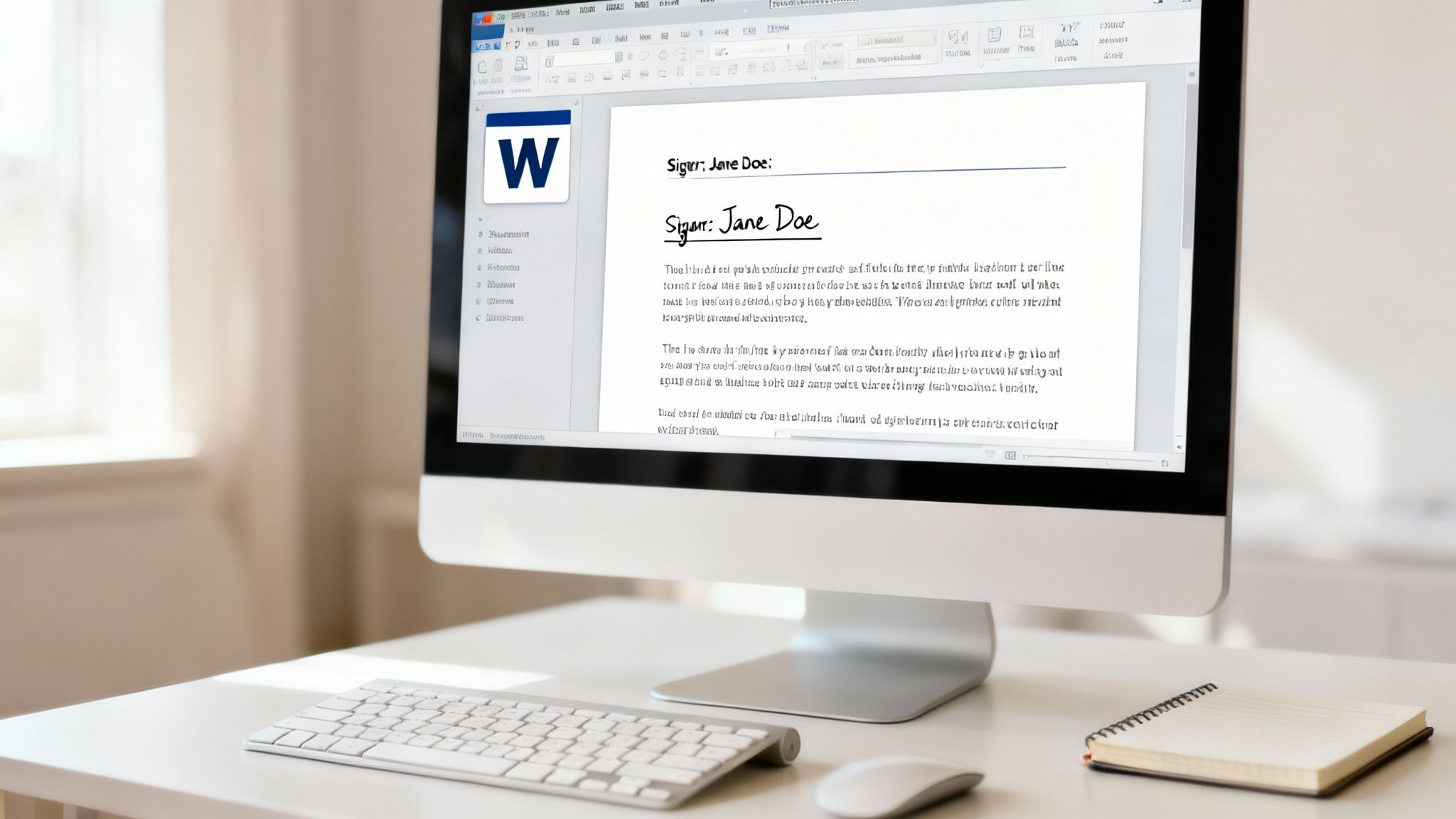
Once you've set it up, the signature line appears in the document. The signer can then just double-click it to type their name or, if they're using a device with a stylus, scribble their actual signature.
Understanding the Limitations
Now for the important part: you need to be really clear on what this feature doesn't do. Word’s standard Signature Line is not a cryptographically secure, legally binding electronic signature. It's basically just an image placeholder and it can be easily copied, pasted, or messed with. It completely lacks the audit trails and identity verification needed for serious agreements.
Think of Word’s Signature Line as the digital version of an initialling box on an office memo. It shows someone's seen it, but it's not the legally sound signature you'd put on a formal contract.
Because of this, you should absolutely avoid using it for anything with legal or financial weight. That means client contracts, statements of work, formal quotes, or any document where you need to prove who signed it and that it hasn't been changed. For those critical situations, a dedicated e-signature platform is the only way to go to ensure your agreements are secure and compliant with Australian law.
Using a Scanned Image of Your Signature
Popping a scanned image of your signature into a Word doc is probably the most common trick in the book. It's fast, easy, and for a quick internal sign-off, it often feels like enough.
But let's be clear: this method is all about looks, not security. Think of it as a visual placeholder rather than a genuine, secure signature. It’s perfect for low-stakes documents but a definite no-go for anything that needs to be legally sound.
How to Create and Clean Up Your Signature Image
First things first, you need a good source image. Grab a clean, unlined sheet of white paper and sign your name with a quality pen; a dark blue or black ink works best. This simple step makes it much easier to get a clean digital version later.
Now, you need to get it onto your computer. A scanner is your best bet here, and if you plan on doing this often, it's worth learning about choosing the right scanner to get a high-quality result. Aim for a resolution of at least 300 DPI; this ensures the signature looks sharp and professional, not pixelated, when you drop it into the document.
Save the scanned image as a PNG or JPG file. Then, open your Word document and follow these steps:
- Head to the Insert tab, click Pictures, and find the signature file you just saved.
- Once it’s in the document, click on the image to bring up the Picture Format tab.
- Select Remove Background. Word does a decent job of guessing, usually turning the background magenta. You can fine-tune it with the Mark Areas to Keep and Mark Areas to Remove tools until only your crisp signature is left.
- Finally, resize and drag it into position.
The Big Downside: Zero Security and Major Legal Risks
Here’s where this quick and easy method falls apart. A picture of your signature has absolutely no security built into it. None. Anyone who gets a copy of that document can simply right-click, save your signature, and paste it onto anything they want.
A scanned signature image is the digital equivalent of leaving a rubber stamp of your signature on an unlocked desk. It provides a visual representation of consent but offers zero verifiable proof of who applied it or if the document has been altered since.
If you’re running a professional services business in Australia, this should be a massive red flag. Think about client agreements, contracts, or even high-value invoices. A simple image offers no audit trail, no way to verify the signer’s identity, and no proof that the document hasn’t been tampered with. If a dispute ever ended up in court, that little image would carry almost no legal weight.
The difference between this and a proper electronic signature is night and day. Secure e-signatures, especially what are known as Advanced Electronic Signatures (AES), are becoming the standard in Australia because they create a unique, verifiable link between a person and a document. This shift is fueling huge growth, with the local digital signature market expected to reach USD 783.47 million by 2032. When you look at the security and legal standing of a dedicated e-signature platform, a scanned image just doesn't measure up.
The Professional Method: A Secure E-Signature Platform
When your business relies on signed agreements, using a dedicated e-signature platform isn't just an upgrade, it's essential. This approach moves beyond the basic, often cosmetic, solutions within Word to provide a secure, professional, and legally sound way to finalise contracts, proposals, and invoices.
The whole process is refreshingly straightforward and built for how businesses actually work. You simply prepare your document in Word as you normally would. Since most secure platforms work best with finalised documents, knowing how to convert your Word documents to PDF is a great first step.
Once you have the PDF, you upload it to a dedicated platform like Payly. From there, you just drag and drop the necessary signature fields, assign them to your client, and send it off for a legally binding electronic signature.
This quick decision tree shows why a secure platform is the only real choice for legally binding documents, leaving other methods behind.
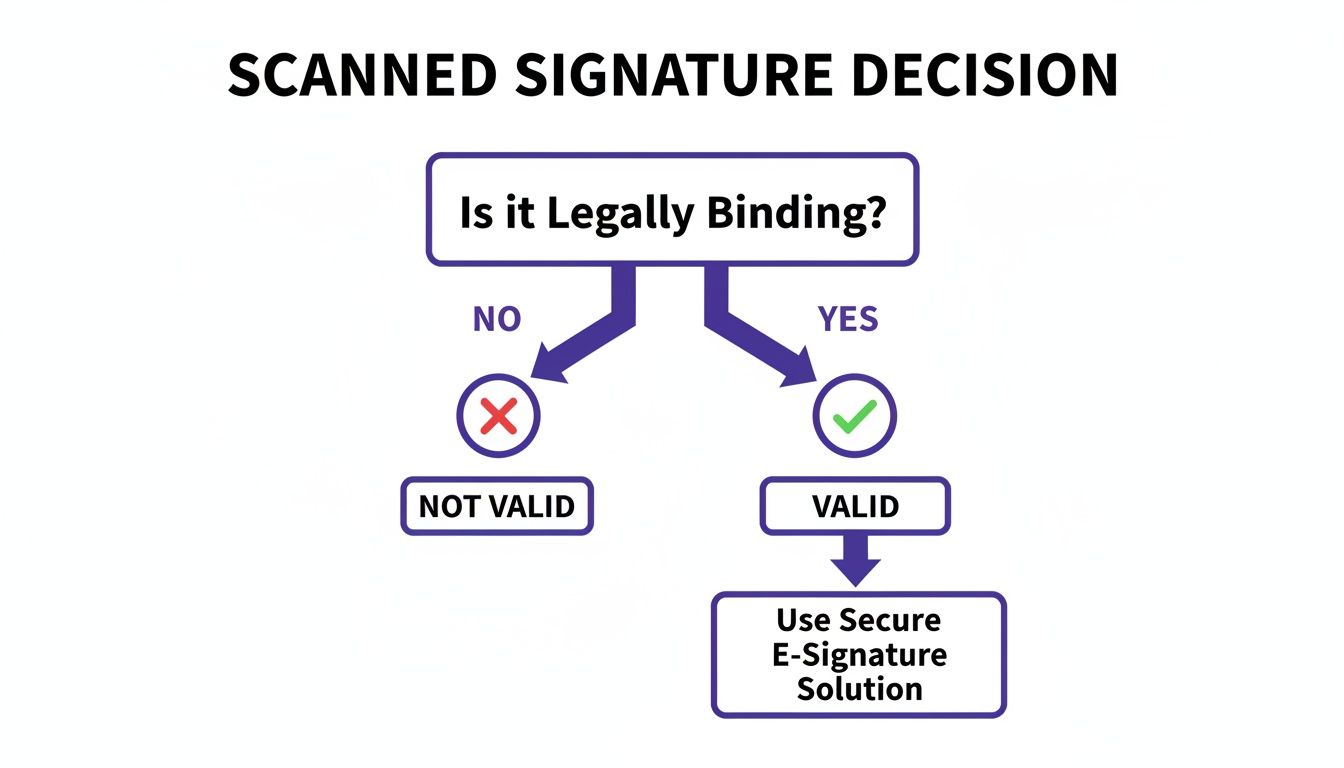
The key takeaway is simple: for any document where legal validity matters, a secure e-signature platform is the only reliable option.
Comparing E-Signature Methods in Microsoft Word
It can be tough to see the differences at a glance. This table breaks down why a dedicated platform stands out, especially for Australian businesses that need to ensure their agreements are secure and legally enforceable.
| Feature | Word Signature Line | Scanned Image Signature | Dedicated Platform (e.g., Payly) |
|---|---|---|---|
| Security | Low. Easily forged or altered. No real security. | Very Low. Just an image, easily copied/pasted. | High. Uses cryptographic encryption and a tamper-evident audit trail. |
| Legal Standing (Australia) | Weak. Fails to meet key parts of the ETA 1999. | None. Offers no proof of identity or intent. | Strong. Fully compliant with the Electronic Transactions Act 1999. |
| Ease of Use | Clunky for the sender, confusing for the signer. | Simple to add, but unprofessional and insecure. | Streamlined. Guided signing process with automated reminders. |
| Best For | Internal, informal documents. Not for contracts. | Situations where a signature is a visual only. | All business agreements: contracts, proposals, invoices, onboarding docs. |
As you can see, while Word's tools have a place for casual internal use, they just don't offer the security or legal standing required for professional business.
Benefits You Won’t Find in Word
Dedicated platforms offer a suite of powerful features that Microsoft Word simply can't match. These tools are designed from the ground up to protect your business and speed things up.
The most critical advantage is the cryptographic audit trail. This is a detailed, tamper-evident log that records every single interaction with the document.
- Who signed: Verifies the signer's identity.
- When they signed: Provides a precise, undisputed timestamp.
- Where they signed from: Captures the IP address of the device used.
This audit trail is your rock-solid proof if a signature's validity is ever questioned. On top of that, these platforms offer advanced identity verification, automated reminders to chase up unsigned documents, and centralised document management to keep everything organised. You can learn more about how these features work together on our page covering https://www.payly.com.au/e-signatures.
Legal Compliance and Peace of Mind in Australia
For Australian businesses, this professional method aligns perfectly with the Electronic Transactions Act 1999. The Act is very clear: for an electronic signature to be legally binding, there must be a reliable method to identify the person signing and to show they approved the information.
A dedicated e-signature platform directly meets these legal requirements by providing robust identity verification and a secure, unalterable audit trail. This gives you total peace of mind that your agreements are not just signed, but legally enforceable.
This legal assurance is what really matters. It means you can close deals faster, get invoices paid without delay, and protect your business from potential disputes down the road. It’s no surprise the Australian market is embracing these tools, with projections showing the digital signature market will soar to USD 3.34 billion by 2034. This growth is all about the clear need for secure, mobile-friendly digital identity solutions.
Navigating E-Signature Laws in Australia
Before you start getting documents signed electronically in Word, it's vital to get your head around the legal side of things here in Australia. It might sound a bit daunting, but the core ideas are pretty simple and are there to make sure everyone can trust digital agreements.
The main piece of law you need to know about is the Commonwealth’s Electronic Transactions Act 1999 (ETA). This federal act, backed up by similar laws in each state and territory, is what gives electronic signatures their legal weight across the country. At its heart, it confirms that a deal isn't invalid just because you did it online.
What Makes an E-Signature Legally Binding
So, what does it take for an e-signature to be considered legally sound under the ETA? It boils down to a few common-sense conditions that ensure the whole process is transparent and fair for everyone.
For an electronic signature to be legally valid, it has to:
- Reliably identify the person signing. You need a solid way to be sure the person signing is actually who they claim to be.
- Clearly show their intent. The signing action must make it obvious that the person intended to agree to the terms in the document.
- Have everyone’s consent. All parties involved must agree to handle the signing process electronically.
This is exactly why just pasting a scanned image of your signature into a Word doc is a risky move. There's no robust way to prove who added it or that they genuinely intended to be bound by the agreement, leaving you in a weak position if a dispute ever came up.
The Critical Role of the Audit Trail
This is where a proper audit trail becomes your best friend. A good e-signature platform automatically creates a detailed digital record of everything that happens to a document. It’s like a complete, time-stamped log of every interaction.
If you ever find yourself in a disagreement, this audit trail is the hard evidence that backs you up. It captures all the crucial details that prove the signature is legitimate, including:
- The signer's email address
- The IP address of the computer or device they used
- Exact timestamps showing when the document was sent, viewed, and signed
An audit trail elevates an electronic signature from a simple image on a document to a verifiable, legally defensible action. It’s the proof you need to show who signed, when they did it, and that the document hasn’t been tampered with since.
This is the kind of detail needed to meet the standards set out by the ETA. The law provides the rules, but the audit trail provides the proof. If you're keen to understand the tech behind this, it's worth reading our guide on what is a digital signature, which gets into the cryptographic security that makes these audit trails so secure. Using a platform with these features is the best way to make sure your business stays compliant and your agreements are rock-solid.
Your Top Questions About E-Signatures in Word, Answered
When it comes to getting an electronic signature in Word, it's easy to get a bit tangled up. Let's clear the air and look at some of the most common questions people ask. These are the things you really need to know to sign documents the right way.
Is a Signature I Add in Word Actually Legally Binding in Australia?
This is the big one, and the answer is nuanced: it really depends on how you do it.
If you just paste a scanned image of your signature or use Word’s own Signature Line feature, then the answer is almost always no. These simple methods just don’t have the security or identity verification chops required under Australia's Electronic Transactions Act 1999. There’s no real way to prove who signed it or to be sure the document hasn't been fiddled with afterwards.
But, if you finalise your document and then use a proper, secure e-signature platform for the signing part, then yes, that signature is absolutely legally binding. These services are built to provide the detailed audit trails and security measures that Australian law requires.
Can Someone Just Copy My Signature from a Word Document?
Unfortunately, yes. This is a huge vulnerability with the more basic methods.
If your signature is just an image file (like a .PNG or .JPG) you’ve dropped into the document, anyone who gets a copy can simply right-click it, save it, and potentially use it elsewhere. It's a risk you really don't want to take with important contracts or agreements.
A true electronic signature from a dedicated platform isn’t just a picture. It’s a unique, cryptographically secured piece of data that’s tied directly to that one specific document. You can't just copy and paste it somewhere else.
This is the fundamental security difference that makes professional platforms the only real choice for business.
Should I Convert My Word Doc to a PDF Before Signing?
While you don't have to, turning your Word doc into a PDF first is a well-established best practice. Think of it as locking the document down.
Saving it as a PDF finalises the content, making it much harder for anyone to make accidental or deliberate changes after it’s been sent out. It’s why almost every professional e-signature platform is built around the PDF format.
It's a simple step, but it adds a crucial layer of integrity to your agreements. It ensures what you send is precisely what gets signed.
What’s the Safest Way to Get a Signature on a Word Document?
Hands down, the safest and most professional way is to use a dedicated e-signature platform.
The workflow is straightforward: you finalise your document in Word, save it as a PDF, and then upload it to the platform. From there, you can place the signature fields exactly where you need them and send the signing request to your client.
This process unlocks all the security features you just can't get within Word itself:
- A complete audit trail logging every single interaction with the document.
- Robust identity verification to confirm your signer is who they say they are.
- Bank-level encryption to keep the document’s contents secure from prying eyes.
For doing business in Australia, this is the only approach that provides the security and legal weight you need.
Ready to move beyond Word’s limitations and get your documents signed securely and efficiently? Payly combines legally binding e-signatures with invoicing, time tracking, and document management in one platform built for Australian businesses. Start your free 14-day trial today and see how easy it is to get paid faster. https://www.payly.com.au
Payly Team
Sharing insights and strategies to help service businesses thrive. Follow Payly for more tips on time tracking, invoicing, and business operations.
Related Articles
Ready to streamline your business?
Join thousands of freelancers and agencies who use Payly to track time, send invoices, and get paid faster.